Your employee contracts, offer letters and HR forms, made and signed from Airtable
You handle the papers of the people your company hires and employs, and you keep their records in Airtable. TypeFlow is a document generation and e-signature tool for businesses that run on Airtable. It fills each person's offer letter, contract, HR form or NDA from their record, sends it for signature and saves the signed copy back on the record.
Over 1M documents generated · 4.9 on G2 · 2,000+ users · 20 free documents, no credit card
Your people are in Airtable. Each person's papers are still made by hand.
Each person's papers are made one by one
Each person's papers are drafted in Word, turned into a PDF, sent through a separate e-signature tool, then uploaded back to the record. Each detail and each email address is typed by hand, and mistakes slip in.
Your letters have outgrown mail merge
Each letter now draws on several linked tables. You could no longer make them with mail merge, and you found nothing in Airtable itself to write them with.
Each person's papers are filled from their Airtable record, signed in the same tool and filed back on the record
One person in HR sets TypeFlow up on screen, with no code.
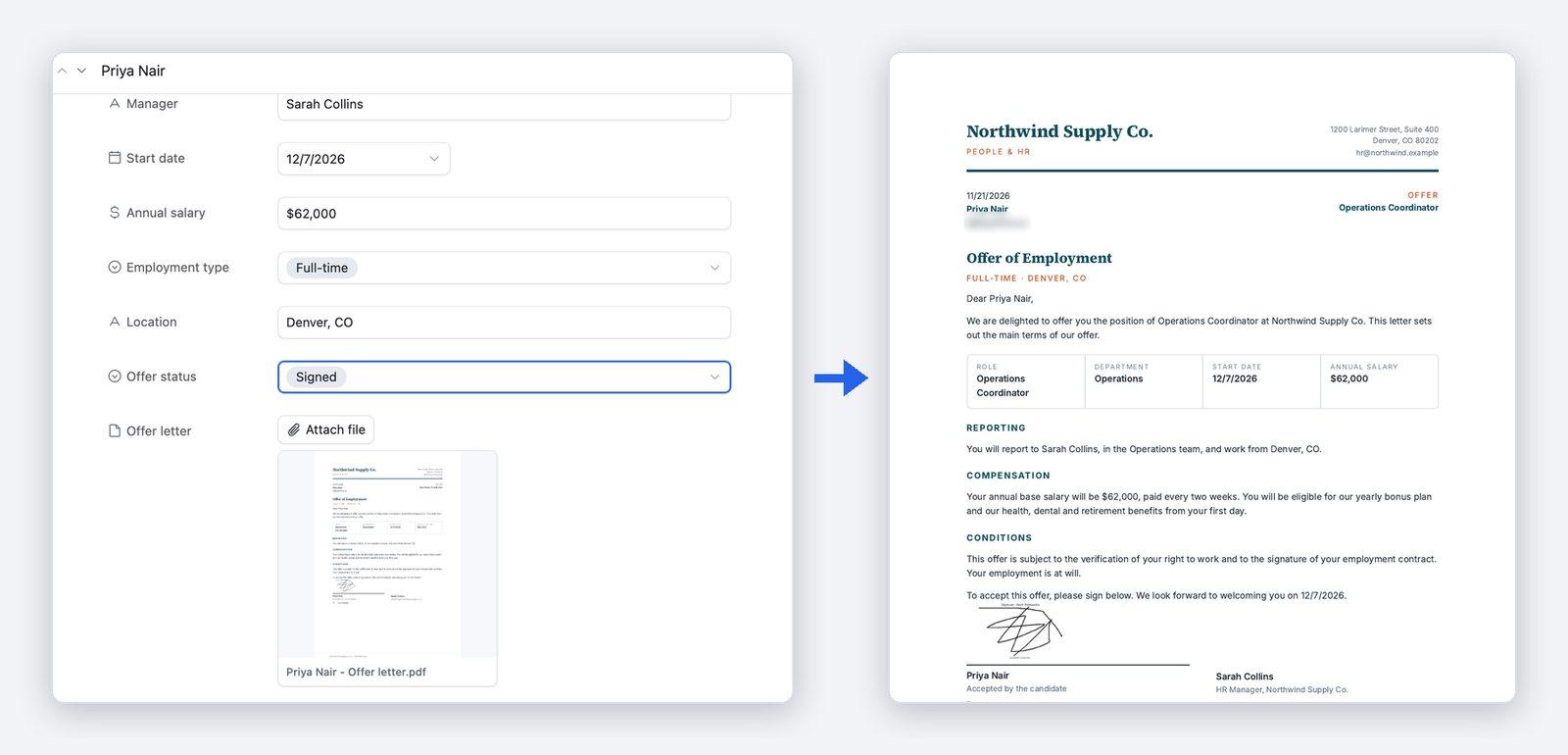
From a candidate's record to a signed offer letter, filed back on the record
- 1Start from the record. The candidate's or employee's Airtable record already holds the name, the role, the dates and the pay.
- 2The documents are filled in. TypeFlow fills your offer letter or contract template from the record. An HR form you already have as a PDF form is filled as it is, with its layout and wording unchanged.
- 3The documents are signed. The person gets an email, opens the letter or the filled form and signs online. When your company signs too, your own signer can be invited once the person has signed. For an offer that only needs a yes from one person, Acceptance Mode lets them read it and click Accept, with nothing to fill in or draw. They can also decline it.
- 4The signed documents are filed back on the record. Each PDF is saved to an attachment field on the person's record. When everyone has signed, the signed PDF is attached to the record. A field on the record also updates itself when the document is signed or declined.
You start each document with a button on the record. On the Pro and Enterprise plans, it can also start on its own when a field changes, for example when a status changes to "Approved".
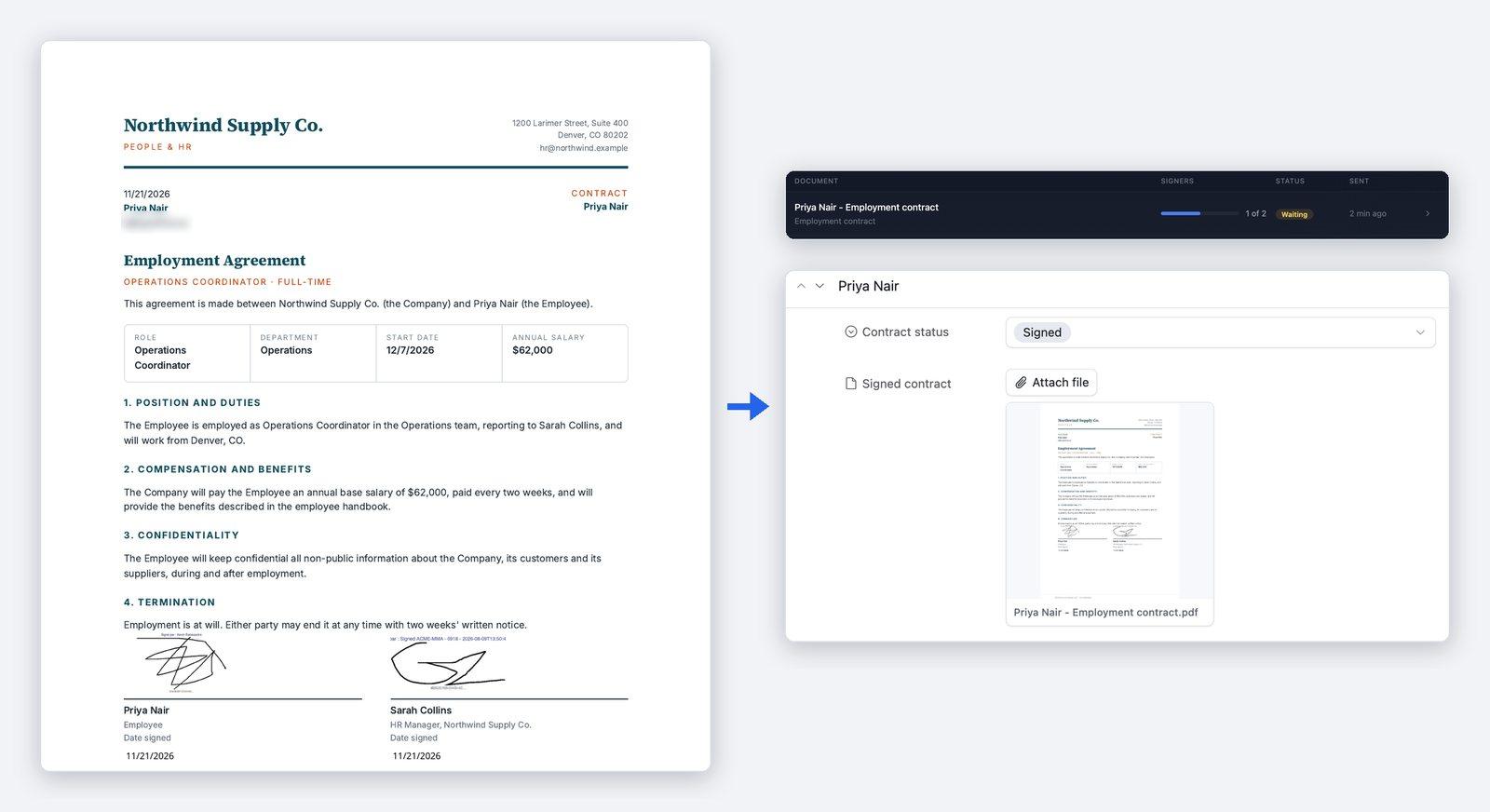
The contract is signed by the person and by your company, with nobody's details retyped
When a contract needs the person's signature and your company's, TypeFlow takes each signer's name and email from your Airtable fields, so nobody types an email address by hand. Your own signer can be one fixed address. Signers sign one after the other, the person first and your company after for example, or all at once. Each of them gets a link to a contract already filled from the record. TypeFlow collects the signatures itself, so there is no separate e-signature tool to pay for or to connect. E-signatures are unlimited on the Starter, Pro and Enterprise plans, with no fee per signature. Each signed contract comes with a Certificate of Completion, which records who signed and when. Once everyone has signed, a field on the record updates itself, to "Signed" for example. Until then, TypeFlow's History shows how many signers have signed.
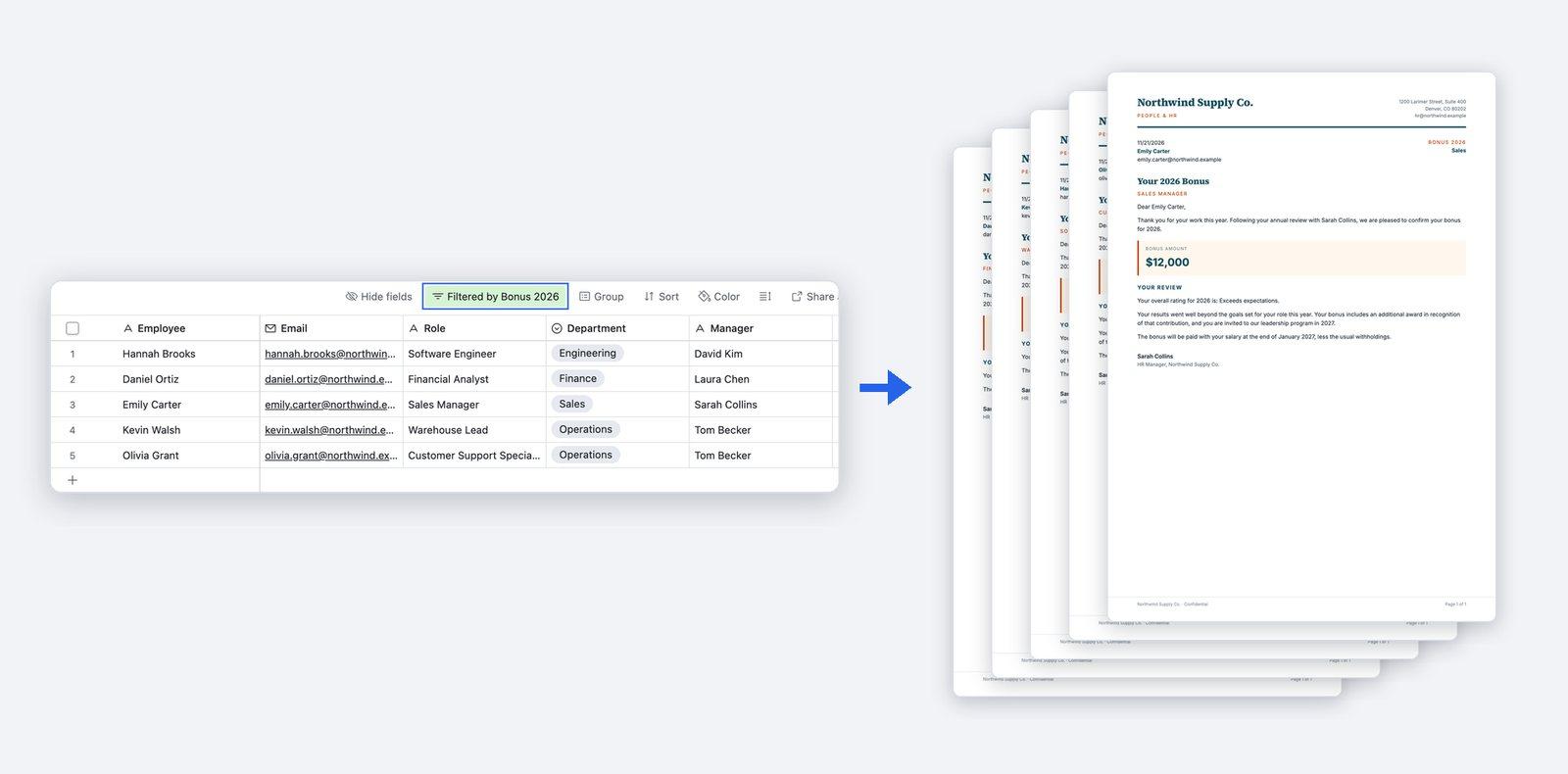
One template makes every employee's letter, and a whole group in one run
Conditional sections show or hide a part of the letter, a whole paragraph for example, depending on a field value. So one template fits each employee. The letter can draw on up to 3 levels of linked records, picked directly in the field mapping, with no lookup fields to create in Airtable. Bulk generation makes the letter for every record of a view in one run, each with its own data. Filter the view on any field, and only the people in it get a letter. TypeFlow can also email each letter with the PDF attached. Conditional sections, bulk generation and email delivery are on every plan. It works the same for a yearly run of bonus letters as for one offer letter.
The support and the price behind each document
Human support, usually within a few hours
TypeFlow's team replies by chat or email, usually within a few hours on business days. You can book a 30-minute setup call before you start, and a first document is typically ready in 5 to 15 minutes.
One flat price, with no fee per user or per signature
You pay a flat monthly price set by the number of documents you generate, not per user and not per signature. Plans start at $24 a month, billed yearly, for 200 documents a month.
See pricing →
FAQ
Will our Airtable data look right in the document?
A checkbox field prints as a ticked or an empty box. A select field can print each of its options as a box, with the chosen one ticked. A rating field prints as its Airtable icons, for example ★★★★☆ for 4 out of 5. Images come from your Airtable attachment fields. In a table, line items repeat one row for each linked record. Dates, numbers and currencies print in the format set on the Airtable field. A different currency on each line is possible with an Airtable formula.
I'm not technical. Can I set this up myself?
Yes. There is no code to write. For a letter, you can write it in an ordinary Google Doc and put a placeholder in double curly braces, such as {{employee_name}}, wherever a value goes. TypeFlow lists every placeholder it finds in your template. For each one, you pick the matching Airtable field from a dropdown.
Can someone check a contract before it goes out?
Yes, on the Pro and Enterprise plans. "Review before sending" holds each contract after it is generated. The signer gets no email and no link until you have checked it and clicked Send for signature.
Can it make our other HR documents, such as attendance registers and workforce tables?
Yes. TypeFlow generates employee documents, attendance records and training certificates from Airtable records, one at a time or in bulk. For a workforce table, pivot tables summarize linked records in a grid, with columns grouped under headers. Pivot tables are on the Pro and Enterprise plans and are made in TypeFlow's Template Builder.
Our HR app is built on Softr. Does it still work?
Partly. Softr Databases is a built-in data source in TypeFlow: you connect it with your Softr API key and map its fields in your templates, like Airtable. On the Softr side there is no native TypeFlow action yet: you start a document from a Softr button or link that calls the flow's generation URL, or through Make or Zapier.
Where is our employee data?
Your Airtable data stays in Airtable: TypeFlow reads the records it needs when it generates a document and saves the file back on the record. TypeFlow's database, generated files and processing servers are hosted in the EU (Frankfurt, Germany). Access to a base is granted on Airtable's own screen, limited to the bases you choose, and can be revoked at any time. Only TypeFlow's founder can access a connected base, and only to resolve a support request. Data is encrypted in transit and at rest. TypeFlow keeps its copy of generated and signed documents with no time limit, until you ask TypeFlow to delete it, so the audit trail can always prove what was signed, by whom and when. On the Enterprise plan, a retention period can delete signed documents automatically after the number of days you choose. A data processing agreement and security documentation come with the Enterprise plan.
Is the e-signature legally valid for our contracts?
TypeFlow e-signatures are simple electronic signatures that comply with the US ESIGN Act and UETA and with the EU eIDAS Regulation. They are legally binding for most standard business contracts. Every signed document includes a Certificate of Completion with the signer details, the audit trail and the document hashes (SHA-256 fingerprints of the original and the signed document). On Pro and Enterprise, you can ask a signer to enter a 6-digit code sent to their email before viewing or signing. The code confirms access to that email address, not the signer's legal identity. Whether the certificate is enough evidence for a given requirement depends on the type of document, the country and how firmly the signer's identity must be proven.
Make your next offer letter from Airtable
Try TypeFlow on your own Airtable data with 20 free documents. No credit card required. From $24 a month, billed yearly.