Branded reports from Airtable that you can sign
Turn Airtable views into multi-page PDF reports and signed documents. Export Airtable data to PDF for teams that need recurring client or compliance reports with signatures linked back to Airtable.
20 free documents - No credit card
Airtable is great for data. Not for documents.
Your teams track everything in Airtable but still export messy CSVs, take screenshots, and manually format reports. With the right setup, you can export any Airtable view to a clean PDF instead.
Two ways to generate documents from Airtable
View Report for table snapshots. Per-record templates for individual documents. Both with branding, e-signatures, and automation.
View Report - export entire Airtable views as branded PDFs
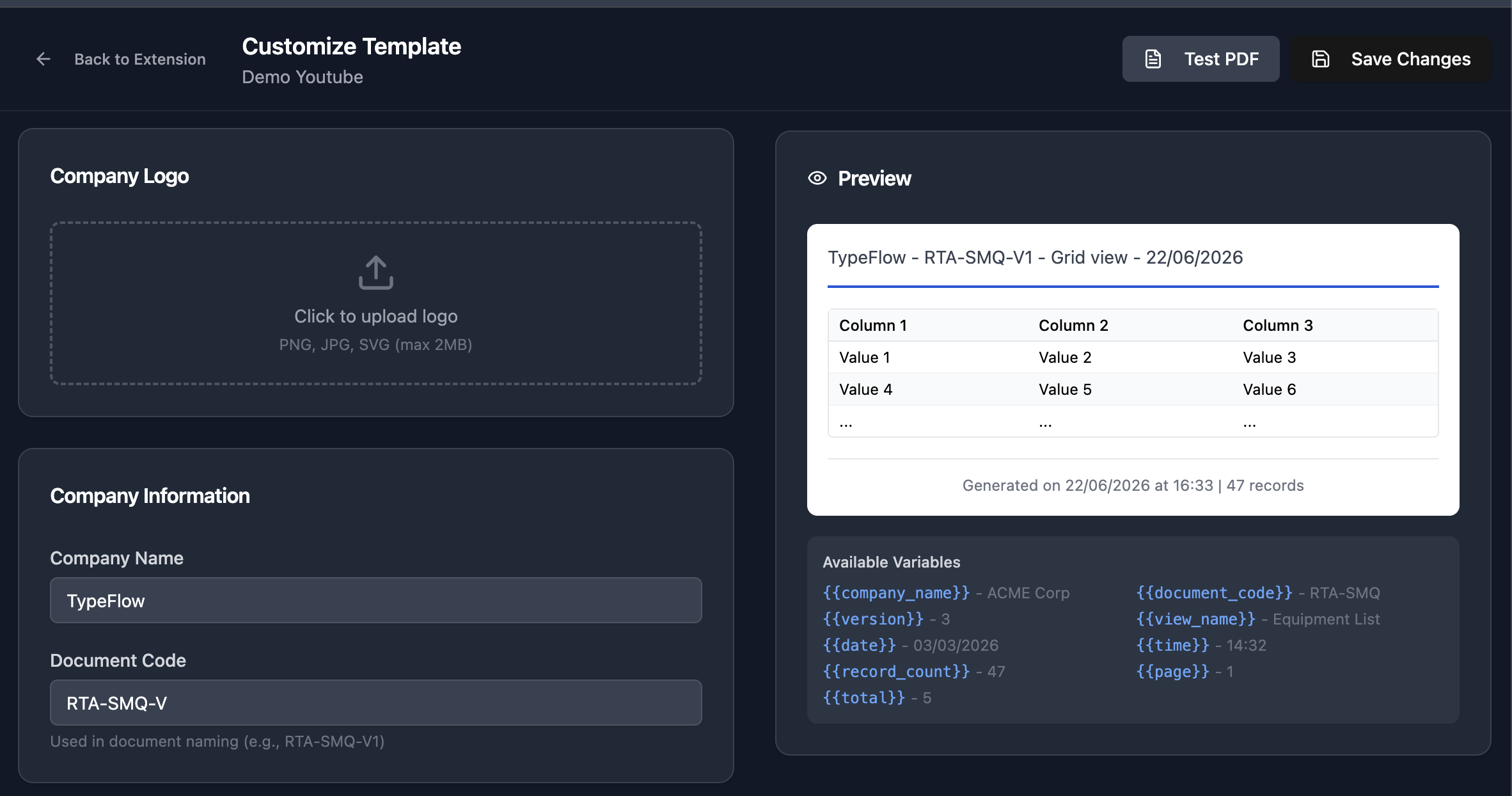
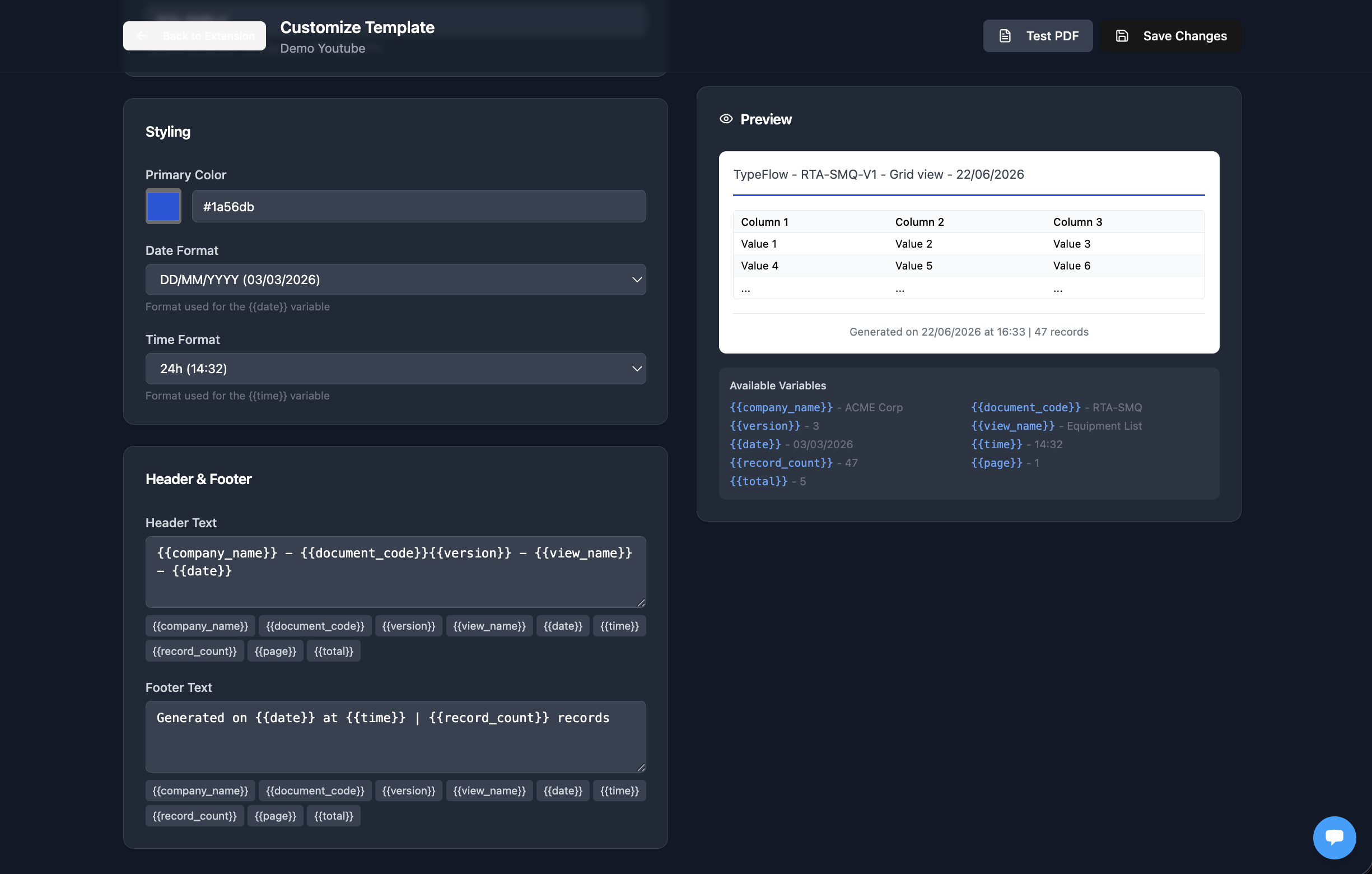
Export a full Airtable view as a professional PDF with your logo, document code, version number, timestamps, and page numbers. Wide tables with 60+ columns paginate automatically.
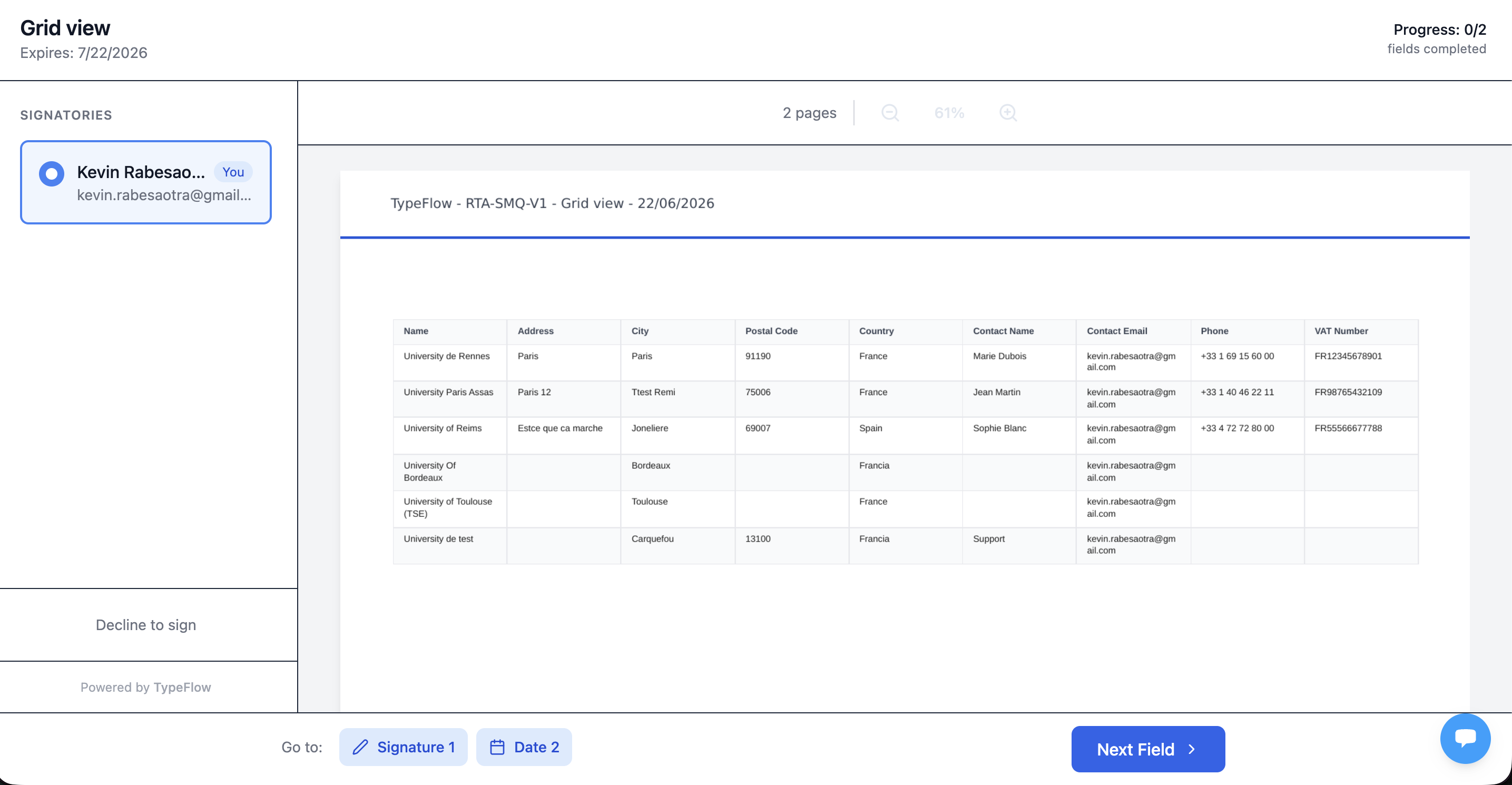
E-signature approval on reports
After generating a View Report, TypeFlow appends a signature page automatically. Signers receive an email, review the data, and sign. The signed PDF includes a certificate of completion.
Per-record documents from templates
Generate one PDF per Airtable record - QC reports, certificates, spec sheets, work orders. Use Google Docs or the HTML/CSS builder with merge variables and linked record data.

Audit-ready with version control
View Reports auto-increment version numbers (V1, V2, V3), include generation timestamps, record counts, and document codes. Every export is a frozen snapshot at that point in time.
Works across departments
Quality team generates QC reports. HR creates training certificates. Operations prints work orders. Finance exports audit snapshots. Same tool, different templates.
Batch generation and automation
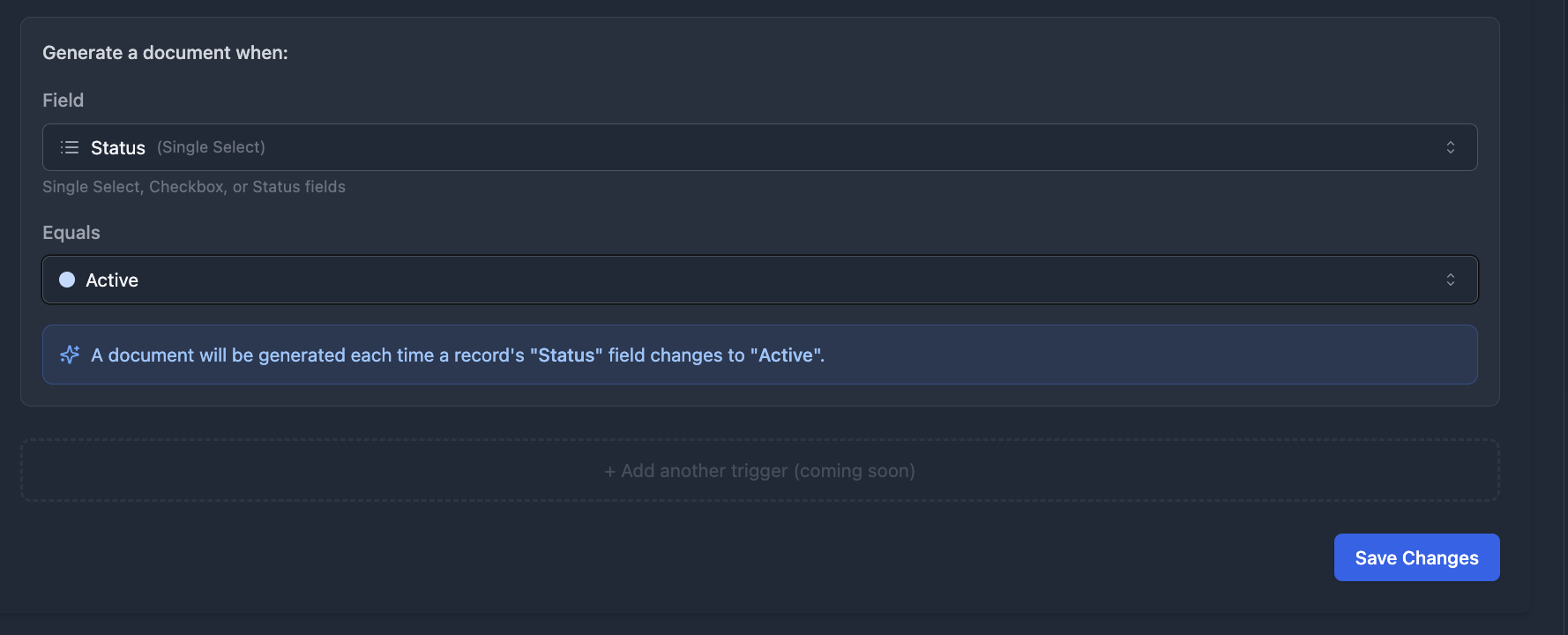
Generate hundreds of certificates or reports at once from the TypeFlow extension. Or trigger generation automatically when a record status changes with TypeFlow Automation.
Document types by department
One tool for every team. Same engine, different templates.
Quality & Compliance
- QC inspection reports
- Certificates of conformity
- Audit-ready table snapshots
- Traceability documents
Training & HR
- Training certificates
- Course completion certificates
- Employee documents
- Attendance records
Manufacturing
- Production orders
- Spec sheets
- Quality reports
- Work instructions
Construction & Real Estate
- Work orders
- Safety inspection reports
- Project reports
- Property brochures
TypeFlow vs Page Designer vs manual exports
Page Designer handles single-record layouts. Manual exports are ugly and editable. TypeFlow handles both record-level and view-level documents professionally, including audit-ready PDF reports with version control.
| Feature | TypeFlow | Page Designer | Manual Export |
|---|---|---|---|
| Generate from Airtable records | - | ||
| Export entire Airtable views as PDF | - | Screenshot | |
| Custom branding (logo, header, footer) | Limited | ||
| Version control and document codes | - | - | |
| E-signatures on reports | - | - | |
| Wide table pagination (60+ columns) | - | - | |
| Batch generation | Manual | - | |
| Automation triggers | - | - | |
| Multi-page support | Limited | ||
| Starting price | $22/mo | Free (Airtable paid) | Free |
Frequently asked questions
Can I export an entire Airtable view to PDF?
Yes. TypeFlow View Report exports any Airtable view - with all visible columns and rows - as a branded, paginated PDF with your logo, document codes, version numbers, and optional e-signature approval.
Can I generate certificates automatically?
Yes. Create a certificate template in Google Docs or the HTML/CSS builder, map your Airtable fields, and generate certificates one at a time or in bulk. Batch-generate hundreds of certificates from the TypeFlow extension.
Can I use different templates for different teams?
Yes. Create as many flows as you need - one for QC reports, one for certificates, one for work orders. Each flow has its own template, mapping, and trigger. No limit on the number of flows.
Can I add e-signatures to reports?
Yes. For View Reports, a signature page is auto-appended and signers receive email invitations. For per-record documents, enable e-signature in the flow and configure signers from Airtable fields. Unlimited signatures included.
How does wide table pagination work?
Tables with more than 8 columns are automatically split into groups of approximately 7 columns per page. The primary field repeats on every group so you always know which record you are looking at. All groups merge into a single PDF.
Can I schedule recurring reports?
Yes. Use TypeFlow Automation to generate reports when a status changes, or set up an Airtable Automation with a schedule trigger (weekly, monthly) to call the TypeFlow API.
Can I batch-generate reports or certificates?
Yes. Use the Bulk Generate feature in the TypeFlow dashboard to select multiple records and generate PDFs for all of them at once. You can also use the TypeFlow Airtable extension or Airtable Automations to trigger generation for each record in a view.
How many documents can I generate per month?
Depends on your plan: 200 on Starter ($22/mo), 500 on Pro ($35/mo), 1,000 on Business ($60/mo), unlimited on Enterprise ($199/mo). No per-document fees.
Start generating professional documents from Airtable
Reports, certificates, spec sheets, work orders - one tool for every document your team needs. No per-document fees. Most teams start on Pro ($35/mo) for View Reports and automations.