Airtable Document Generator
Generate PDFs, invoices, contracts, and signed documents from Airtable records. Google Docs or HTML/CSS template builder, built-in e-signatures, no per-signature fees.

What Is Airtable Document Generation?
Airtable document generation is the process of automatically creating PDFs or Word documents by merging data from your Airtable records into a pre-designed template. You define placeholders like {{Client Name}} in a template, connect it to your base, and the system pulls the right data into each document - no copy-pasting required.
- Template
- A Google Doc or HTML template with placeholders like {{Client Name}}.
- Data
- Your Airtable fields (including linked records for line items).
- Output
- A branded PDF saved back to Airtable (and optionally sent for signature).
Why Airtable's Native Tools Fall Short
Airtable's Page Designer handles basic, one-off printouts, but breaks down when you need multi-page documents, line items, or automation.
Key limitations:
Single-page only
You can't create multi-page documents like reports or contracts.
No line items
Can't generate itemized lists for invoices, quotes, or packing slips.
No automation
Generation is manual and one-at-a-time with no triggers.
No e-signatures
There's no built-in signature capture for agreements.
Limited branding
Layout and formatting controls are basic.
Why Use TypeFlow as Your Airtable Document Layer
TypeFlow combines document generation and e-signatures in one native Airtable integration - no Zapier, no DocuSign, and no per-signature fees.
Why teams choose TypeFlow:
Native E-Signatures
Generate documents and collect signatures in the same workflow. Unlimited e-signatures included on every paid plan.
Google Docs, HTML, or PDF Forms
Use Google Docs for fast setup, the HTML/CSS builder for full design control, or fill existing PDF forms.
Line Items, Linked Records, and More
Handle line items, linked records, grouping, conditional sections, and pivot tables natively.
Flat Monthly Plans
No per-document or per-signature fees. Choose a plan by volume, not by feature gates.
Native Airtable Integration
Connect via OAuth in one click. No Zapier or Make required.
Airtable Document Integration Options
There are three common ways to generate documents from Airtable. The right choice depends on how automated you want the workflow to be.
Native Airtable Extensions
Native Airtable extensions: Quick to try, but limited for production document workflows.
Limitations:
Limited to single-page documents
No conditional sections
Manual PDF creation only
No signature capture functionality
Third-Party Integration Options
Most third-party document generation tools require complex setup, proprietary template builders, and charge per-document fees that add up quickly.
Limitations:
Complex setup required (days of configuration)
Limited template flexibility
Per-document pricing can get expensive
Proprietary template builders to learn
Limited support (AI chatbots)
Why TypeFlow Works Better with Airtable
Professional document generation without the complexity or per-document fees
Built-in e-signatures
Generate and sign documents in one workflow. No DocuSign or Zapier stack needed.
Google Docs, HTML, or PDF forms
Use Google Docs for fast setup, the HTML builder for full control, or fill existing PDFs.
Real Airtable data structures
Nested line items, multi-level grouping, linked records, conditional sections.
No per-signature or per-document fees
Flat monthly pricing. Predictable cost every month.
Native Airtable integration
Connect via OAuth in one click. Works with Airtable automations and workflows.
20 free documents • No credit card required
Signature Collection Options for Airtable
If you need electronic signatures with your Airtable workflow, you have a few options. Third-party tools like DocuSign, PandaDoc, or HelloSign can integrate with Airtable through Zapier or Make. However, these often require complex workflows and per-signature pricing.
TypeFlow's Native E-Signature Solution
TypeFlow lets you generate and send for legally binding signature in one workflow. No per-signature fees, no complex integrations.
Legally Binding
Compliant with ESIGN Act (US), UETA, and eIDAS Regulation (EU)
Certificate of Completion
Every signed document includes a certificate with signer details, timestamps, and audit trail
Document Integrity
SHA-256 hash verification ensures documents haven't been tampered with
Multi-Signer Support
Sequential or parallel signing with unique secure links per signer
Complete Audit Trail
IP address, location, browser, timestamps captured for legal compliance
No Per-Signature Fees
Unlimited signatures included in your TypeFlow plan
What Is the Best Airtable Document Generator?
TypeFlow is the best option for teams that need document generation and e-signatures without per-document or per-signature fees. Here's how the main tools compare:
Setup & Templates
Features
Pricing
Comparison data accurate as of May 2026. Competitor features may change.
What you can do with TypeFlow + Airtable
Three pillars of document automation
Generate
TypeFlow creates professional documents from your Airtable data
- Invoices with line items from Airtable
- Contracts with signatures from Airtable
- Certificates and badges from Airtable
- Quotes and proposals from Airtable
- Reports and summaries from Airtable
- Packing slips and labels from Airtable
Automate
TypeFlow triggers PDF generation from Airtable without manual work
- TypeFlow Button field in Airtable
- On Airtable record creation
- On Airtable record update
- Via Airtable automation
- Via Make (Integromat) or Zapier with TypeFlow
- Via TypeFlow API (custom workflows)
Customize
TypeFlow gives you full control over document design and branding
- Use Google Docs templates with TypeFlow
- Custom fonts and colors in TypeFlow
- Your branding and logos in TypeFlow PDFs
- TypeFlow conditional sections
- TypeFlow dynamic images from Airtable
- Multi-language support in TypeFlow
All powered by your existing Airtable data, Google Docs templates, or the built-in HTML/CSS builder
How to Set Up Airtable Document Generation
This quick tutorial shows you how to generate your first document from Airtable - most teams are up and running in about 15 minutes.
Step 1: Create your template
Use Google Docs for familiar editing, the HTML/CSS builder for full design control, or fill an existing PDF form. Add placeholders like {{Client Name}} and style it once.
Step 2: Connect TypeFlow to Airtable
Install TypeFlow from the Airtable Marketplace. The one-time setup takes about a minute.
Step 3: Map your fields
Paste your Google Docs template URL and map each placeholder to an Airtable field. This is what tells the generator exactly what data to insert.
Step 4: Generate the PDF
Click generate to create the document instantly. Your PDF is produced in seconds and saved back to Airtable.
"Once you've set it up, it's set and forget. I generate 3,000+ PDFs per month and never think about it."
Advanced Features for Airtable Documents
TypeFlow is built for the workflows Airtable teams run every day - invoices, quotes, contracts, and certificates. Key capabilities include:
Dynamic Line Items
Handle invoices, reports, and any kind of itemized lists from Airtable effortlessly with this powerful TypeFlow feature
Nested Line Items
TypeFlow supports multi-level line items from Airtable for complex documents like detailed quotations
Sorting & 3-Level Grouping
TypeFlow organizes Airtable data with up to three levels of grouping in your templates
Linked Fields
TypeFlow accesses data from Airtable linked records without creating rollup fields in Airtable
Bulk Generation
TypeFlow Airtable Extension generates hundreds of PDFs from Airtable records at once
Form Builder
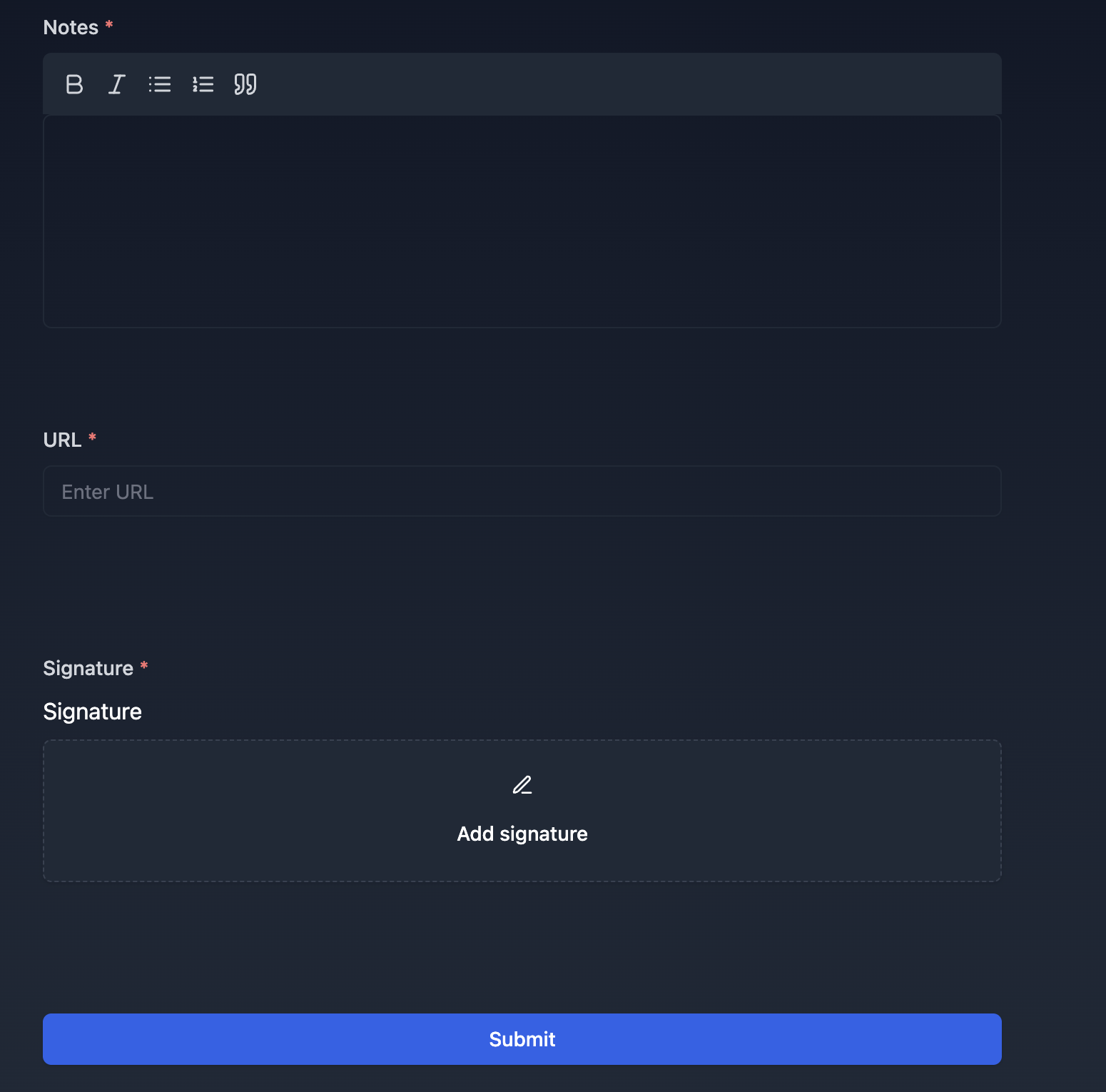
TypeFlow creates forms with signature capture and automatic PDF generation saved to Airtable
One Click Button
Import a TypeFlow button into Airtable and generate PDFs with a single click directly in Airtable
Save as Google Doc
TypeFlow let you save your generated documents as Google Docs for easy editing
Plus 30+ more features
All Airtable field types, automation options, output formats, and more
Complete feature list
Every capability TypeFlow offers with Airtable
Ready to use all these features with your Airtable data?
Start free trialHow to Automate Document Generation in Airtable
Automation is where Airtable document generation really pays off - you can trigger PDFs from button clicks, record changes, or external tools like Make and Zapier.
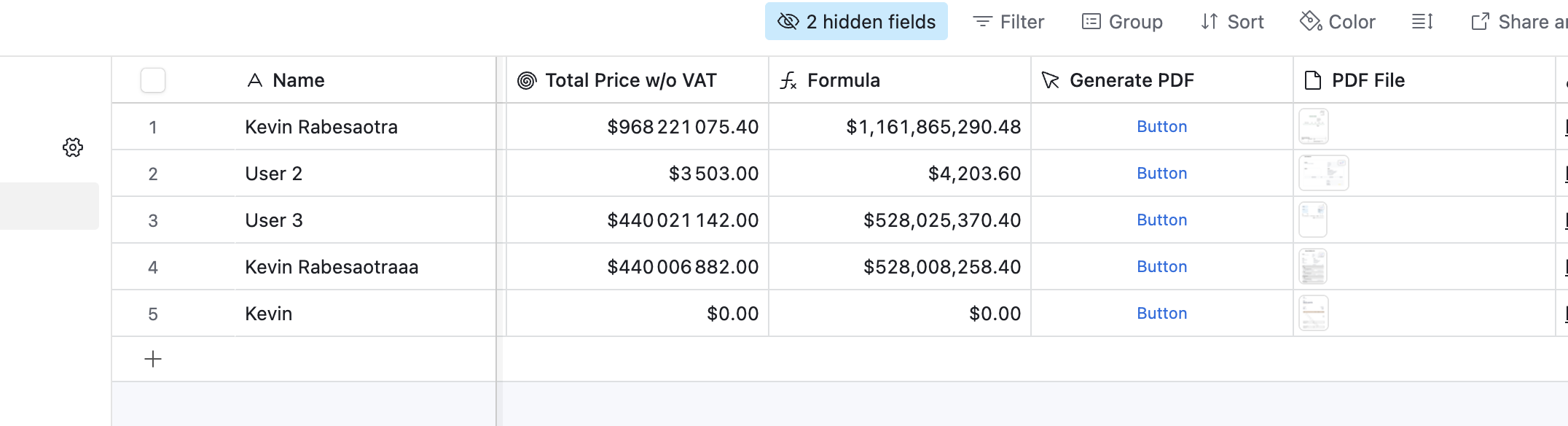
Button Field
Manual one-click PDF generation
Add a TypeFlow button field in your Airtable base that generates a PDF with a single click. Perfect for when you need manual control over when TypeFlow generates PDFs from Airtable.
Best for:
- Manual control over TypeFlow PDF generation
- Testing and previewing TypeFlow templates
- One-off document creation from Airtable
- Users who prefer click-to-generate with TypeFlow
Airtable Automation
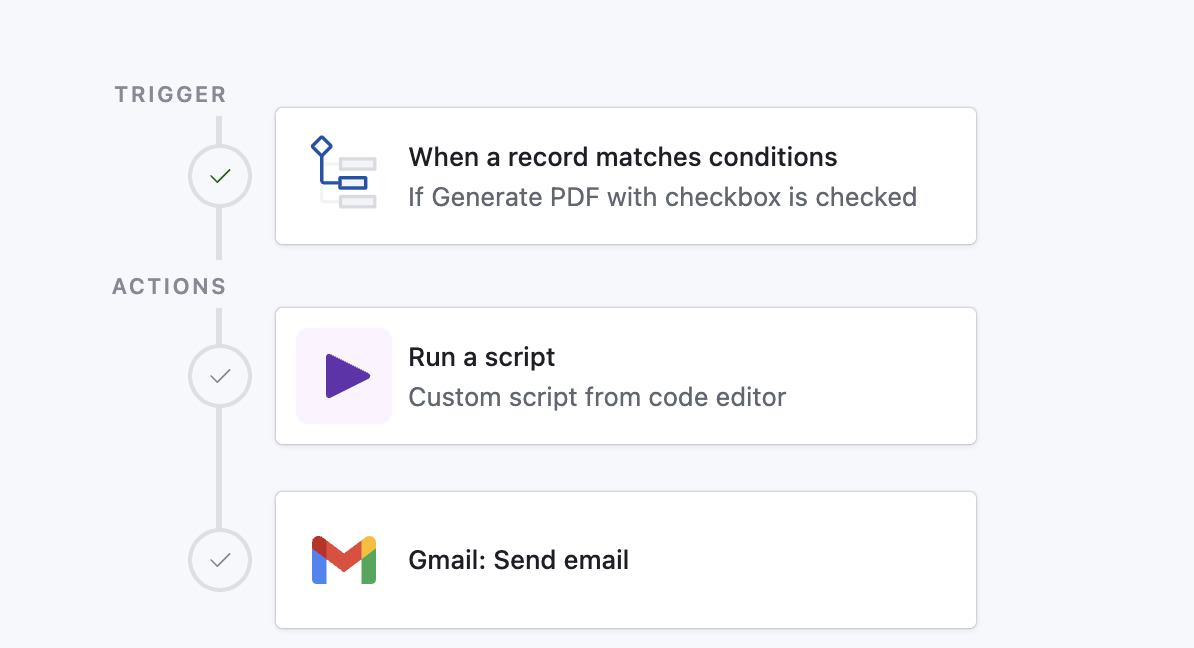
Fully automated workflows
Use Airtable's native automation to trigger TypeFlow PDF generation when Airtable records are created or updated. Set up TypeFlow once and forget it.
Best for:
- Fully automated workflows
- When Airtable record is created/updated
- Scheduled PDF generation
- Zero manual intervention
Bulk Generation
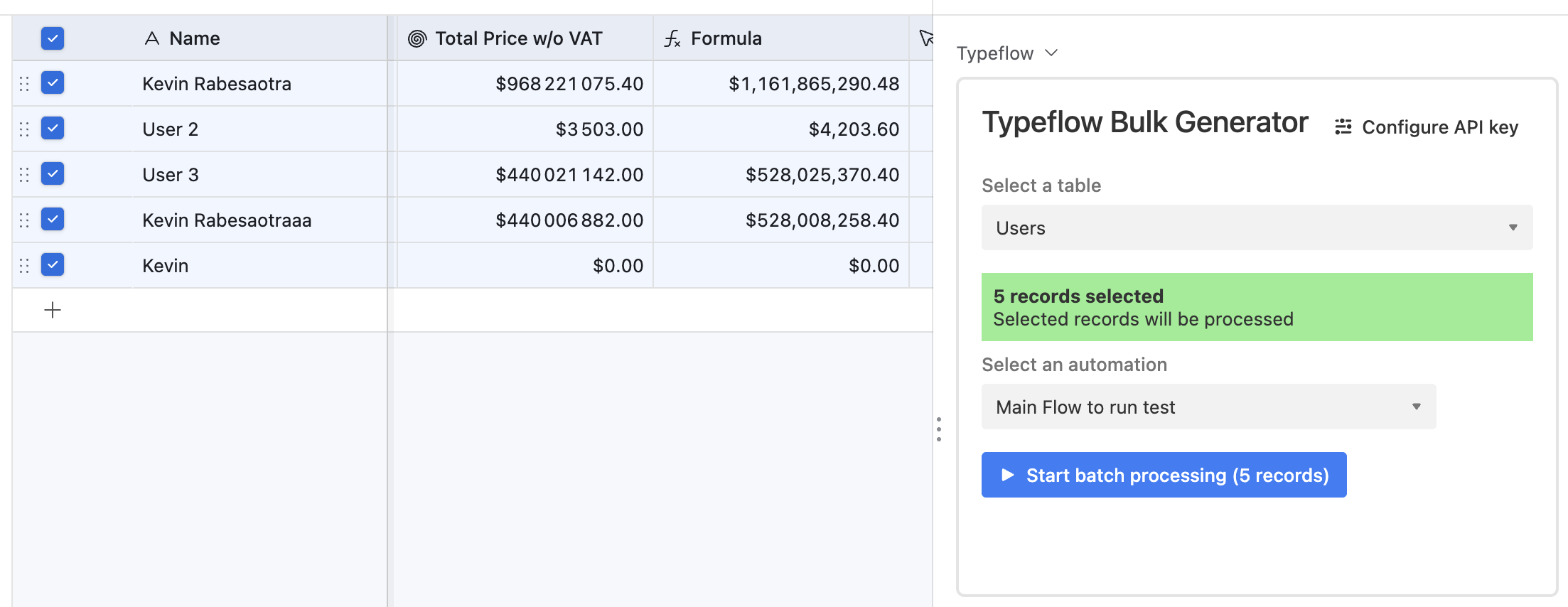
Generate hundreds of PDFs at once
Use the TypeFlow Airtable Extension to select multiple Airtable records and generate all their PDFs at once with TypeFlow. Perfect for end-of-month batch processing from Airtable.
Best for:
- Monthly invoicing runs from Airtable
- Batch certificate generation with TypeFlow
- Mass mailing campaigns from Airtable data
- Processing 100s of Airtable records with TypeFlow
Make / Zapier
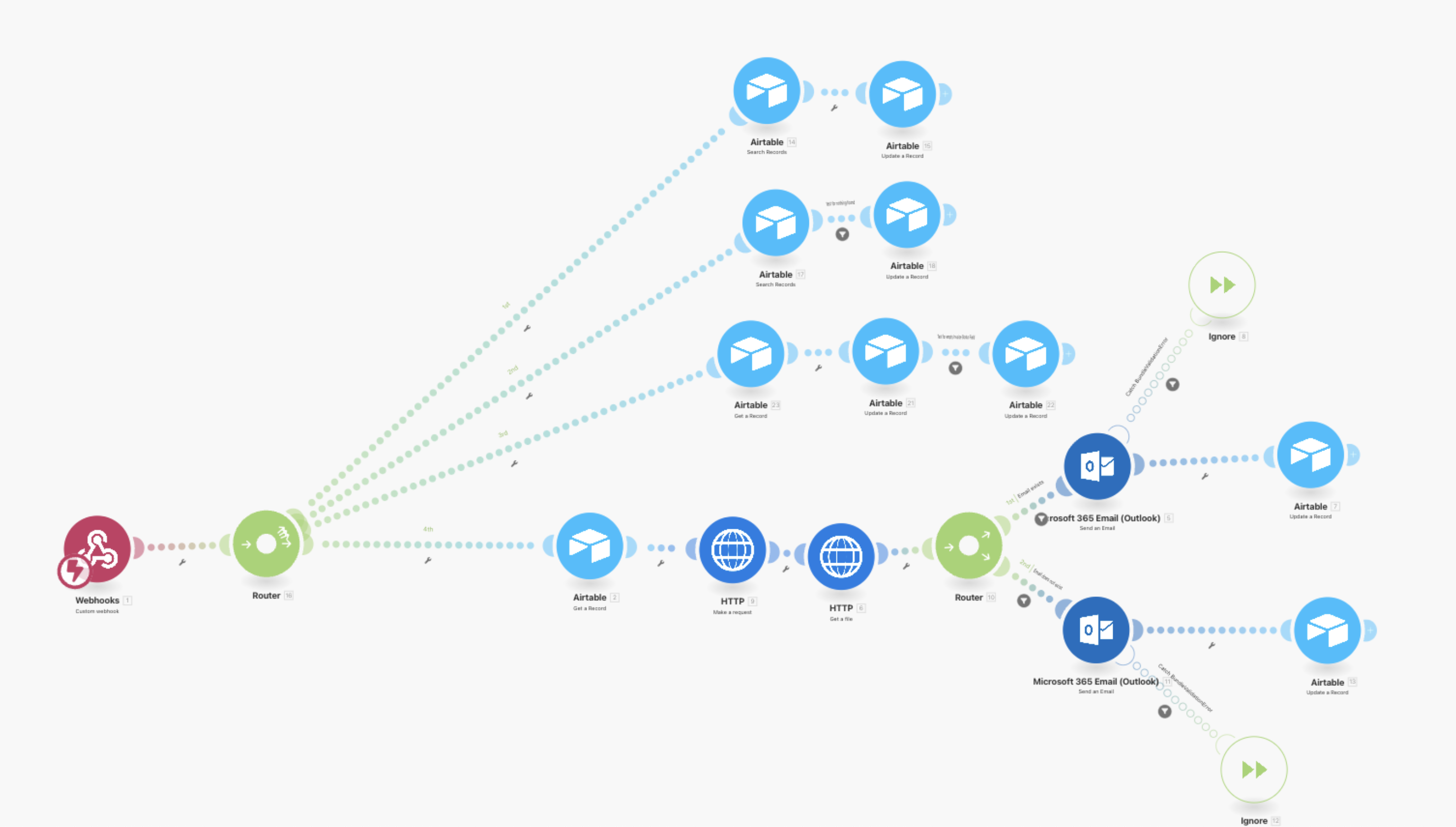
Connect TypeFlow to 1000+ apps
Integrate TypeFlow with Make (Integromat) or Zapier to trigger TypeFlow PDF generation from any app - Stripe, Gmail, Slack, and 1000+ more. TypeFlow works seamlessly with both platforms.
Best for:
- Multi-app workflows with TypeFlow
- Trigger TypeFlow from external events
- Complex automation scenarios using TypeFlow
- No-code integrations with TypeFlow and Airtable
TypeFlow Form Builder
Client-facing forms with TypeFlow
Create TypeFlow forms with signature capture that automatically generate PDFs and save to Airtable. Perfect for contracts and agreements that need to flow into Airtable.
Best for:
- Client-facing documents with TypeFlow
- Contracts with signatures saved to Airtable
- External data collection with TypeFlow forms
- Quote request forms connected to Airtable
Real Examples: How Teams Use Airtable Document Automation
Here's how teams in manufacturing, professional services, and logistics use TypeFlow to automate Airtable document workflows.
Benedict
Owner at Chocablock
35 staff • Australia
"Once I got it right, I didn't have to come back to it. It's been really set and forget."
The Challenge
Chocablock needed to automatically generate daily packing slips from Airtable for their production team after migrating from Pipedrive.
The Solution
- Connected existing Google Docs templates to TypeFlow
- Set up automated workflow to generate slips from Airtable order data
- A reliable 'set and forget' system that automates daily packing slips for 35 staff members
The Results
Diederick
Founder at Custom Furniture Company
Small team • Rotterdam, Netherlands
"I got further in 15 minutes with TypeFlow than I ever got with Documint after days of trying."
The Challenge
The team was manually creating 150-200 quotes per month using Excel, a slow and error-prone process.
The Solution
- Created quotation template with dynamic line items in TypeFlow
- Integrated with Airtable for furniture specifications and pricing
- They now generate professional quotes with the click of a button, getting a working solution in just 15 minutes
The Results
Samantha
Operations Manager at Family Logistics Company
Mid-size team • United States
"When I could tell it was a human and not an AI chatbot, I was like, oh, this is great."
The Challenge
They were creating multi-page compliance documents by hand, as Airtable's Page Designer couldn't handle their needs.
The Solution
- Found TypeFlow in the Airtable marketplace
- Implemented workflow for multi-page certificates with responsive human support
- Manual work was eliminated, multi-page documents are now automated, and they get support from a real person in under an hour
The Results
Want to see your story here?
Start your free trialFrequently Asked Questions
Get answers to the most common questions about using TypeFlow with Airtable.
Most Popular Questions
More Questions
Still have questions?
Start Generating Documents from Airtable Today
Join 2,000+ teams generating professional documents in minutes, not hours. Start your free trial today.