Generate Invoices and Quotes from Airtable
Generate an invoice from an Airtable record with line items, taxes, and payment terms. Email the finished PDF to your customer automatically. TypeFlow creates invoices from your existing Airtable data - and can generate the next document automatically when a quote is signed.
20 free documents - No credit card
Manual invoicing from Airtable wastes hours every month
Your data is in Airtable, but your invoices are still manual. Copy-paste, export, email, repeat. For every client, every month. Airtable invoice automation eliminates the repetitive work.
Everything you need for quote and invoice workflows
Line items, email delivery, e-signatures, locale formatting, and quote-to-invoice automation - all from your Airtable data.
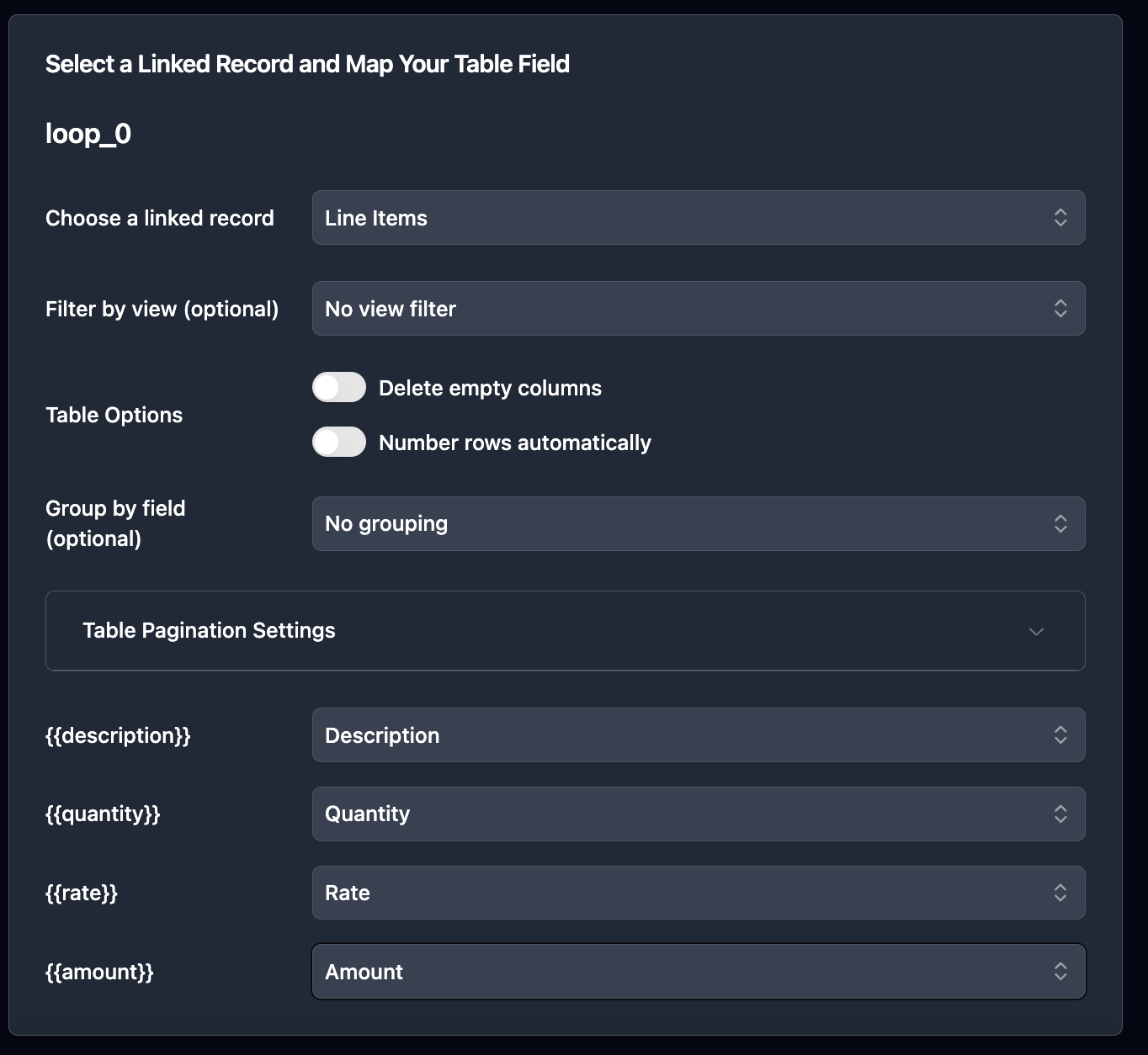
Nested line items from linked records
Products, services, hourly rates - pull them from a linked table. TypeFlow repeats each row automatically. 3 line items or 300, same template.
Quote-to-invoice workflow
Generate a quote, send it for signature. When the client signs, TypeFlow updates Airtable and can trigger invoice generation automatically from the same data.
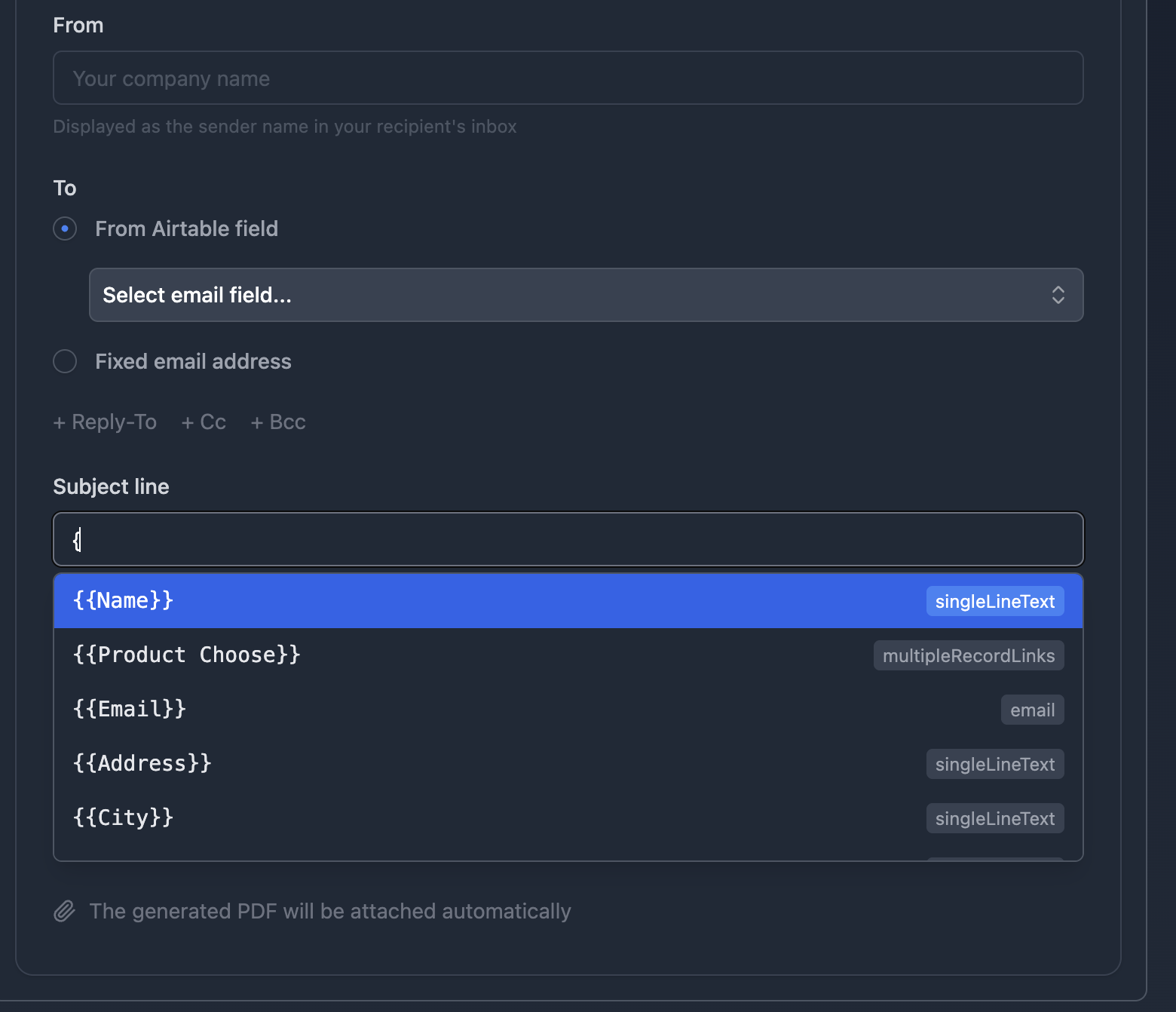
Email delivery built in - including from your Gmail
Generate the PDF and email it to the client in one step. Send from your own Gmail address so clients see your name, not TypeFlow. Dynamic recipient, subject, CC/BCC - all from Airtable fields.
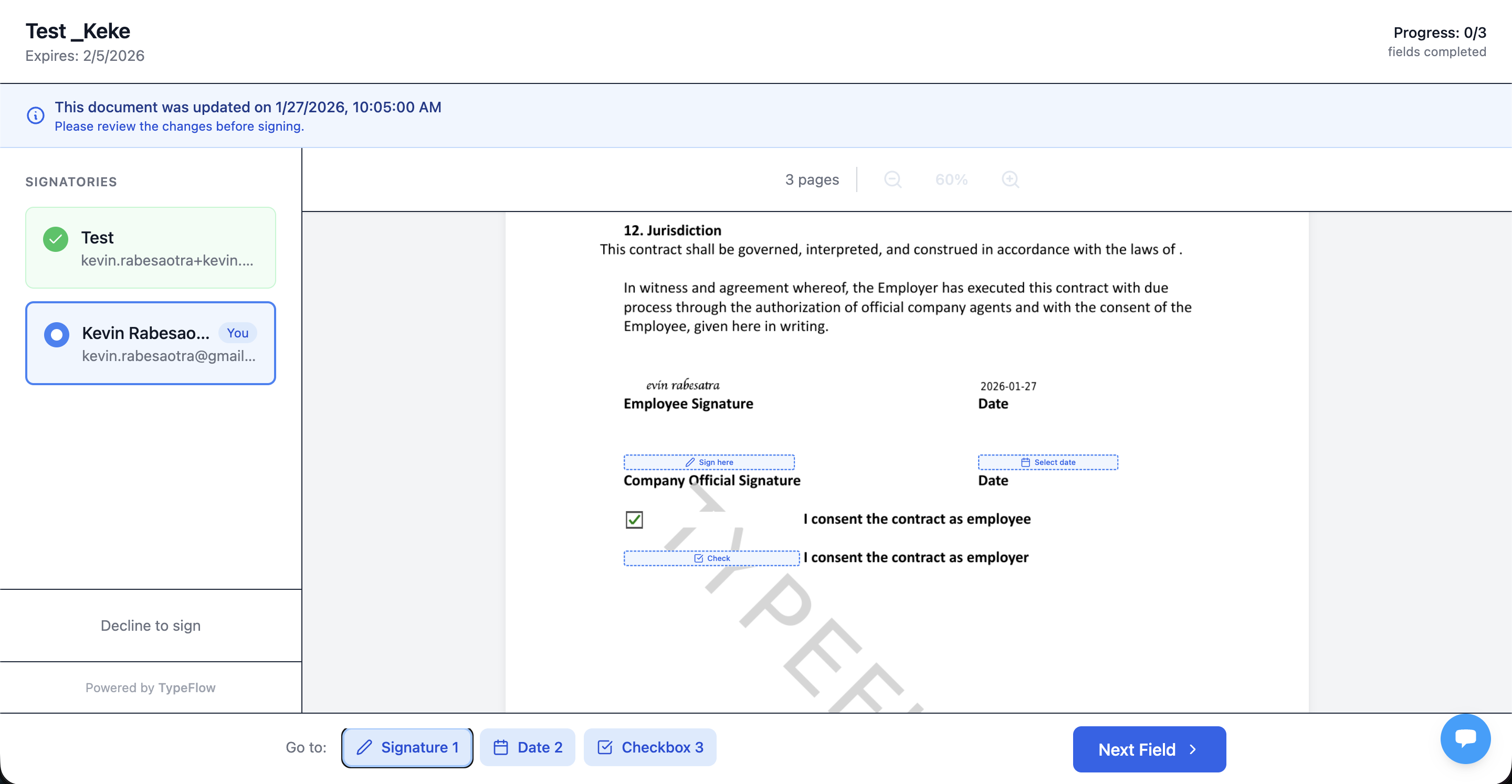
E-signatures on quotes
Send quotes for client approval with built-in e-signature. Once signed, the status updates in Airtable and the invoice workflow kicks in. Unlimited signatures included.
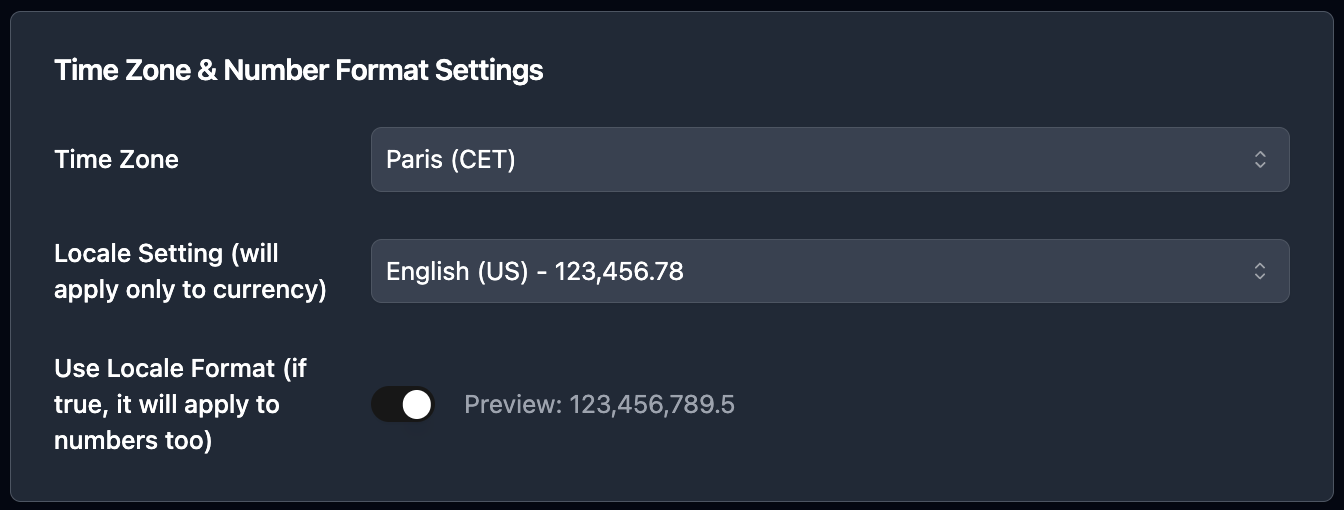
Locale-aware formatting
Currency symbols, decimal separators, date formats - TypeFlow respects your locale. US dollars, euros, or pounds formatted correctly without formula hacks in Airtable.
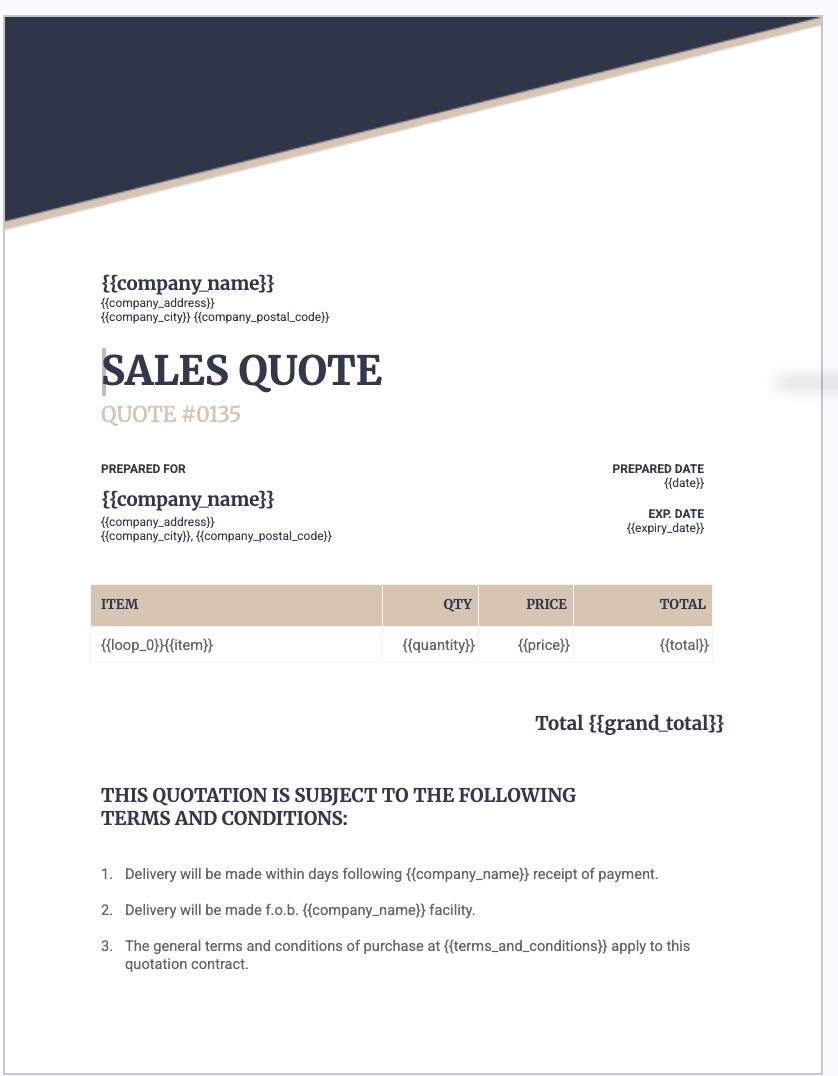
Two template options
Use Google Docs for simple quotes and invoices. Use the HTML/CSS template builder for pixel-perfect layouts with full control over design, colors, and spacing.
Set up invoice automation in 15 minutes
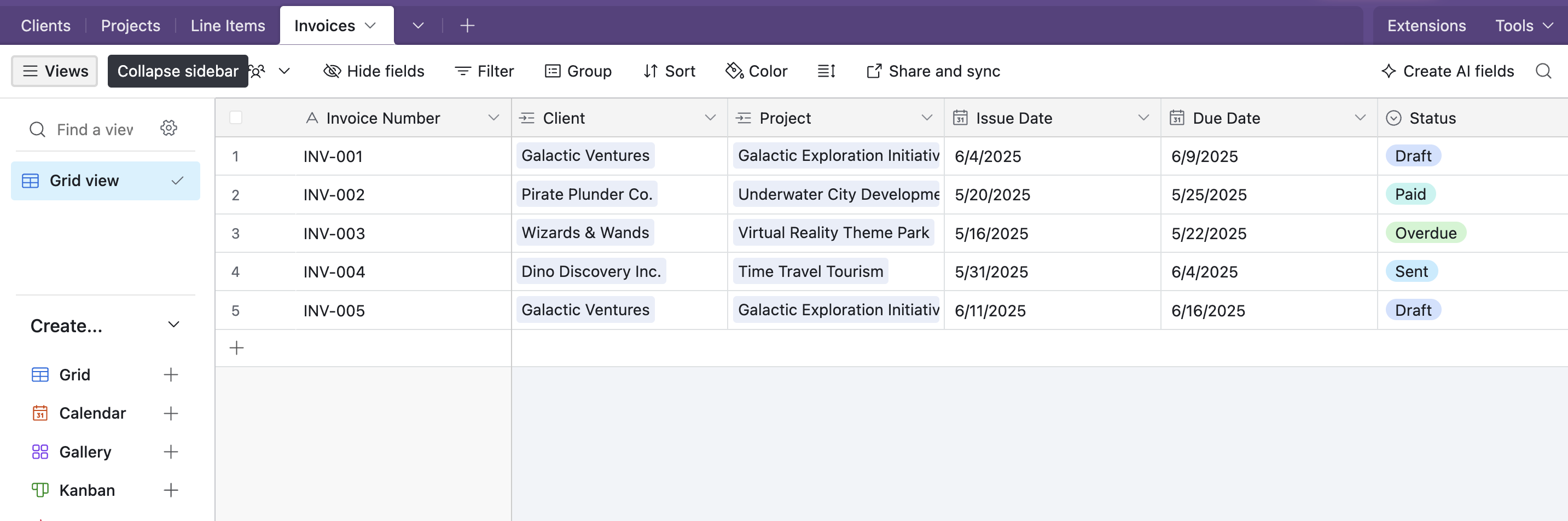
Set up your Airtable base
Create a Clients table, an Invoices/Quotes table, and a Line Items table linked to your invoices. Each line item becomes one row in the PDF.
Design your template
Create a Google Doc or HTML template with placeholders: {{Client Name}}, {{Invoice Number}}, {{Due Date}}. Add {{loop_0}} in a table row to repeat line items automatically.
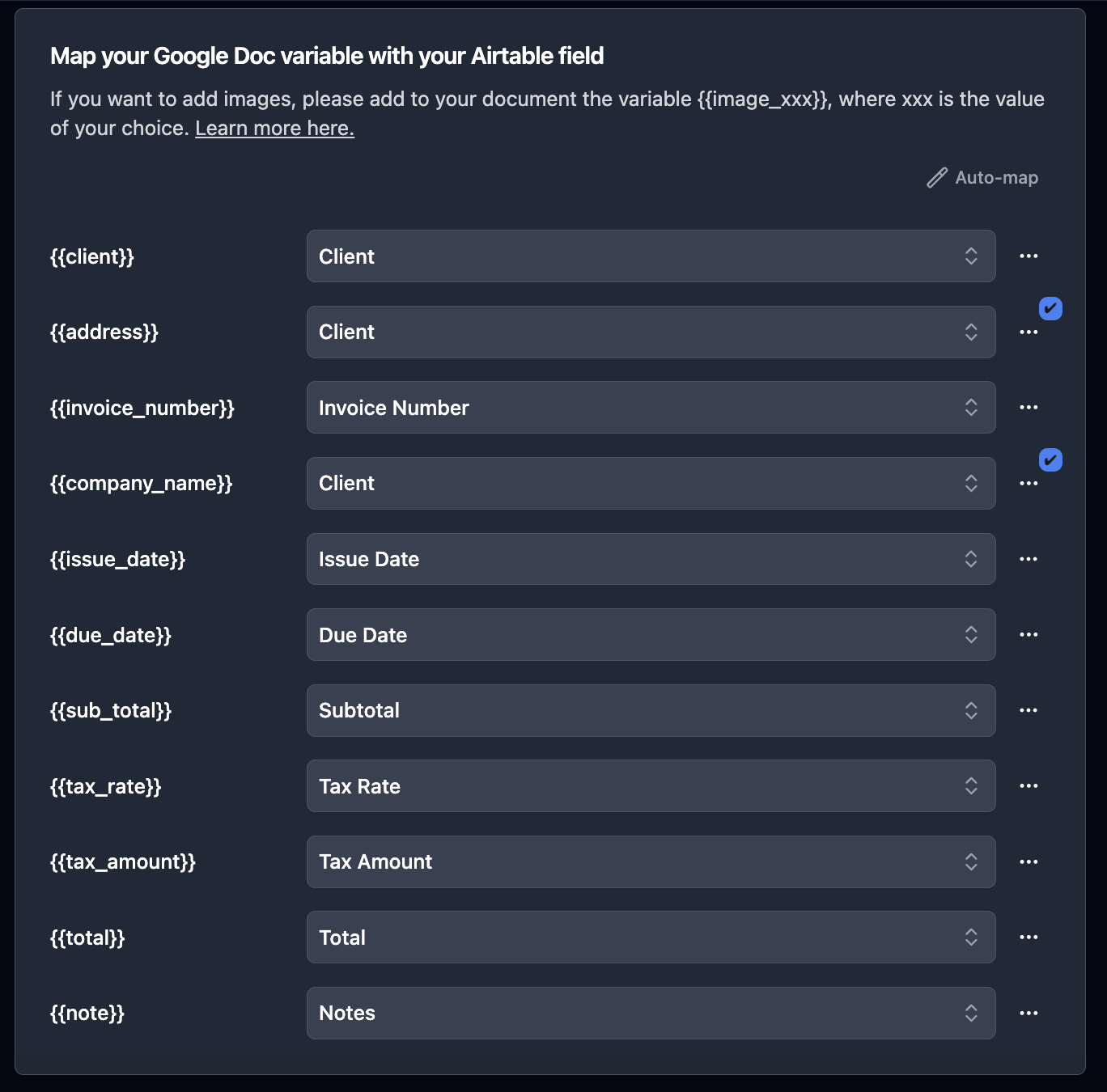
Map fields and configure line items
Connect TypeFlow to your base, map each placeholder to an Airtable field, and select your line items table. TypeFlow traverses linked records - no lookup fields needed.
Set up automation and email delivery
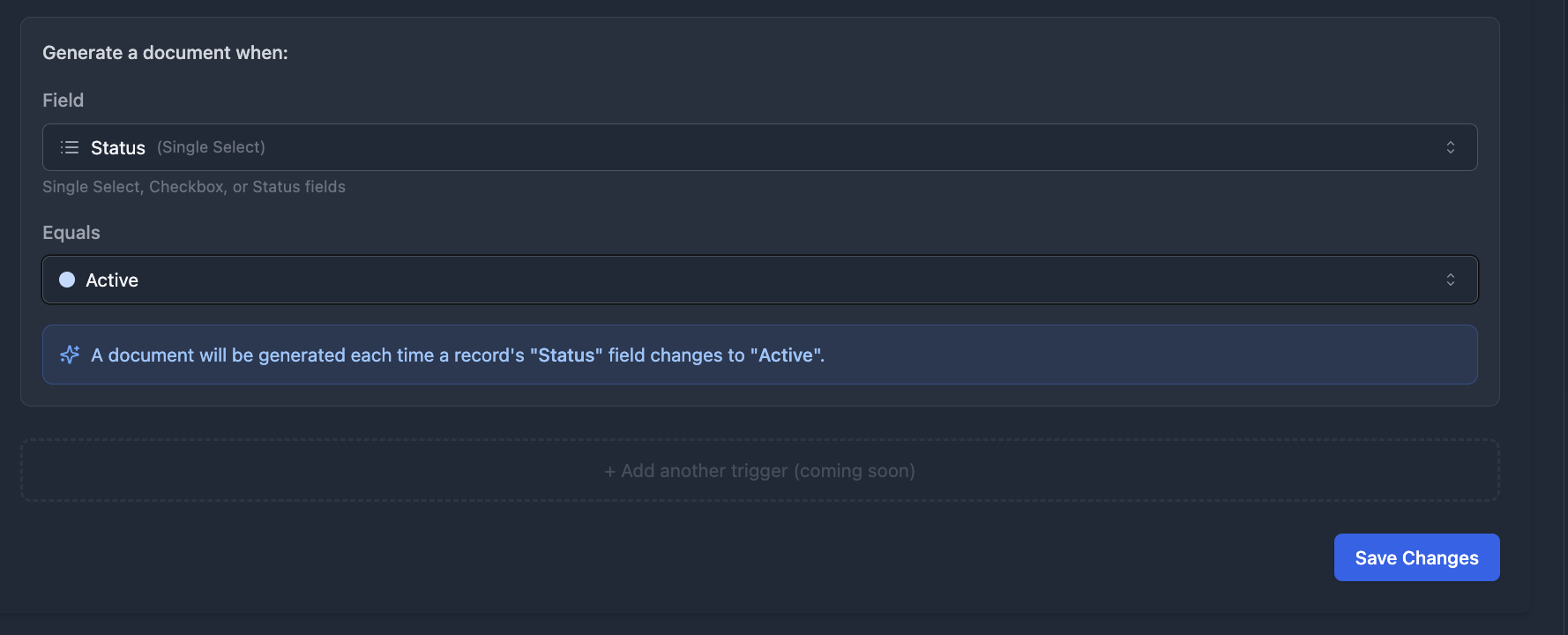
Trigger generation on status change, button click, or schedule. Enable Email Post Generation to send the PDF to the client automatically - one config, zero manual steps.
Send invoices the moment a status changes
No Airtable Automations, no Zapier, no Make. TypeFlow Automation watches your Airtable fields and triggers invoice generation + email delivery when conditions are met. Status changes to "Approved"? Invoice generated, emailed to the client, PDF saved to the record.
- Trigger on status, checkbox, or single select field change
- Generate PDF + email with attachment in one config
- Quote signed? Auto-generate invoice from the same data
TypeFlow vs QuickBooks vs FreshBooks for Airtable teams
Accounting software generates invoices from its own data. TypeFlow generates from yours - directly from Airtable.
| Feature | TypeFlow | QuickBooks | FreshBooks |
|---|---|---|---|
| Generate from Airtable data | - | - | |
| Airtable-native | - | - | |
| Nested line items from linked records | - | - | |
| Quote-to-invoice workflow | Manual | Manual | |
| E-signatures included | - | - | |
| Automated email delivery | |||
| Custom template design | Limited | Limited | |
| Batch generation | - | - | |
| PDF saved to Airtable | - | - | |
| Starting price | $22/mo | $30/mo | $19/mo |
Document types you can generate
One Airtable base, multiple document workflows.
Frequently asked questions
Can quotes and invoices share line items?
Yes. Both can pull from the same linked Line Items table in Airtable. Change the data once, and both documents reflect the update.
Can I generate an invoice after a quote is signed?
Yes. When a client signs a quote, TypeFlow can update a status field in Airtable. That status change can trigger automatic invoice generation from the same record and line items.
Can I brand my invoices with logo and colors?
Yes. Use Google Docs for simple branded layouts, or the HTML/CSS builder for pixel-perfect control over every element - logo, colors, fonts, spacing.
Can I send invoices by email automatically?
Yes. Email Post Generation sends the PDF to the recipient address from your Airtable record - with dynamic subject, body, CC, BCC, and reply-to. One trigger does everything.
Can I handle different currencies and date formats?
Yes. TypeFlow supports locale-aware formatting. Configure your currency symbol, decimal separator, and date format in the flow settings.
How do line items work?
Create a linked table in Airtable (e.g. Invoice Lines). Each record is one row in the PDF. Use the {{loop_0}} variable in a table row - TypeFlow repeats that row for every linked record. 3 items or 300, same template.
Can I use this with Airtable Automations?
Yes. Three trigger options: button field (manual), TypeFlow Automation (status change), or Airtable Automations (script action). All three save the PDF back to the Airtable record.
How many invoices can I generate per month?
Depends on your plan: 200 on Starter ($22/mo), 500 on Pro ($35/mo), 1,000 on Business ($60/mo), unlimited on Enterprise ($199/mo). No per-document fees.
Stop rebuilding invoices from scratch
Connect your Airtable base, design your template once, and generate invoices on autopilot. Follow our step-by-step guide to get started. No per-document fees. Most teams start on Starter ($22/mo) or Pro ($35/mo).