Print Labels and Barcodes from Airtable
Generate product, shipping, inventory, and mailing labels directly from your Airtable records. Barcodes, QR codes, quantity-based printing, and batch generation included. Works with Zebra, DYMO, and Avery.
20 free documents - No credit card
From Airtable inventory to printed labels
Airtable remains the source of truth for product and inventory data. TypeFlow turns that data into the exact number of scannable labels your operation needs.
Track products, SKUs, quantities, and locations in Airtable
Set the number of labels required for each product or batch
Generate barcode labels in bulk
Print on Avery sheets or thermal printers
Labels ready for receiving, stocking, picking, packing, or shipping
Choose your workflow
New stock received
Product labels with SKU or Code 128 barcodes for shelving and tracking.
Product or variant ready
EAN-13 or UPC product labels for retail, pricing, and point-of-sale scanning.
Order line items ready to pack
Pick, pack, or shipping labels on thermal printers (Zebra, DYMO, Brother).
Airtable was not built for label printing
Page Designer creates one label per page. No barcodes, no quantity control, no batch printing. Teams end up in Excel or Avery's wizard, disconnected from their Airtable inventory and label data. Comparing tools? See Best Label Printing Tools for Airtable in 2026.
Label printing that works with your Airtable data
Barcodes, quantity control, thermal printer support, batch generation, and conditional visibility - all from a visual builder.
Barcodes and QR codes from Airtable fields
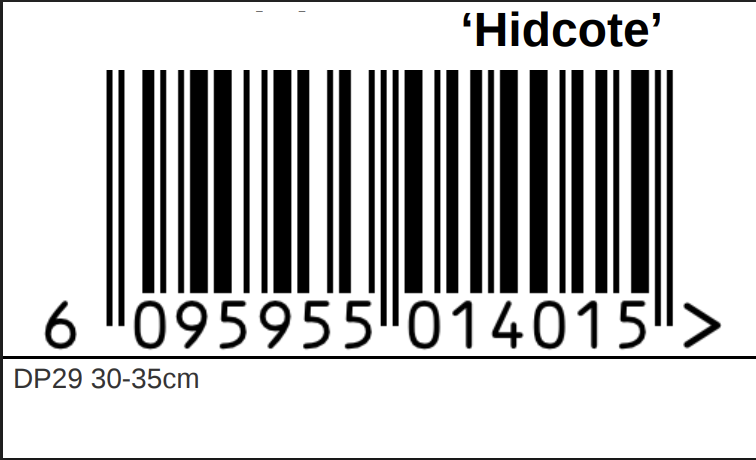
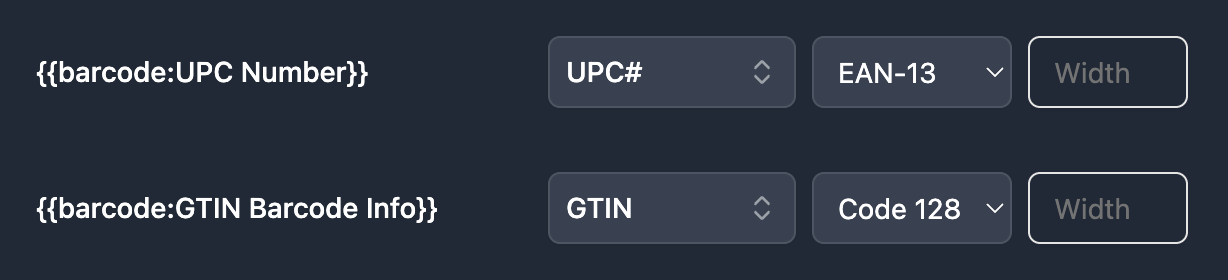
Generate Code 128, Code 39, EAN-13, UPC-A, QR codes, and more. Map a barcode variable to any Airtable field - SKU, serial number, URL, or custom value.
Quantity-based label printing
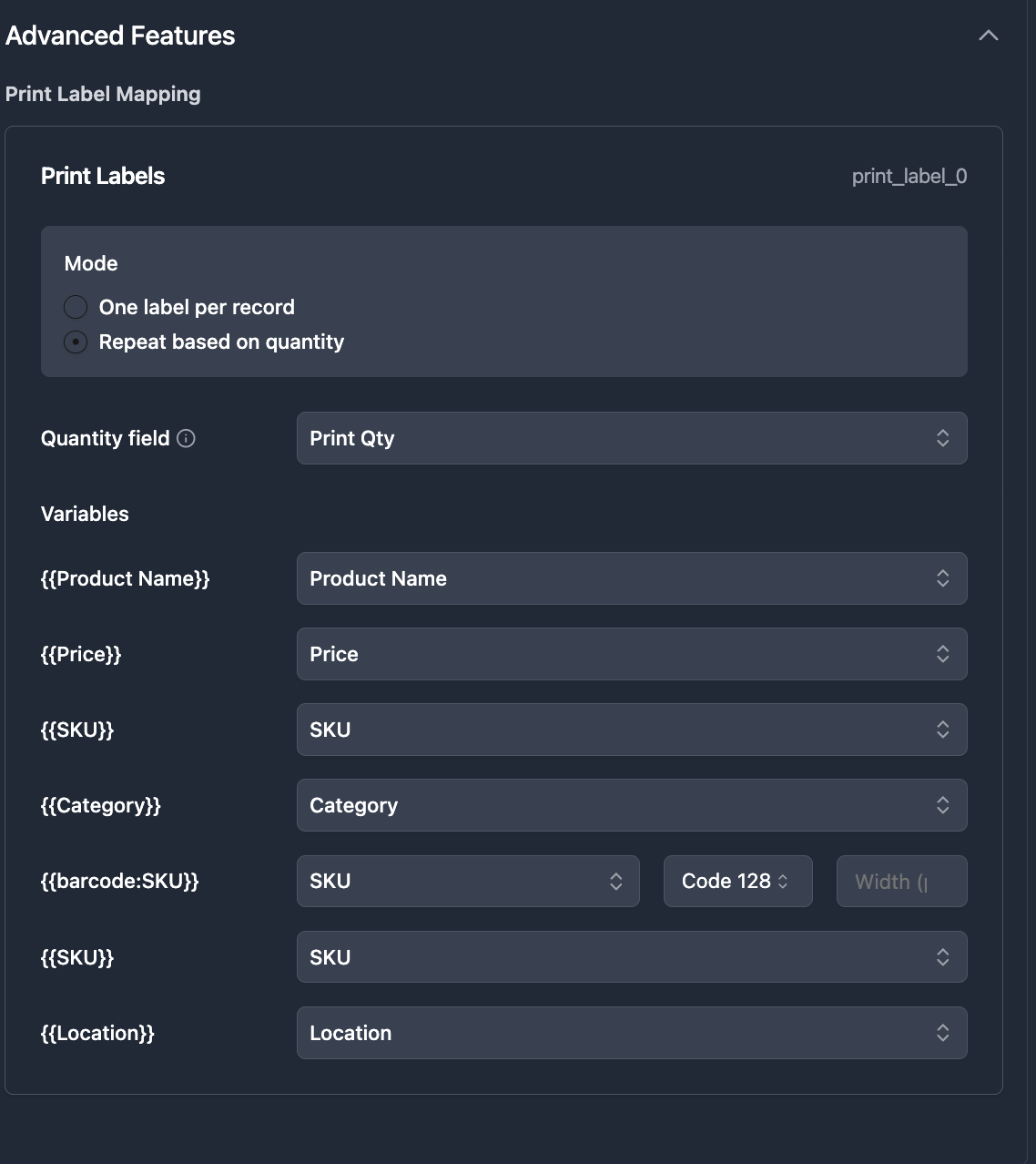
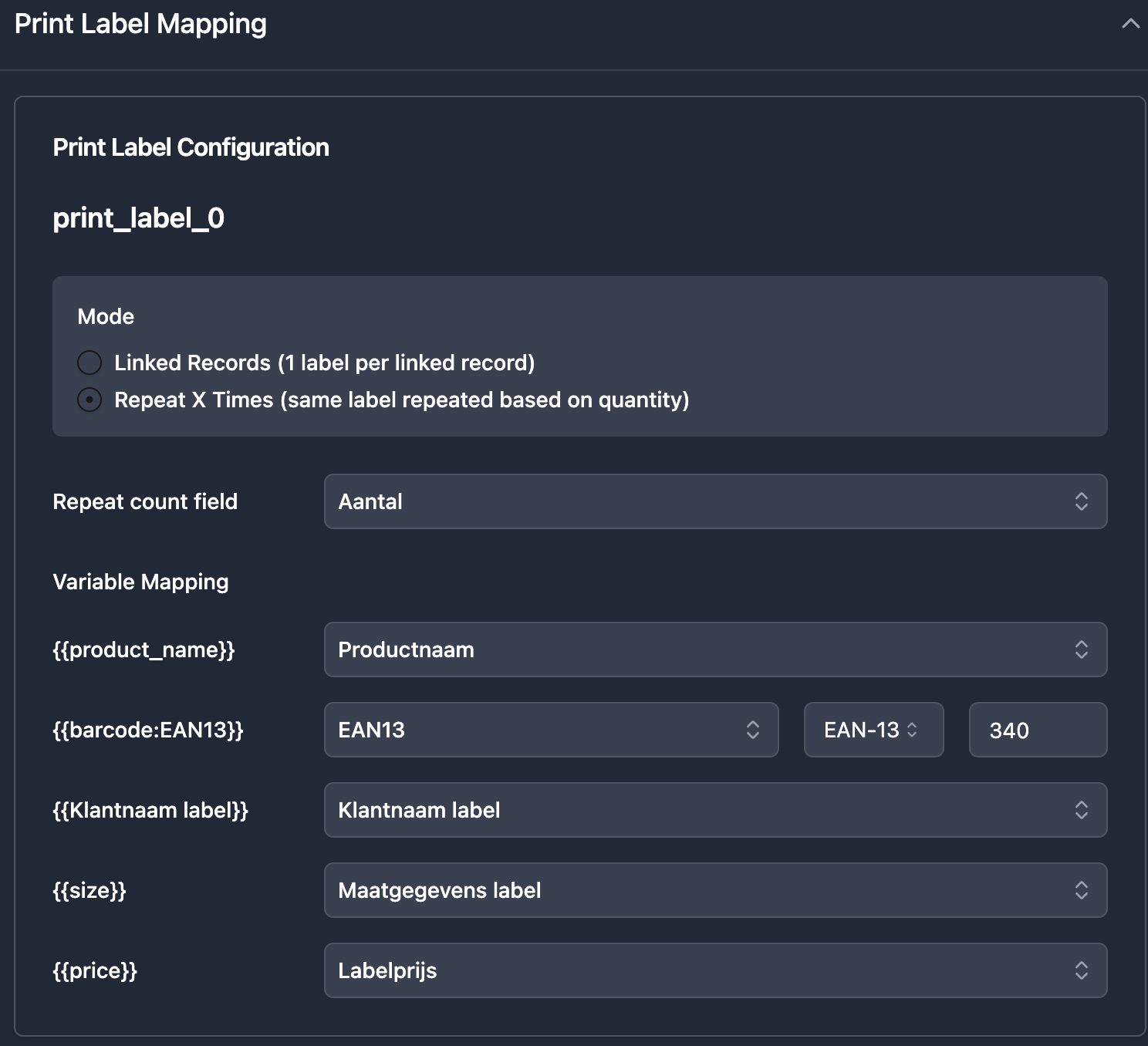
Have a 'Print Qty' field in Airtable? TypeFlow repeats the label that many times. SKU with qty 5 generates 5 identical labels. One click, correct quantities.
Print label mode
Dedicated label layout mode that fits multiple labels per page. Design once in the HTML/CSS builder, TypeFlow tiles them across the page automatically.
Works with any printer
Zebra thermal printers, DYMO label writers, Avery sheets on standard printers - TypeFlow generates PDFs sized for your hardware. No driver issues.
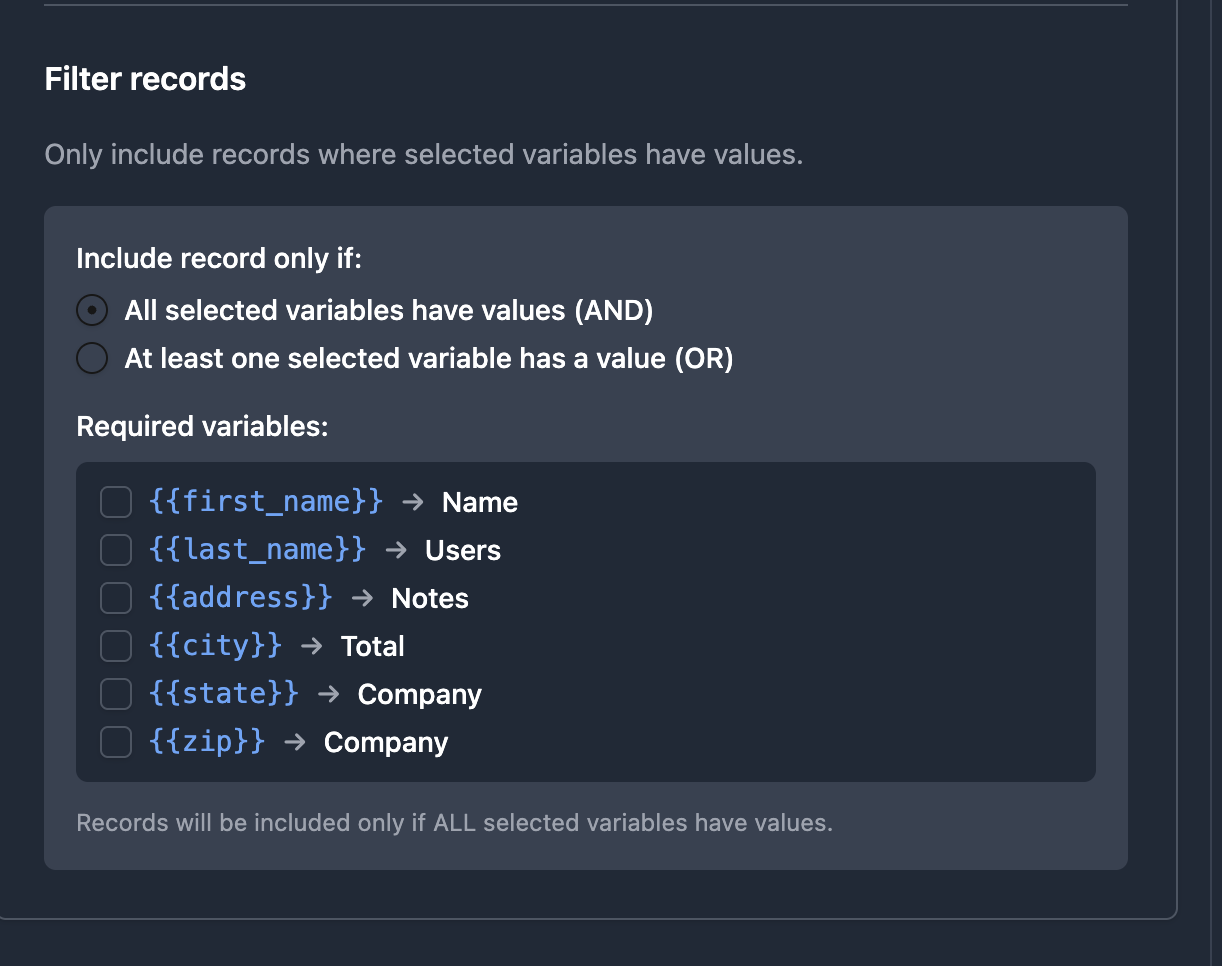
Filtered views for batch printing
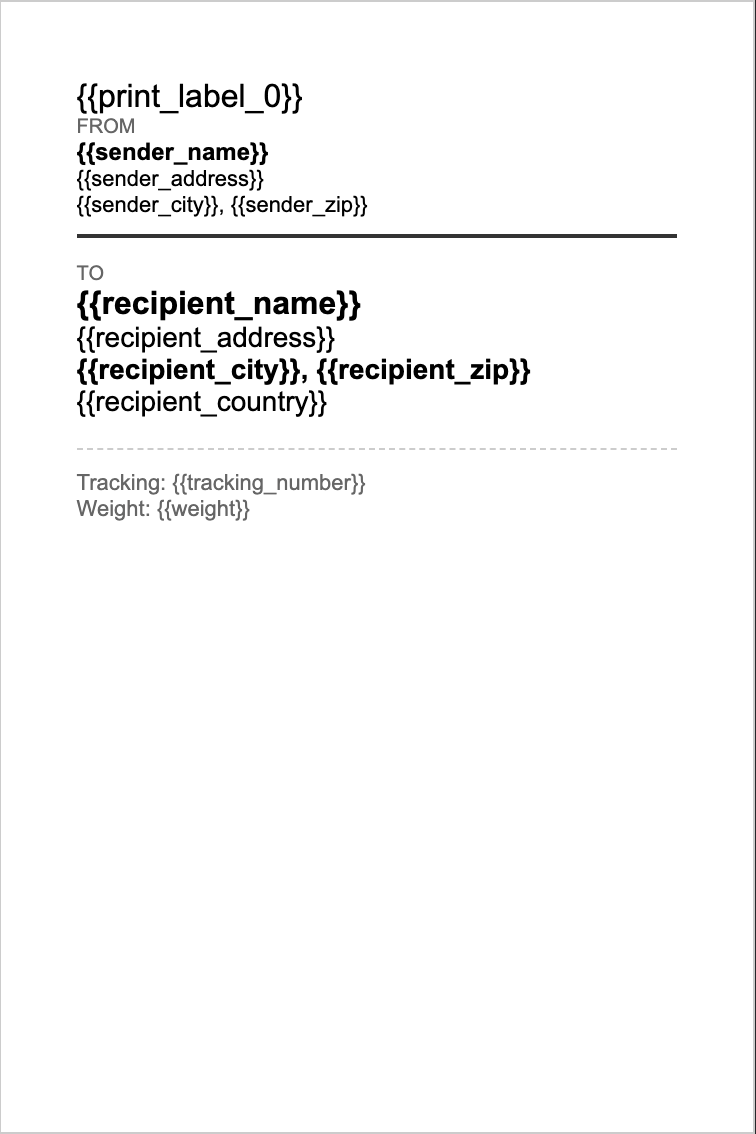
Filter your Airtable view by warehouse, status, or date - then batch-generate labels for only the visible records. The PDF matches your view.
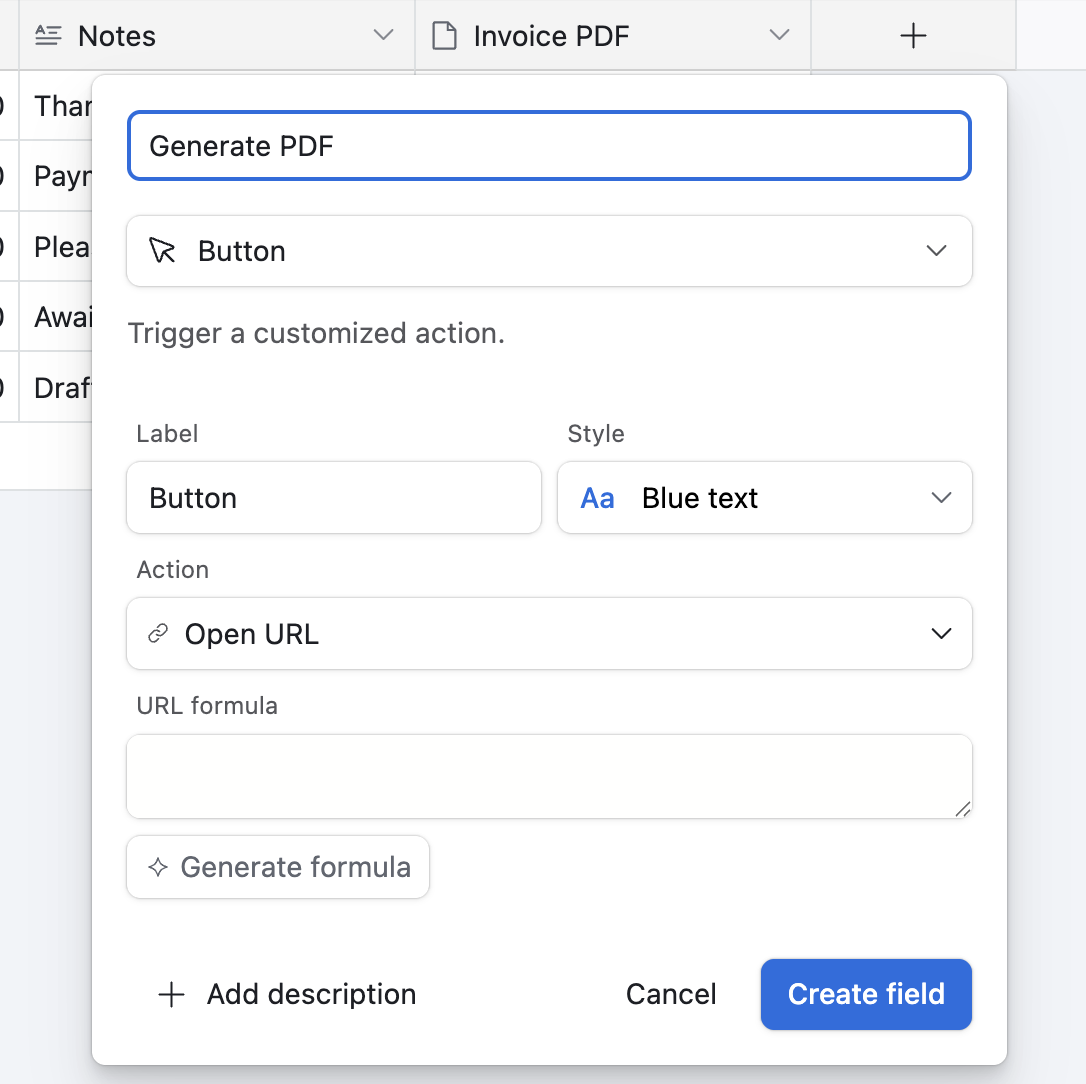
Automate with button or trigger
Add a button field in Airtable for one-click label generation, or use TypeFlow Automation to generate labels when a record status changes.
From Airtable to printed labels in 4 steps
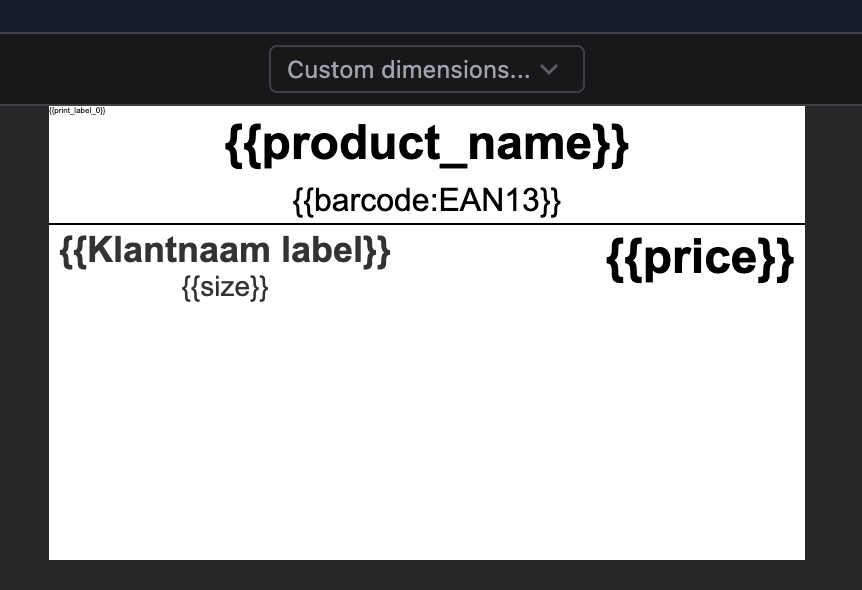
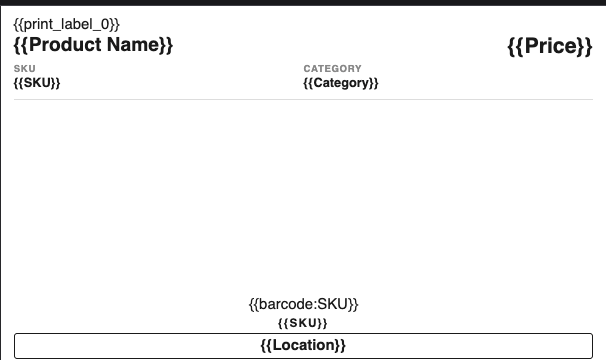
Design your label in the HTML/CSS builder
Use the drag-and-drop builder to create your label layout. Add text, barcodes, QR codes, images, and conditional visibility. Or import your own HTML/CSS.
Connect your Airtable base and map fields
Select your products/inventory table, map each label element to an Airtable field. SKU, product name, barcode value, price - all pulled automatically.
Configure print settings
Enable print label mode for multi-label sheets. Set quantity field if needed. Choose your page size and orientation to match your printer or Avery template.
Generate and print
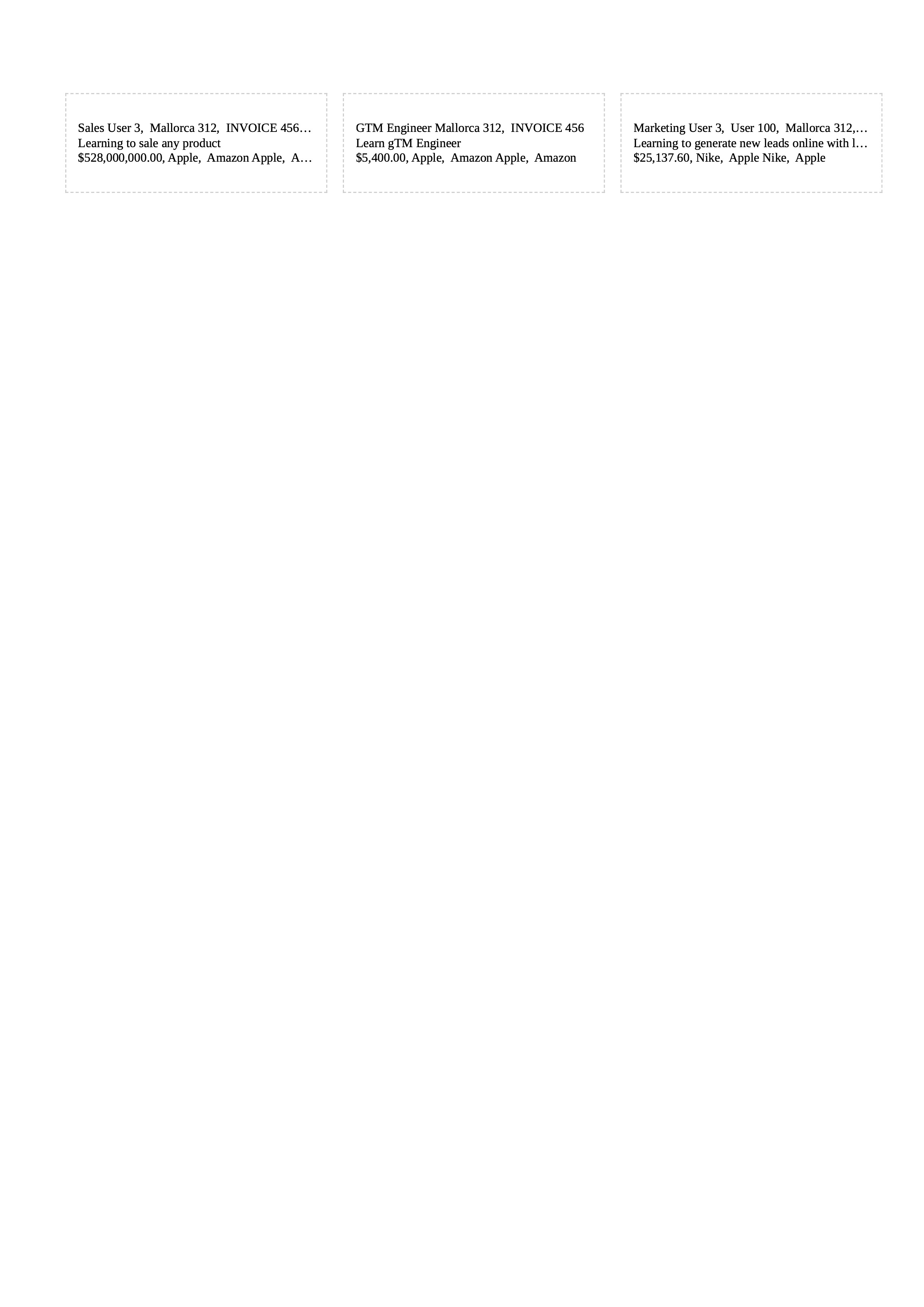
Click the button, trigger the automation, or batch-generate from a filtered view. Download the PDF, send to printer. Done.
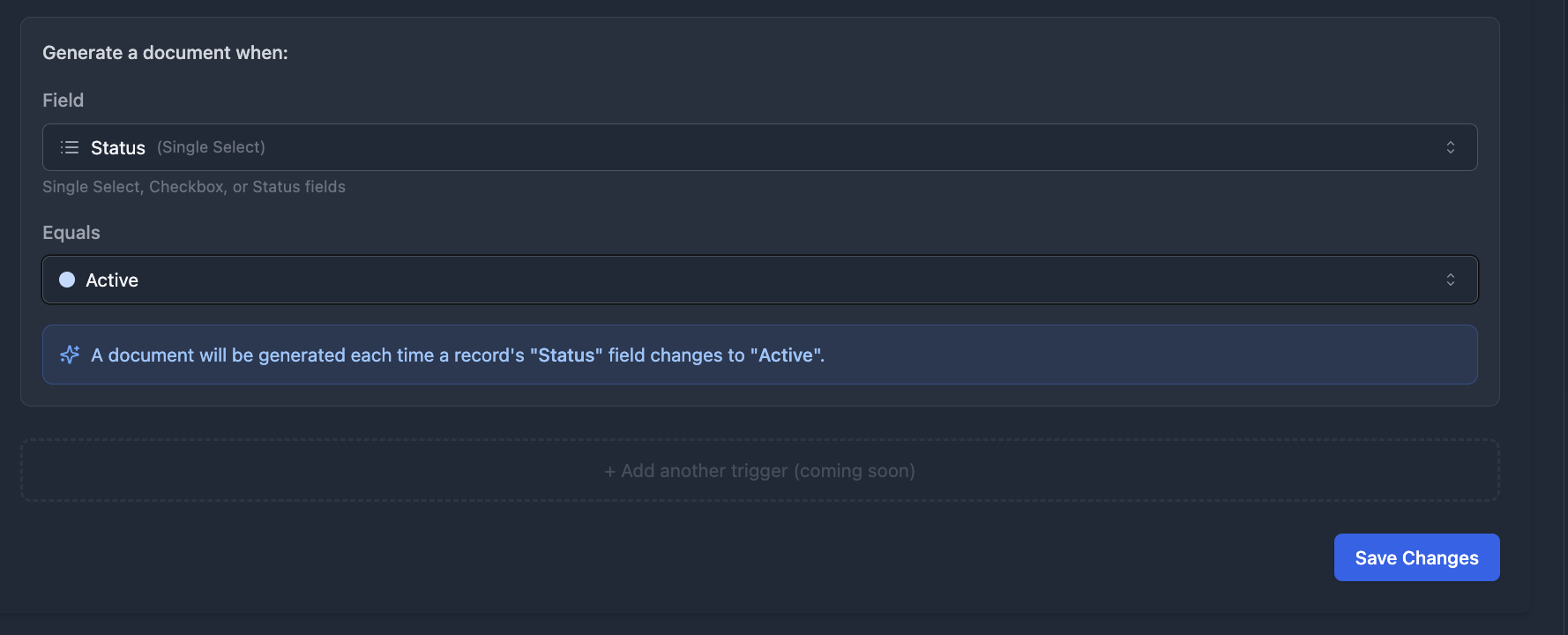
Generate labels automatically when new stock arrives
No Airtable Automations, no Zapier, no Make. TypeFlow Automation watches your Airtable fields and triggers label generation when conditions are met. New product added? Labels generated and ready to print.
- Trigger on status, checkbox, or single select field change
- Respects quantity field - print multiple labels from an Airtable record using a quantity field
- No script to maintain, no webhook to configure
TypeFlow vs Page Designer vs Avery for Airtable labels
Page Designer was not designed for labels. Avery is disconnected from your data. TypeFlow bridges both.
| Feature | TypeFlow | Page Designer | Avery |
|---|---|---|---|
| Generate from Airtable data | - | ||
| Barcode / QR code generation | - | Limited | |
| Quantity-based printing | - | - | |
| Multi-label sheets | 1 per page | ||
| Batch generation from views | Manual | - | |
| Automation triggers | - | - | |
| Thermal printer support | - | - | |
| HTML/CSS template control | - | - | |
| Conditional visibility | - | - | |
| Starting price | $29/mo | Free (Airtable paid) | Free |
Label types you can generate
Any label that pulls data from Airtable works with TypeFlow. See how to generate product labels with barcodes for a walkthrough.
Frequently asked questions
Can I print different quantities per record?
Yes. Add a 'Print Qty' field (number) to your Airtable table. TypeFlow repeats each label by its quantity value. A record with qty 5 generates 5 labels.
Do you support Avery label templates?
Yes. Design your label to match any Avery format (5160, 5163, 8160, etc.) using the HTML/CSS builder. Set page size and margins to match the sheet, and TypeFlow tiles the labels.
Can I generate barcodes from Airtable fields?
Yes. TypeFlow supports Code 128, Code 39, EAN-13, UPC-A, ITF, MSI, Pharmacode, Codabar, and QR codes. Map any Airtable field (SKU, serial number, URL) to a barcode variable.
Do you support Zebra or DYMO thermal printers?
Yes. Generate PDFs sized for thermal labels (4x6, 2x1, or custom). Print directly from the PDF - no special drivers or software needed.
Can I batch-print labels from a filtered Airtable view?
Yes. Filter your view by warehouse, status, category, or any field. Then batch-generate labels for all visible records in one click.
How is this different from Page Designer?
Page Designer generates one record per page, has no barcode support, no quantity printing, no automation triggers, and no HTML/CSS control. TypeFlow handles all of these.
Can I show or hide elements conditionally?
Yes. Use conditional visibility to show or hide label elements based on Airtable field values. For example, show a 'FRAGILE' warning only when a checkbox is checked.
How many labels can I generate per month?
Depends on your plan: 200 on Starter ($29/mo), 500 on Pro ($35/mo), 1,000 on Business ($60/mo), unlimited on Enterprise ($199/mo). No per-label fees.
Start printing labels from Airtable today
Design your label, connect your data, and print. Barcodes, quantities, and batch generation included on every plan. Most label teams start on Starter ($29/mo).