Your clients' invoices, labels and reports, made from their Airtable base
You build Airtable systems for clients, and you choose the tools that go with them. TypeFlow is a document generation and e-signature tool for businesses that run on Airtable. You build and test each client's documents in your own team account, show the client a working document, then hand the setup over.
Over 1M documents generated · 4.9 on G2 · 2,000+ users · 20 free documents, no credit card
Your clients keep asking for documents. Getting them out of Airtable is still the hard part.
Airtable alone can't make the documents your clients ask for
You printed the record, or tried Airtable's Page Designer. It was not enough for the documents and reports your clients ask for.
The tools you tried only got close
The other PDF tools you tried could not match what your client specified, or not the way you wanted it. And you don't like telling a client that this is the best you can do.
Your client pays before seeing anything
Your client has to sign up for a tool before seeing their own document come out of it. Sometimes the result is not what they expected.
Build your client's documents in your own account, show the client a working document, then hand the setup over
Your client subscribes on their own account once the document works.
Build, test, show, hand over
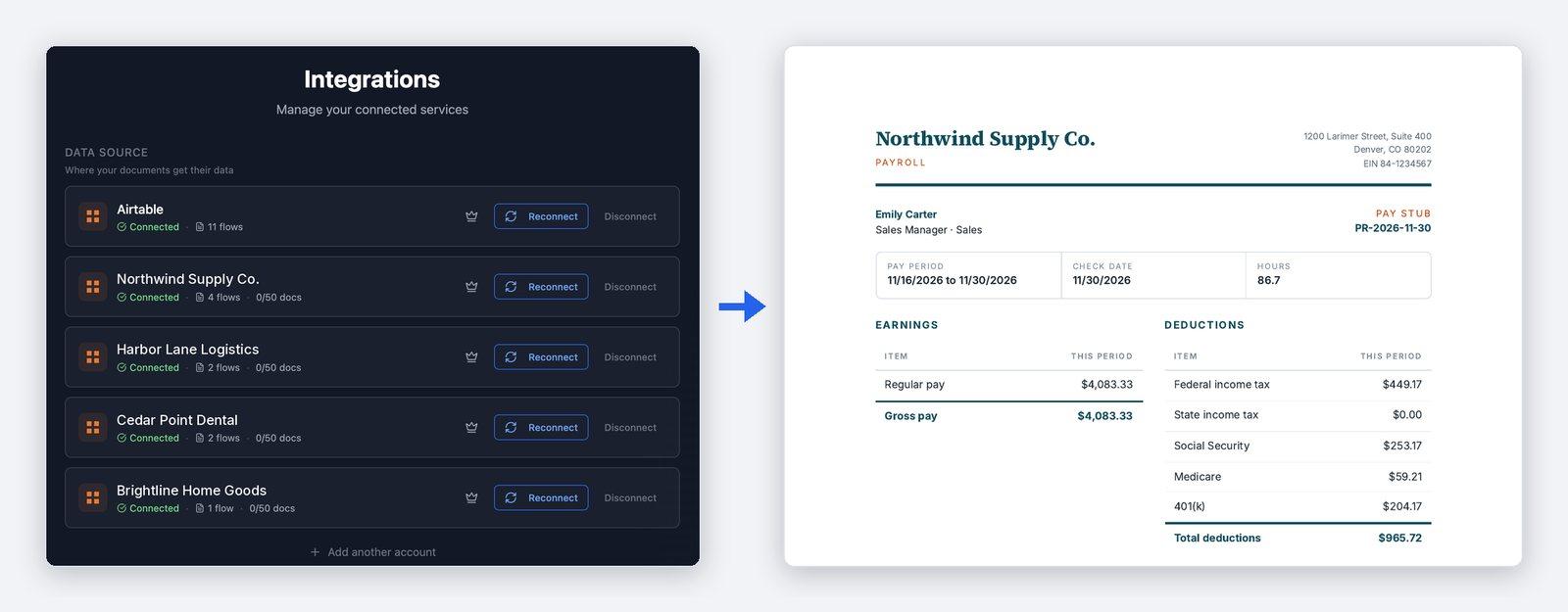
- 1Connect your client's base to your team account. Contact TypeFlow once you have signed up, and TypeFlow's team sets up your free team account, with 100 documents a month to build and test and several Airtable connections, one for each client. You then connect each client's Airtable account yourself: you authorize TypeFlow on Airtable's own screen and choose which bases it can read, in under 30 seconds.
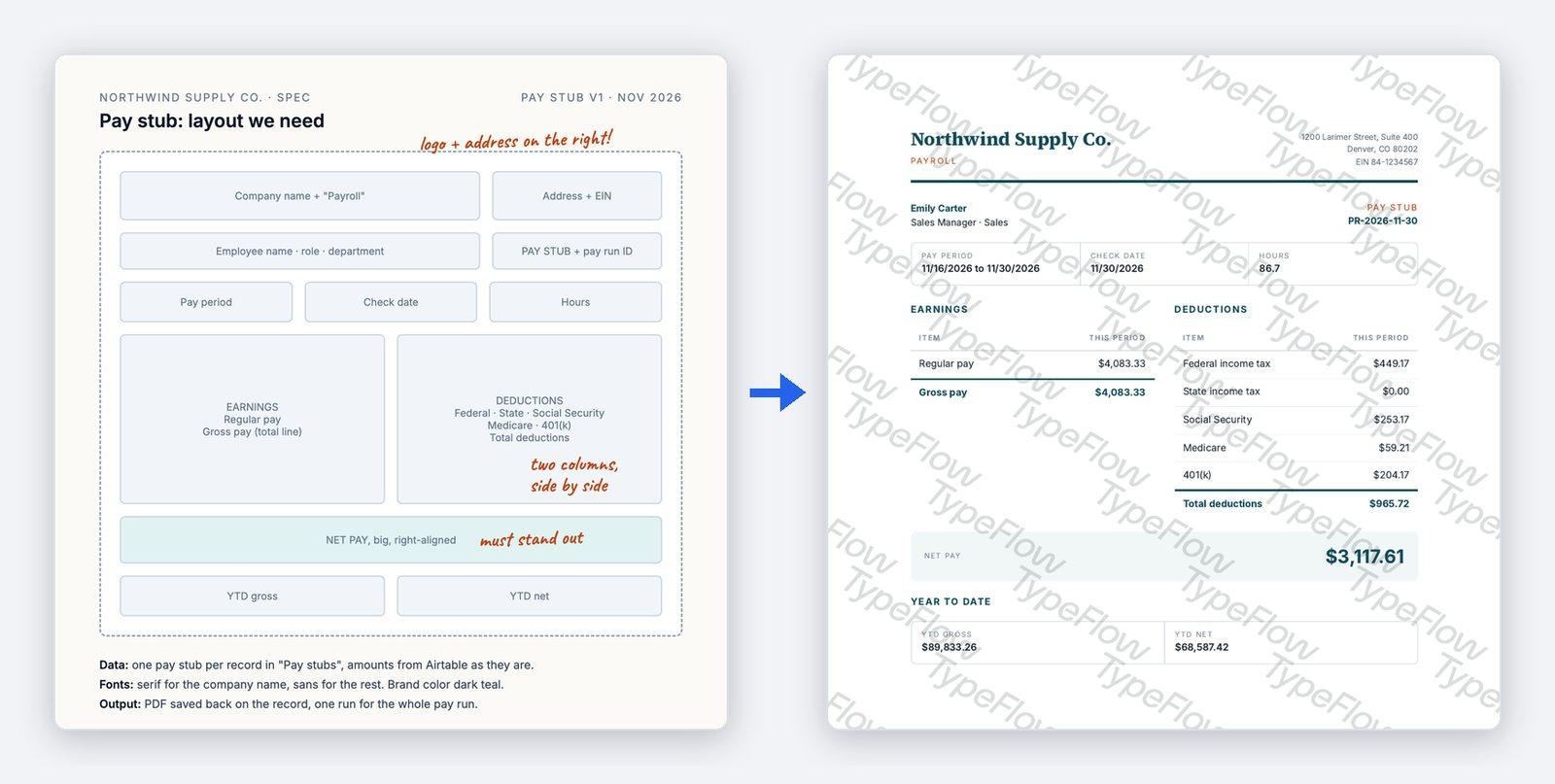
- 2Build and test at no cost. Write the template in Google Docs, design it in TypeFlow's Template Builder, or upload a PDF form your client already uses. Then match each placeholder to an Airtable field, on screen, with no code. A test runs as "Preview only" by default: it writes nothing to your client's base, sends no email and does not count as a document.
- 3Show the client a working document. Your client sees their own document, made from their own records, before they subscribe. A document generated in production carries no TypeFlow watermark; only test documents carry one.
- 4Hand the setup over. Once it works, you hand it over yourself: from the flow list, you transfer each flow to your client's email. Your client gets a link, valid for 7 days, and accepts it from their own TypeFlow account. The client subscribes on their own account. The flow then runs under the client's plan, and the client connects their own Airtable account.
Build and test every client's documents in one team account, at no cost
Your team account holds each client's documents in its own flow. A flow is one template with its field mapping and the way it is started. A test runs as "Preview only" by default and does not count as a document. So you can rework a template and test it again as often as you need. TypeFlow's Template Builder gives you CSS-level control over layout, fonts, positioning and styling, and you can paste in your own HTML and CSS. A Google Docs template keeps its formatting in the final PDF. An existing PDF form is filled as it is, with its layout and wording unchanged. With line items, one row of a table repeats for each linked record. Line items can be nested, and grouped with a header and totals for each group. Images come from Airtable attachment fields, and a document can be any length.
Show your client a working document, then hand the setup over
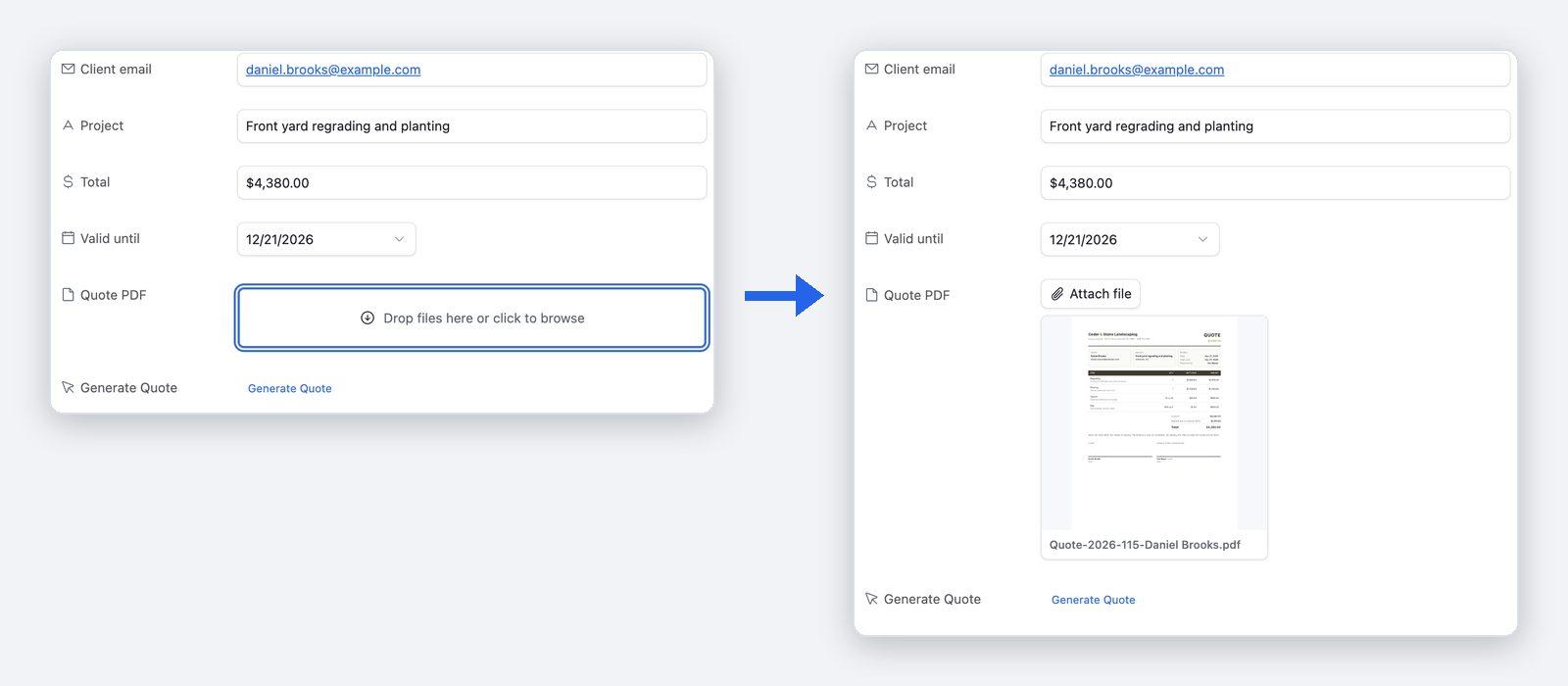
Your client sees their own document, made from their own records, before they subscribe. Once it works, you transfer each flow to your client's email from the flow list. Your client accepts the link, valid for 7 days, from their own TypeFlow account, and subscribes on that account. The flow then runs under the client's plan. From then on, your client runs the flow without you. A button on the Airtable record makes one document. TypeFlow's Airtable Extension, inside the base, makes one for every record of a view in a single run. Both work on every plan, and the PDF is saved to an attachment field on the record it came from. On the Pro and Enterprise plans, TypeFlow Automation makes the document on its own when a record is created or when a field changes to a chosen value, with no Zapier, Make or script to maintain. When the template is a Google Doc, your client edits the wording there, and every future document follows.
30% of what your client pays, as a commission for you or as a discount for them
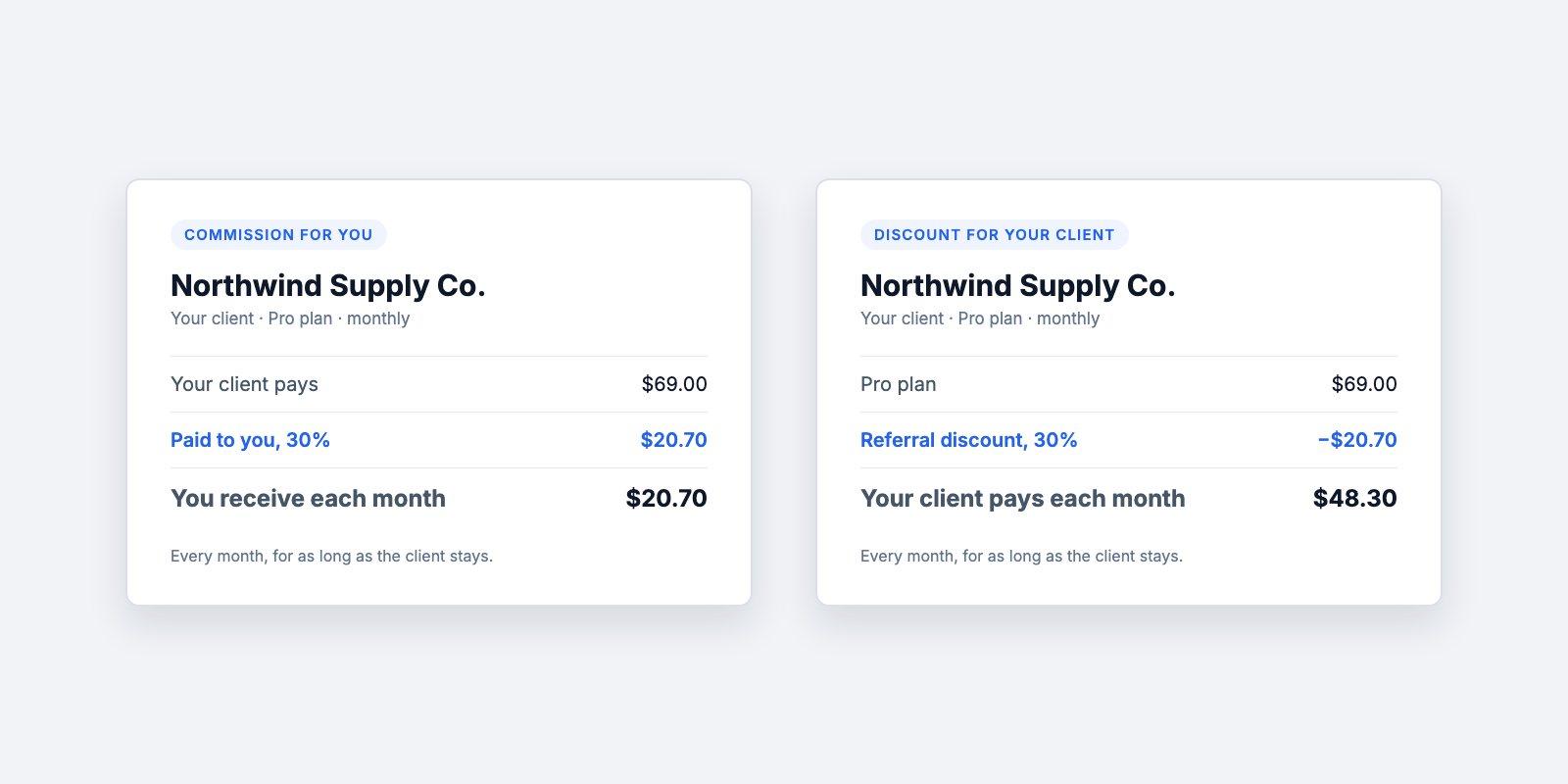
For each client you bring, TypeFlow gives 30% of what the client pays, every month for as long as they stay. You choose the form it takes: a commission for you, or a discount for your client. The discount is there if you prefer to stay neutral between the tools you recommend. Contact TypeFlow when you bring a client: TypeFlow's team records the referral on the client's account, so the 30% applies to their subscription. You have no link or code to set up.
The support and the price behind each document
Human support, usually within a few hours
TypeFlow's team replies by chat or email, usually within a few hours on business days. You can book a 30-minute setup call before you start, and a first document is typically ready in 5 to 15 minutes.
One flat price, with no fee per user or per signature
You pay a flat monthly price set by the number of documents you generate, not per user and not per signature. Plans start at $24 a month, billed yearly, for 200 documents a month.
See pricing →
FAQ
Will it work with my client's base the way I built it?
TypeFlow reads your client's base as it is. It reaches fields in linked records up to 3 levels deep. You pick them directly in the field mapping, with no lookup fields to create in your client's base. Inside a line items table, the 3 levels start from each line, so data can sit up to 4 tables away from the main record. For anything further, a lookup or rollup field in Airtable brings it closer.
How long can I test before my client has to pay?
The trial is counted in documents, not in days. It gives you 20 free documents, one time, with no credit card. Previews and tests do not use them. Once TypeFlow's team has set up your free team account, it gives you 100 documents a month to build and test. Your client subscribes on their own account once the document works.
Can my whole team build in the same account?
Yes. Every plan allows unlimited team members, and a team shares its Airtable connections and its flows. TypeFlow does not limit the number of flows, so each client's document can have its own. On your free team account, the owner's Partner Dashboard shows, for each member, the documents generated this month, their Airtable connections and their last activity, and the number of documents generated on each client connection.
Will it keep up as my client's volume grows?
Yes. What a plan sets is the number of documents a month: 200 on Starter, 1,000 on Pro, unlimited on Enterprise. A PDF counts as one document whatever its number of pages. Bulk generation, included on every plan, makes the documents for all the records of a view in one run, each with its own record's data.
Build your next client's documents in TypeFlow
Try TypeFlow on your own Airtable data with 20 free documents. No credit card required. From $24 a month, billed yearly.