Document generation for Airtable
Fill your own template with the data of any Airtable record, linked records included, and get a finished PDF in seconds.
20 free documents - No credit card
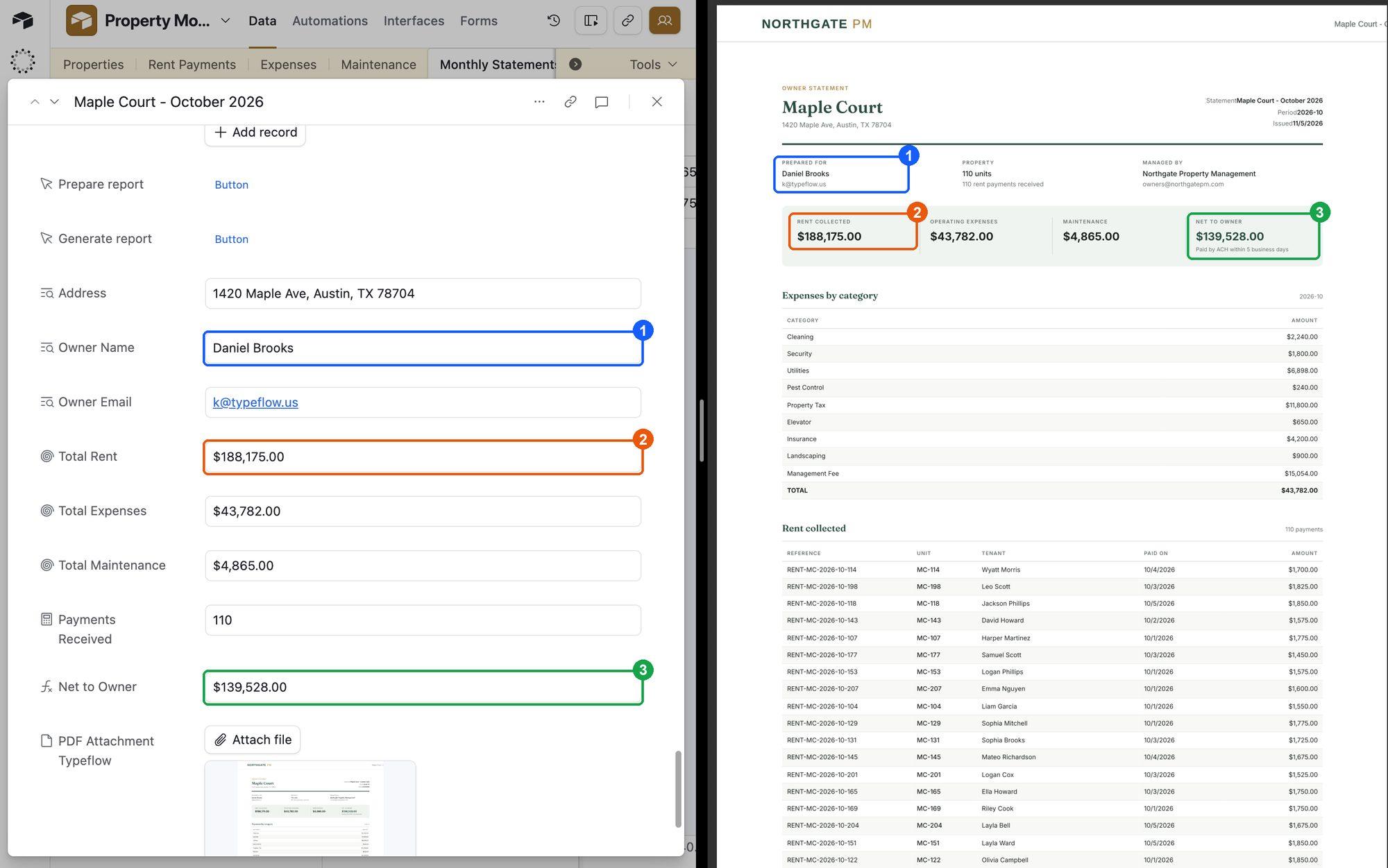
Map your fields once, generate from any record
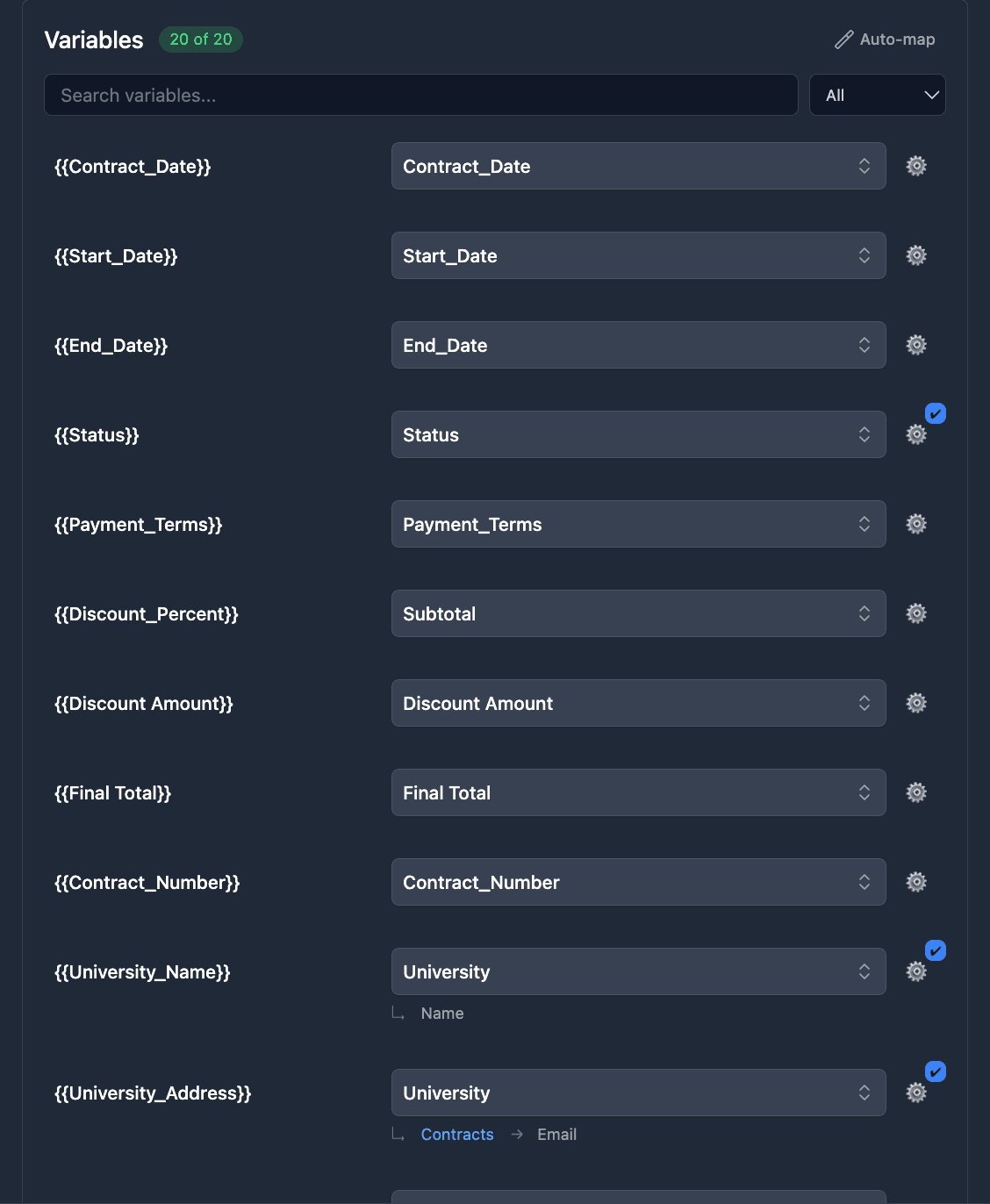
Place each Airtable field where it belongs in your own template, and get a finished document of any length. You match fields on screen with no code, and Auto-map does it for you when the names already match.
- Every Airtable field type. Linked records, attachments, formulas, rollups and lookups included.
- Local formatting. Dates, numbers and currency follow your region: $1,234.56 in the US, 1 234,56 € in France.
- PDF or Google Docs. A PDF by default, plus an editable Google Docs copy when you want one.
- Files named from your data. For example, "Invoice INV-2026-042.pdf".
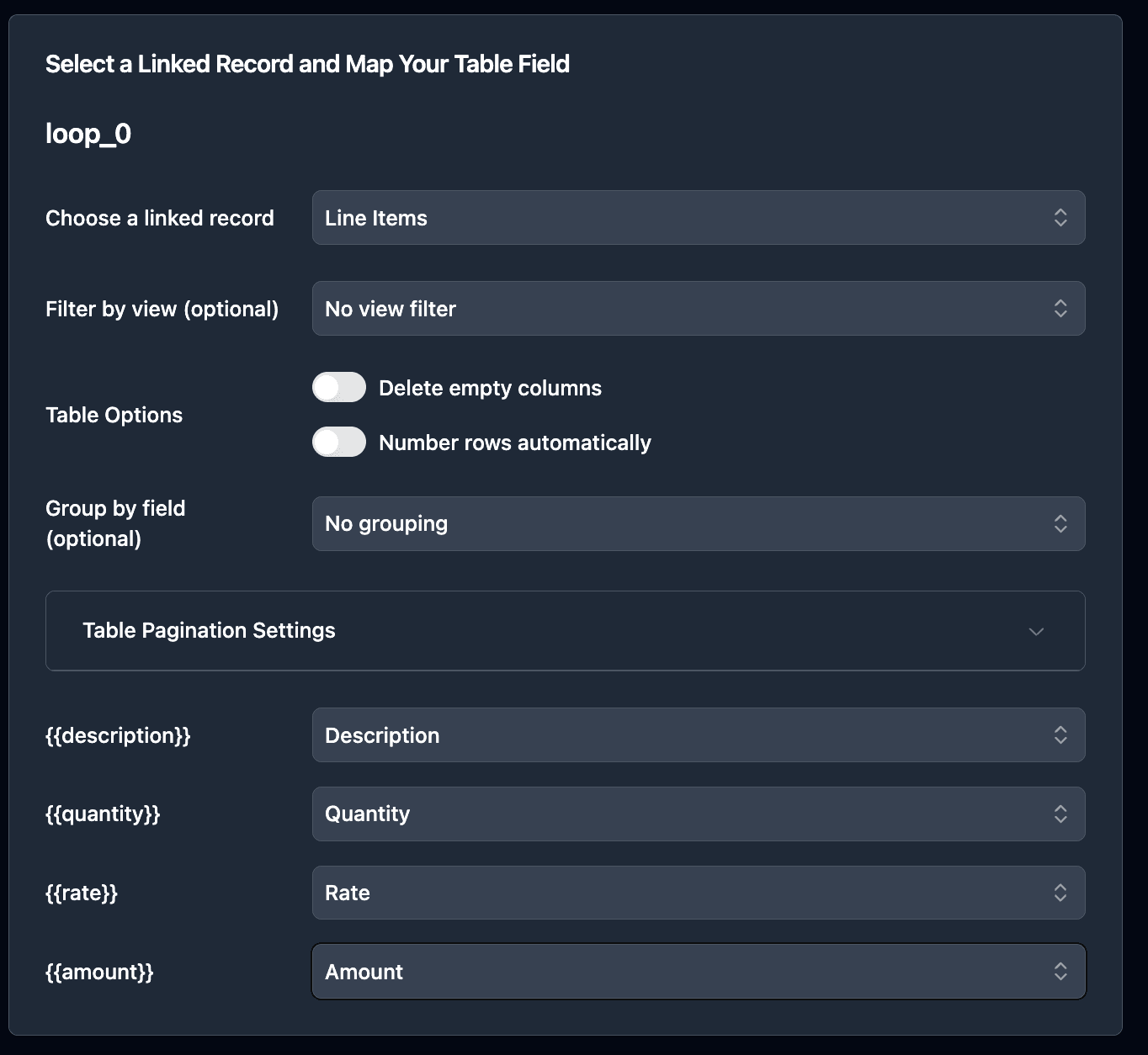
Line items from linked records
Every linked record becomes a row in your document's table. TypeFlow reads the fields of linked tables directly, so you don't add lookup or rollup fields to your base.
- One row, any length. Lay out one row of the table in your template, and TypeFlow repeats it for every line item, whether there are 3 or 300.
- Several tables per document. A document can hold several line item tables, each filled from a different linked record field.
- Nested line items. Line items within line items, such as the products inside each order.
- Three levels deep. Pull in fields from linked tables up to three levels away, picked directly in the field mapping.
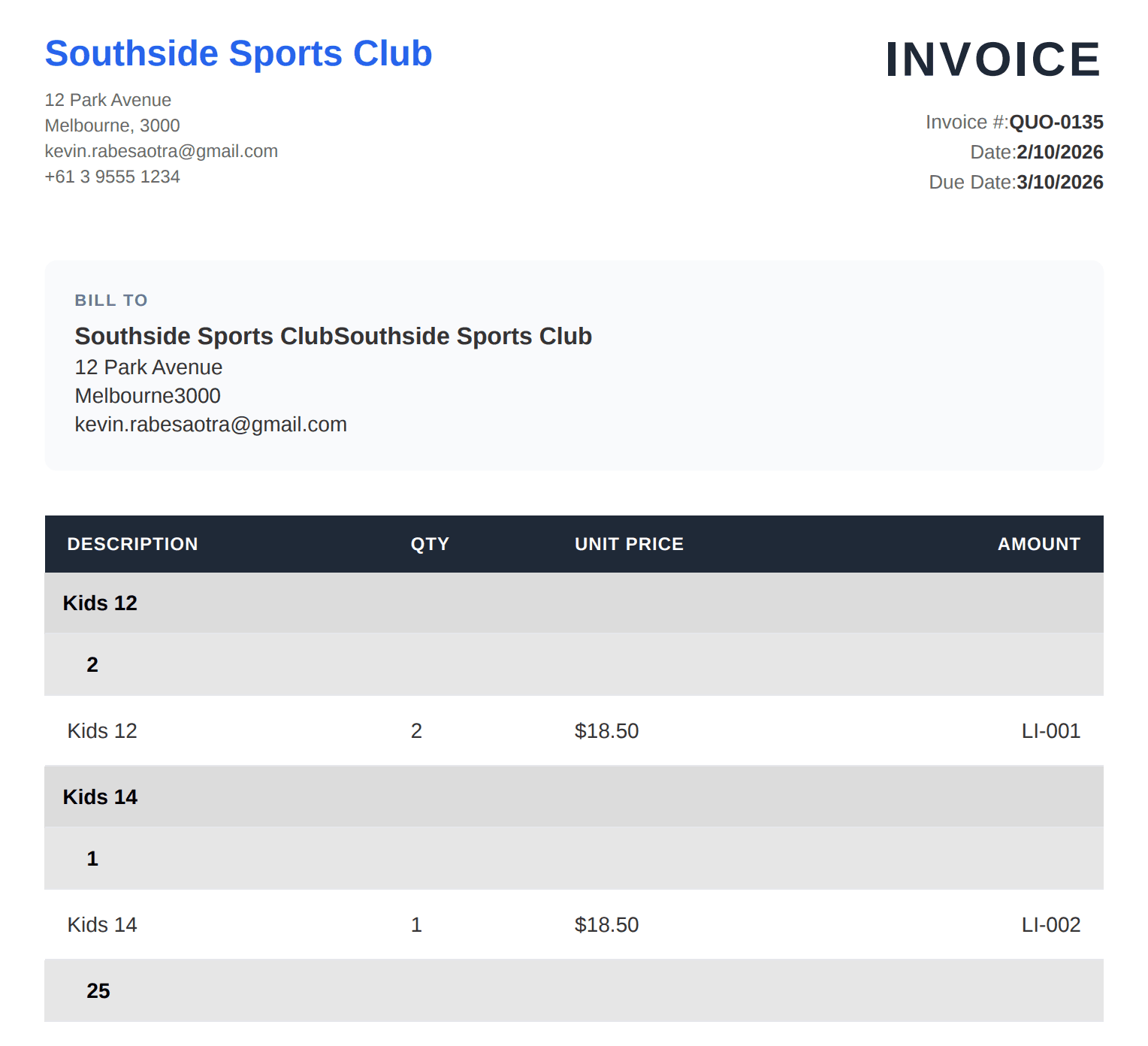
Group, sort and total your line items
Turn a flat list of line items into clear sections, with a heading for each value of a field, such as the project phase or the product category.
- Three levels of grouping. In the template builder, group line items three levels deep, with a heading at each level.
- Subtotals at every level. Each group gets its own subtotal, at every level of grouping.
- Your view's order. Lines keep the sorting and filtering of your Airtable view, with row numbers if you want them.
- Pivot tables. Turn linked records into a cross-tab table, with a count or a sum in each cell and automatic totals.
Show or hide content based on your data
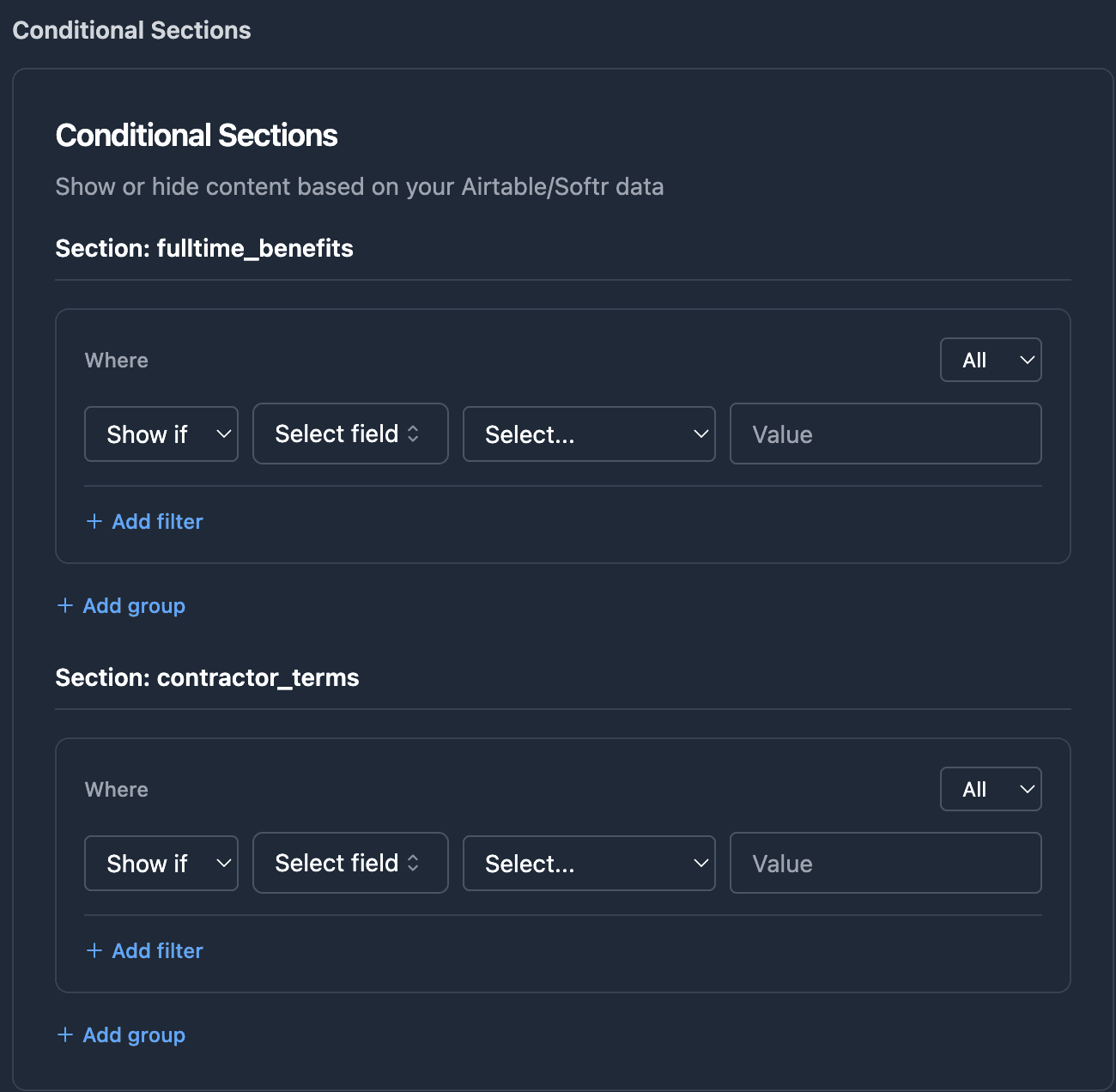
Parts of the document appear or disappear according to the values in the record, so one template covers every case. When an optional field is empty, the blank line it would leave is removed.
- Conditional sections. Show a section when a field is empty, isn't empty, equals a value, contains a value or is greater than a value.
- Conditional slides. Show or hide whole slides in a Google Slides template.
- Checkboxes from your fields. Tick boxes in the document from a checkbox, single select or multiple select field.
- Multiple select, your way. In the template builder, print a multiple select field as text, a bullet list, tags or a grid of cards.
Add images, repeat pages and export whole views
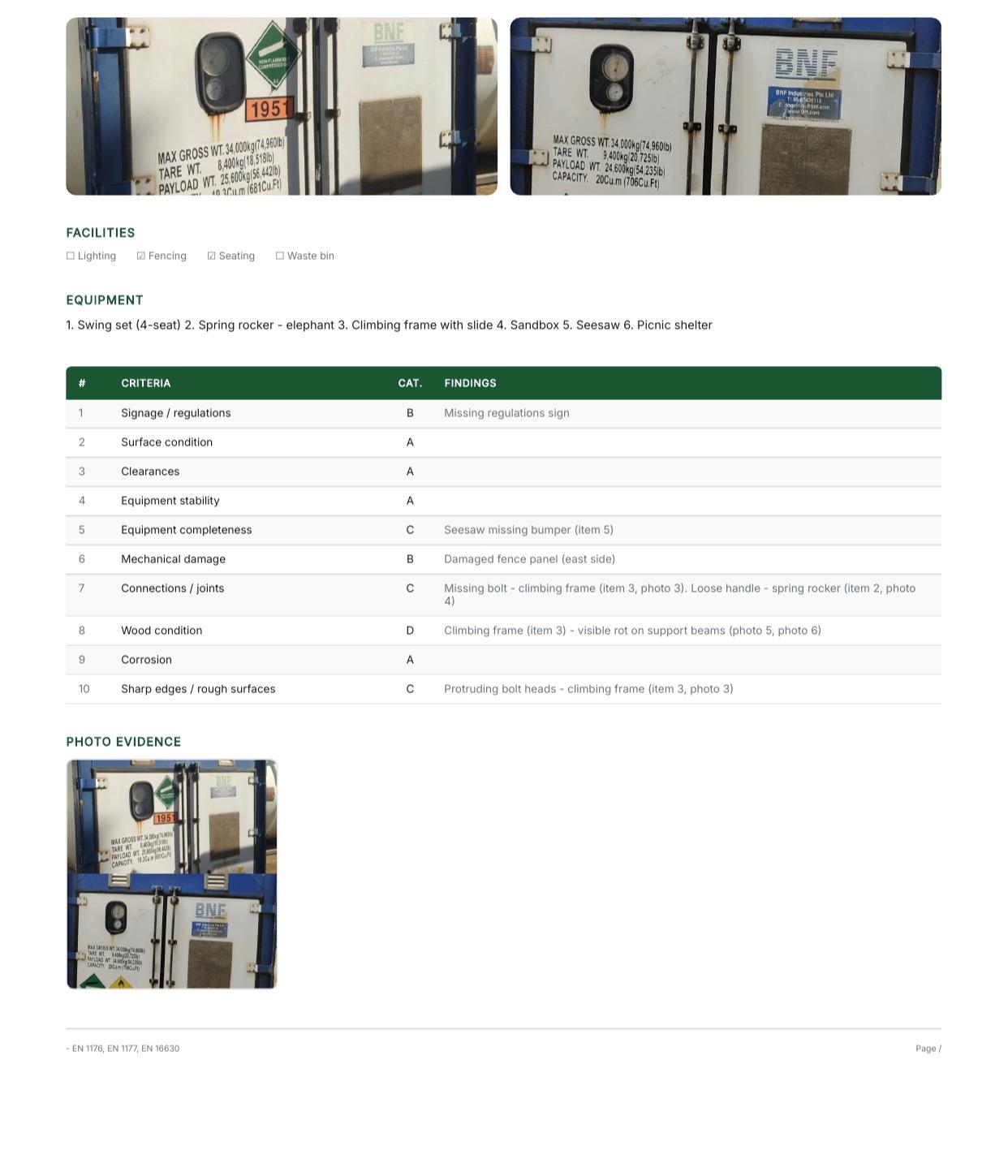
Embed photos from attachment fields, repeat a page for each linked record, or export a whole Airtable view as one PDF report. Images are stored inside the file, so they don't break when an Airtable attachment link expires.
- Images that fit. Every image in an attachment field, at the width you set, with the proportions kept.
- Barcodes and QR codes. Code 128, EAN-13 and QR codes generated from a field value.
- Repeating pages. Repeat a full page or section for each linked record, such as one page per site in an inspection report.
- View Report. Export an entire Airtable view, with its visible columns, filters and sorting, as a paginated PDF report.
“The speed to generate large PDFs with hundreds of pages is extremely quick within seconds, I could not achieve this with any other competitor.”
What it can handle
- 5-10 sto generate a typical document
- 100+ pagesfrom one Airtable record and its linked records
- 3 or 300line items from the same template
- 3 levelsof linked records, with no lookup fields
From an Airtable record to a PDF in four steps
About 5 minutes for a simple flow, up to 15 minutes for one with line items, conditional sections and an automation.
- 1
Pick your data
Choose the base, the table and the attachment field where the PDF is saved.
- 2
Pick your template
Use a Google Docs file, the HTML/CSS template builder, or an existing PDF form.
- 3
Match your fields
TypeFlow finds every placeholder, and you match each one to a field or let Auto-map do it.
- 4
Test, then generate
Check a test PDF on a real record, then generate with one click or from an automation.
Works with
Airtable
Records, linked records, views and attachment fields. Start a document from a button or an Airtable Automation, and a View Report from an Interface button too.
Softr
The same templates, filled with Softr data, line items from linked records included.
Google Docs and Google Slides
Use your own file as the template.
Stripe and PayPal
A payment link kept in an Airtable field becomes a "Pay now" link in the document.
See how it works for your documents
Invoices and quotes
Line items, taxes and payment terms, straight from an Airtable record.
Contracts
Clauses from long text fields and parties from linked records.
Reports
A whole Airtable view as one PDF report, or one report for each record.
Labels and order documents
Labels and packing lists from your order data, with barcodes and elements shown or hidden by a field value.
FAQ
How do I add line items from linked records?
Select the linked record field that connects the main record to its line items, and TypeFlow shows every field of the linked table for you to match. In the template you lay out one row of the table, and TypeFlow repeats that row for each linked record, so five linked records give five rows.
How many levels of linked records can TypeFlow read?
Up to three levels, picked directly in the field mapping, with no lookup or rollup fields in your base. You can go from an invoice to its client, to the client's company, to the company name. Inside a line items table, the three levels start from each line. For anything further, a lookup or rollup field in Airtable brings the data closer.
How long does TypeFlow take to generate a document?
About 5 to 10 seconds for a typical document. Templates built in the template builder generate faster than Google Docs templates, and large documents with many pages or linked records take longer.
Can I generate different documents from the same base?
Yes. Each flow connects one Airtable table to one template, with its own field matching, so you can set up a flow for every document you need. A quote and an invoice are two flows, and both can read the same linked Line Items table.
Can I generate documents automatically instead of making them by hand or printing from Airtable?
Yes. Match your fields to a template once, then generate each document with one click or from an automation. The data comes straight from the record, linked records included, and TypeFlow handles the page breaks when a document runs past one page.
Can I group line items on more than one level?
Yes. In the template builder you can group line items three levels deep, each level by one field, with a heading at each level. A project report, for example, can be grouped by project, then by phase, then by task type. You group by any field used as a variable in the line items row.
Does TypeFlow calculate totals, or do they have to be fields in Airtable?
Both. Each group of line items gets its own subtotal at every level of grouping, and pivot tables count or sum the records in each cell with automatic totals. For the grand total of a plain list of line items, use a rollup or formula field in Airtable: it goes into the document like any other field.
Can TypeFlow repeat a section or page for each linked record?
Yes. A full page, a section or a whole table can repeat for each linked record, so each record gets its own page in the PDF. Use it for an inspection report with one page per site, an itinerary with one page per day or a catalog with one card per product.
How do I add images from Airtable to a document?
Put an image placeholder in your template and match it to the attachment field. TypeFlow embeds every image in the field at the width you set, with the proportions kept. The images live inside the PDF, so they don't break when an Airtable attachment link expires.
Generate your first document from Airtable
Connect your base, pick a template and test it on your own records.
20 free documents - No credit card