Document automation for Airtable
Generate a document the moment a record is ready. TypeFlow saves the PDF to the Airtable record and emails it to your client, with no Zapier or Make in between.
20 free documents - No credit card
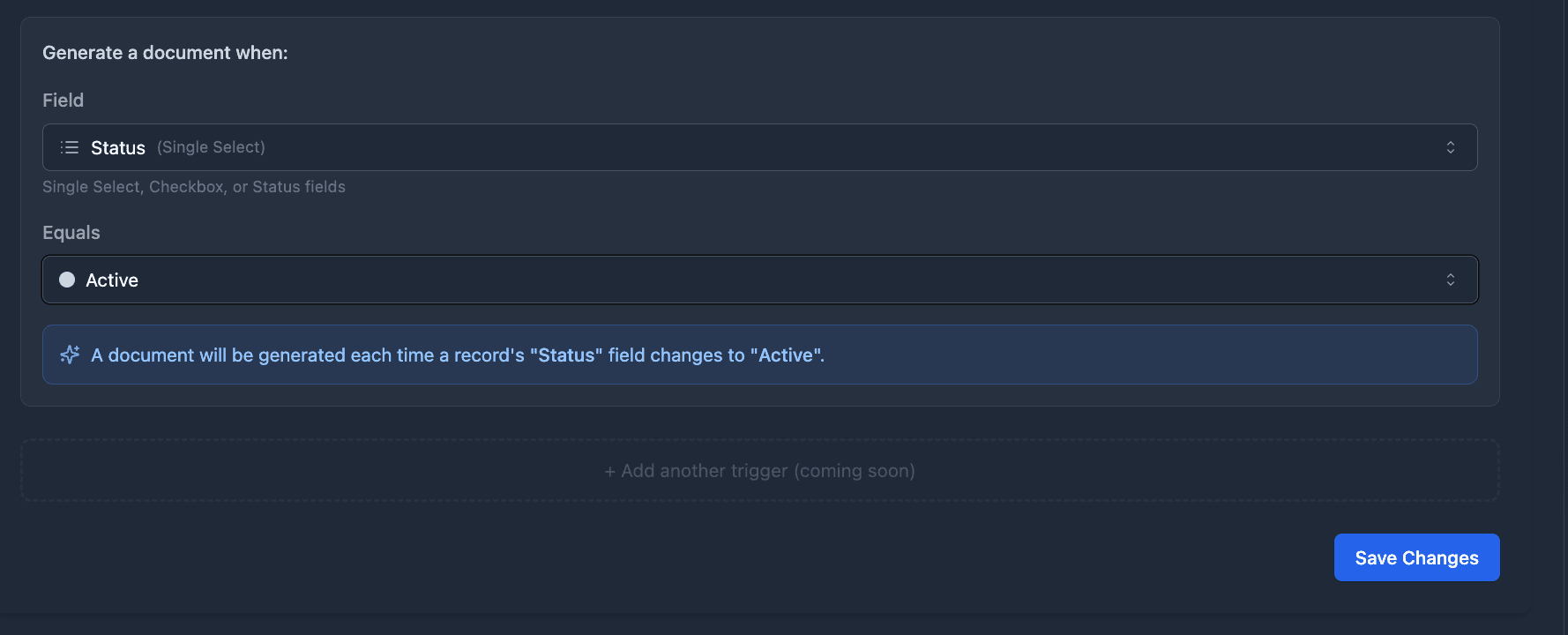
Trigger documents from buttons or field changes
Add a generate button to any record, or let TypeFlow Automation create the document when a record is added or a field changes to the value you pick. It watches your Airtable table directly, so there's no Zapier or Make in between.
- One-click buttons. Each record gets its own button, and the PDF lands on the record within seconds.
- One link, every document. The Document Selector puts all of a table's documents behind one link.
- Conditions on any field. Generate an invoice when Status changes to "Approved", but only if the client email isn't empty. TypeFlow Automation is included on Pro and Enterprise.
- Airtable Automations too. Run TypeFlow from any Airtable trigger, including form submissions and scheduled times, with a ready-made script.
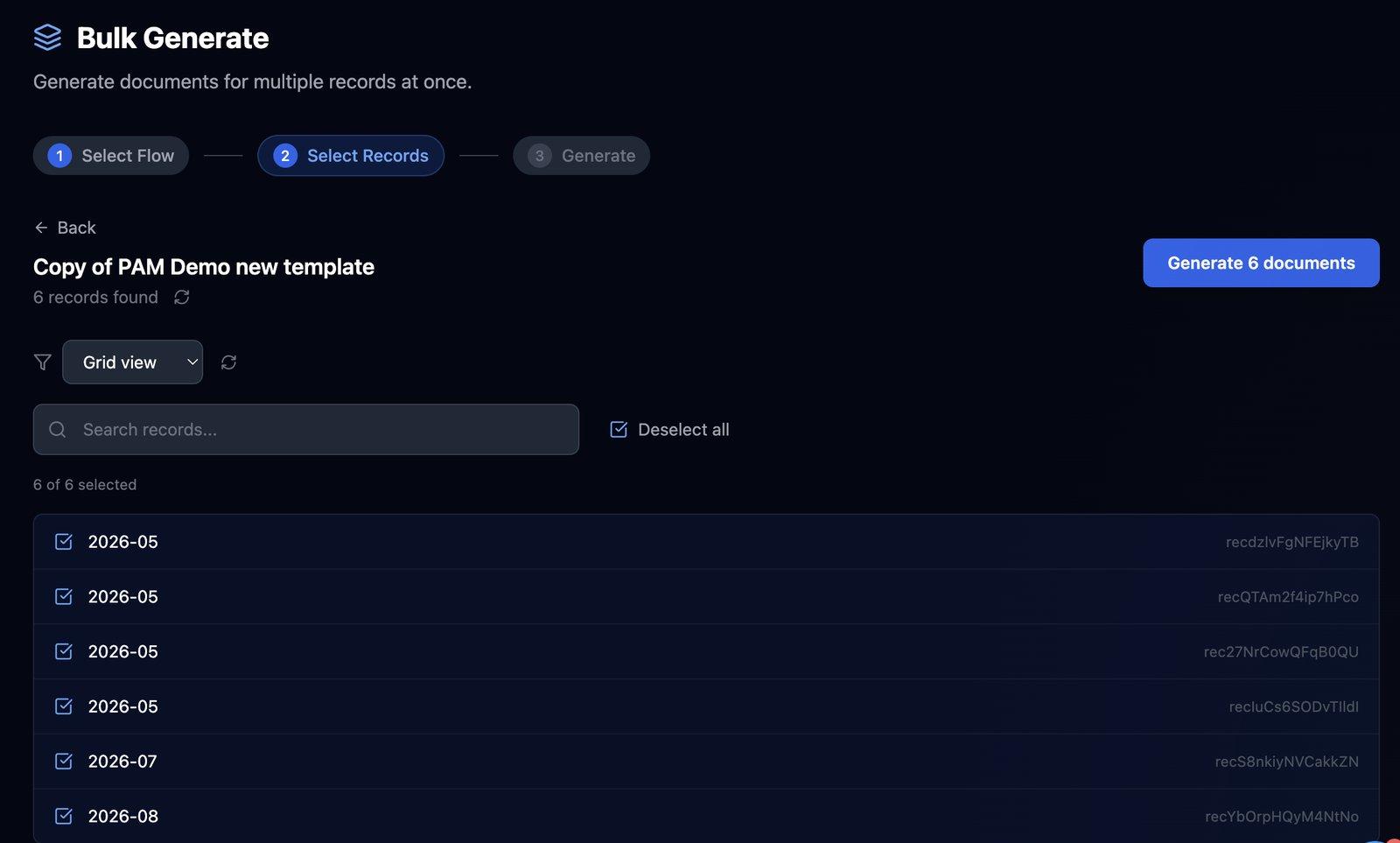
Bulk generate a document for every record
Create the documents for an entire Airtable view, or just the records you select, in one go. Each record gets its own PDF, filled with its own data and saved to its own attachment field.
- Any view or selection. Run a batch for a view like "Ship Today", the whole table or records you pick by hand.
- Bulk from inside Airtable. Select records in the Airtable Extension, choose the flow and click Generate.
- Parallel processing. Documents generate side by side, and large batches run in the background with a notification when they finish.
- Email in the same run. Each document in a batch can go to its own recipient.
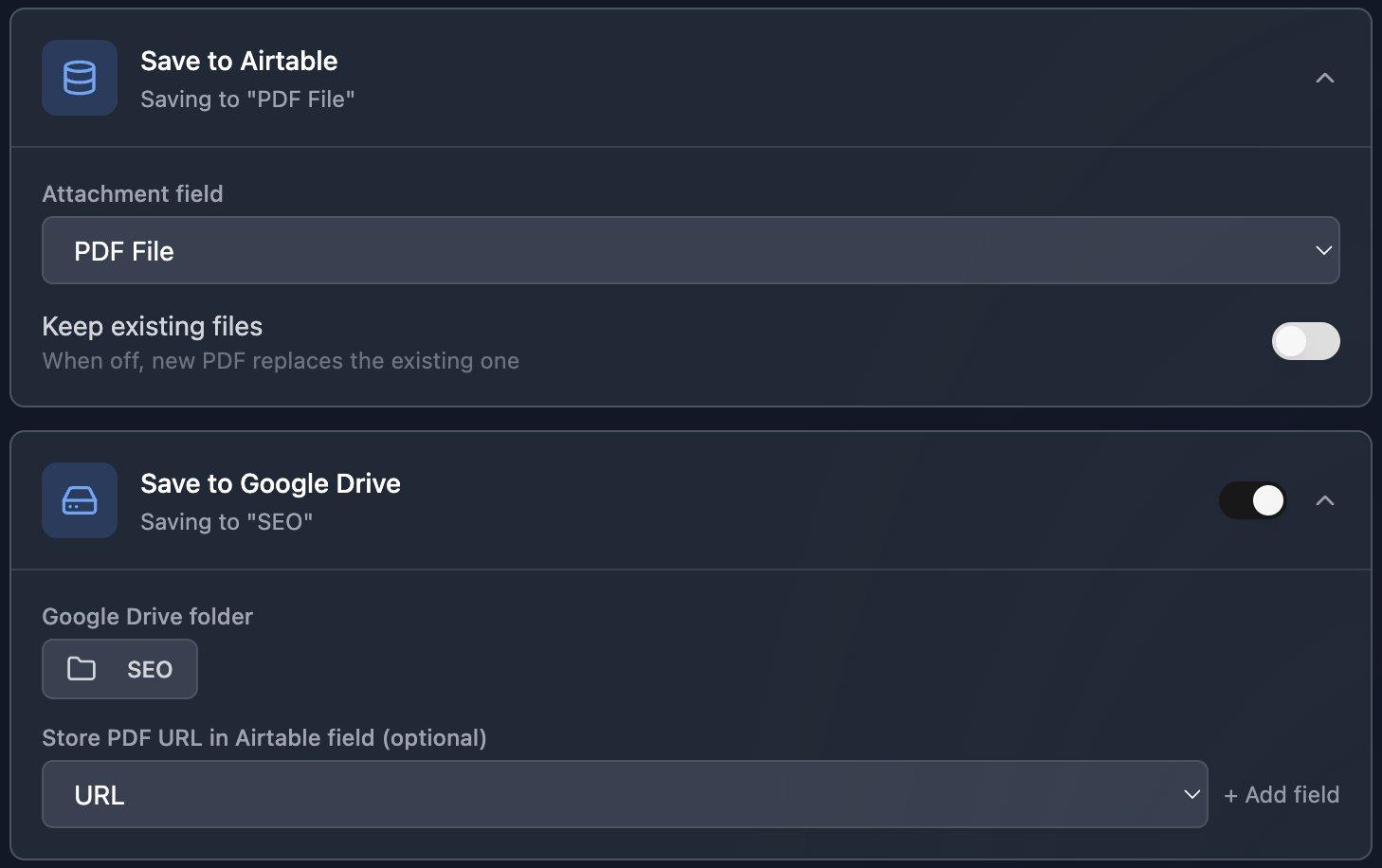
Save every PDF to Airtable and Google Drive
Every PDF is saved to an attachment field on the record it came from. You can also keep a copy in Google Drive, and the History screen lists every document you've generated.
- Replace or keep versions. A new PDF replaces the old one, or sits beside it when you keep existing files.
- Copies in Google Drive. Save each PDF, and the Google Doc too, to the folder you choose.
- Write back to Airtable. Update fields on the record once the document is generated, such as its URL or a status.
- Full document history. See every document with its status, its time and whether the email went out.
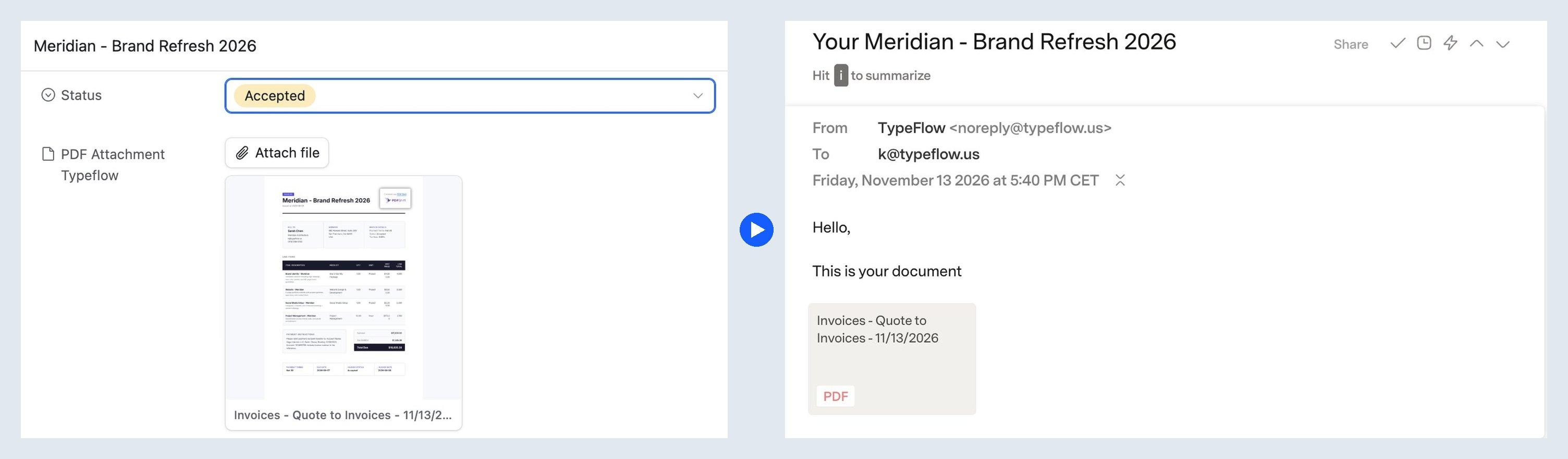
Email every PDF to your client automatically
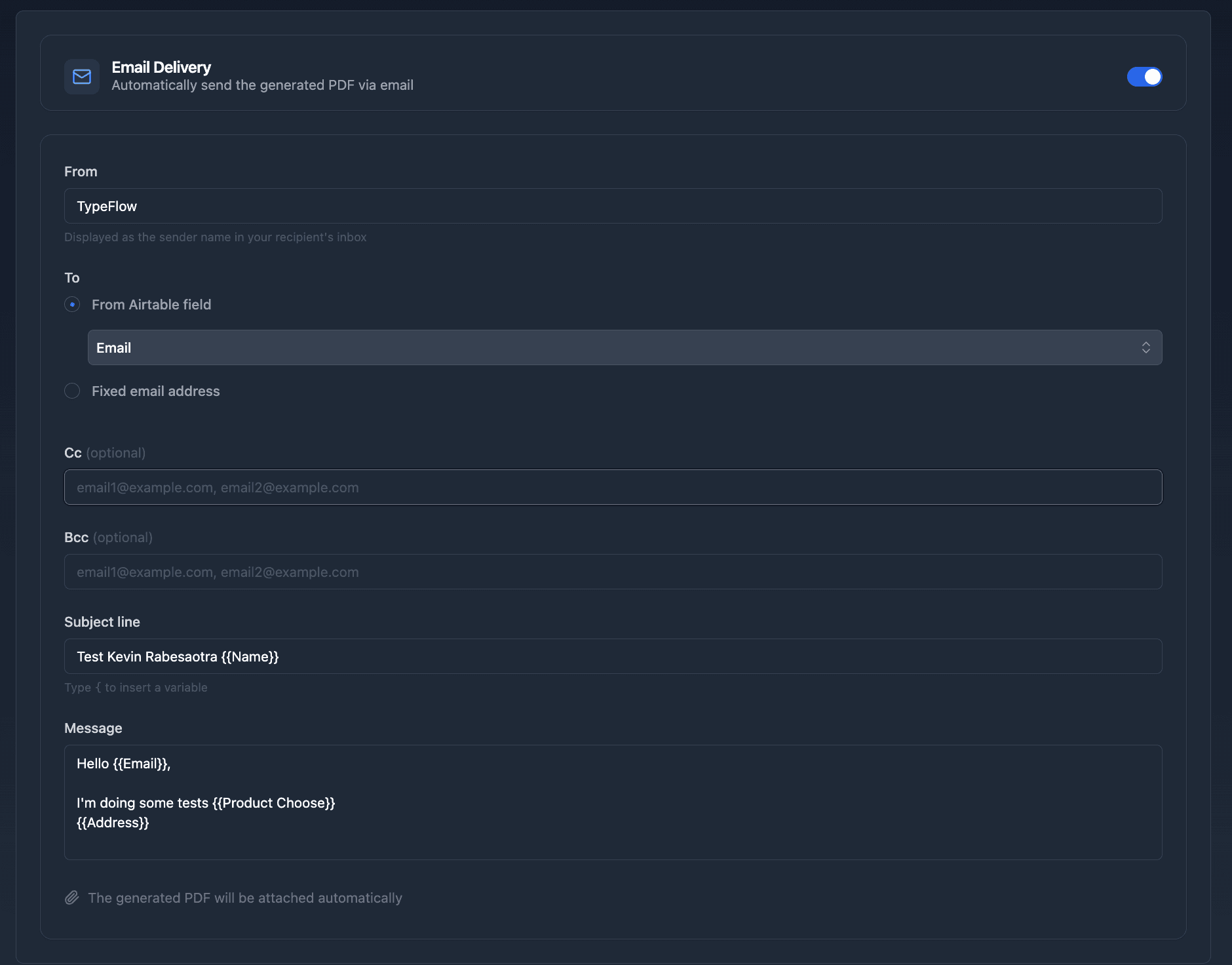
TypeFlow emails each document right after it's generated, with the PDF attached. It works whether the document came from a button, a bulk run or an automation, and you don't need Zapier, Make or a second Airtable automation.
- Per-record recipients. Send to the email field on each record, or to one fixed address.
- Personalized subject lines. Pull record values into the subject and message, like "Your invoice {{Invoice Number}}".
- Sender name, Reply-To, Cc and Bcc. Set them once, or pull the addresses from Airtable fields.
- Your own Gmail or Outlook. On Pro and Enterprise, clients see your name and address, not TypeFlow's.
Generate from other apps
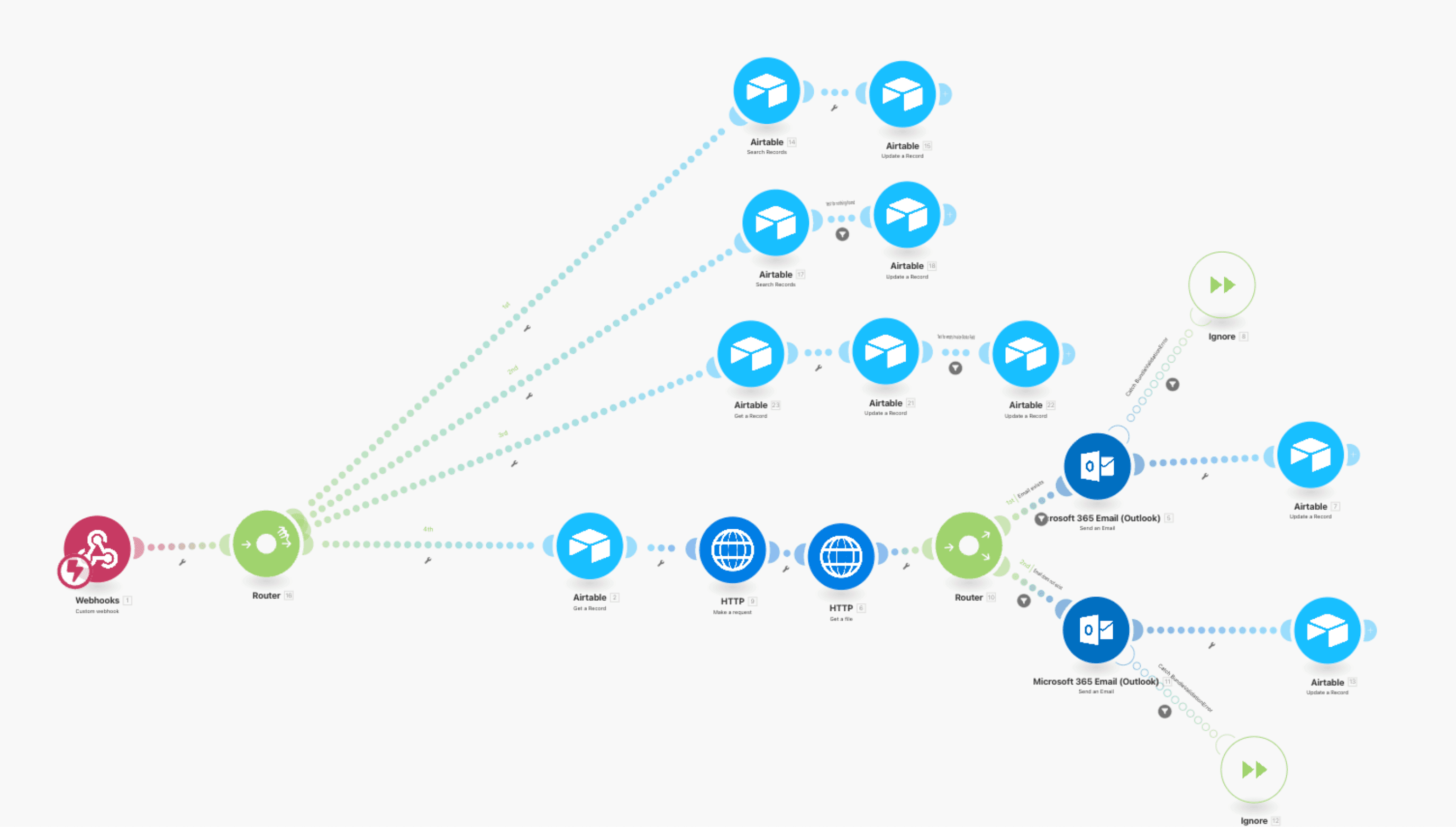
Use the REST API to generate one document or a whole batch from any other system, or start a document from Make, Zapier or n8n with a single HTTP call.
- Single and bulk API calls. Generate the PDF for one Airtable record or for a list of records.
- Make, Zapier and n8n. Start a document from an event in another app by calling the flow's generation link.
- Two documents, one trigger. Generate a packing slip and a commercial invoice for the same order.
- Your data, your record. The outside event starts the generation, the record in your data source provides the data.
“Once you've set it up, it's set and forget. I generate 3,000+ PDFs per month and never think about it.”
What it can handle
- 1 clickto generate a document for every record of a view
- 4 waysto start a document: button, field change, Airtable Automation or API
- 0 Zapierneeded to generate, save and email a PDF
- Under 30 sto connect your Airtable account
From an Airtable change to a delivered PDF
- 1
Connect your table
Link an Airtable table to a template, map the fields once and pick the attachment field for the PDF.
- 2
Choose a trigger
Use a button, TypeFlow Automation, an Airtable Automation, or Make and Zapier.
- 3
Choose where it goes
Switch on saving to Airtable, saving to Google Drive and email, each on its own.
- 4
Review and go
A one-line summary shows what the flow will do and flags any setting that won't run.
Works with
Airtable
Generate from button fields, formula fields, Interface buttons, Airtable Automations or the TypeFlow extension, and save to attachment fields.
Google Drive
Keep a copy of each PDF in the folder you choose.
Gmail and Outlook
Send documents from your own address, on Pro and Enterprise.
Make, Zapier and n8n
Start a document from an event in another app.
Automation for the documents you send
Invoices and quotes
Generate, email and save the invoice when Status changes to "Ready to Send".
Contracts
Generate a contract when a record is created or its status changes, then send it for signature.
Reports
Run a saved View Report on a schedule in Airtable Automations, or from an Interface button.
Labels and order documents
Generate labels from a button, a status change or a whole view at once.
FAQ
Can TypeFlow generate and email documents without an Airtable automation?
Yes. TypeFlow Automation, on Pro and Enterprise, generates the document when a field like Status changes to "Ready to Send", then emails it with the PDF attached and saves it to the record. You don't need an Airtable automation, Zapier, Make or a script, though you can still use an Airtable Automation if you prefer.
Which document generation tools connect directly to Airtable?
TypeFlow connects directly. You install its extension from the Airtable Marketplace, and its built-in trigger watches your tables, so nothing sits in between. It reads the record and saves the PDF back to that same record.
Can I set up TypeFlow without coding?
Yes. TypeFlow Automation is set up on screen by picking a field and the value that starts the document, and a button takes one pasted link. Only the Airtable Automation method uses a script, which TypeFlow gives you ready to paste.
Can TypeFlow regenerate a PDF when the record changes?
Yes. TypeFlow Automation generates a new document each time the watched field changes to your chosen value, and an Airtable Automation can do it whenever a field is updated. The new PDF replaces the old one, or sits beside it when you keep existing files.
Can TypeFlow generate a separate PDF for each record in bulk?
Yes. Bulk generation creates one PDF per record, filled with that record's data and saved to its attachment field. Run it for a whole view or for selected records, from the Bulk Generate page or the Airtable Extension. Every document counts toward your plan's monthly limit.
Can I generate a PDF from an Airtable Interface button?
Yes. An Interface button is one of four ways to generate by hand, along with the Airtable Extension, a button or formula field, and the Document Selector. Saved View Reports can also run from an Interface button.
Can TypeFlow save documents to Google Drive and link them in Airtable?
Yes. Each PDF goes to the Google Drive folder you choose as well as to the record's attachment field. TypeFlow can also write the PDF's URL to an Airtable field, so the record links to the file.
Can I trigger TypeFlow from outside Airtable?
Yes, on every plan. Any tool that can call a URL, such as Make, Zapier, n8n or your own app, can start a document through the flow's generation link or the TypeFlow API. The document is built from a record in your data source: the outside event starts the generation, the record provides the data.
Automate your first document from Airtable
Connect your base, pick a trigger and test it on your own records.
20 free documents - No credit card