Document template builder for Airtable
Design your template once, in TypeFlow's visual builder, in Google Docs or Slides, or on the PDF form you already use. Your Airtable data fills it every time.
20 free documents - No credit card
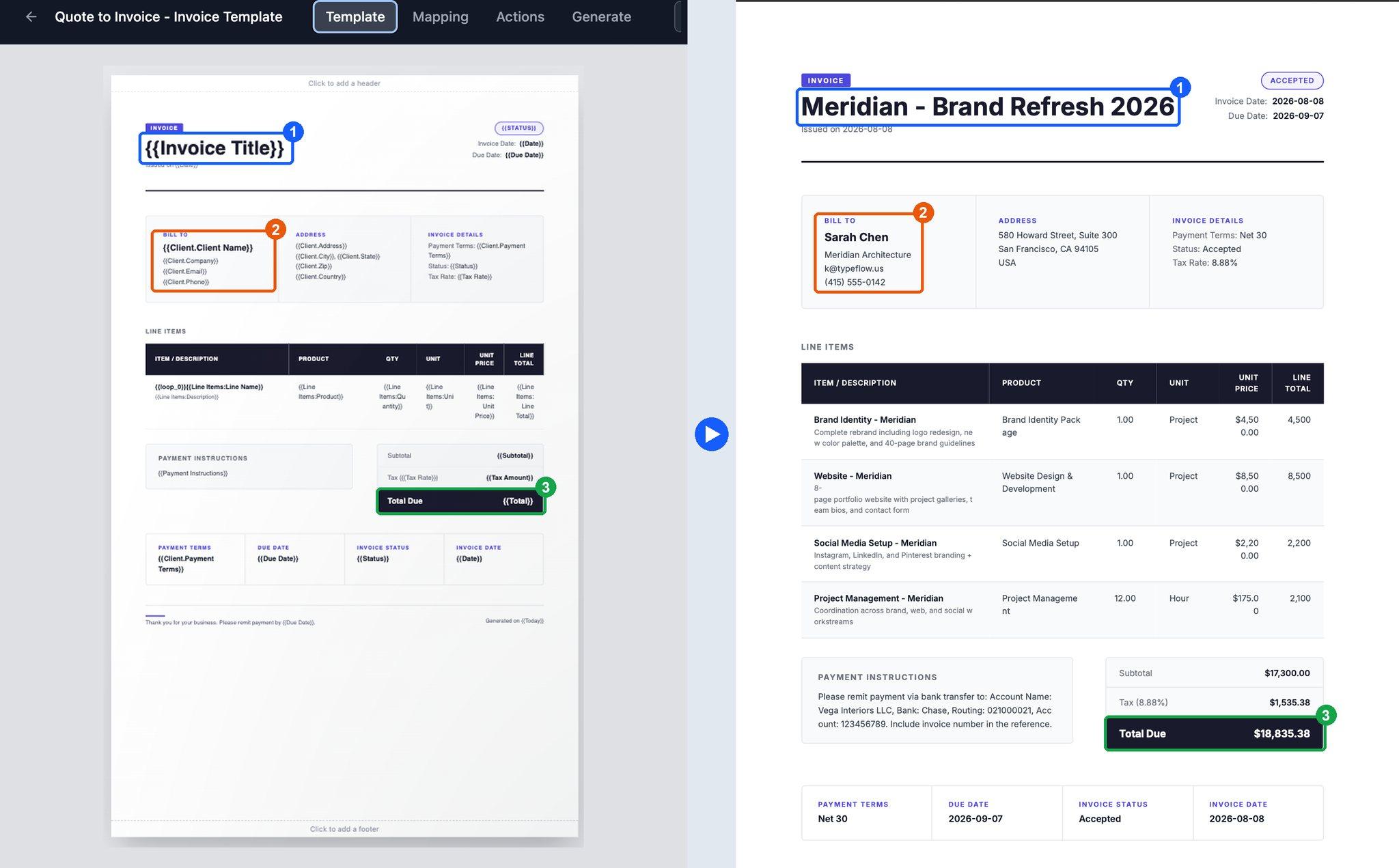
Design templates visually, or let AI build them
Drag in text, images and tables, then drop Airtable fields wherever the data goes. Start from a ready-made template, a plain-language description or a document you already have, with no code and no Google account.
- Ready-made blocks. Invoice headers, totals, signature blocks, letterheads and more.
- Full design control. Set the fonts, colors, spacing and position of every element, with any Google Font.
- Template gallery. Ready-made invoices, quotes, contracts, certificates and labels.
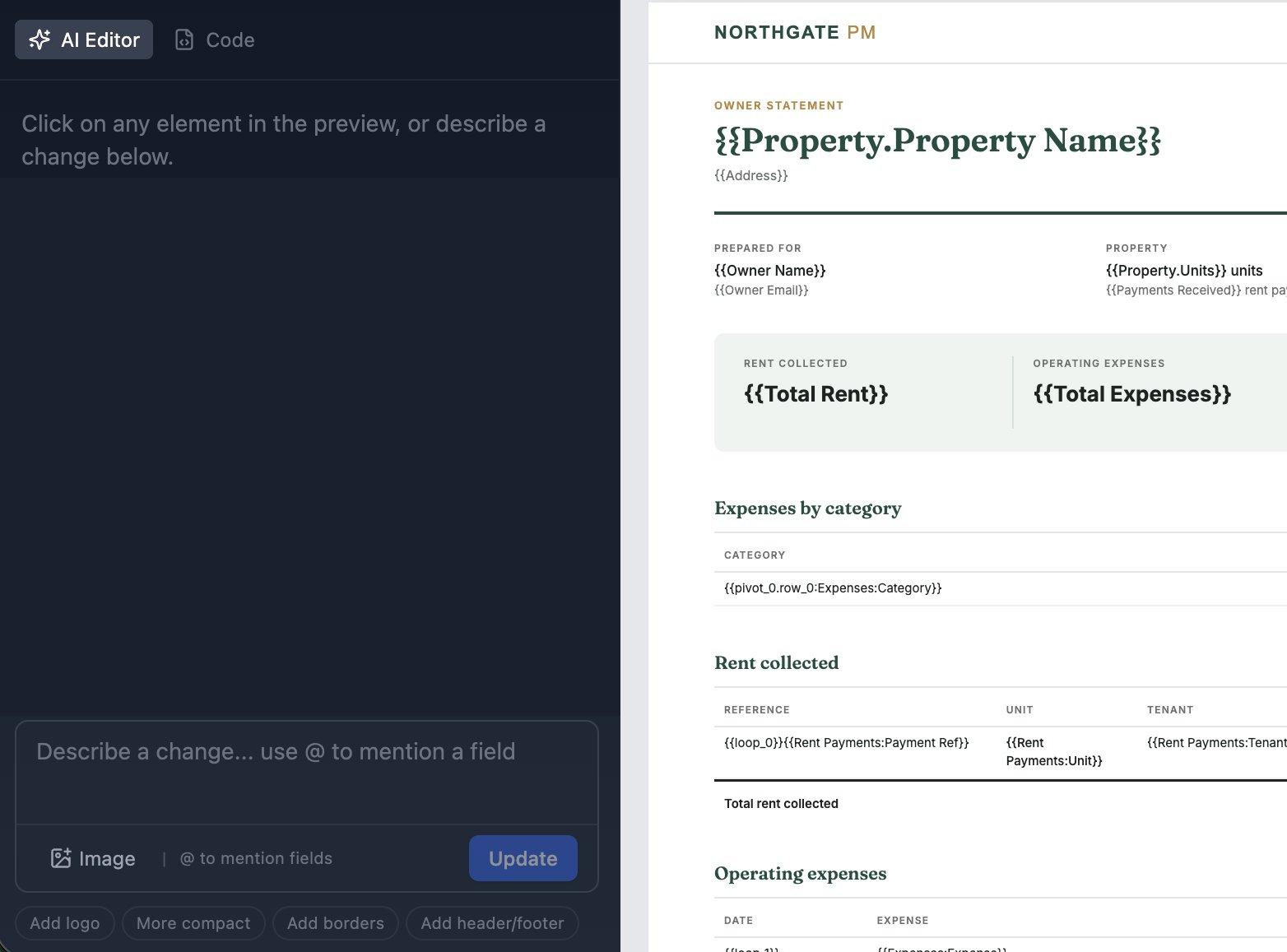
- Build with AI. Describe the document and get a template with your Airtable fields already in place, linked records included.
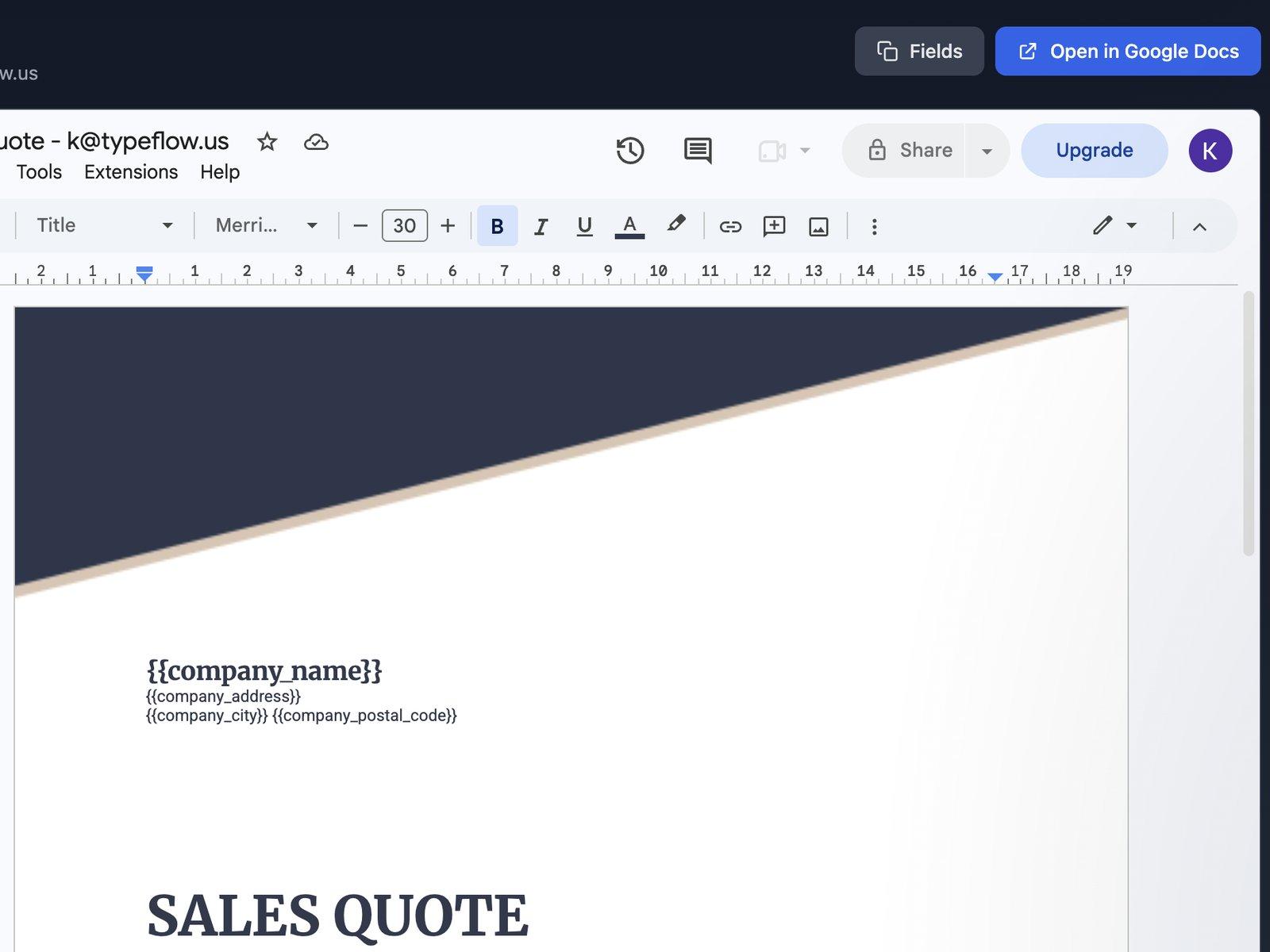
Use your Google Docs or Slides as templates
Keep working in the editor your team already knows. Type a placeholder such as {{Client Name}} where the data goes, match it to an Airtable field, and your formatting, fonts, colors and logo carry over to the PDF.
- Any Google Doc. New or existing, it becomes a template as soon as you add placeholders.
- Edit without rebuilding. Every document generated after a change to the Doc picks it up, with no automation to rebuild.
- More than text. Images, links, conditional sections and line items from linked records.
- Google Slides templates. Presentations, reports and certificates, with slides shown or hidden by your data.
Fill your existing PDF forms from Airtable
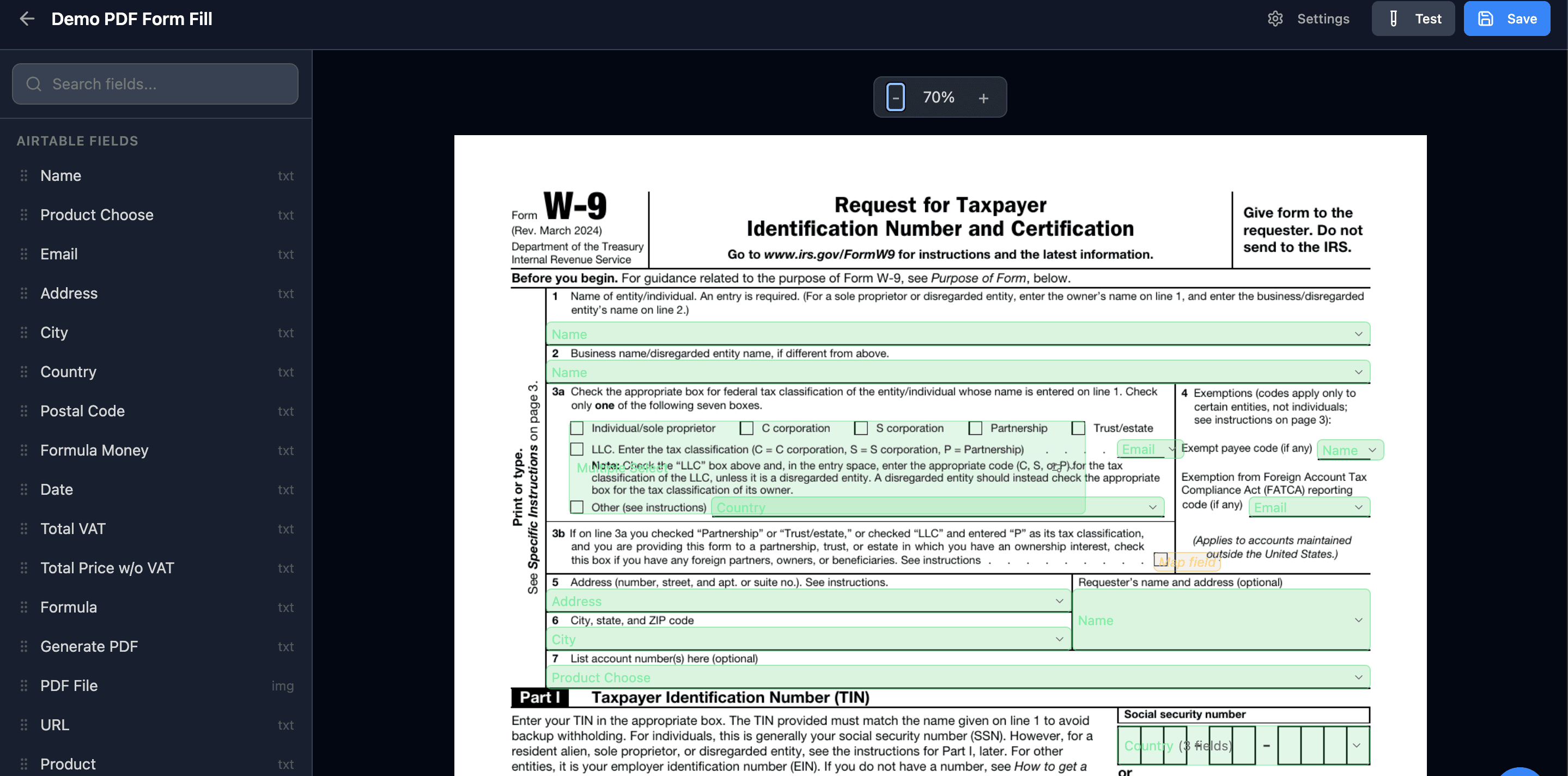
Official forms such as a W-9 or a lease agreement keep their exact layout and wording. Fill them from your Airtable records with no code and no retyping, whether the PDF is fillable, flat or scanned.
- Automatic field detection. The fields of a fillable form show up on the page, ready to match to Airtable.
- Flat and scanned PDFs. Drag each field to its exact spot and set its size, font size and alignment.
- Checkboxes and checkbox groups. Tick boxes from Airtable, even the printed boxes of a scan, and fill a whole group from one single select or multiple select field.
- Split fields. Spread one value across several boxes, like a Social Security number across three.
Headers, footers and page numbers on every page
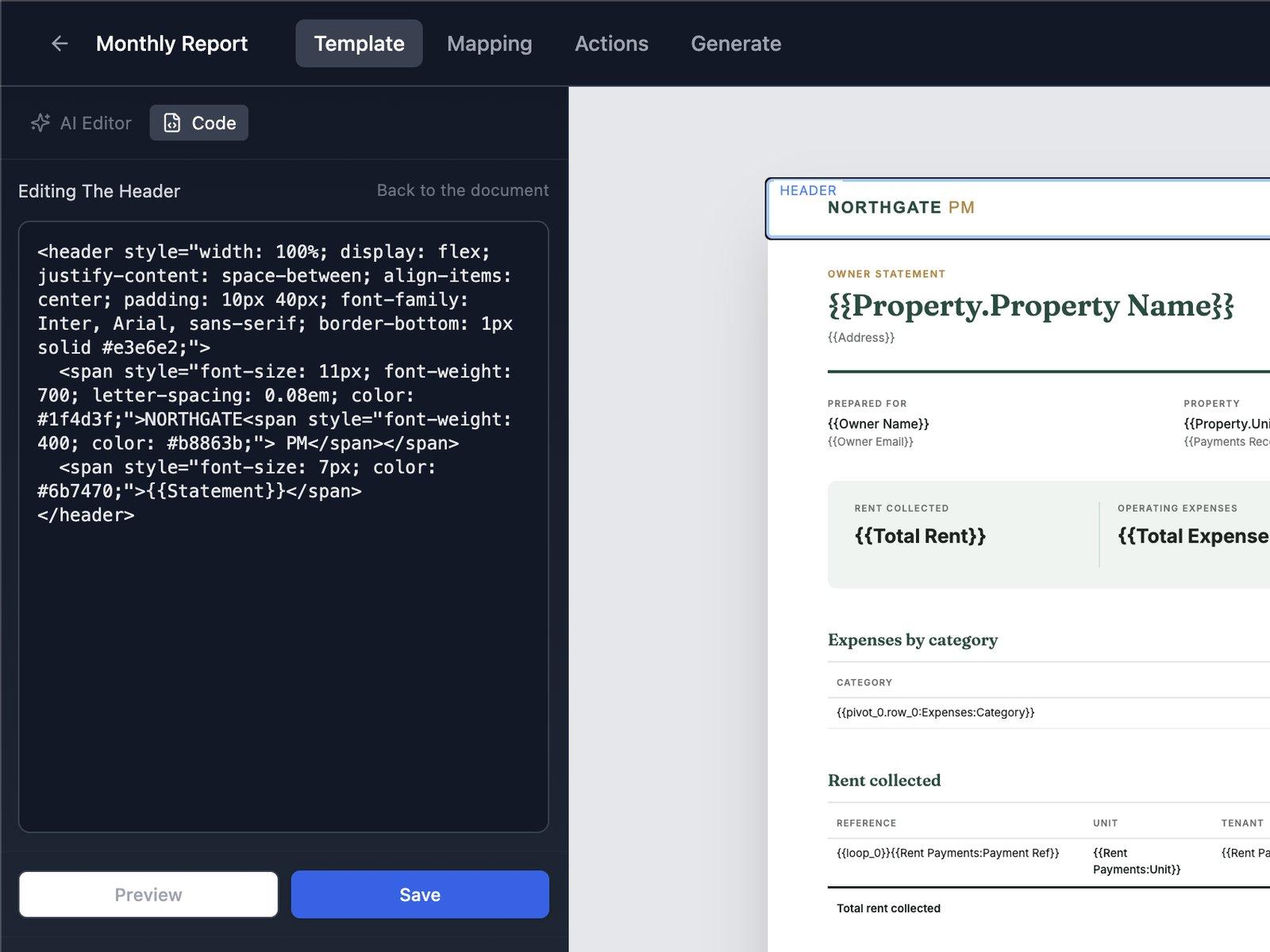
Design your header and footer once in the template builder, and they repeat on every page of the PDF, page numbers included. Mix portrait and landscape pages in one document, and the header and footer adjust to each page's width.
- Headers and footers with data. Text, your logo, and Airtable fields such as the invoice number or the date.
- "Page 1 of 22" numbering. The current page and the total, on every page.
- Mixed orientation. Switch between portrait and landscape at any page break, such as landscape schedules in a portrait contract.
- A new page when a value changes. Start each group of line items on its own page.
Print labels and barcodes from Airtable records
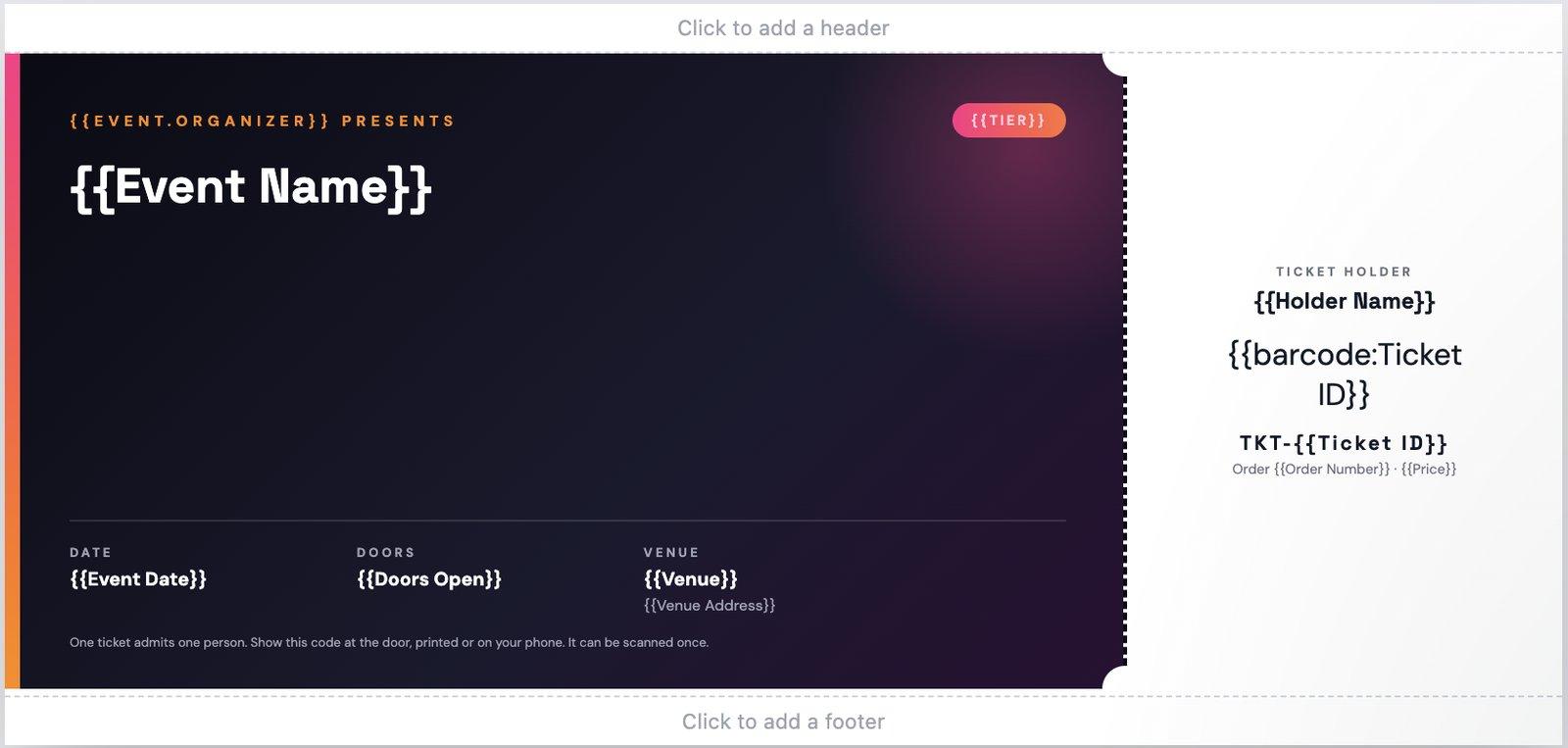
Design a label once, then fill a whole sheet with a different record on each label, or print one label per page at the exact size of a thermal label. Barcodes and QR codes come straight from your Airtable fields, with no separate barcode software.
- Avery and custom sheets. Match any sheet's grid, so 100 labels on Avery 5160 fill just 4 pages.
- Thermal label sizes. 4x6 in, 2x1 in, 100x60 mm or a custom size, for thermal printers that accept a PDF.
- Copies from a quantity field. As many labels as a number field says, or one for each linked record.
- Scannable barcodes. Code 128, EAN-13 and QR codes from any text or number field.
What it can handle
- 3 waysto build a template: the visual builder, Google Docs or Slides, or your own PDF form
- Build with AIfrom a description, a PDF or an image of your document
- 5-15 minto set up a template and generate a first document
- No Google accountneeded for the template builder or PDF forms
Your first template in four steps
- 1
Connect your base
Pick the Airtable base and table the document reads from.
- 2
Choose a starting point
A ready-made template, a description for Build with AI, or your own Google Doc, PDF form, HTML code, or PDF or image to reproduce.
- 3
Design the layout
Edit in the template builder or in Google Docs, and drop Airtable fields wherever data goes.
- 4
Test and generate
Match each placeholder to a field, run a test, and generate your first document.
Works with
Airtable
Tables, fields, linked records and attachments, with your exact field names written into the template by Build with AI.
Softr
The same builder designs documents filled from Softr data.
Google Docs and Google Slides
Your own Drive file is the template, and TypeFlow opens only the files you select.
PDF forms
Fillable forms from Adobe Acrobat or similar tools, plus flat and scanned PDFs.
Templates for the documents you send
Invoices and quotes
Start from a ready-made invoice or quote, in the builder or in Google Docs, and add your logo, colors and fonts.
Contracts
Write in Google Docs or the builder, with ready-made blocks for the parties, the terms and the signers.
Reports and certificates
Build reports from blocks such as an executive summary and metrics cards, or start from a certificate layout.
Labels and barcodes
Design a label once and print it on Avery sheets or thermal printers, with barcodes and QR codes.
FAQ
If I change a template later, do I have to rebuild anything?
No. Every document generated after your edit uses the new version, whether the template is a Google Doc or built in the template builder, and no automation needs rebuilding. A placeholder you add later must be matched to an Airtable field before it is filled.
Can I use TypeFlow without a Google account, for example on Microsoft 365?
Yes. The template builder designs and generates your PDFs inside TypeFlow, so you only connect Google if your templates are Google Docs or Slides files. PDF form filling needs just your Airtable account, the PDF form and TypeFlow.
Can TypeFlow match my existing document design almost exactly?
There are three ways, depending on the file you have. A Google Doc keeps its formatting in the PDF, and a PDF form is filled in place with its original layout and wording. For anything else, the template builder gives you control over layout, fonts, position and size, and AI can turn a PDF or image of the document into an editable template.
Can I generate slide decks from Google Slides templates?
Yes. A Google Slides file works as a template for presentations, reports and certificates, with the same placeholders as Google Docs. Fonts, colors and logos carry over to the PDF, and slides are shown or hidden by your data.
Can I print a number of label copies based on a quantity in Airtable?
Yes. Pick a number field such as Print Qty, and TypeFlow prints that many copies, so 12 boxes get 12 labels, reading the latest value every run. When each label needs different data, print one label per linked record instead, such as one per line item of an order.
Can I reuse my Google Docs templates, including merge tags from another tool?
Yes. Placeholders written in double curly braces, such as {{Client Name}}, work as they are: match each one to an Airtable field and the Doc is ready to use. Merge tags in another format must be retyped in double curly braces.
How long does a template take to build?
About 5 minutes for a simple template, up to 15 minutes for one with line items, conditional sections and e-signature. After that, each document is one click.
What is the HTML template builder?
It's TypeFlow's visual editor for designing PDF templates, and the alternative to Google Docs. You add blocks such as text, images, tables and signatures, drop in Airtable fields from a panel, and set the fonts, colors and spacing of each element. The HTML and CSS code is there if you want it, and you can paste your own and keep editing it visually.
Build your first template for Airtable
Start from a ready-made template, describe it to Build with AI, or bring the document you already have.
20 free documents - No credit card