Your students' contracts, certificates and transcripts, made and signed from Airtable
TypeFlow is a document generation and e-signature tool for schools and training providers that run on Airtable. It turns a student's record into a finished PDF on your own template, sends it for signature and puts the signed copy back on the record.
Over 1M documents generated · 4.9 on G2 · 2,000+ users · 20 free documents, no credit card
Every student's file is in Airtable. Their documents are still prepared by hand.
Airtable on its own doesn't give you the finished document
You tried Airtable's Page Designer. It gave you a PDF of a record, but not the complete, designed document you send to a student or a parent.
Each student's document is prepared by hand, and the signature is chased
The enrollment agreement or the contract is filled in for one student at a time and sent by email. Then someone follows up until it comes back signed.
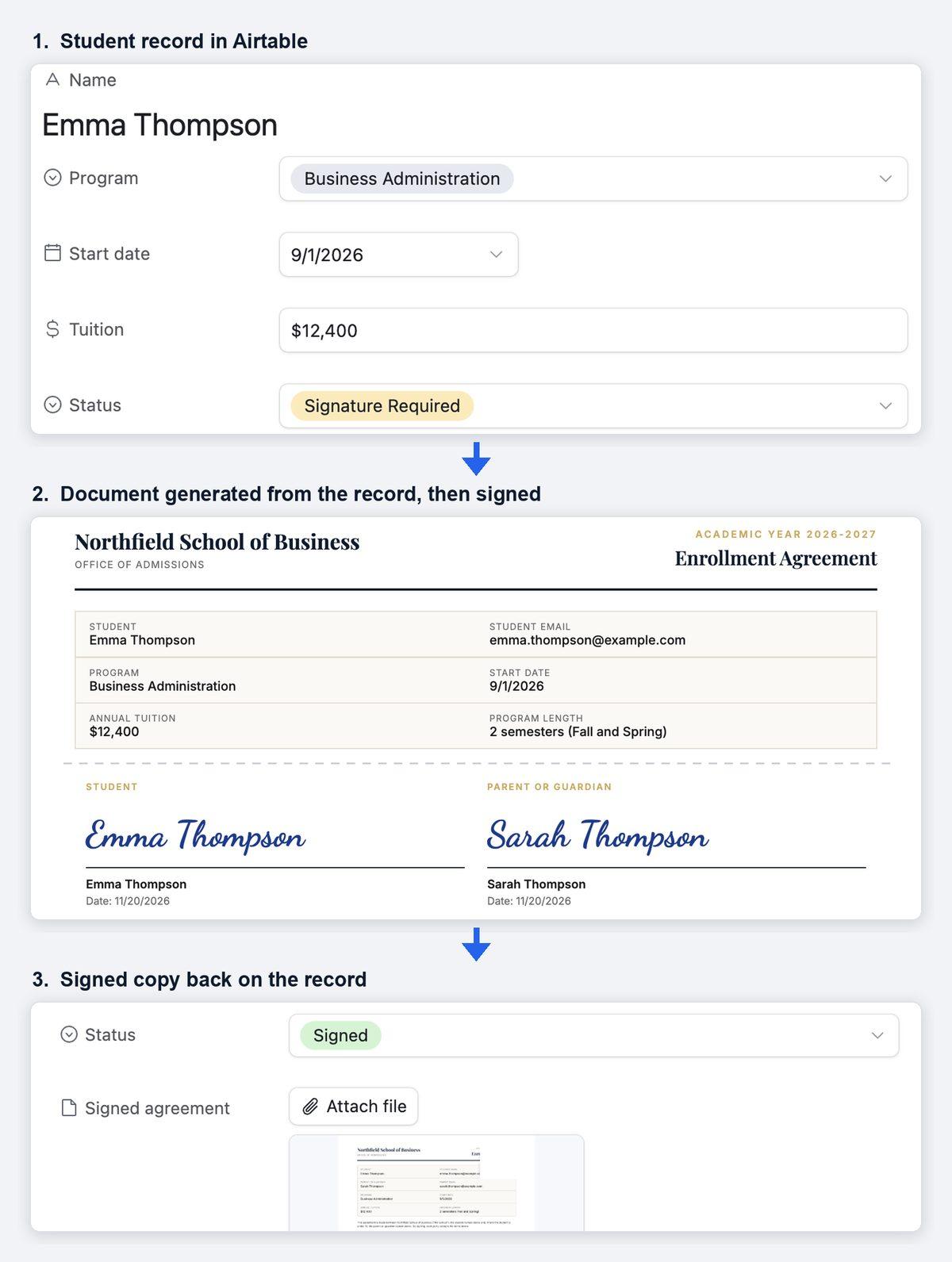
When a student's file changes status, the document is filled in, signed and filed back on the record
You set TypeFlow up once, on screen, with no code. After that, each document is filled in from the student's own record.
From a status change to the signed copy on the student's record
- 1The student's file changes status. On the Pro and Enterprise plans, TypeFlow Automation watches your table and starts the document when a field changes to the value you chose, such as "Signature Required". On the Starter plan, you start it yourself, with a button on the record, or an Airtable Automation starts it for you with TypeFlow's ready-made script.
- 2The enrollment agreement or the contract is filled in. TypeFlow fills your own template from the student's record and from its linked records, such as the student's courses, up to 3 levels deep. You match each placeholder of the template to an Airtable field on screen, with no code. The PDF is saved to an attachment field on the student's record.
- 3The student or a parent signs. Each signer gets a signing link by email, at the address held in an Airtable field. They sign in a web browser, on a computer or a phone, with no account to create.
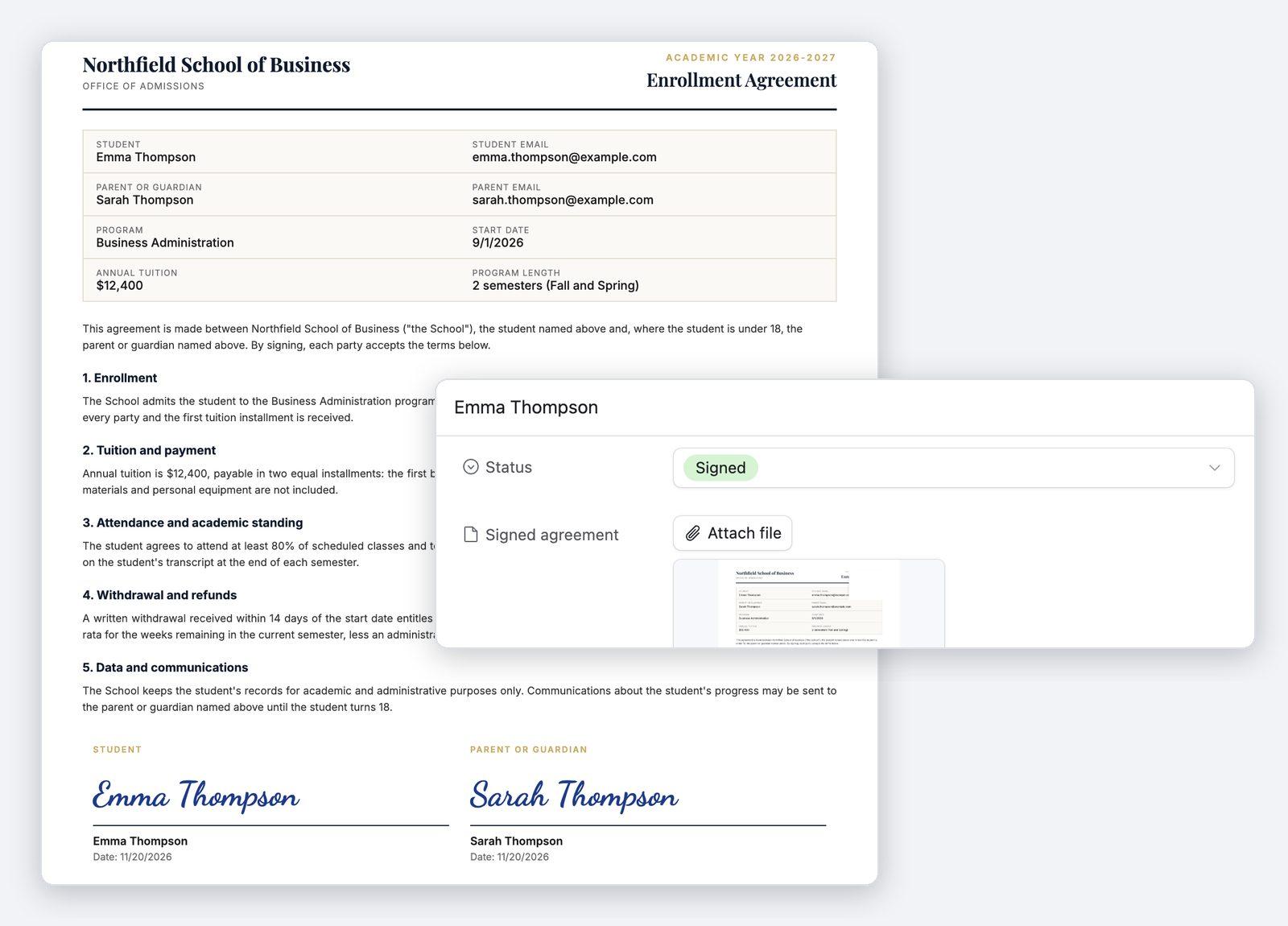
- 4The signed copy goes back on the record. When everyone has signed, the signed PDF is attached to the student's record with its Certificate of Completion, which records who signed and when. A field on the record updates itself when the document is signed or declined.
Each student's enrollment agreement or contract, filled in, signed and filed back on the record
TypeFlow fills in the enrollment agreement or the contract from the student's record, then sends it for signature right away. It collects the signatures itself, so there is no separate signing tool to pay for or to connect. The document can go to the student, a parent or the school, to one signer or to several, all at once or one after the other. Signers who have not signed get automatic reminders, on every plan. When everyone has signed, the signed PDF is attached to the student's record. A field on the record also updates itself when the document is signed or declined. It is also possible to run it as a workflow: when a student's status changes in Airtable, the right document is generated on its own. The enrollment agreement goes out for signature when the file reaches "Signature Required", the withdrawal form when the withdrawal is processed. E-signatures are unlimited on the Starter, Pro and Enterprise plans, with no fee per signature.
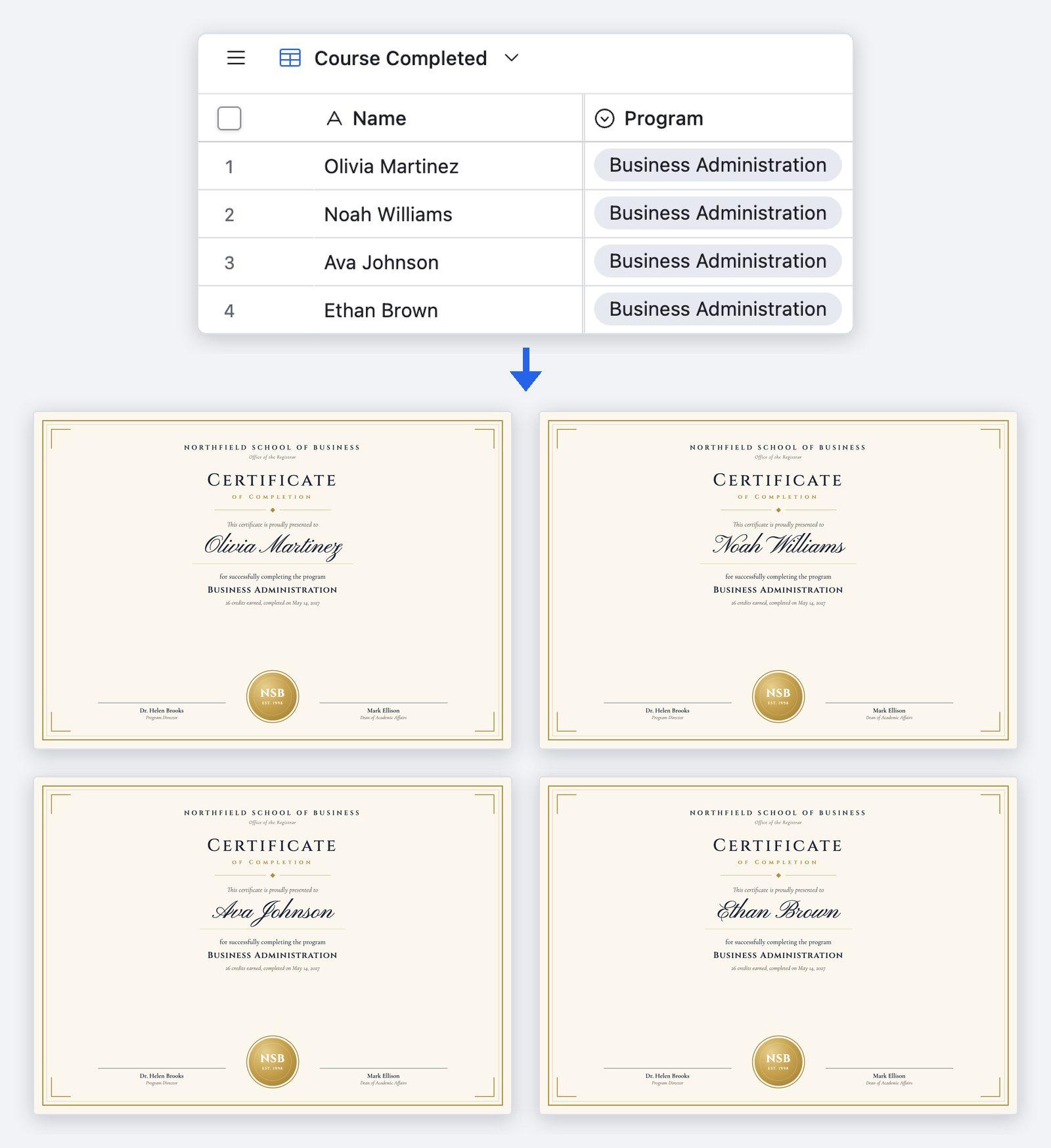
Certificates and transcripts at the end of a course, for the whole class in one run
When a course ends, you make the certificates for the whole class at once. Bulk generation creates one for every record of an Airtable view in one run, each with the student's own name, course and date. TypeFlow can then email each certificate to its student, with the PDF attached. Both are on every plan. A certificate can also be made on its own, for example when a student is marked as passed. Three ready-made certificate templates come in TypeFlow's Template Builder. Transcripts are made in bulk the same way. Each one gets one table row for each linked record, such as each course. The courses can be grouped by a field such as the semester, and each group gets its own header. Each group can also show its own total, such as the credits for a semester.
The support and the price behind each document
Human support, usually within a few hours
TypeFlow's team replies by chat or email, usually within a few hours on business days. You can book a 30-minute setup call before you start, and a first document is typically ready in 5 to 15 minutes.
One flat price, with no fee per user or per signature
You pay a flat monthly price set by the number of documents you generate, not per user and not per signature. Plans start at $24 a month, billed yearly, for 200 documents a month.
See pricing →
FAQ
Is a signature from a student or a parent legally valid?
TypeFlow e-signatures are simple electronic signatures that comply with the US ESIGN Act and UETA and with the EU eIDAS Regulation. They are legally binding for most standard business contracts. Whether a signature meets the requirement for a given school document depends on the type of document and on where you are. Every signed document includes a Certificate of Completion with the signer details, the audit trail and the document hashes (SHA-256 fingerprints of the original and the signed document). On Pro and Enterprise, you can ask a signer to enter a 6-digit code sent to their email before viewing or signing. It confirms access to that email address, not the signer's legal identity.
What happens if a student or a parent doesn't sign?
TypeFlow reminds the signer for you. Automatic reminders to signers come with every plan, at most every 5 days until the document is signed, and they can be turned off. The signing link stays valid for 30 days by default, and you can change that for each flow. On the Pro and Enterprise plans, you are also notified when a document is viewed, signed or declined.
Can it also make the invoices for our courses?
Yes. TypeFlow also generates invoices from your Airtable records, with one table row for each linked record, such as each course a student takes.
Make your next student document from Airtable
Try TypeFlow on your own Airtable data with 20 free documents. No credit card required. From $24 a month, billed yearly.