Airtable Product Spec Sheet Template
A spec sheet for each product in Airtable: product photo, key specifications, a full spec table, features, technical drawing, certifications and ordering information. Built in the TypeFlow template builder.
20 free documents · No credit card
Prefer Google Docs? Use the Google Docs specification template →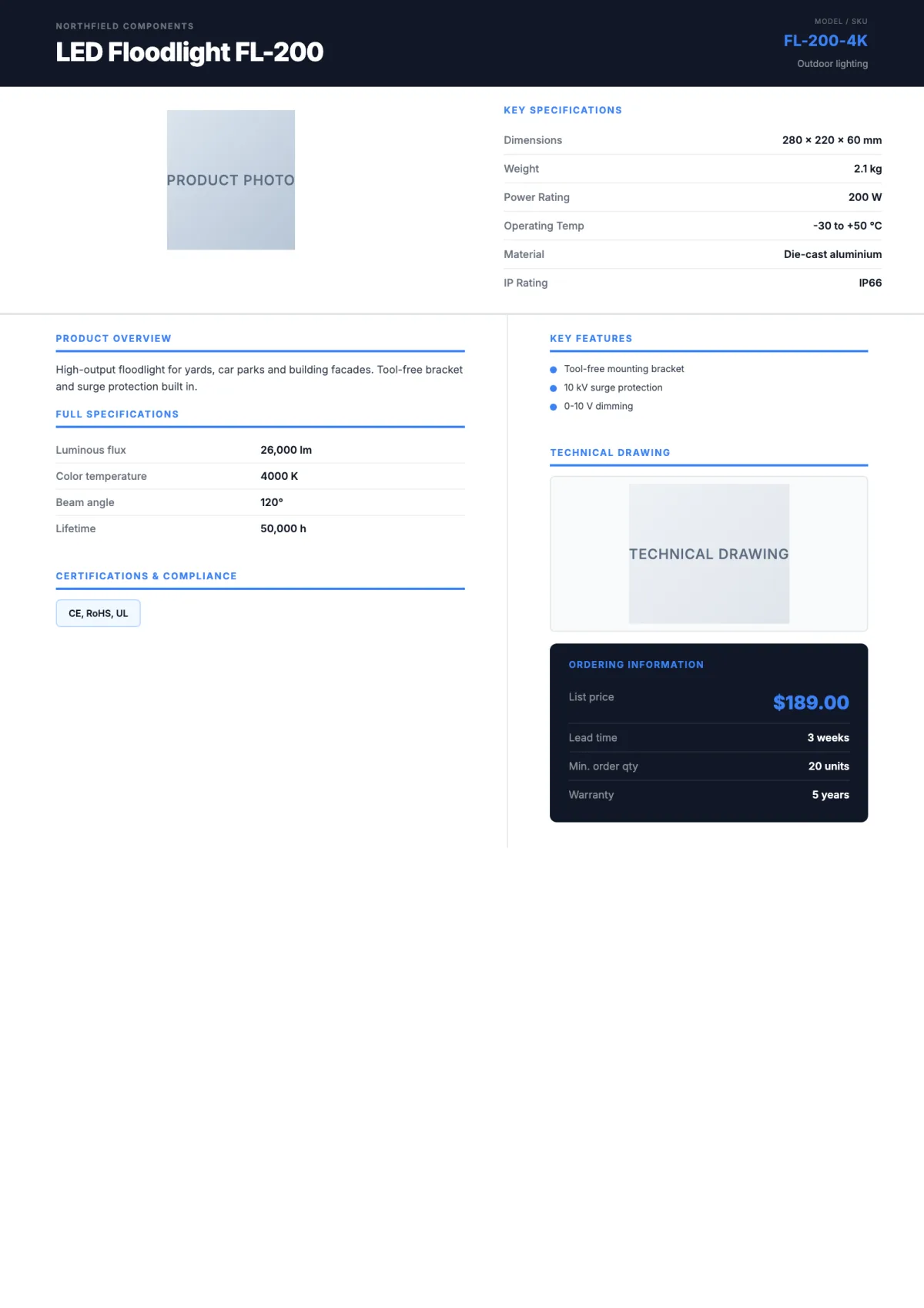
The variables in this template
One table for products, linked to a specs table and a features table. Photos come from attachment fields. Map each variable when you set up the flow.
Product record
| Holds | Variable in the template |
|---|---|
| Product | Manufacturer, Product Name, SKU, Category, Description |
| Images (attachment fields) | image_Product_Photo, image_Technical_Drawing |
| Key specs | Dimensions, Weight, Power Rating, Operating Temp, Material, IP Rating |
| Certifications | Certifications |
| Ordering | Price, Lead Time, MOQ, Warranty |
Specifications (linked records)
| Holds | Variable in the template |
|---|---|
| Name and value | Spec Name, Spec Value |
Each linked spec becomes one row of the full spec table.
Features (linked records)
| Holds | Variable in the template |
|---|---|
| Feature | Feature |
Each linked feature becomes one bullet.
How it works
- 1
Create your account
Connect Airtable and pick your base and table. The template is already selected for you.
- 2
Map your Airtable fields
Match each {{variable}} to a field. Change text, layout and colors in the template builder.
- 3
Generate from Airtable
Click a button on the record, run it on several records, or let an Airtable automation run it. The PDF lands in an attachment field.
Questions
- Do I need Google Docs or Word?
- No. The template is built in the TypeFlow template builder. You change the text, layout and colors in the editor, and each variable stays mapped to its Airtable field.
- How do the line items get into the table?
- From a linked table in Airtable. TypeFlow repeats the table row once per linked record.
Full walkthrough: Generate spec sheet PDFs from Airtable