Airtable Quality Control Inspection Report Template
An inspection report for each Airtable inspection record: overall status, pass rate, every check point with its specification and measured value, defects with corrective actions, and the sign-off.
20 free documents · No credit card
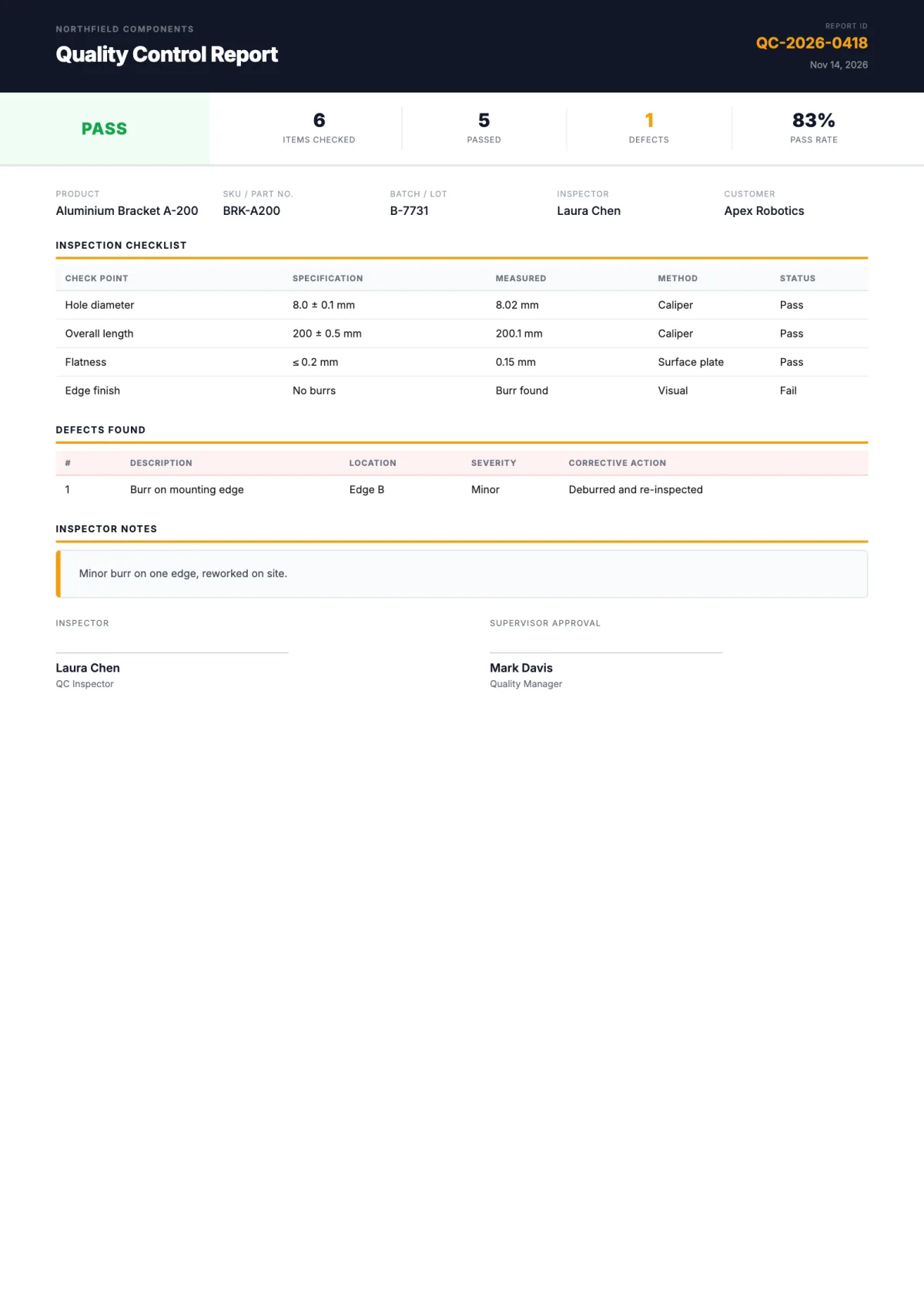
The variables in this template
One table for inspections, linked to a table of check points and a table of defects. Map each variable to one of your fields when you set up the flow.
Inspection record
| Holds | Variable in the template |
|---|---|
| Company | Company Name |
| Inspection ID, date, status | Inspection ID, Inspection Date, Overall Status |
| Counts and pass rate | Items Checked, Items Passed, Defects Found, Pass Rate |
| Product, SKU, batch, customer | Product Name, SKU, Batch Number, Customer |
| Notes | Notes |
| Sign-off | Inspector Name, Inspector Title, Supervisor Name, Supervisor Title |
Check points (linked records)
| Holds | Variable in the template |
|---|---|
| Check point | Check Point |
| Specification and measured value | Specification, Measured Value |
| Method and result | Method, Status |
Each linked check point becomes one row of the checklist.
Defects (linked records)
| Holds | Variable in the template |
|---|---|
| Number and description | Defect Number, Description |
| Location and severity | Location, Severity |
| Corrective action | Corrective Action |
Each linked defect becomes one row of the defects table.
How it works
- 1
Create your account
Connect Airtable and pick your base and table. The template is already selected for you.
- 2
Map your Airtable fields
Match each {{variable}} to a field. Change text, layout and colors in the template builder.
- 3
Generate from Airtable
Click a button on the record, run it on several records, or let an Airtable automation run it. The PDF lands in an attachment field.
Questions
- Do I need Google Docs or Word?
- No. The template is built in the TypeFlow template builder. You change the text, layout and colors in the editor, and each variable stays mapped to its Airtable field.
- Can the inspector and supervisor sign it?
- Yes, with TypeFlow e-signature. Add signature fields in the editor, and the signed PDF is written back to the inspection record.
- How do the line items get into the table?
- From a linked table in Airtable. TypeFlow repeats the table row once per linked record.
Full walkthrough: QC inspection reports from Airtable
Generate your first inspection report from Airtable
20 free documents · No credit card