← All Airtable templates
Airtable Shipping Label Template, 4x6 Thermal
A 4x6 shipping label filled from your Airtable orders: recipient address, tracking number, weight and a Code 128 barcode. One PDF per order, sized for thermal printers.
Page size: 4 x 6 in (100 x 150 mm), printed edge to edge
20 free documents · No credit card
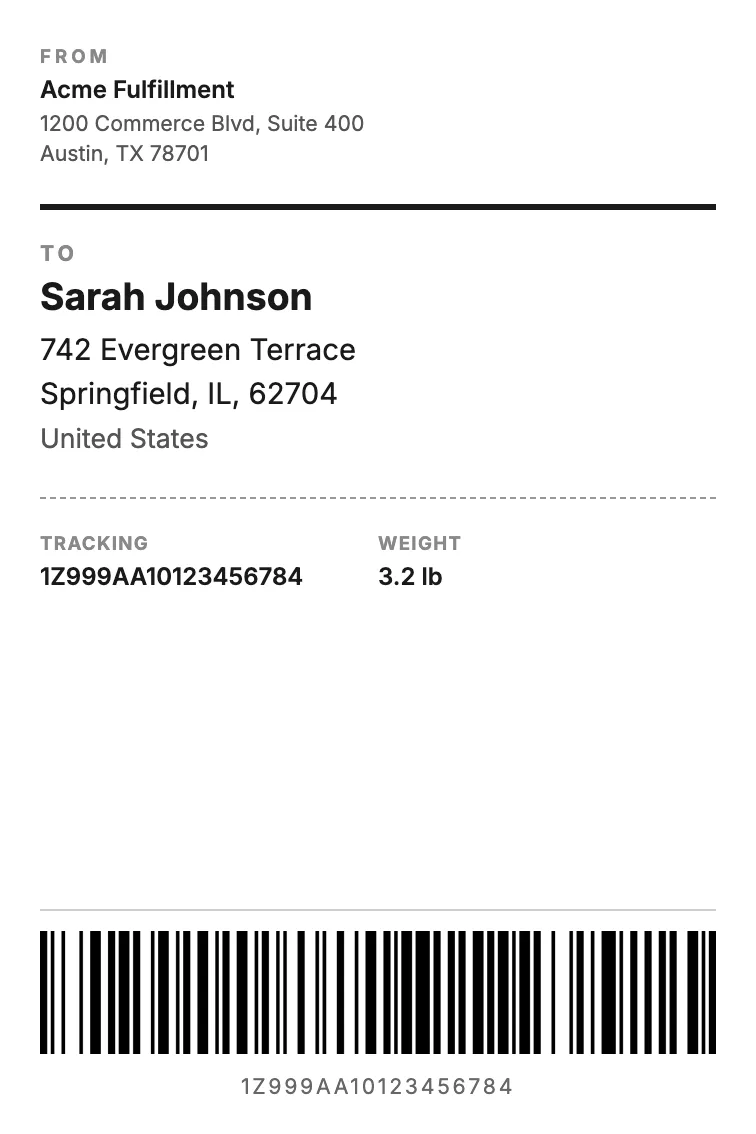
The variables in this template
One table for orders or shipments. Map each variable to one of your fields when you set up the flow.
Order record
| Holds | Variable in the template |
|---|---|
| Recipient | recipient_name |
| Address | recipient_address, recipient_city, recipient_zip, recipient_country |
| Tracking number | tracking_number |
| Weight | weight |
| Barcode of the tracking number | barcode:tracking_number |
How it works
- 1
Create your account
Connect Airtable and pick your base and table. The template is already selected for you.
- 2
Map your Airtable fields
Match each {{variable}} to a field. Change text, layout and colors in the template builder.
- 3
Generate from Airtable
Click a button on the record, run it on several records, or let an Airtable automation run it. The PDF lands in an attachment field.
Questions
- Do I need Google Docs or Word?
- No. The template is built in the TypeFlow template builder. You change the text, layout and colors in the editor, and each variable stays mapped to its Airtable field.
- Will it print at the right size?
- Yes. Picking the template sets the page to the label size, with no margins. Print the PDF at 100% (actual size), not "fit to page".
- Which barcode formats work?
- Code 128, EAN-13 and QR codes. You pick the format when you map the barcode variable to an Airtable field.
- Can I print labels for many orders at once?
- Yes. Run the flow on several records, or let an Airtable automation generate a label when an order is ready to ship.
Full walkthrough: Print 4x6 shipping labels from Airtable on a thermal printer