← All Airtable templates
Airtable Course Completion Certificate Template
A certificate of completion for each learner in Airtable: course and program, hours, grade, accreditation, instructor and director, and a verification link. One PDF per learner.
20 free documents · No credit card
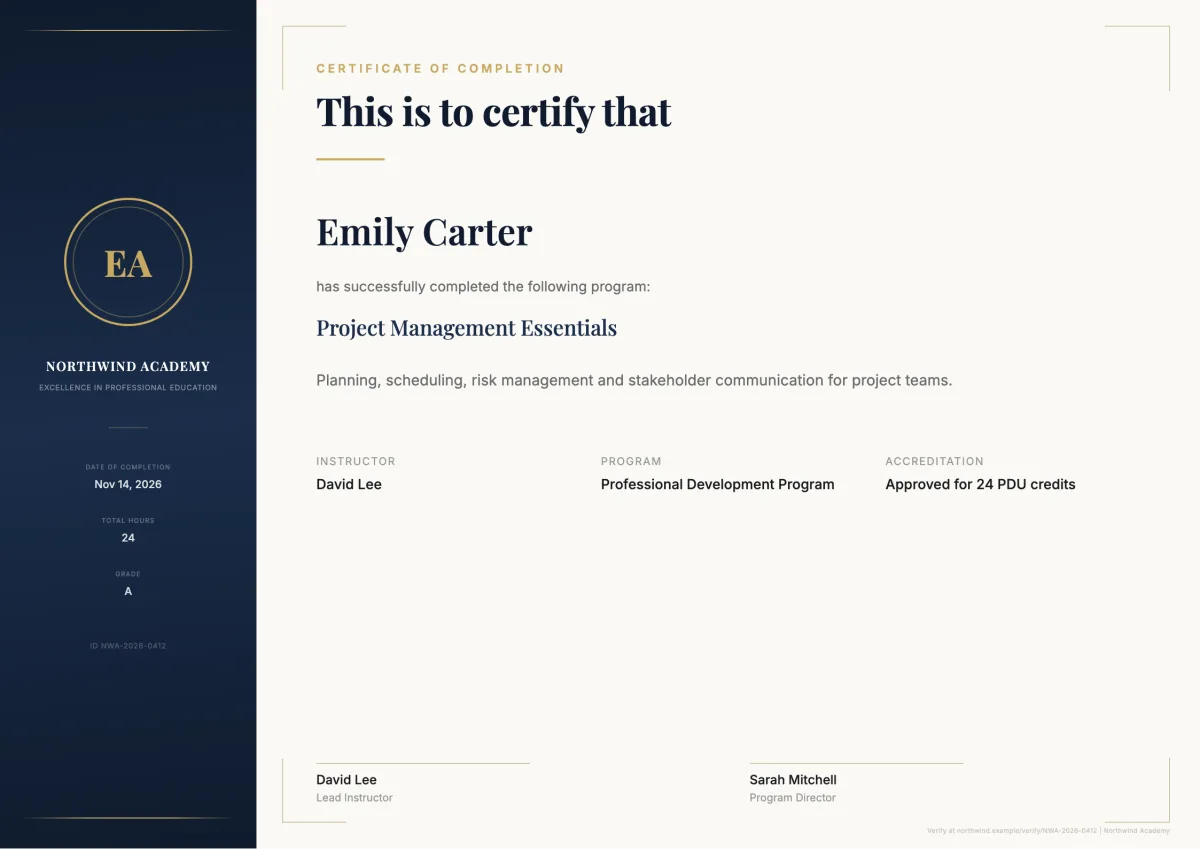
The variables in this template
One table for learners or enrollments. Map each variable to one of your fields when you set up the flow.
Enrollment record
| Holds | Variable in the template |
|---|---|
| Organization | Organization Name |
| Learner and ID | Recipient Name, Certificate ID |
| Course and program | Course Name, Course Description, Program Name |
| Results | Completion Date, Total Hours, Grade |
| Accreditation | Accreditation |
| Signers | Instructor Name, Director Name |
| Verification link | Verification URL |
How it works
- 1
Create your account
Connect Airtable and pick your base and table. The template is already selected for you.
- 2
Map your Airtable fields
Match each {{variable}} to a field. Change text, layout and colors in the template builder.
- 3
Generate from Airtable
Click a button on the record, run it on several records, or let an Airtable automation run it. The PDF lands in an attachment field.
Questions
- Do I need Google Docs or Word?
- No. The template is built in the TypeFlow template builder. You change the text, layout and colors in the editor, and each variable stays mapped to its Airtable field.
- Can I make one certificate per participant at once?
- Yes. Each Airtable record gives one certificate. Run it from a button, an Airtable automation, or on several records at once.
Full walkthrough: Automate certificate generation in Airtable
Generate your first completion certificate from Airtable
20 free documents · No credit card