Airtable Certificate of Participation Template
A certificate of participation for each attendee in Airtable: event type and name, date, location, duration and the organizer signature. One PDF per attendee.
20 free documents · No credit card
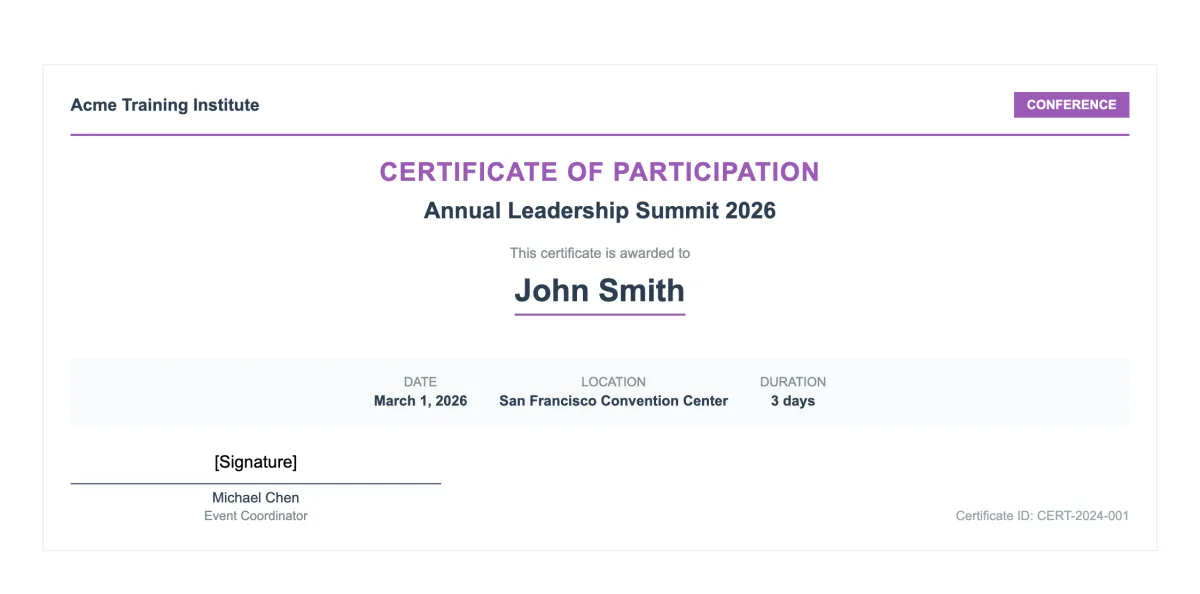
The variables in this template
One table for attendees or registrations. Map each variable to one of your fields when you set up the flow.
Registration record
| Holds | Variable in the template |
|---|---|
| Organization | organization_name |
| Attendee and ID | recipient_name, certificate_id |
| Event | event_type, event_name, event_date, event_location, event_duration |
| Organizer | organizer_name, organizer_title |
| Signature | e-signature.signature_1 |
How it works
- 1
Create your account
Connect Airtable and pick your base and table. The template is already selected for you.
- 2
Map your Airtable fields
Match each {{variable}} to a field. Change text, layout and colors in the template builder.
- 3
Generate from Airtable
Click a button on the record, run it on several records, or let an Airtable automation run it. The PDF lands in an attachment field.
Get it signed without leaving Airtable
Send the certificate to the organizer from the same flow. They sign online, and the signed PDF is written back to your Airtable attachment field.
Questions
- Do I need Google Docs or Word?
- No. The template is built in the TypeFlow template builder. You change the text, layout and colors in the editor, and each variable stays mapped to its Airtable field.
- Can I make one certificate per participant at once?
- Yes. Each Airtable record gives one certificate. Run it from a button, an Airtable automation, or on several records at once.
Full walkthrough: Automate certificate generation in Airtable
Generate your first participation certificate from Airtable
20 free documents · No credit card