← All Airtable templates
Airtable Beige Certificate Template in Google Slides
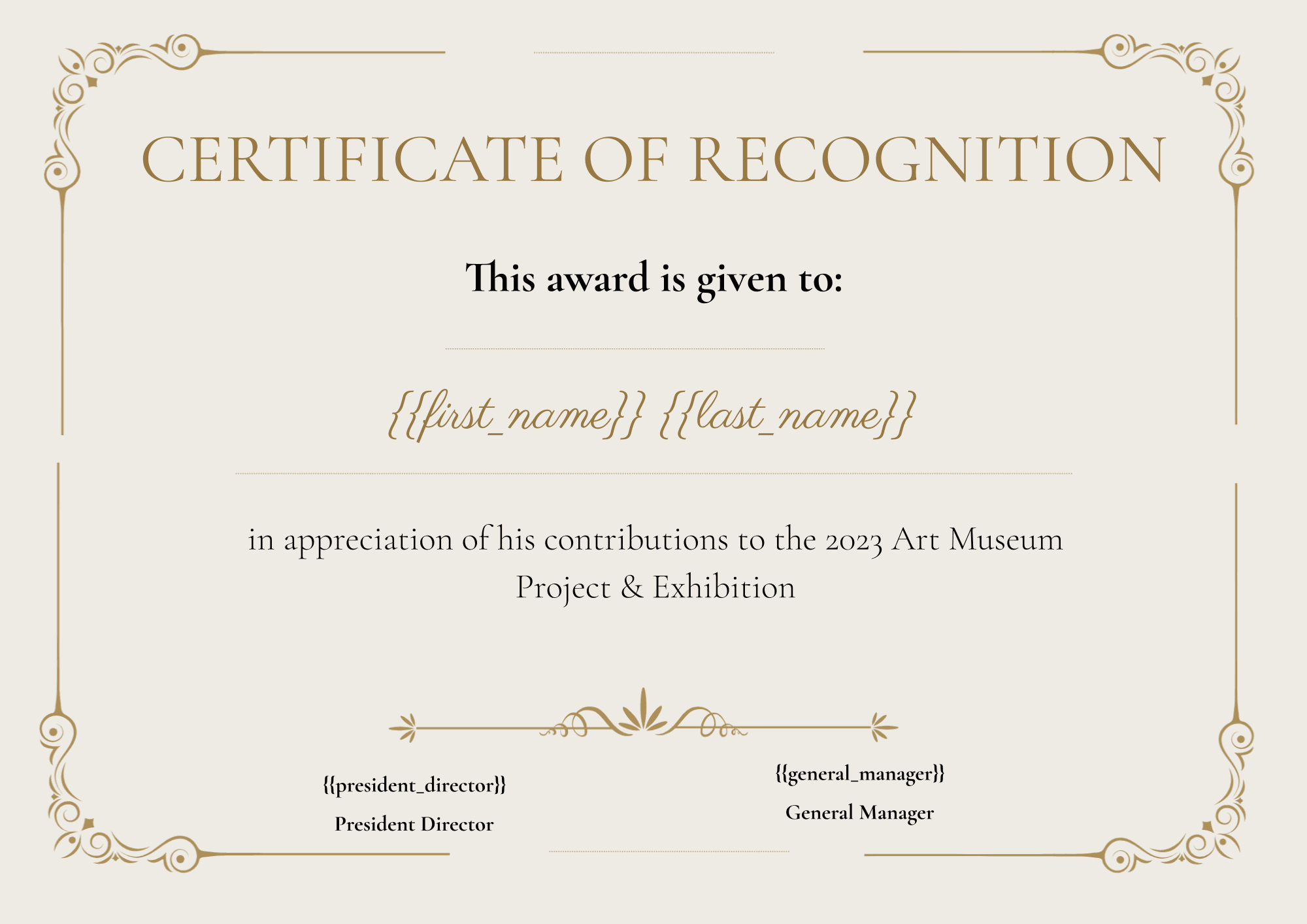
A certificate of recognition in Google Slides, filled from your Airtable records: recipient, president and general manager. One PDF per participant.
20 free documents · No credit card
The variables in this template
One table for participants. Map each variable to one of your fields in TypeFlow, or rename it in the Slides to your field name.
Participant record
| Holds | Variable in the template |
|---|---|
| Recipient | first_name, last_name |
| Signatories | president_director, general_manager |
How it works
- 1
Copy the template
It opens in your Google Drive. Change the layout, fonts and logo like any document.
- 2
Map your Airtable fields
Pick your base and table in TypeFlow, then match each {{variable}} to a field.
- 3
Generate from Airtable
Click a button on the record or let an Airtable automation run it. The PDF lands in an attachment field.
Questions
- Do I need a Google account?
- Yes. The template is a Google Slides file: you copy it to your Drive and edit it there.
- Can I make one certificate per participant at once?
- Yes. Each Airtable record gives one certificate. Run it from a button, an Airtable automation, or on several records at once.
Full walkthrough: Automate certificate generation in Airtable
Generate your first certificate from Airtable
20 free documents · No credit card