Airtable Quote Template for Google Docs
A Google Docs quote template filled from your Airtable records: customer, quote number, line items from linked records, VAT and total. Generate it as a PDF and let your client accept it online.
20 free documents · No credit card
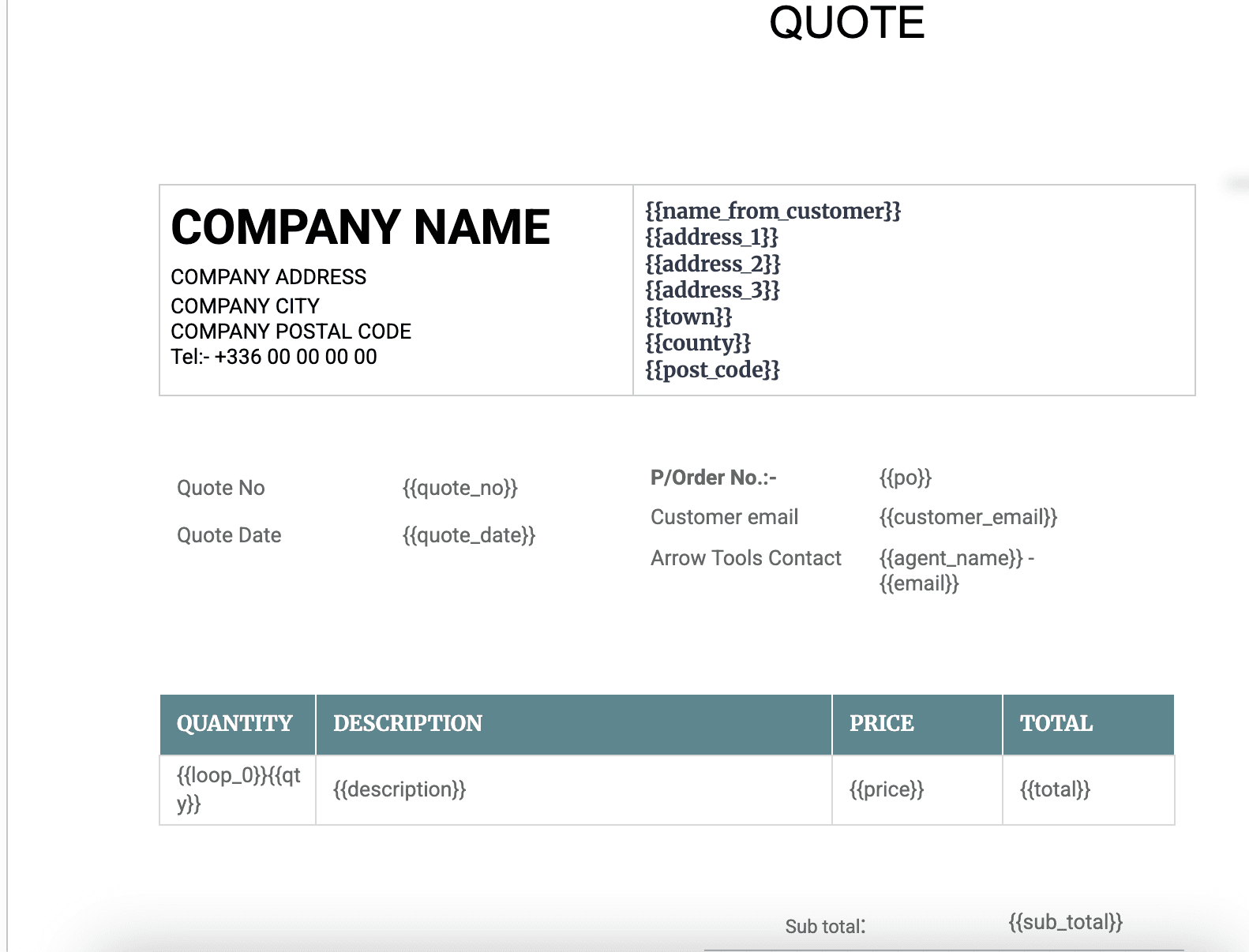
The variables in this template
One table for quotes, one linked table for the quote lines. Map each variable to one of your fields in TypeFlow, or rename it in the Doc to your field name.
Quote record
| Holds | Variable in the template |
|---|---|
| Customer name | name_from_customer |
| Address lines | address_1, address_2, address_3 |
| Town, county, post code | town, county, post_code |
| Customer email | customer_email |
| Quote number | quote_no |
| Quote date | quote_date |
| Purchase order number | po |
| Sales contact and email | agent_name, email |
| Sub total, VAT, total | sub_total, vat, total |
Quote lines (linked records)
| Holds | Variable in the template |
|---|---|
| Quantity | qty |
| Description | description |
| Unit price | price |
| Line total | total |
Each linked record becomes one row of the table in the PDF.
How it works
- 1
Copy the template
It opens in your Google Drive. Change the layout, fonts and logo like any document.
- 2
Map your Airtable fields
Pick your base and table in TypeFlow, then match each {{variable}} to a field.
- 3
Generate from Airtable
Click a button on the record or let an Airtable automation run it. The PDF lands in an attachment field.
Get it accepted in one click
Send the quote from the same flow. Your client reads it and clicks Accept, with nothing to draw. A Certificate of Acceptance is attached and the accepted PDF is written back to your Airtable attachment field.
Questions
- Do I need a Google account?
- Yes. The template is a Google Doc: you copy it to your Drive and edit it there. TypeFlow also has its own template builder if you prefer not to use Google.
- How do the line items get into the table?
- From a linked table in Airtable. TypeFlow repeats the table row once per linked record.
- Does my client have to draw a signature?
- No. In acceptance mode they read the document and click Accept. It is a simple electronic signature under eIDAS and the ESIGN Act, recorded in a Certificate of Acceptance.
Full walkthrough: How to create quotes from Airtable
Generate your first quote from Airtable
20 free documents · No credit card