Best Contract Generation Tools for Airtable in 2026
If you want the best contract generation tool for Airtable in 2026, TypeFlow is usually the right starting point. It connects natively to Airtable, uses Google Docs templates or the HTML/CSS template builder, includes built-in e-signatures with no per-envelope fees, and automates contract creation without Zapier in the middle.
This guide compares the top tools that generate contracts from Airtable data, how they differ on integration, templates, e-signatures, and pricing, and how to set up an automated contract workflow from your Airtable base. For the broader category, see our Best PDF & Document Generation Software for Airtable in 2026 guide, and for signing specifically, our 7 Best E-Signature Tools for Airtable in 2026 comparison.
What Is a Contract Generation Tool for Airtable
A contract generation tool for Airtable pulls data from your Airtable records and populates contract templates to create ready-to-send PDFs. It replaces manual copy-paste work by turning structured Airtable data into finished contracts automatically.
Instead of exporting data from Airtable, opening a Word document, and filling in fields by hand, the tool does it in seconds. You design a template once, map your Airtable fields, and every contract generates with the right data in the right place.
Why Use Airtable for Contract Generation
For many teams, Airtable already acts as a lightweight CLM: it stores parties, dates, values, and statuses, so a contract generation tool only needs to turn those records into PDFs and collect signatures.
The main advantages of generating contracts directly from Airtable:
- Single source of truth. Contract data stays connected to client and project records. No duplicate entry across tools.
- No app switching. Generate documents without leaving your workflow. Everything lives in the same base.
- Built-in automation. Trigger contract creation when records meet conditions - a status changes, a form submits, or a checkbox is checked.
What to Look for in an Airtable Contract Generation Tool
The best contract generation tools for Airtable share five traits: native integration, template flexibility, automation support, e-signature options, and transparent pricing. Here's what each means.
Native Airtable Integration
The tool should connect directly to Airtable without requiring Zapier as middleware. A direct integration means you authorize access once, select your base, and start mapping fields. This is simpler to set up and cheaper to maintain than routing data through a third-party automation platform.
Template Flexibility
Check whether you can use Google Docs, Word, or a visual builder. Google Docs templates are the most accessible option for non-technical users. TypeFlow also offers an HTML/CSS template builder for drag-and-drop design when you need more layout control - without switching to a different tool.
Automation Support
Look for support for Airtable automations so contracts generate hands-free when record conditions are met. The best tools work with Airtable buttons, automations, and external triggers via Make or Zapier.
E-Signature Options
Consider whether the tool can collect signatures on generated contracts without requiring a separate platform like DocuSign. Built-in e-signatures reduce both cost and complexity. See our Airtable electronic signature guide for a full overview.
Pricing and Scale
Review whether pricing is based on documents, users, or a flat monthly fee. Per-seat pricing (like PandaDoc) works for sales teams but gets expensive for high-volume contract generation from a database. Prefer volume-based or flat pricing that scales with your usage.
E-Signature Cost: Why It Matters for Contracts
Every contract needs a signature. The e-signature pricing model of your document tool directly impacts your total cost. TypeFlow includes unlimited standard e-signatures (SES) on every paid plan with no per-envelope fee. DocsAutomator charges $0.50 per document sent for signature. Documint limits e-signature envelopes to 5-50 per month depending on plan.
| Contracts signed per month | TypeFlow | DocsAutomator | Documint (Silver) |
|---|---|---|---|
| 10 | $0 | $5/mo | Over 5/mo limit |
| 50 | $0 | $25/mo | Over limit |
| 100 | $0 | $50/mo | Over limit |
E-signature fees only, excluding subscription costs. Prices checked September 17, 2026.
Best Contract Generation Tools for Airtable
These tools were compared using the criteria above. If you want the simplest Airtable-first setup with document generation and e-signatures in one tool, TypeFlow usually works best. If you need a different template editor or ecosystem, the other options below might fit better.
| Tool | Airtable Integration | Template Type | E-Signatures | Starting Price |
|---|---|---|---|---|
| TypeFlow | Native | Google Docs / HTML-CSS template builder | Yes (built-in, unlimited) | Free (20 docs), from $29/mo |
| Documint | Native | Documint editor | Yes (5-50 envelopes/mo) | From $49/mo (200 docs) |
| Docupilot | Native | Word / Google Docs | Via add-on ($1.50/envelope) | From $29/mo (100 docs) |
| PandaDoc | Via Zapier | PandaDoc editor | Yes | From $19/mo per seat |
| Formstack | Via Zapier | Word / PDF | Yes (Suite only) | From $299/month (Suite) |
| Plumsail | Via Zapier | Word | No | From $25/mo (200 docs) |
| PDF Generator API | API / Zapier | HTML / JSON | No | From $8/mo (50 docs) |
| Zapier PDF tools | Via Zapier | Various | Depends on app | Zapier pricing + tool cost |
1. TypeFlow
TypeFlow connects Airtable to Google Docs templates or the HTML/CSS template builder and generates PDFs with one click or through automation. Setup takes about five minutes with no code required. If you outgrow Google Docs, the HTML/CSS template builder handles more complex layouts without switching tools.
TypeFlow includes built-in e-signatures with unlimited signatures on every paid plan - no per-envelope fees, no Zapier required. Contracts generate, get signed, and the signed PDF syncs back to your Airtable record automatically. For advanced contracts with nested chapters and configurable clauses, TypeFlow supports 3 levels of linked records for clause-level control. Best for teams who want contract generation and e-signature in one Airtable-native tool.
2. Documint
Documint offers a native Airtable integration and uses its own template editor. The editor gives you precise control over layout and design, making it a strong option for complex document layouts. It does not include built-in e-signatures on most plans. Best for users who are comfortable working inside a proprietary template builder. See our Documint comparison for more details.
3. Docupilot
Docupilot supports both Google Docs and Word templates and connects directly to Airtable. It also supports conditional logic in templates, which is useful for contracts with optional clauses. Best for users who need more advanced merge logic.
4. PandaDoc
PandaDoc is a full contract lifecycle platform with built-in e-signatures, but it typically requires Zapier to connect with Airtable. It comes at a higher price point with per-seat pricing designed for sales teams. Best for teams that need proposal and contract features beyond simple generation. See our PandaDoc alternative for Airtable comparison.
5. Formstack Documents
Formstack Documents (formerly WebMerge) connects to Airtable through Zapier. It supports multiple output formats and handles complex workflows with conditional logic and approval chains. Best for organizations already using other Formstack products.
6. Plumsail Documents
Plumsail Documents works through Zapier or Power Automate and uses Word templates. It has particularly strong Microsoft ecosystem integration. Best for teams already using SharePoint or Microsoft 365.
7. PDF Generator API
PDF Generator API is a developer-focused option that uses HTML or JSON templates. It requires more technical setup and is best for teams with developers who want full control over document generation.
8. Zapier PDF Integrations
This approach uses Zapier to connect Airtable with various PDF tools. It is flexible since you can choose from many document generation services, but it adds setup complexity and extra cost. Best for users who already pay for Zapier and want more tool choices.
How to Generate a Contract From Airtable
You can generate contracts from Airtable in five steps: prepare your base, create a template, connect the tool, map fields, and automate. Here's the process with TypeFlow as an example.
Step 1. Prepare Your Airtable Base
Make sure your contracts table includes all fields needed for the contract: client name, address, dates, amounts, and terms. Use linked records for related data like contacts or line items when needed. A field called "Client_Name" is easier to map than "Field 1."
Step 2. Build Your Contract Template
TypeFlow supports two template options: Google Docs templates (familiar editing, just add placeholders like {{Client_Name}} or {{Contract_Date}}) and the HTML/CSS template builder (drag-and-drop blocks for contracts, invoices, and certificates - no Google account needed).
Both approaches use the same placeholder system. Format the document exactly how you want the final PDF to appear.
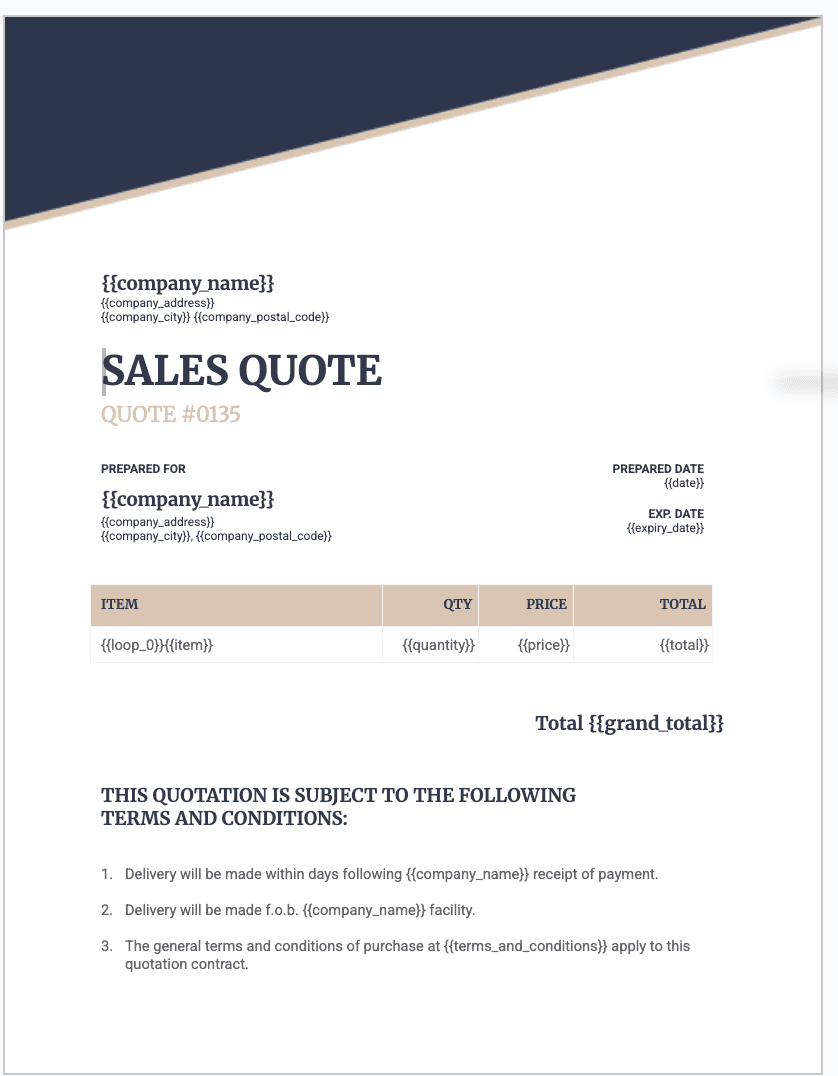
Step 3. Connect Your Generation Tool to Airtable
Authorize the tool to access your Airtable base and choose the table that contains your contract records. With native integrations, this takes a few clicks. No code, no API keys to manage.
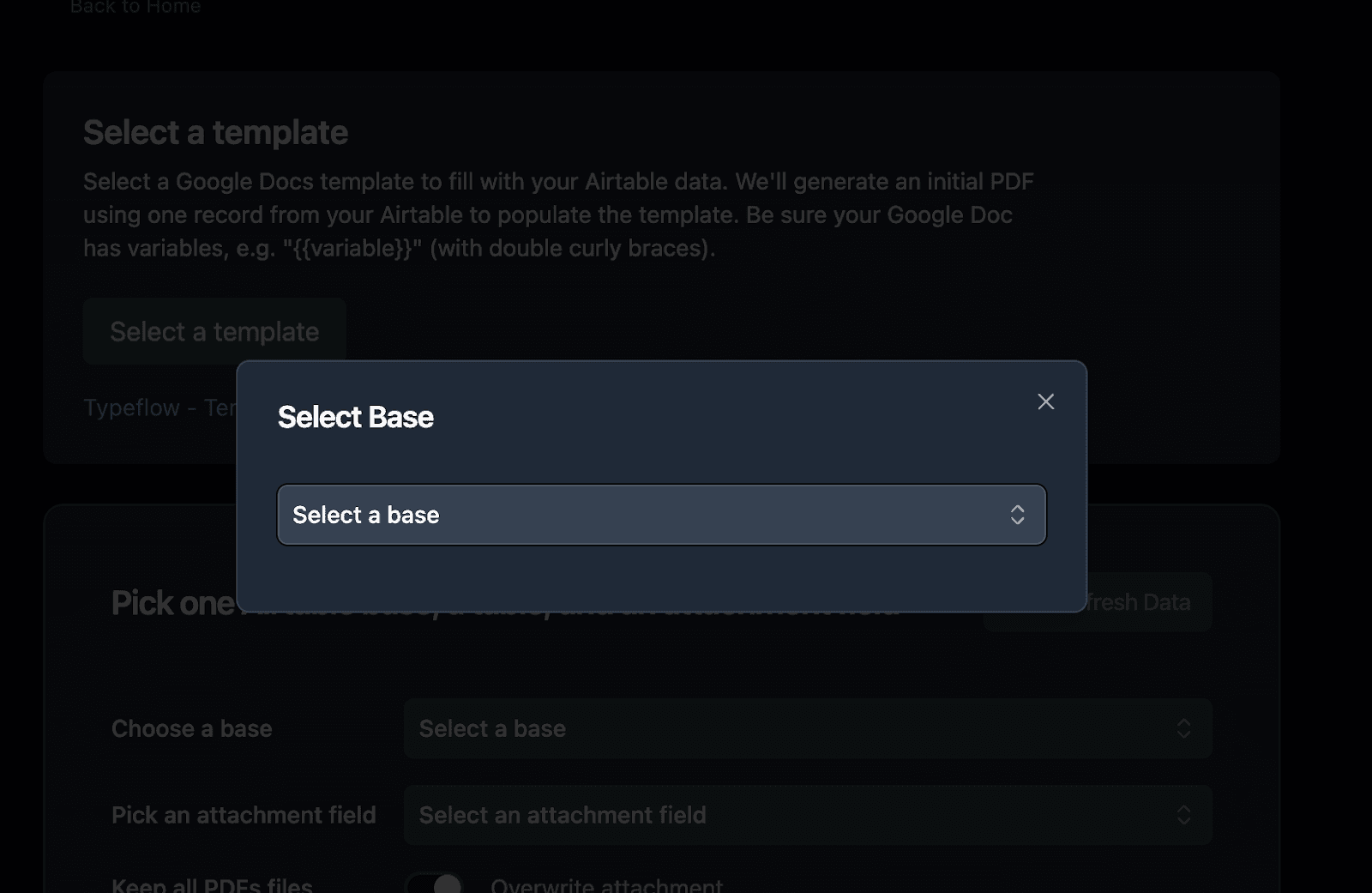
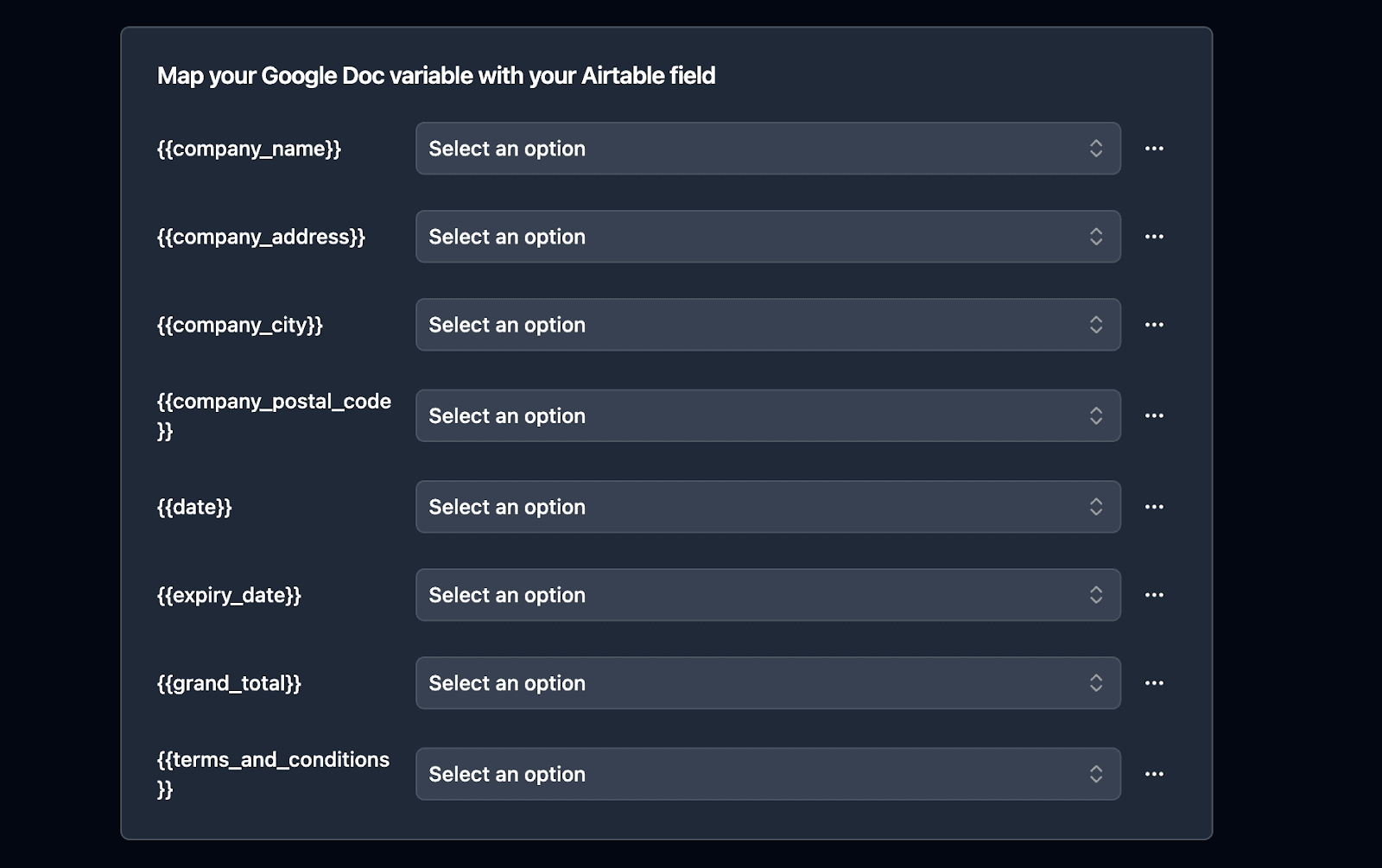
Step 4. Map Airtable Fields to Template Variables
Match each template variable to the corresponding Airtable field. {{Client_Name}} connects to your Client Name field. {{Total}} connects to your Total field. Test the setup with a single record to confirm the data populates correctly.
Step 5. Automate the Contract Generation Flow
TypeFlow supports three ways to trigger contract generation:
- Airtable button: Add a button field to your table. Click it to generate a contract for that record on demand.
- Airtable Automation: Set up an Airtable automation to trigger contract creation automatically - when a status changes to "Ready to Send," when a form submits, or when a checkbox is checked.
- Make or Zapier: Connect TypeFlow to Make or Zapier for more complex workflows that involve other tools in your stack.
Tip: Start with manual generation (button) to test your template. Once everything looks correct, add the automation trigger.
How to Add E-Signatures to Airtable Contracts
There are two main approaches to signing contracts generated from Airtable: using a tool with built-in e-signatures, or integrating with an external platform through Zapier.
- Built-in e-signatures: TypeFlow includes e-signatures at no extra cost on every paid plan. Send contracts for signature directly from Airtable - the signed PDF and audit certificate sync back to your record automatically. TypeFlow's built-in e-signatures follow e-sign laws like ESIGN and eIDAS, so you do not sacrifice legal validity by avoiding a separate e-sign tool.
- DocuSign integration: Connect via Zapier if your organization already uses DocuSign. See our DocuSign Airtable integration guide or DocuSign alternative for Airtable comparison.
- Dropbox Sign (HelloSign) integration: Another Zapier option for teams with existing HelloSign accounts.
For most Airtable users, built-in e-signatures reduce both cost and complexity. External platforms like DocuSign make sense when you need qualified electronic signatures (QES) or advanced identity verification.
Best Practices for Contract Generation in Airtable
These practices help avoid common problems when generating contracts at scale.
Standardize Your Contract Templates
Create master templates for each contract type (service agreement, NDA, vendor contract) and use consistent variable naming across all templates. This makes maintenance easier as your template library grows. See our guides on service contracts for agencies and vendor contracts.
Use Airtable Views to Track Contract Status
Build filtered views for statuses like "Draft," "Sent," and "Signed" so you can monitor your pipeline without cluttering the main view. This works especially well with contract lifecycle management workflows.
Test Your Flow Before Automating
Generate several contracts manually first and verify that fields populate correctly and formatting looks right before enabling automation. Check edge cases like missing fields or very long text values.
Store Signed Contracts Back in Airtable
Attach the final signed PDF to the Airtable record so all contract history stays in one place for future reference. TypeFlow does this automatically when e-signatures are enabled.
Once you have picked a tool, our step-by-step guide to generating contracts from Airtable covers the setup. For the wider picture, see our Airtable contract management guide, or Airtable contract management vs CLM software if you are still deciding whether a dedicated platform is worth it.
Start Generating Contracts From Airtable for Free
Among the contract generation tools covered here, TypeFlow is the simplest choice if Airtable is your system of record - it was built specifically to generate and sign documents from Airtable data.
TypeFlow supports Google Docs templates and an HTML/CSS template builder. The native Airtable integration means no middleware to configure. Documents generate via button, Airtable automation, or Make/Zapier. TypeFlow includes unlimited e-signatures on every paid plan, so you pay based on document volume instead of per-envelope fees.
Pricing Methodology
Prices shown are publicly listed USD prices checked on September 17, 2026. E-signature pricing models vary by tool: per-envelope, per-document, per-seat, or unlimited. "Standard e-signature" refers to TypeFlow Simple Electronic Signatures (SES). Verify current pricing on each provider's official pricing page.
Generate and sign contracts from Airtable
No DocuSign, no Zapier, no per-envelope fees. Native Airtable integration with unlimited e-signatures.
Start free with 20 documents →Automate your document generation
Start with 20 free documents. Built for businesses using Airtable.
FAQs About Contract Generation Tools for Airtable
Find answers to the most common questions about this feature.
Popular Questions
All Questions
Need more help?
Our team is here to help you solve all your problems and answer your questions.
Contact Us
Kevin from TypeFlow
•AuthorKevin Rabesaotra is a growth engineer and automation specialist with 8+ years of experience building no-code solutions. As Founder & CEO of TypeFlow, he has helped hundreds of businesses automate document generation and streamline workflows with Airtable integrations. Previously, Kevin was a Product Lead specializing in growth engineering, running experiments to drive revenue, retention, and lead generation.
More articles
How to Print Labels from Airtable with Quantity Control (Step by Step)
Print multiple labels per Airtable record based on a quantity field. Step-by-step guide for linked records mode and quantity repeat mode with barcodes and Avery sheets.
Read articleHow to Print Avery Mailing Labels from Airtable
Print Avery mailing labels (5160, 5161, 5162) from Airtable without Word mail merge. Step-by-step guide with print label mode, automation, and bulk generation.
Read articleHow to Create Inventory Labels with Barcodes in Airtable
Create inventory labels with Code 128, EAN-13, or QR barcodes from Airtable. Step-by-step guide for warehouse, retail, and asset tracking with thermal and Avery printers.
Read article