How to Manage Vendor Contracts in Airtable
Airtable gives you a single place to track every supplier agreement, link it to vendor data, and automate the reminders that keep contracts from slipping through the cracks. Add TypeFlow for PDF generation, e-signatures, and contract redlining - and your vendor contracts stay connected to your procurement workflow. For a complete overview of contract workflows, see our contracts solution page. This guide walks through the complete setup.
Generate vendor contracts from Airtable in minutes
Use Google Docs templates, add e-signatures, and automate renewal reminders. No coding required.
Start free with 20 documentsWhy Use Airtable for Vendor Contract Management
According to World Commerce & Contracting, poor contract management costs organizations an average of 9% of their annual revenue. For businesses managing dozens of supplier agreements, that adds up fast.
Most businesses start with spreadsheets or shared folders. Contracts get lost in email threads, renewals slip through the cracks, and nobody knows which version is current. Airtable fixes this by connecting everything - vendor details, contract terms, and documents all live in one place.
- Centralized vendor data. All supplier information sits in one base instead of scattered across folders.
- Automatic reminders. Automations alert you 30, 60, or 90 days before a contract expires.
- Custom views. Filter contracts by status, vendor type, or expiration date.
- Integration ready. Connect to document generation tools like TypeFlow to create contracts from your data.
What You Will Need Before Starting
Airtable Account With Pro or Team Plan
Automations require a Pro or Team plan. If you are on the free tier, you can still build the base structure, but automatic reminders will not work.
A Vendor Contract Template
You have two options:
- Google Docs. Add merge variables like
{{Vendor Name}}and{{Contract Value}}. Free and familiar. - TypeFlow Template Builder. Design contracts in TypeFlow's HTML editor with drag-and-drop. Better for complex layouts or branded documents.
A List of Your Vendors and Contract Types
Gather your vendor names, contact information, and the types of contracts you manage. Common types include supply agreements, service contracts, NDAs, and master service agreements. For complex MSAs with 50-100+ pages and chapter-based structure, see how to generate long documents from Airtable.
A Document Generation Tool Like TypeFlow
TypeFlow connects your Airtable data to your template and generates PDFs. You map fields to variables and the system handles the rest - no coding involved.
How to Set Up Your Airtable Base for Vendor Contracts
Step 1: Create Your Vendors Table
Start with a table that holds all your supplier information. Each vendor gets one record, even if they have multiple contracts.
- Vendor Name (single line text).
- Primary Contact (single line text).
- Email (email field).
- Phone (phone field).
- Category (single select: Raw Materials, Services, Logistics, Technology).
Step 2: Add a Vendor Contracts Table
This table is the core of your contract management setup. One vendor might have three contracts - a master agreement, an NDA, and a specific project contract. Keep them separate so you can track each one independently.
- Contract Name (single line text).
- Start Date (date field).
- End Date (date field).
- Contract Value (currency field).
- Status (single select: Draft, Active, Expired, Renewed).
Step 3: Link Vendors, Contacts, and Contracts
Create a linked record field in your Contracts table that points to the Vendors table. When you select a vendor, all their information becomes accessible through that link.
The benefit is simple: you do not duplicate data. When you update a vendor's address, it updates everywhere that vendor appears.
Step 4: Add Fields for Payment and Delivery Terms
Vendor contracts have specific terms that other contract types do not. Add fields to capture the details you will reference when generating documents.
- Payment Terms (single select: Net 15, Net 30, Net 60).
- Delivery Terms (single line text).
- Minimum Order Quantity (number field).
Step 5: Build Views for Active, Pending, and Expired Contracts
Create filtered views so you can focus on what matters right now. An "Active Contracts" view shows only records where Status equals Active. A "Renewals Due" view filters for contracts expiring in the next 90 days.
Step 6: Set Up Renewal Alerts
Use Airtable automations to send email reminders before contracts expire. Set the trigger to fire when today's date is 30 days before the End Date field.
What to Include in a Vendor Contract
Scope of Work and Deliverables
Define exactly what goods or services the vendor provides. Vague language leads to disputes, so be specific about quantities, quality standards, and timelines.
Payment Terms and Pricing
Cover the pricing structure, payment schedule, and currency. Include details about late payment penalties and early payment discounts if applicable.
Delivery and Service Levels
Specify delivery timelines and shipping terms like FOB or CIF. For service vendors, include response times and availability requirements.
Confidentiality and Data Protection
If the vendor accesses your business data or proprietary information, include NDA clauses. For vendors handling personal data, add GDPR or relevant compliance requirements.
Termination and Renewal Clauses
Explain how either party can end the contract and under what conditions. Include notice periods and auto-renewal terms.
Signatures and Effective Dates
The contract becomes valid once both parties sign. Include signature lines, printed names, titles, and the effective date.
How to Create a Vendor Contract Template in Google Docs
Step 1: Draft Your Base Vendor Contract
Start with a standard vendor agreement structure. Include all the clauses from the previous section, formatted with your company letterhead.

Step 2: Add Merge Variables for Airtable Fields
Replace specific details with merge variables using double curly brackets. When TypeFlow generates the document, placeholders get replaced with actual data from your Airtable record.
{{Vendor Name}}maps to Vendor Name field.{{Start Date}}maps to Start Date field.{{Payment Terms}}maps to Payment Terms field.{{Contract Value}}maps to Contract Value field.
Step 3: Format the Template for PDF Output
Use consistent fonts throughout the document. Add page breaks before signature sections. Place signature lines at the bottom with enough space for handwritten or electronic signatures.
How to Generate Vendor Contract PDFs from Airtable
Step 1: Connect TypeFlow to Your Airtable Base
Authorize TypeFlow to access your Airtable base and select the Contracts table. The connection takes about two minutes to complete.
Step 2: Map Vendor Fields to Template Variables
In TypeFlow's mapping interface, connect each Airtable field to its corresponding template variable. The interface shows all available fields and all variables found in your template side by side.

Step 3: Test Your Contract Generation Flow
Run a test with one record before generating contracts in bulk. Check that all fields populate correctly and the formatting looks right in the PDF output.
Step 4: Send the Signed PDF to the Vendor
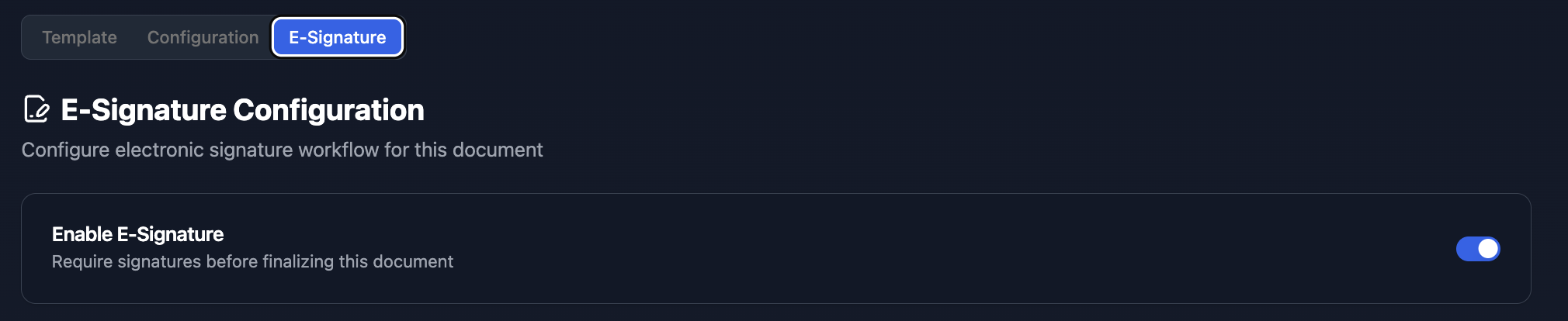
You can email the PDF directly, store it in an Airtable attachment field, or send it through an e-signature workflow. TypeFlow includes built-in e-signatures at no extra cost - the vendor receives an email, signs electronically, and the completed PDF gets stored automatically.
How to Automate Vendor Contract Workflows in Airtable
Trigger Contract Generation on New Vendor Records
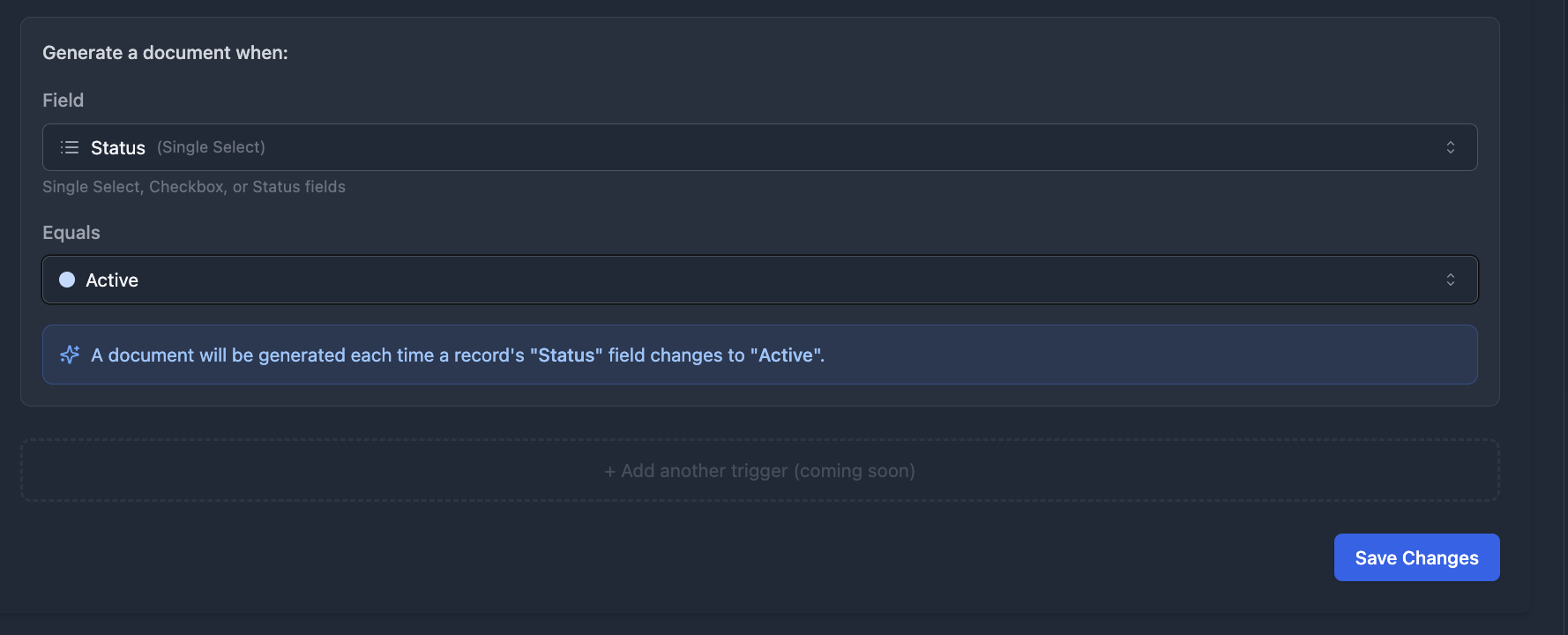
Set up a TypeFlow Automation that generates a contract PDF when a record's status changes to "Ready for Contract." This removes the manual step of remembering to create documents for each new vendor.
For the full automation workflow, see our guide on managing the contract lifecycle in Airtable.
Send Renewal Reminders Before Expiration
Configure an automation to send email notifications 30, 60, or 90 days before the End Date. Include the vendor name and contract details in the email body so the recipient has context without opening Airtable.
Update Status When Contracts Are Signed
When using e-signatures through TypeFlow, the Status field can update automatically to "Active" once both parties sign. This keeps your records current without manual updates.
How to Add E-Signatures to Vendor Contracts
McKinsey research shows digital contract workflows reduce cycle times by 50%. TypeFlow e-signatures comply with eIDAS and ESIGN regulations.
Using TypeFlow Built-In E-Signatures
TypeFlow includes e-signatures without extra fees. The vendor receives an email, signs electronically, and the completed PDF gets stored in your Airtable record.
For contracts that require negotiation, TypeFlow also includes contract redlining on the Scale plan. Vendors can suggest changes directly on the document, and you accept or reject with one click before the contract regenerates.
Using DocuSign or HelloSign With Airtable
If you already use DocuSign or HelloSign, both integrate with Airtable through Zapier.
| Feature | TypeFlow E-Signatures | DocuSign/HelloSign |
|---|---|---|
| Extra cost | No | Yes |
| Setup complexity | Low | Medium |
| Redlining | Available (Scale plan) | Available |
| Legal validity | Yes | Yes |
| Airtable integration | Native | Via Zapier |
Best Practices for Vendor Contract Management in Airtable
Use Consistent Vendor Naming
Avoid duplicates by using a standard format like "Company Name - Location." This prevents the same vendor appearing twice with slightly different names.
Standardize Your Vendor Contract Templates
Use one template per contract type. When legal requirements change, you update one template instead of hunting through dozens of documents.
Store Compliance Documents Like W9s and Insurance Certs
Add attachment fields to store vendor compliance documents alongside contracts. Everything related to that vendor lives in one place, which makes audits simpler.
Audit Vendor Records Quarterly
Set a recurring reminder to review your vendor base. Look for outdated contacts, expired contracts, and missing documents. A quick quarterly review prevents small issues from becoming big problems.
Common Issues and Solutions
Merge Fields Not Populating Correctly
Check that variable names match exactly between Google Docs and Airtable. Extra spaces or different capitalization will break the connection. The variable {{Vendor Name}} is not the same as {{vendor name}}.
Renewal Alerts Not Triggering
Verify the automation is turned on and the date field format is correct. Airtable automations require specific date formats to calculate "days before" triggers.
Linked Vendor Records Displaying Wrong Data
Check the linked record field settings and confirm the primary field in your Vendors table shows the correct information. The primary field determines what displays when you link records.
Start Managing Your Vendor Contracts With TypeFlow
Airtable handles the tracking. TypeFlow handles the documents - generation, e-signatures, and redlining. Together, they replace manual contract creation with an automated workflow. See what users say about TypeFlow on G2.
If you are evaluating whether Airtable is enough or you need dedicated CLM software, check our comparison guide. For agency-specific contracts like SOWs and retainers, see our agency contracts guide.
Ready to automate your vendor contracts?
Connect your Airtable base, map your template, and generate your first contract in minutes.
Start free with 20 documentsFAQs About Airtable Vendor Contracts
Find answers to the most common questions about this feature.
Popular Questions
All Questions
Need more help?
Our team is here to help you solve all your problems and answer your questions.
Contact Us
Kevin from TypeFlow
•AuthorKevin Rabesaotra is a growth engineer and automation specialist with 8+ years of experience building no-code solutions. As Founder & CEO of TypeFlow, he has helped hundreds of businesses automate document generation and streamline workflows with Airtable integrations. Previously, Kevin was a Product Lead specializing in growth engineering, running experiments to drive revenue, retention, and lead generation.
More articles
How to Print Labels from Airtable with Quantity Control (Step by Step)
Print multiple labels per Airtable record based on a quantity field. Step-by-step guide for linked records mode and quantity repeat mode with barcodes and Avery sheets.
Read articleHow to Print Avery Mailing Labels from Airtable
Print Avery mailing labels (5160, 5161, 5162) from Airtable without Word mail merge. Step-by-step guide with print label mode, automation, and bulk generation.
Read articleHow to Create Inventory Labels with Barcodes in Airtable
Create inventory labels with Code 128, EAN-13, or QR barcodes from Airtable. Step-by-step guide for warehouse, retail, and asset tracking with thermal and Avery printers.
Read article