Best DocuSign Alternative for Airtable in 2026
DocuSign is great for collecting signatures, but it doesn't solve the problem most Airtable users actually have - creating documents from their data in the first place. You can't sign an invoice that doesn't exist yet.
If you want the best DocuSign alternative for Airtable in 2026, TypeFlow is usually the right starting point. It generates PDFs directly from Airtable records using Google Docs templates or the HTML/CSS template builder, includes built-in e-signatures with no per-envelope fees, and connects natively to Airtable - no Zapier required.
This guide focuses on Airtable-first workflows: turning records into invoices, contracts, and certificates, then adding e-signatures when needed - without having to stitch together Airtable, DocuSign, and Zapier. It covers the best alternatives that connect to Airtable for document generation, how they compare on features and pricing, and how to set up an automated workflow that turns your Airtable records into finished PDFs.
Why Airtable Users Look for a DocuSign Alternative
DocuSign doesn't generate documents from Airtable data - it only signs documents that already exist. Most Airtable users need both: create a PDF from their records, then send it for signature. That's why tools like TypeFlow, Documint, Docupilot, and PandaDoc have become popular alternatives.
Each tool connects to Airtable either through a native integration or through automation platforms like Zapier and Make.
Here's the core issue. DocuSign expects you to upload a finished document. It doesn't pull data from your Airtable fields into a template. So if you manage clients, projects, or inventory in Airtable and want to generate invoices, contracts, or certificates, you're stuck doing extra manual work.
The most common frustrations from Airtable users:
- No native Airtable connection. DocuSign requires Zapier or Make as middleware, which adds complexity and another subscription.
- E-signature focus only. The tool assumes your document is ready. It doesn't help you create one from your records.
- Per-envelope pricing. Fees add up when you send many documents each month. DocuSign and similar e-sign tools usually charge per envelope or per-signature volume. For Airtable bases that generate dozens or hundreds of documents each month, these fees add up fast.
- Too much for simple tasks. Many users just want to turn an Airtable record into a PDF. They don't need advanced signature workflows with QES or identity verification.
What to Look for in a DocuSign Alternative for Airtable
The best DocuSign alternatives for Airtable share five traits: native Airtable integration, document generation from records, automation support, simple pricing, and no-code setup. Here's what each means.
Native Airtable Integration
A native integration means the tool connects to Airtable without going through a third-party connector. You authorize access once, and the tool reads your bases and tables. This is more reliable than routing data through Zapier, where connection errors can interrupt your workflow at inconvenient times.
Document Generation From Airtable Records
This is the key difference between e-signature tools and document generation tools. E-signature tools add signatures to files you already have. Document generation tools pull field data - names, dates, amounts, line items - into a template to create a new document.
If you want to create invoices or contracts from Airtable, document generation is what you're looking for.
Support for Airtable Automations
Airtable automations trigger actions when records change. For example, when someone submits a form or when a status field updates to "Approved." A good document tool works with Airtable automations, so PDFs generate without you clicking anything.
Simple Pricing
Look for pricing based on document volume or flat monthly rates. Per-signature fees make sense for occasional contracts. They become expensive when you generate dozens of documents each week. Prefer tools with flat or document-based pricing, especially if you send many internal or low-risk documents.
Ease of Use Without Code
No-code users should be able to set up templates and workflows without developer help. This means either working in familiar tools like Google Docs or using a visual drag-and-drop builder - not writing code or learning a template language from scratch.
Best DocuSign Alternatives That Work With Airtable
The top DocuSign alternatives for Airtable are TypeFlow (doc gen + e-sign, native), Documint (visual builder, native), Docupilot (multi-format, native + Zapier), PandaDoc (sales proposals, Zapier), and Formstack Documents (enterprise, Zapier). Here's what each one does.
TypeFlow
TypeFlow generates PDFs from Airtable using Google Docs templates or the HTML/CSS template builder. You add placeholders like {{Client_Name}} to your template, connect to Airtable, and map your fields. The native Airtable integration works with Airtable automations, so documents generate the moment a record is ready. TypeFlow includes built-in e-signatures with unlimited signatures on every paid plan - no per-envelope fees, no Zapier required. Best for teams who want document generation, e-signature, and audit trail in one Airtable-native tool.
Documint
Documint offers a drag-and-drop template builder with native Airtable integration. The visual editor gives you precise control over layout and design. You'll spend time learning the editor, but it handles complex document layouts well. Best for teams that want visual template control.
Docupilot
Docupilot is a document automation tool that connects to Airtable through native integration or Zapier. It supports multiple template formats including Word and HTML. Good for teams that work with different document types across departments.
Formstack Documents
Formstack Documents is an enterprise-level document generation tool with Airtable support through integrations. The setup takes more time, but it handles advanced workflows with conditional logic and multiple output formats. Includes e-signature capabilities.
PandaDoc
PandaDoc focuses on proposals and e-signatures. It connects to Airtable through Zapier. Better for sales teams that want signature tracking and payment collection in one place. See our PandaDoc alternative for Airtable comparison for a deeper look.
PDF Generator API
PDF Generator API is a developer tool that requires API knowledge. You send data through code and receive a PDF. Not ideal for no-code Airtable users, but powerful if you have technical resources on your team.
Plumsail Documents
Plumsail Documents works with Microsoft 365 templates. It connects to Airtable through Power Automate or Zapier. A good choice if your team already uses Word templates and wants to keep that workflow.
Docupotion
Docupotion is an Airtable-native document generation tool with a simple interface. It handles basic PDF creation without complex features or steep learning curves.
Comparison of DocuSign Alternatives for Airtable
| Tool | Airtable Integration | Template Type | E-Signature | Starting Price | Best For |
|---|---|---|---|---|---|
| TypeFlow | Native | Google Docs / HTML-CSS template builder | Yes (native, unlimited) | From $29/mo | Full document workflow with generation, e-signature, and Airtable-native automations |
| Documint | Native | Built-in editor | Yes (5 envelopes/mo) | From $39/mo | Visual template design |
| Docupilot | Native + Zapier | Multiple formats | Via add-on | From $29/mo | Document automation |
| Formstack | Zapier | Multiple formats | Yes (Suite only) | From $299/month | Enterprise teams |
| PandaDoc | Zapier | Built-in editor | Yes | From $19/mo/seat | Sales proposals |
| PDF Generator API | API | HTML/JSON | No | From $8/mo | Developers |
| Plumsail | Zapier / Power Automate | Microsoft 365 | No | From $25/mo | Microsoft users |
| Docupotion | Native | Built-in editor | No | Contact for pricing | Basic PDF creation |
How to Generate Documents From Airtable Without DocuSign
You can generate documents from Airtable in five steps: set up your base, create a template, connect the tool, map fields, and automate. Here's the process with TypeFlow as an example.
1. Set Up Your Airtable Base
Your base contains the fields that will appear in your documents. Client names, addresses, invoice amounts, dates, line items - all of this lives in your Airtable records. Organize fields with clear names so mapping is straightforward later. A field called "Client_Name" is easier to work with than "Field 1."
2. Create Your Template
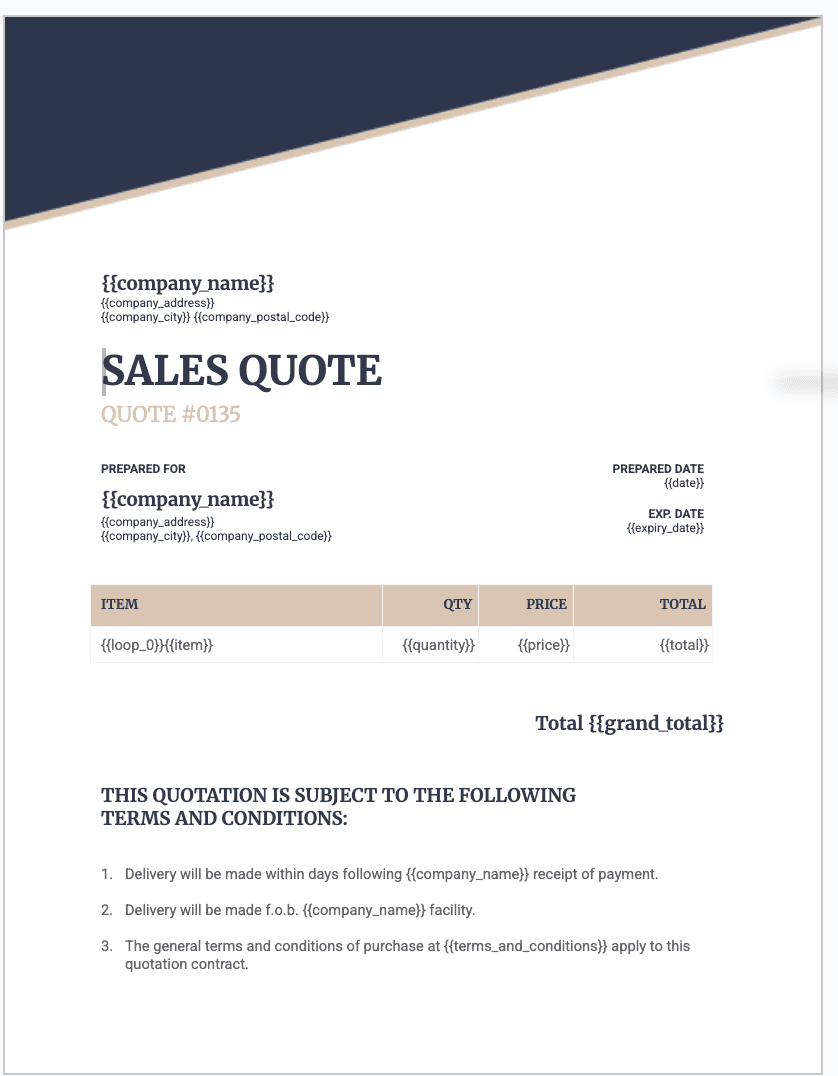
TypeFlow supports two template options: Google Docs templates (familiar editing, just add placeholders like {{Invoice_Number}} or {{Client_Address}}) and the HTML/CSS template builder (drag-and-drop blocks for invoices, contracts, labels, and certificates - no Google account needed).
Both approaches use the same placeholder system. The tool replaces placeholders with actual values from your Airtable records when generating the document.
3. Connect the Tool to Airtable
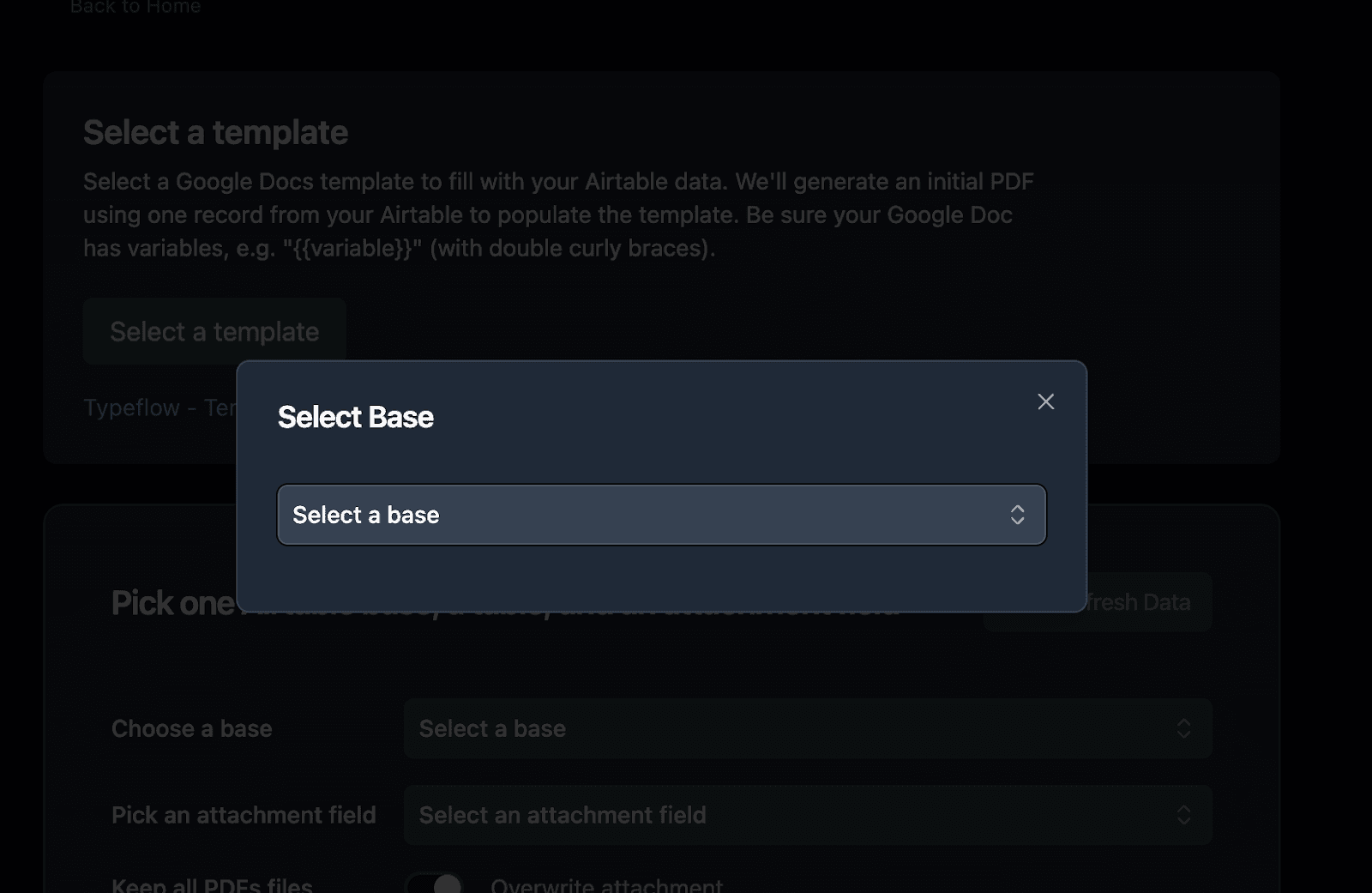
Authorize the document tool to access your Airtable base. Then select the table you want to generate documents from. With native integrations, this takes a few clicks. No code, no API keys to manage.
4. Map Airtable Fields to Your Template
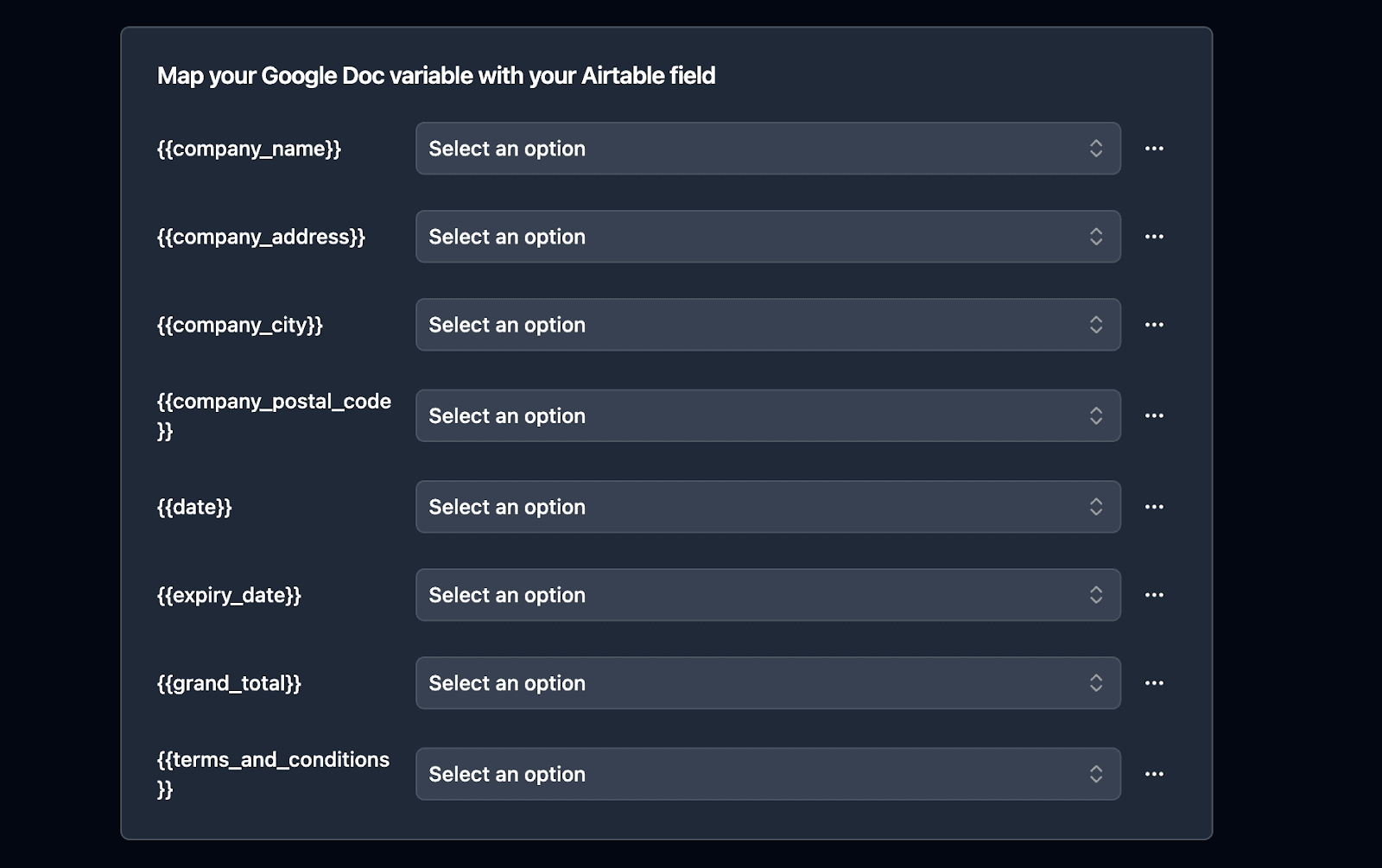
Match each Airtable field to its placeholder in the template. {{Client_Name}} connects to your Client Name field. {{Total}} connects to your Total field. This tells the tool where to insert each piece of data when creating the document.
5. Trigger Document Generation
TypeFlow supports three ways to trigger document creation:
- Airtable button: Add a button field to your table. Click it to generate a PDF for that record on demand.
- Airtable Automation: Set up an Airtable automation to trigger document creation automatically - when a record is created, when a status changes to "Ready," or when a checkbox is checked.
- Make or Zapier: Connect TypeFlow to Make or Zapier for more complex workflows that involve other tools in your stack.
Tip: Start with manual generation to test your template. Once everything looks correct, add the automation trigger.
How to Pick the Right Tool for Your Airtable Workflow
Your choice depends on what you're trying to accomplish:
- If you want document generation + e-signatures from Airtable: TypeFlow handles both in one native workflow - generate documents with e-signature from Airtable.
- If you want Google Docs templates or a visual builder: TypeFlow supports both - Google Docs for familiar editing, or the HTML/CSS template builder for drag-and-drop design.
- If you prefer visual template builders: Documint or Docupotion offer drag-and-drop design interfaces.
- If you're a developer: PDF Generator API gives you full control through code.
- If you use Microsoft 365: Plumsail integrates with Word templates through Power Automate.
- If you need enterprise e-signatures (QES, ID verification): Keep DocuSign - see our DocuSign Airtable integration guide.
Consider how each tool connects to Airtable - native integrations are more reliable than Zapier workarounds, especially for automated workflows that run without supervision.
Automate Your Airtable Documents With TypeFlow
Among the DocuSign alternatives covered here, TypeFlow is the simplest choice if Airtable is your system of record - it was built specifically to generate and sign documents from Airtable data.
TypeFlow supports Google Docs templates and a drag-and-drop HTML/CSS template builder - use whichever fits your workflow. The native Airtable integration means no middleware to configure or maintain. And documents generate the moment a record is ready, via button, Airtable automation, or Make/Zapier. TypeFlow includes unlimited e-signatures on every paid plan, so you pay based on document volume instead of per-envelope fees.
If you generate invoices, contracts, certificates, or reports from Airtable data, TypeFlow handles the workflow from record to finished, signed PDF. For the full e-signature setup, see our Airtable electronic signature guide. For contract-specific workflows, see our contract lifecycle management guide. For a broader comparison of every major e-signature option for Airtable, see our 7 Best E-Signature Tools for Airtable in 2026 guide.
Generate and sign documents from Airtable
No DocuSign, no Zapier, no per-envelope fees. Native Airtable integration with unlimited e-signatures.
Start free with 20 documents →Automate your document generation
Start with 20 free documents. Built for businesses using Airtable.
Frequently Asked Questions About DocuSign Alternatives for Airtable
Find answers to the most common questions about this feature.
Popular Questions
All Questions
Need more help?
Our team is here to help you solve all your problems and answer your questions.
Contact Us
Kevin from TypeFlow
•AuthorKevin Rabesaotra is a growth engineer and automation specialist with 8+ years of experience building no-code solutions. As Founder & CEO of TypeFlow, he has helped hundreds of businesses automate document generation and streamline workflows with Airtable integrations. Previously, Kevin was a Product Lead specializing in growth engineering, running experiments to drive revenue, retention, and lead generation.
 Typeflow