Best Quote Generator Tools for Airtable in 2026
TypeFlow is the best Airtable quote generator for most teams - it uses Google Docs templates or its built-in HTML/CSS template builder, handles line items from linked records, and includes built-in e-signatures at no extra cost. For teams who want a drag-and-drop builder, Documint starts at $49/month. For enterprise sales workflows, PandaDoc adds full proposal features at $35/month per user. You can generate professional PDF quotes directly from Airtable by connecting TypeFlow, building a template with line items from linked records, and triggering quote generation from a button or Airtable automation. See our complete invoice and quote solution for the full workflow. This guide compares all options.
Generate professional quotes from Airtable in minutes
Use Google Docs templates or the HTML/CSS template builder. Add line items, include e-signatures. No coding required.
Start free with 20 documentsWhat Is an Airtable Quote Generator
An Airtable quote generator lets you produce professional PDF quotes in seconds by pulling client, pricing, and line item data directly from your base into a template. You map fields - client name, line items, prices, dates - to placeholders, and the tool creates the document. The tool creates a professional document you can send to clients.
According to HubSpot's Sales Statistics, 80% of sales require at least five follow-ups. A fast, professional quote gets you ahead of competitors still copy-pasting from spreadsheets.
There are three main approaches: native Airtable extensions like Page Designer, dedicated PDF tools like TypeFlow, and DIY automation platforms that connect through Zapier or Make.
Why Native Airtable Falls Short for Quotes
Airtable has no native PDF export, no template system, no line item handling, and no e-signature support - you need a third-party tool to generate professional quotes from your data.
- No native PDF export. You cannot export data to PDF from a record without an extension or external tool.
- No template system. There is no way to set up branded layouts or fields that change based on your data.
- No line item handling. Multiple products per quote means formulas and workarounds to calculate totals across linked records.
- No e-signature support. Getting client approval means exporting, sending, and tracking outside of Airtable.
Page Designer exists as a native extension. It works for simple single-page documents. For multi-page quotes with line items, you will hit its limits fast.
Top Airtable Quote Generator Options
The best Airtable quote generators are TypeFlow (Google Docs or HTML/CSS builder + e-sign native), Documint (drag-and-drop builder), DocsAutomator (multi-platform), and PandaDoc (full sales proposals). Each connects to Airtable differently.
Page Designer (Native Airtable)
Page Designer is Airtable's built-in extension for creating printable layouts from your records. It is free and requires no external tools.
It works for simple one-page documents - a basic quote with a few fields. But it cannot handle line items from linked records, does not support multi-page layouts, has no automation triggers, and offers no e-signatures. If your quotes have more than a handful of fields, you will outgrow it quickly.
Best for: Simple, one-off quotes with no line items. Price: Free (included with Airtable).
TypeFlow
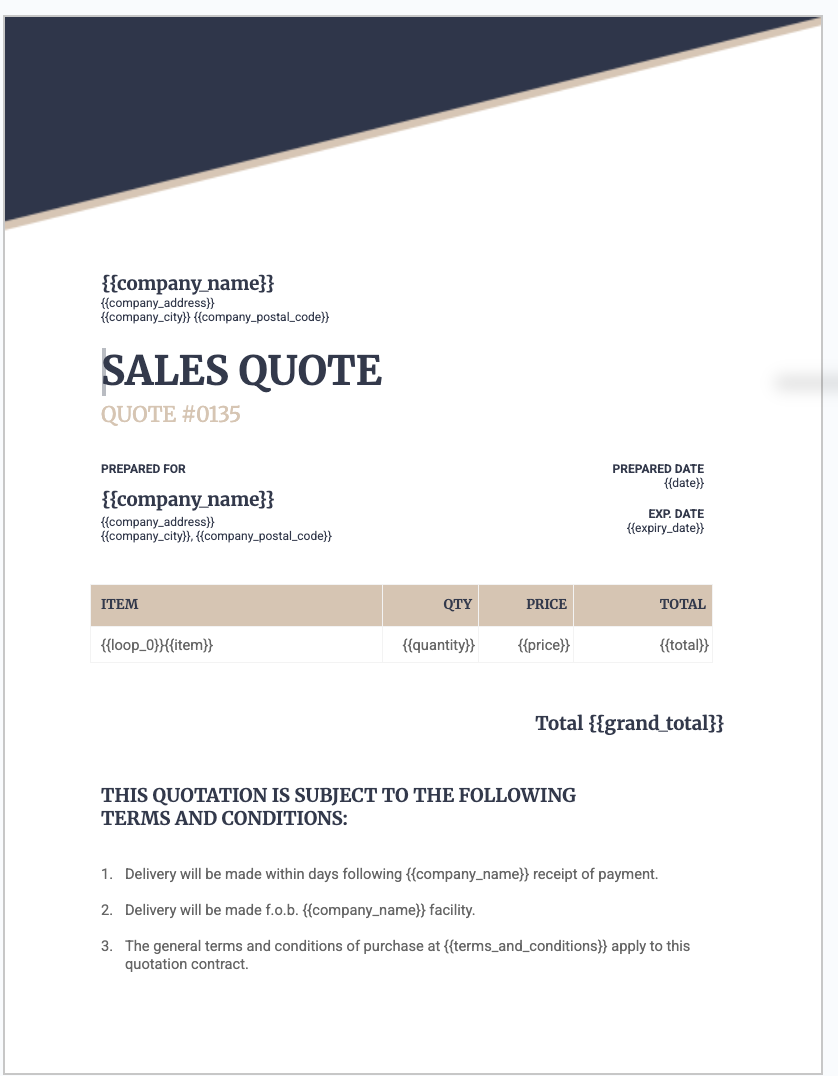
TypeFlow offers two template options. Use Google Docs and add merge variables like {{Client Name}} and {{Total}}. Or use the built-in HTML/CSS template builder if you do not use Google Docs or want more control over the layout.
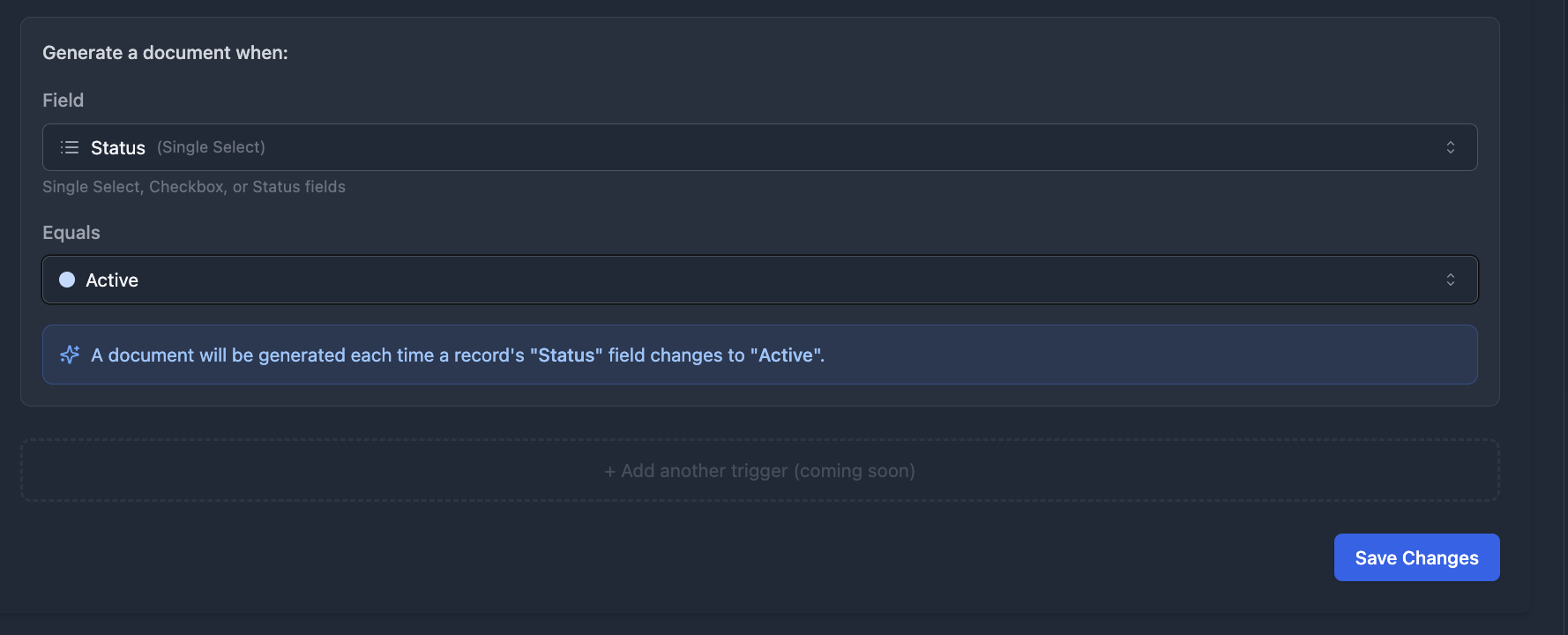
Line items work out of the box with linked records. You can generate quotes with Airtable automations or TypeFlow Automation - trigger generation on button click, form submission, or when a status field changes to a specific value.
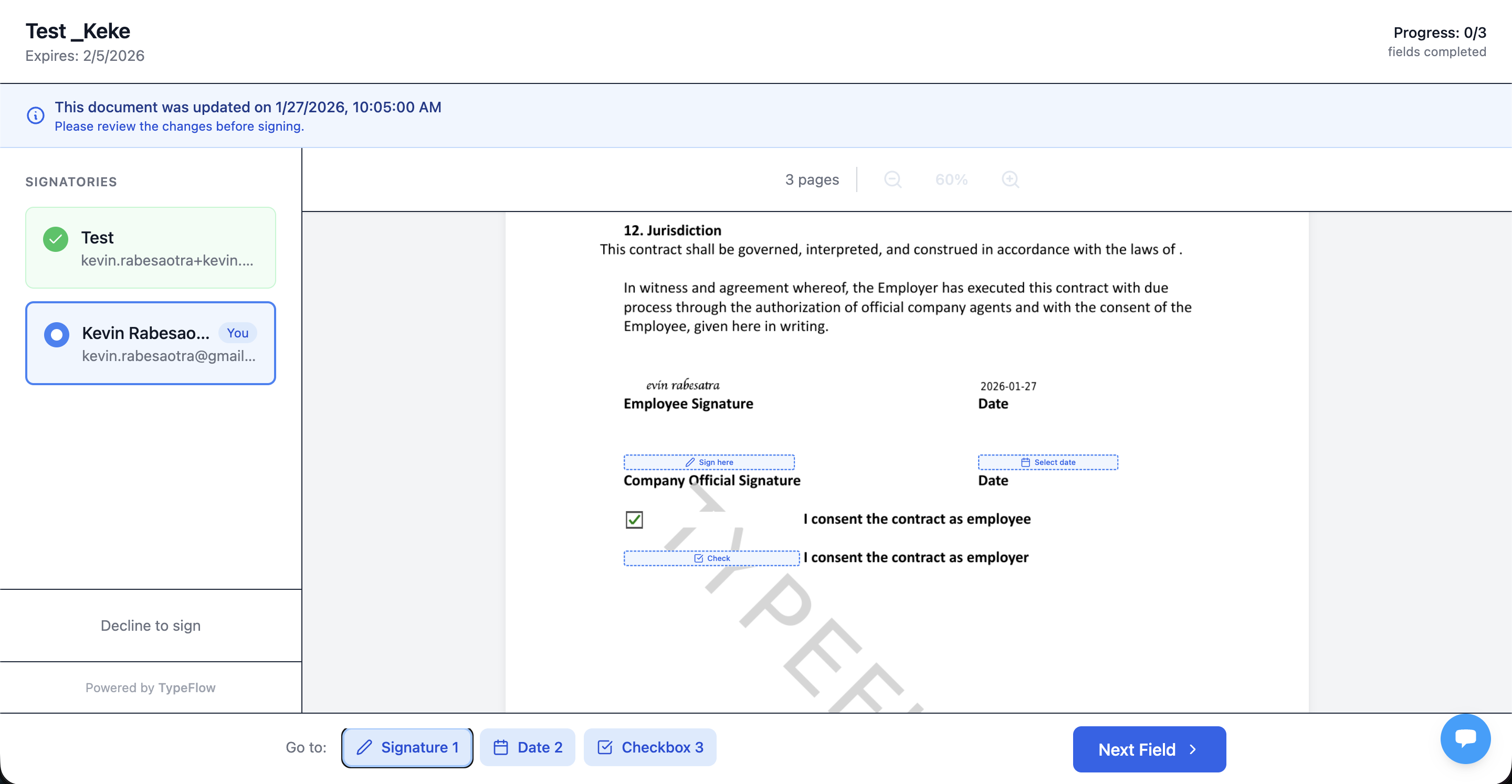
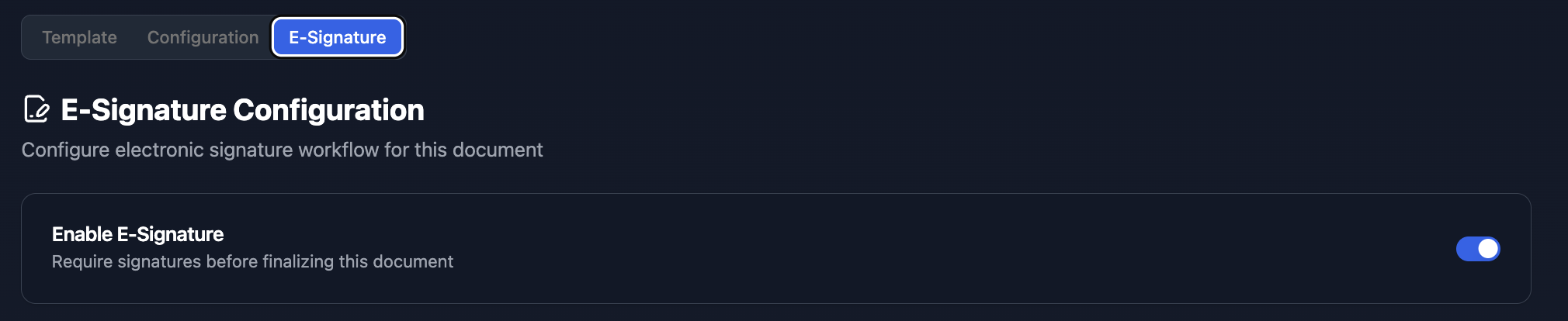
E-signatures are built-in at no extra cost. Clients sign directly from a link, and the signed PDF returns to your Airtable record. Contract redlining is available on the Scale plan.

Best for: Non-technical users who want Google Docs templates or the HTML/CSS template builder with line items, e-signatures, and automation. Price: Free plan (20 documents). Paid plans from $29/month.
DocsAutomator
DocsAutomator supports 14+ platforms including Google Sheets, ClickUp, and SmartSuite. It uses Google Docs or Microsoft Word templates with a similar merge variable approach.
The breadth of integrations is a strength if you work across multiple platforms. For Airtable-only users, the extra integrations add complexity you may not need. E-signatures cost $0.50 per signature on all plans.
Best for: Teams using multiple platforms beyond Airtable. Price: Free tier (limited). Paid plans from $29/month. E-signatures $0.50/sig.
Documint
Documint offers a drag-and-drop template builder and connects to Airtable via an extension. You trigger generation from within your base.
The templates are flexible and the design control is strong. However, there is a learning curve - you will spend time in their editor before your first quote looks right. E-signatures are included (5 envelopes/month on Silver, 25 on Gold).
Best for: Users who want full design control and do not need e-signatures. Price: Free tier (10 docs). Paid plans from $49/month (200 docs).
PandaDoc
PandaDoc is a full proposal and e-signature platform. It does much more than generate quotes - it handles proposals, contracts, and payments.
The Airtable connection runs through Zapier, which adds another layer to manage. If you only want PDF quotes from Airtable, PandaDoc is likely overkill.
Best for: Sales teams who want a complete proposal-to-signature platform. Price: Free plan (limited e-sign only). Paid plans from $19/month per seat. See our PandaDoc alternative for Airtable comparison.
Make or Zapier + Google Docs (DIY)
You can build an automation that connects Airtable to PDF via Make or Zapier. The Airtable record triggers a Zap, which populates a Google Doc, converts it to PDF, and emails it.
This approach is flexible but fragile. You pay for multiple subscriptions, automations can lag, and when something breaks, troubleshooting means checking multiple platforms.
Best for: Technical users who want full control over every step. Price: Varies. Zapier free tier + Google Docs is free but limited. Paid combos run $20-50/month.
Feature Comparison Across Airtable Quote Generators
| Tool | Template Editor | Line Items | Airtable Automation | E-Signature | Redlining | Branding Control |
|---|---|---|---|---|---|---|
| Page Designer | Built-in (basic) | No | No | No | No | Limited |
| TypeFlow | Google Docs + HTML/CSS builder | Yes | Yes (native) | Yes (built-in) | Yes (Scale) | Full |
| DocsAutomator | Google Docs + Word | Yes | Yes | $0.50/sig | No | Full |
| Documint | Drag-and-drop | Yes | Yes | 5/month (Silver) | No | Full |
| PandaDoc | Built-in | Yes | Via Zapier | Yes | Yes | Full |
| Make/Zapier + Docs | Google Docs | Varies | Yes | Varies | No | Full |
Template Editor
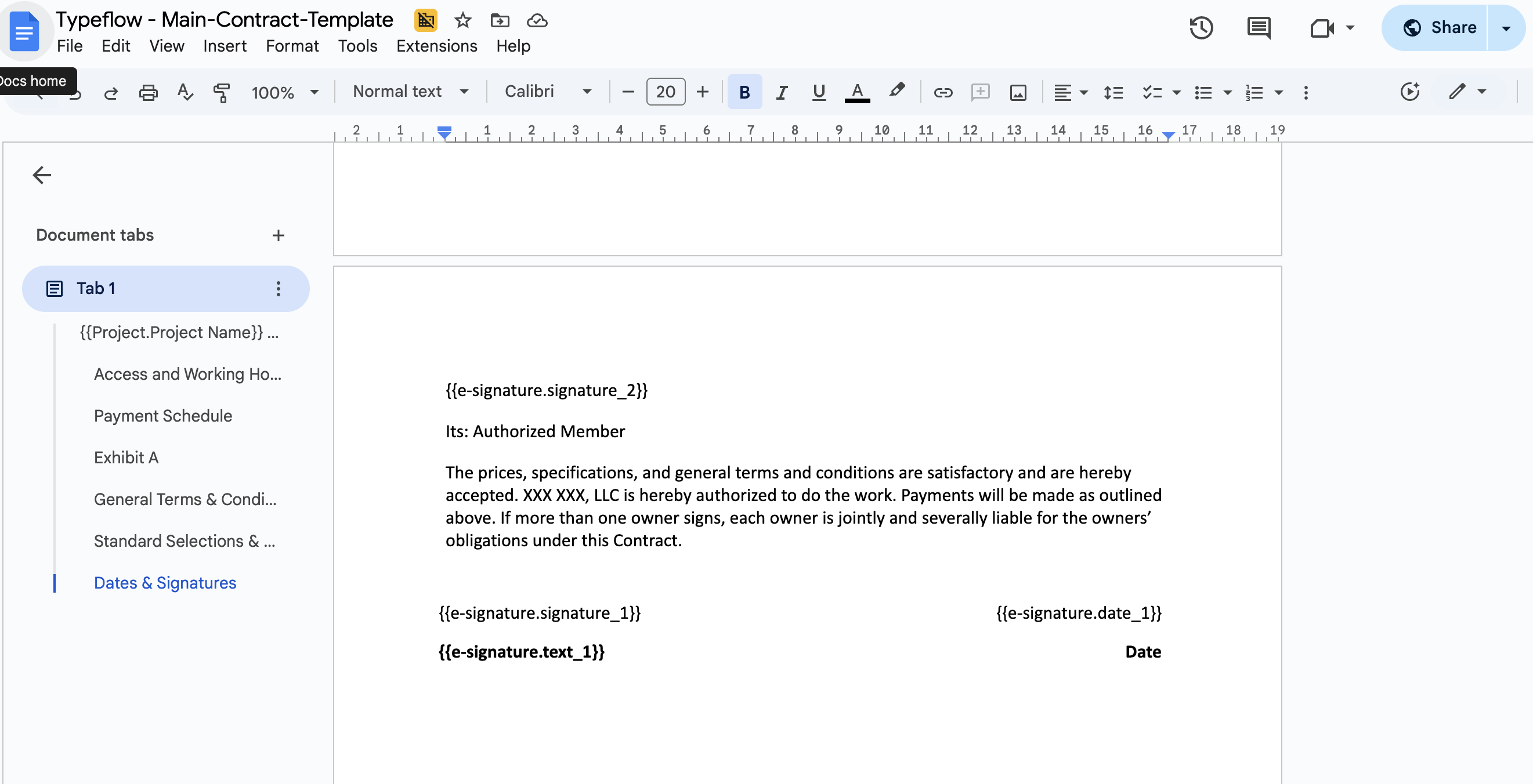
Google Docs templates require no learning curve - you add placeholders to a document you already know how to format. Drag-and-drop builders offer more design control but take time to master.
Line Item Support
Line items let you include multiple products or services on a single quote. This matters when quoting projects with several components. Most tools handle linked records for basic line items. TypeFlow also supports nested line items - grouped sections within line items, like materials grouped by project phase.
Automation Triggers
The best tools offer built-in automation. TypeFlow Automation triggers document generation when a field value changes - for example, when Status changes to "Approved," the quote generates automatically. Airtable automations can also trigger generation on button click or form submission. Tools that rely on Zapier add latency and another platform to manage.
E-Signature Support
E-signatures speed up quote acceptance. TypeFlow includes them at no extra cost - clients approve with a click and the signed PDF returns to Airtable. DocsAutomator charges $0.50 per signature. Documint includes 5 e-sign envelopes/month on paid plans. Page Designer has no e-signature option.
Branding and Design Control
Your quotes represent your business. Full branding control means matching your logo, colors, and typography. Page Designer offers limited customization. All other tools provide full control.
Pricing Comparison of Airtable Quote Generators
| Tool | Free Tier | Starting Price | Pricing Model | E-Sig Cost |
|---|---|---|---|---|
| Page Designer | Yes (included) | $0 | Free | N/A |
| TypeFlow | Yes (20 docs) | $29/month | Flat monthly | Included |
| DocsAutomator | Yes (limited) | $29/month | Per workspace | $0.50/sig |
| Documint | Yes (10 docs) | $49/month | Per document tier | N/A |
| PandaDoc | Yes (e-sign only) | $19/month per seat | Per seat | Included |
| Make/Zapier + Docs | Zapier free tier | ~$20-50/month | Multiple subs | Varies |
Per-user pricing (PandaDoc) adds up fast with growing teams. Per-workspace pricing (TypeFlow, DocsAutomator) stays flat regardless of team size. Per-document pricing (Documint) can surprise you at high volume.
What to Look for in an Airtable Quote Generator
The key criteria are ease of setup (Google Docs or HTML/CSS builder vs proprietary editor), template flexibility (line items, conditional content), Airtable automation support, and pricing transparency (per-doc vs flat monthly).
Ease of Setup
Non-technical users should prioritize tools with simple onboarding. TypeFlow supports Google Docs templates (familiar editing) and the HTML/CSS template builder (drag-and-drop design). Both reduce setup time compared to proprietary editors. TypeFlow gets you generating quotes in under 30 minutes.
Template Flexibility
Templates should support dynamic fields, conditional content, and custom branding. A rigid template system will frustrate you as your needs grow. Look for tools that handle line items that expand based on linked records.
Airtable Automation Fit
The tool should connect to Airtable automations for hands-off quote generation. Extension-only tools mean clicking a button each time. Native automation support means set it and forget it.
Pricing Transparency
Understand costs before you commit. Per-document fees can surprise you at scale. Calculate your monthly quote volume and compare the real cost across tools.
Best Airtable Quote Generator by Use Case
TypeFlow is the best fit for freelancers and agencies (Google Docs or HTML/CSS builder, low cost, e-sign included). PandaDoc fits enterprise sales teams who need full proposal workflows. Page Designer works for simple one-pagers only.
Freelancers and Solo Consultants
Low cost and fast setup matter most. TypeFlow works well - you design in Google Docs or the HTML/CSS template builder, connect to Airtable, and generate quotes in minutes. The free plan covers 20 documents.
Small Agencies
Branded templates and automation matter because you are scaling quote volume without adding headcount. Look for tools that let multiple team members generate quotes from the same templates. TypeFlow and DocsAutomator both handle this well.
Sales Teams and SMBs
You may want e-signature tracking and proposal features beyond basic quotes. PandaDoc fits if you want a full proposal workflow. For quotes alone, TypeFlow covers generation and e-signatures at a lower cost.
The question is whether you need a quote generator or a complete sales document platform. For most SMBs, simpler tools work better. If you are also managing contracts, see our contract management comparison.
Pick the Right Airtable Quote Generator and Start Free With TypeFlow
The best tool depends on your technical comfort, budget, and workflow. Page Designer works for simple one-pagers. PandaDoc fits enterprise sales teams. Make/Zapier suits technical users who want full control.
For most Airtable users who want professional quotes with line items, e-signatures, and automation - without coding or enterprise pricing - TypeFlow is the simplest path. Most teams eventually need a quote-to-invoice workflow. Once a quote is accepted, you can convert it into an invoice with the same line items and generate the invoice PDF automatically. See our quote-to-invoice workflow guide for the full setup. If you also need contracts with e-signatures, see our best contract generation tools for Airtable, DocuSign alternative for Airtable, and contracts with e-signatures solution. See what users say on G2.
Ready to generate quotes from Airtable?
Connect your base, map your template, and send your first quote in minutes.
Start free with 20 documentsFrequently Asked Questions About Airtable Quote Generator Tools
Find answers to the most common questions about this feature.
Popular Questions
All Questions
Need more help?
Our team is here to help you solve all your problems and answer your questions.
Contact Us
Kevin from TypeFlow
•AuthorKevin Rabesaotra is a growth engineer and automation specialist with 8+ years of experience building no-code solutions. As Founder & CEO of TypeFlow, he has helped hundreds of businesses automate document generation and streamline workflows with Airtable integrations. Previously, Kevin was a Product Lead specializing in growth engineering, running experiments to drive revenue, retention, and lead generation.
More articles
How to Print Labels from Airtable with Quantity Control (Step by Step)
Print multiple labels per Airtable record based on a quantity field. Step-by-step guide for linked records mode and quantity repeat mode with barcodes and Avery sheets.
Read articleHow to Print Avery Mailing Labels from Airtable
Print Avery mailing labels (5160, 5161, 5162) from Airtable without Word mail merge. Step-by-step guide with print label mode, automation, and bulk generation.
Read articleHow to Create Inventory Labels with Barcodes in Airtable
Create inventory labels with Code 128, EAN-13, or QR barcodes from Airtable. Step-by-step guide for warehouse, retail, and asset tracking with thermal and Avery printers.
Read article