How to Create Traceability Document PDFs from Airtable
You can generate audit-ready traceability PDFs directly from your Airtable production data - suppliers, inspections, batch numbers, and shipment records pulled from linked tables into a single document. Connect TypeFlow, use a Google Docs or HTML/CSS template, and add e-signatures with full audit trail to support FDA and FSMA compliance.
For a complete overview of all manufacturing documents you can automate, see our guide to manufacturing document automation in Airtable.
By the end of this guide, you'll have a workflow that:
- Generates professional traceability PDFs from Airtable data
- Pulls linked record details into one document
- Supports manual, bulk, or automated generation
- Adds compliance-friendly e-signatures with audit trails
Quick Answer: Creating Traceability PDFs from Airtable
To create traceability document PDFs from Airtable, use a Google Docs template and a tool like TypeFlow to merge Airtable fields (including linked records) into a generated PDF. You can generate PDFs manually, in bulk, or automatically when a batch reaches a status like "Complete."
- Structure your Airtable base: Use linked tables (Batches, Suppliers, Inspections, Shipments) so one record can pull everything it needs
- Create a template: Add
{{variables}}in Google Docs where Airtable values should appear - Connect + map fields: Link TypeFlow to your base and map each variable to the right field (including nested linked data)
- Generate: Run one-click, bulk, or automated generation and save the PDF back to Airtable
Key Takeaways
- Page Designer limitations: Airtable's built-in tool can't handle multi-page traceability documents, nested linked records, or automated generation
- Template-first approach: Create a Google Docs template with
{{variables}}that map directly to your Airtable fields - Linked record support: Pull supplier information, inspection results, and shipment data from related tables into one document
- Three generation methods: Manual button, bulk generation for audits, or fully automated on status changes
- Compliance-ready: Add e-signatures with audit trails for FDA, ISO, and HACCP requirements
What Is a Traceability Document
A traceability document is a record that links a product, component, or batch to its origin, inspections, custody events, and approvals. It's used for audits, recalls, and compliance.
Most traceability PDFs include:
- Batch or lot numbers - Unique identifiers for tracking
- Supplier information - Origin of raw materials or components
- Production dates and timestamps - When each step occurred
- Quality inspection results - Pass/fail status and measurements
- Chain of custody records - Who handled the product and when
- Certifications and approvals - Compliance sign-offs
Industries requiring traceability documentation include manufacturing, food production, pharmaceuticals, medical devices, aerospace, and logistics.
Why Airtable Page Designer Falls Short for Traceability Documents
Airtable Page Designer is fine for simple, single-page layouts, but it breaks down for real traceability PDFs. Only 2% of companies can identify third-tier supplier risks (McKinsey). Traceability documents need to pull data across multiple levels - something Page Designer can't do.
Limited Support for Linked Records
Traceability documents pull data from multiple linked tables - suppliers, batches, inspections, shipments. Page Designer can't cleanly display nested or deeply linked record data in a structured format.
No Multi-Page Document Output
A single batch's traceability record can span multiple pages with inspection logs, supplier certifications, and chain of custody details. Page Designer only outputs single-page layouts.
Manual Export With No Automation
Page Designer requires manual PDF exports one record at a time. No way to trigger generation automatically when records update or generate in bulk for audits.
Ready to automate your traceability documents?
Generate professional traceability PDFs for all your batches in minutes. No more manual copy-paste.
Start free with 20 documents →How to Create Traceability Document PDFs From Airtable
Step 1: Structure Your Traceability Data in Airtable
Before generating documents, your Airtable base needs the right structure. Traceability data typically spans multiple linked tables.
Recommended table structure:
| Table | Purpose | Key Fields |
|---|---|---|
| Batches | Main traceability records | Batch ID, Product Name, Production Date, Status |
| Suppliers | Raw material sources | Supplier Name, Contact, Certifications |
| Inspections | Quality control records | Inspection Date, Inspector, Results, Pass/Fail |
| Shipments | Chain of custody | Ship Date, Carrier, Destination, Received By |
Link your tables:
In your Batches table, add linked record fields to connect related data:
| Field Name | Field Type | Links To |
|---|---|---|
| Supplier | Linked record | Suppliers table |
| Inspections | Linked record | Inspections table |
| Shipments | Linked record | Shipments table |
| Traceability PDF | Attachment | Generated document storage |
This structure lets you pull supplier names, inspection results, and shipment details into a single traceability document.
Pro Tip: Use Views for Document Readiness
Create a "Ready for Traceability Doc" view that filters batches where Status = "Complete" and all inspections are linked. This makes it easy to generate documents only for finalized records.
Step 2: Create a Traceability Template in Google Docs
Create your traceability document template in Google Docs using {{variable}} placeholders where Airtable data should appear.
Example traceability document template:
TRACEABILITY DOCUMENT

Batch ID: {{Batch_ID}}
Product: {{Product_Name}}
Production Date: {{Production_Date}}

─────────────────────────────────────────

SUPPLIER INFORMATION

Supplier: {{Supplier.Name}}
Contact: {{Supplier.Contact_Email}}
Certifications: {{Supplier.Certifications}}

─────────────────────────────────────────

QUALITY INSPECTION RESULTS

| Date | Inspector | Test | Result | Status |
{{loop_0}}
{{Inspection_Date}} | {{Inspector}} | {{Test_Name}} | {{Result}} | {{Pass_Fail}}

─────────────────────────────────────────

CHAIN OF CUSTODY

Shipped: {{Ship_Date}}
Carrier: {{Carrier}}
Received By: {{Received_By}}
Received Date: {{Received_Date}}

─────────────────────────────────────────

AUTHORIZED BY

Signature: ____________________
Name: ____________________
Date: ____________________
Variable naming conventions:
| Variable Type | Example | Source |
|---|---|---|
| Direct field | {{Batch_ID}} | Batches table |
| Linked record | {{Supplier.Name}} | Suppliers table via link |
| Loop (line items) | {{loop_0}} | Multiple inspections |
The {{loop_0}} syntax creates repeating rows for each linked inspection record - essential for traceability documents with multiple quality checks.
Step 3: Connect TypeFlow to Your Airtable Base
-
Sign in to your TypeFlow account
-
Click "Start a new automation workflow"
-
Select "Google Docs" and choose your traceability template
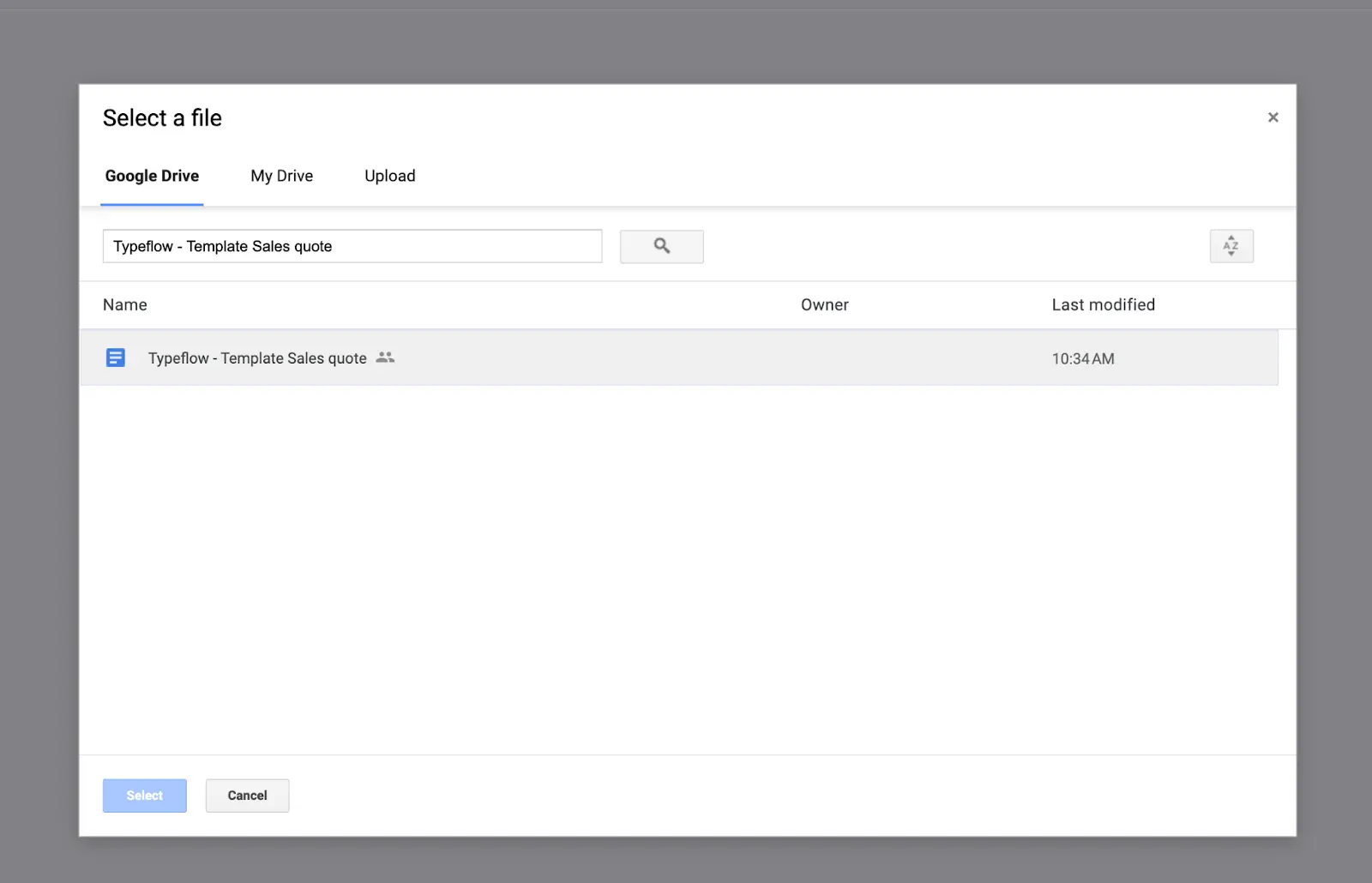
- Connect to Airtable and select your base
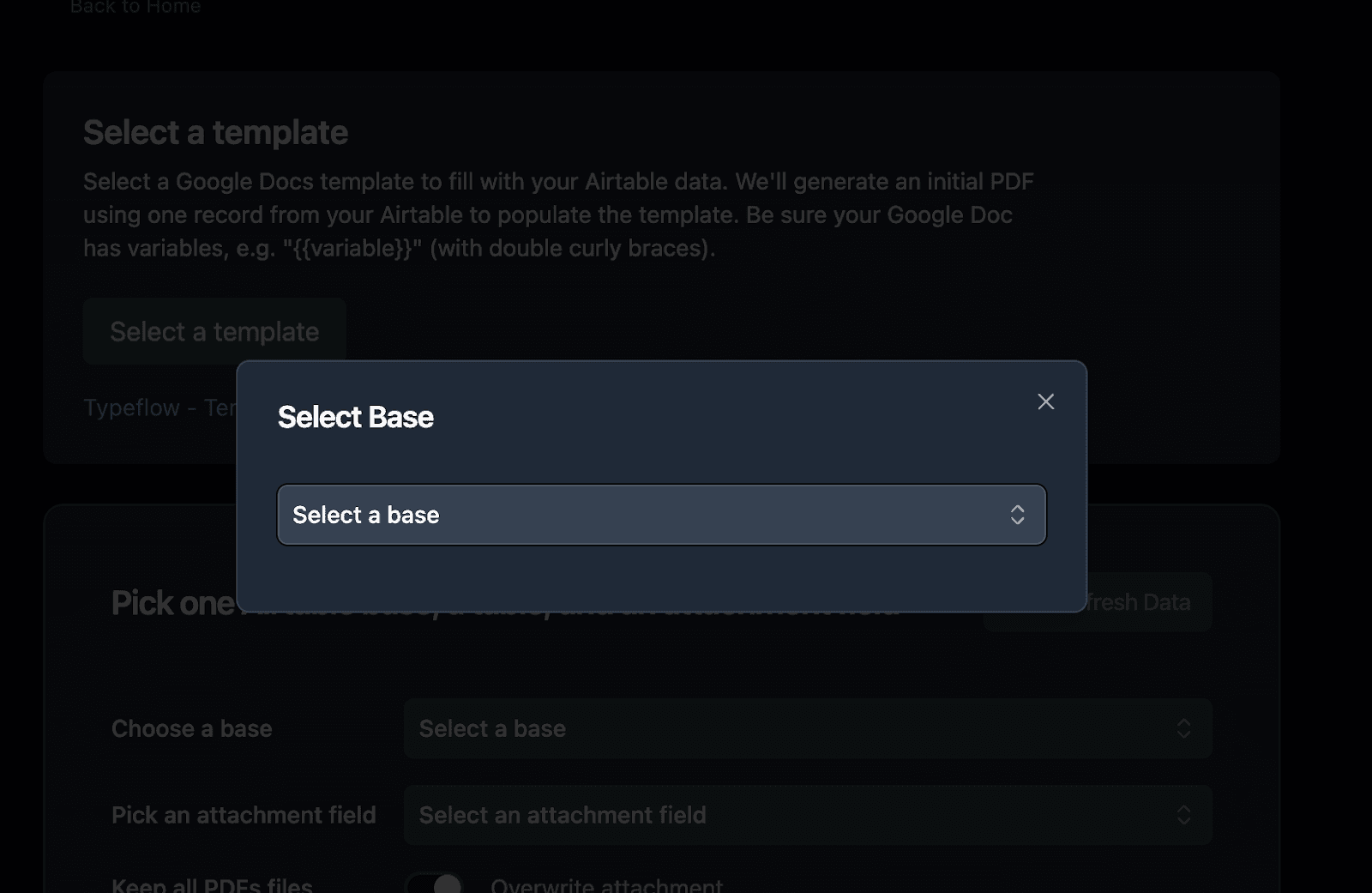
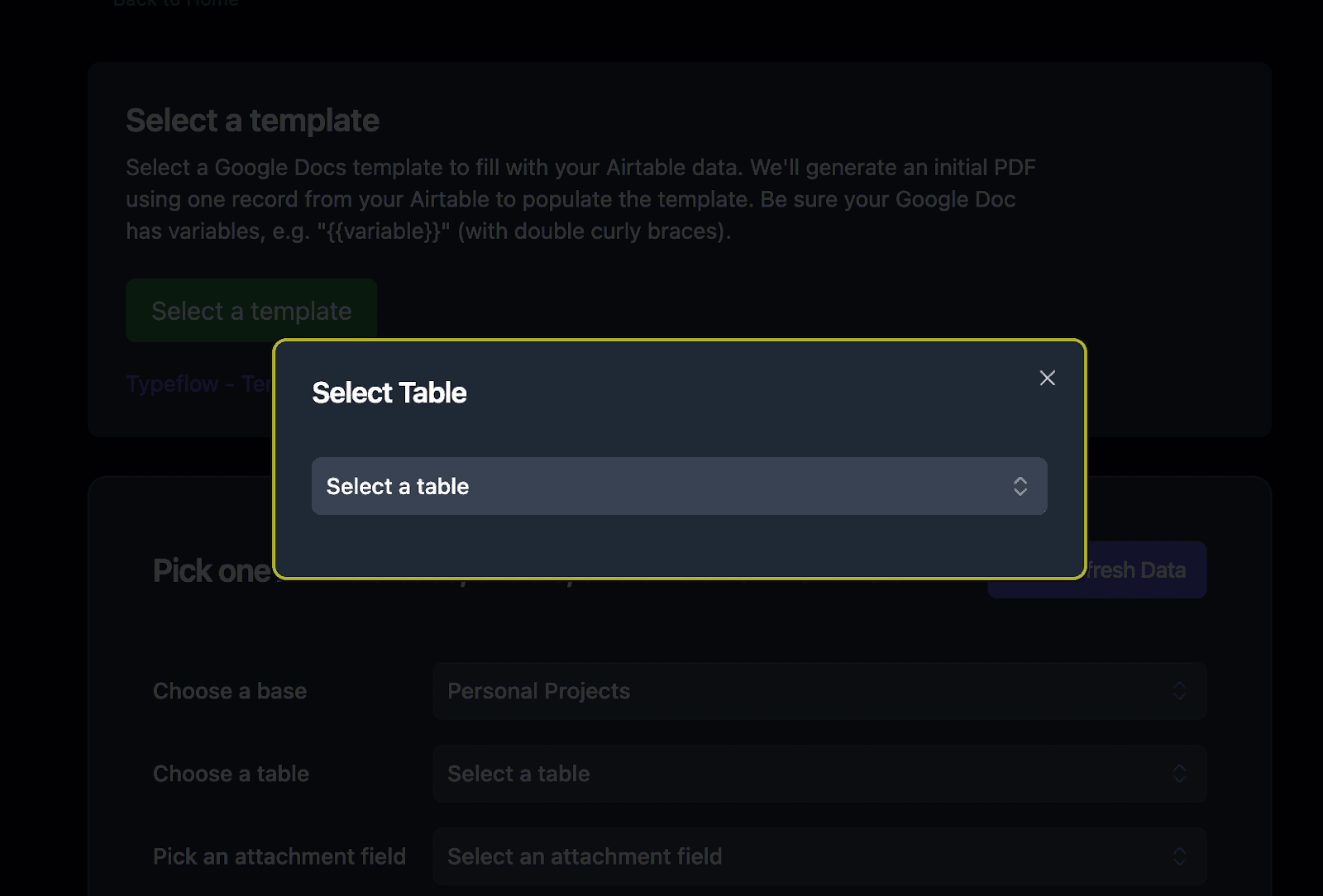
- Select your Batches table (or whichever table contains your main traceability records)
- Set up the attachment field where generated traceability PDFs will be saved
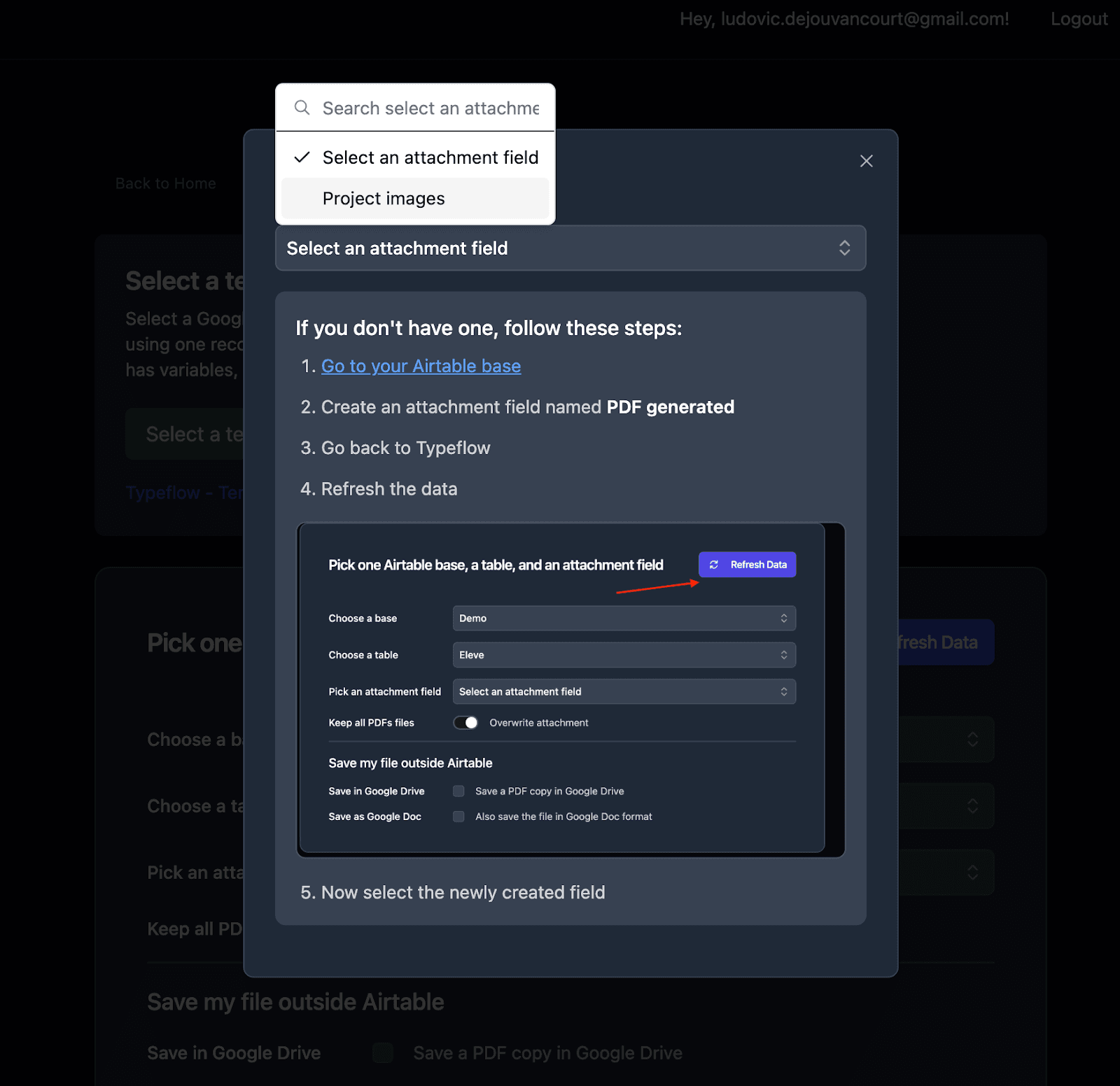
Step 4: Map Airtable Fields to Template Variables
TypeFlow automatically detects all {{variables}} in your template. Now connect each one to the corresponding Airtable field.
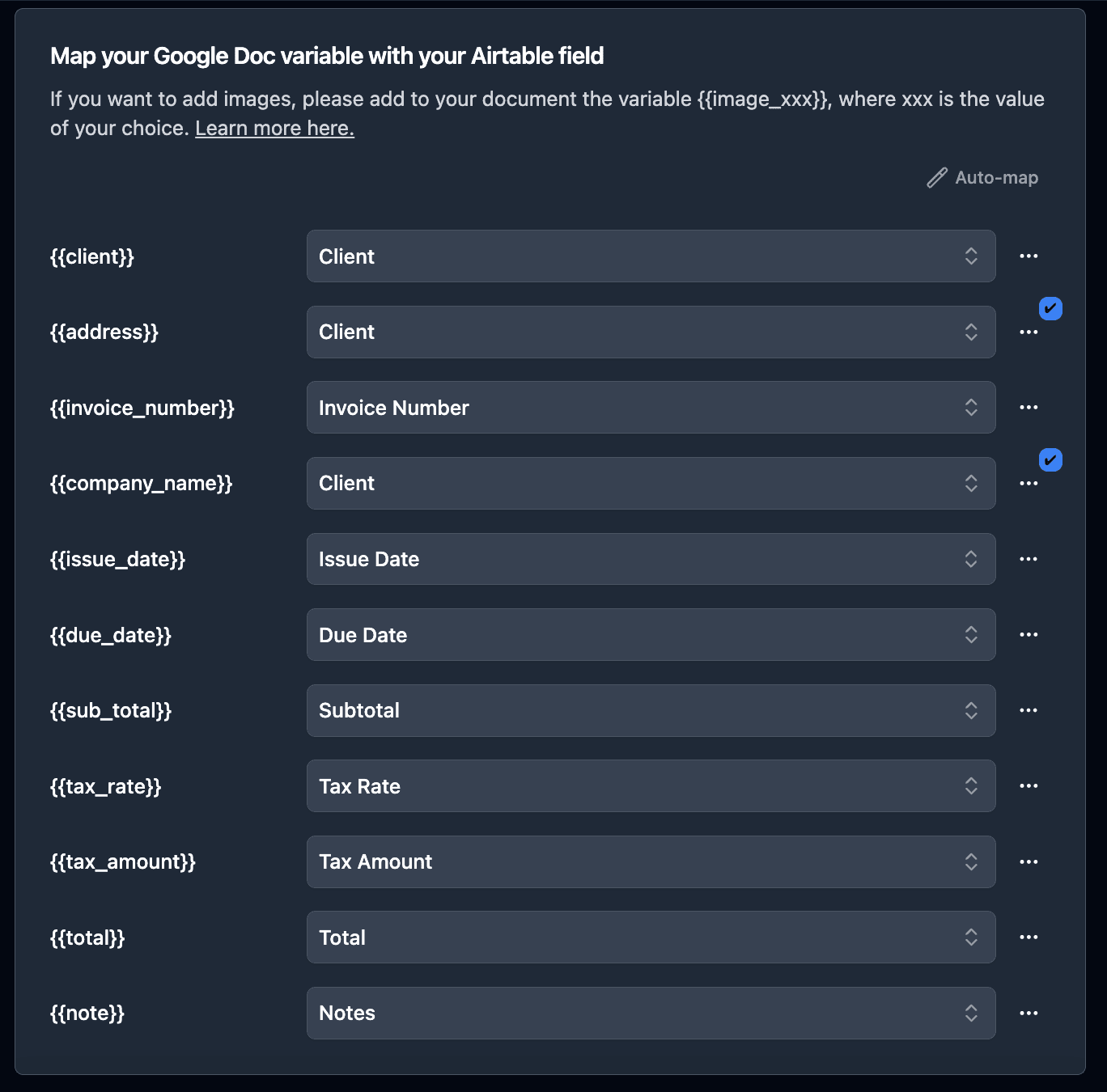
Mapping direct fields:
{{Batch_ID}}→ Batch ID field{{Product_Name}}→ Product Name field{{Production_Date}}→ Production Date field
Mapping linked record fields:
For supplier data, click "Configure Linked Fields" to access nested data:
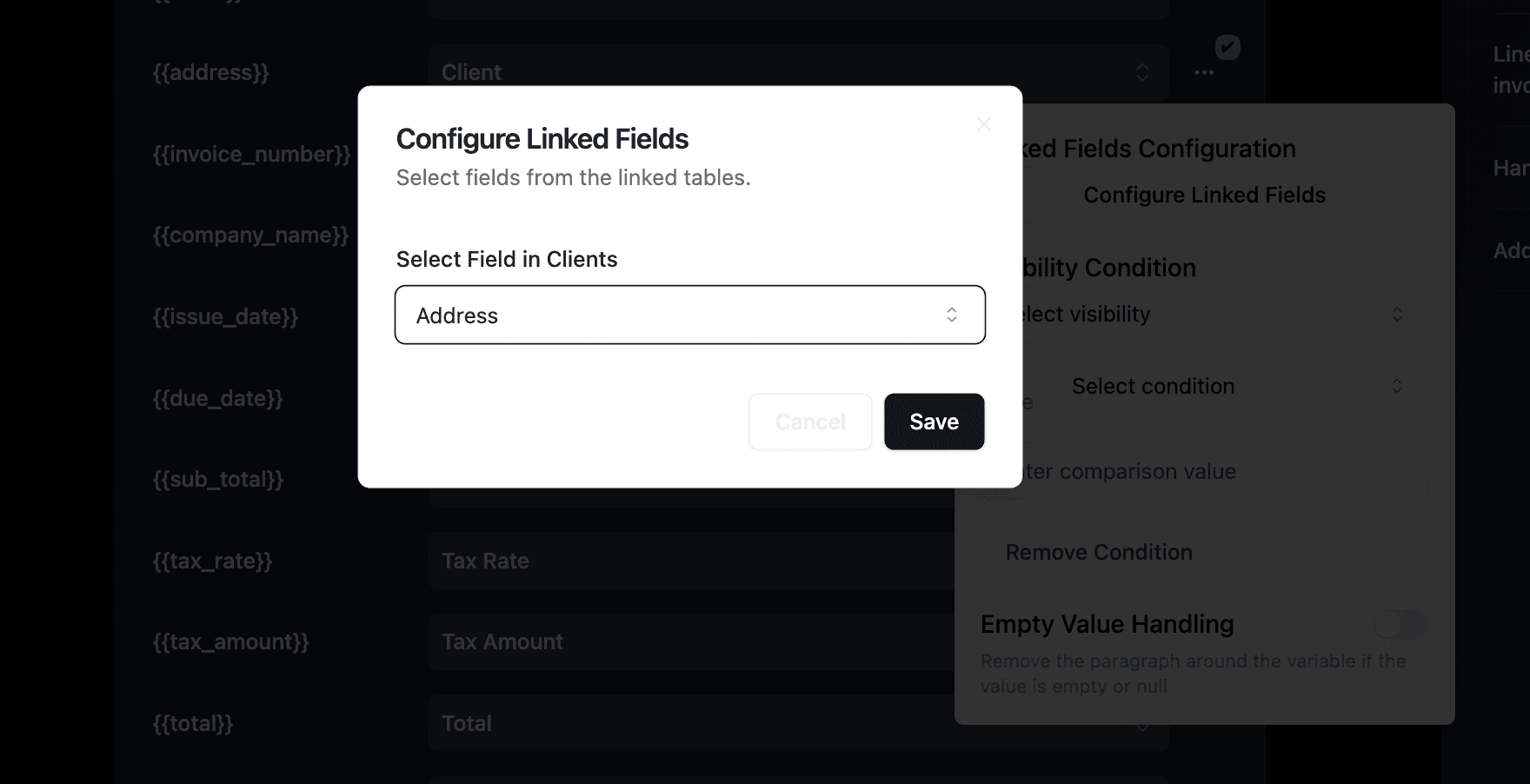
Navigate through: Batch → Supplier → Name, Contact_Email, Certifications
Pro Tip: Deep Linking for Supply Chain Data
TypeFlow supports multiple levels of linked records. You can pull data from Batch → Supplier → Supplier's Certifications → Certification Body - as deep as your Airtable structure goes.
Mapping inspection line items:
For the inspection table (loop), select your linked Inspections field:
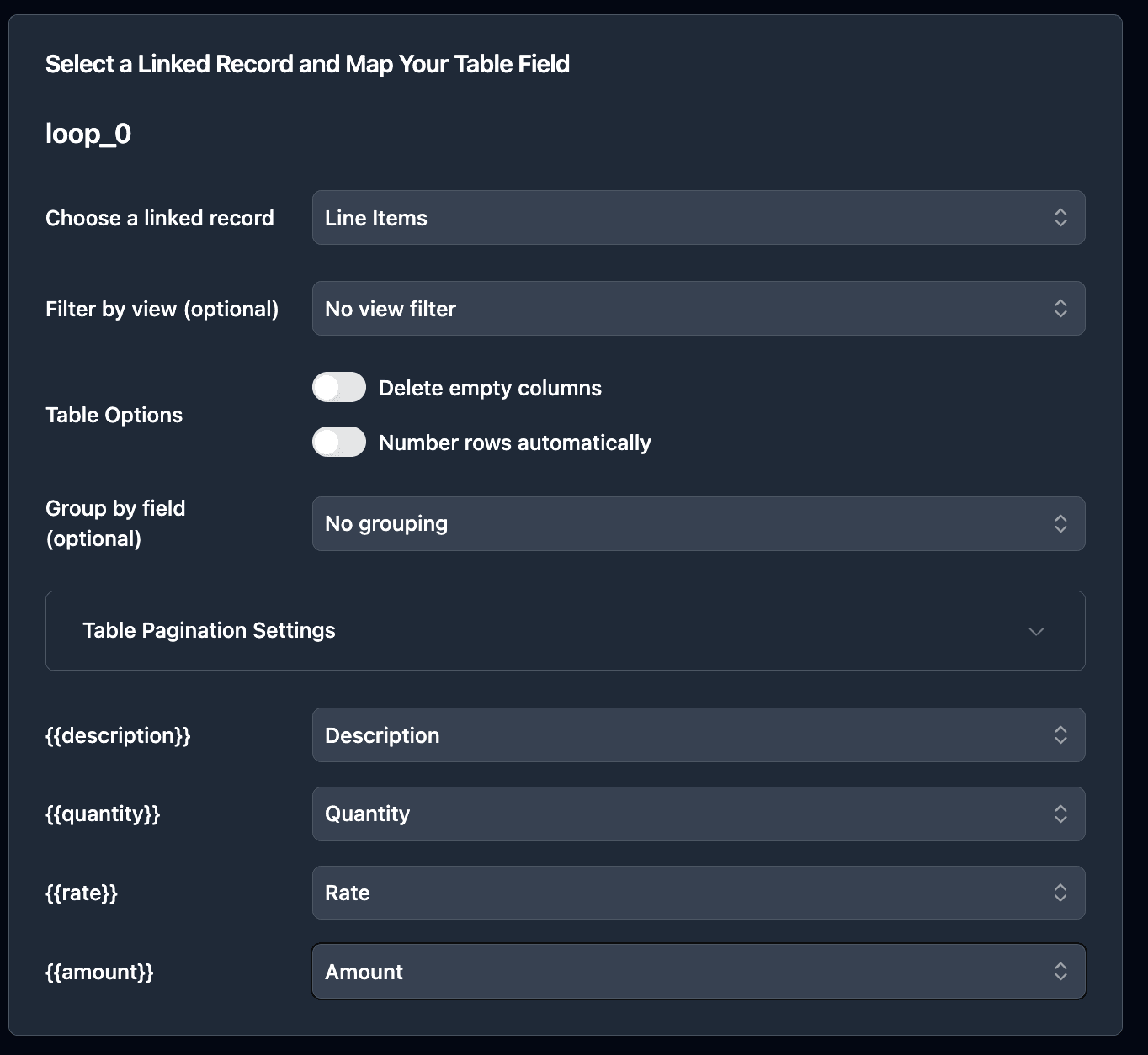
Each linked inspection record becomes a row in your traceability document.
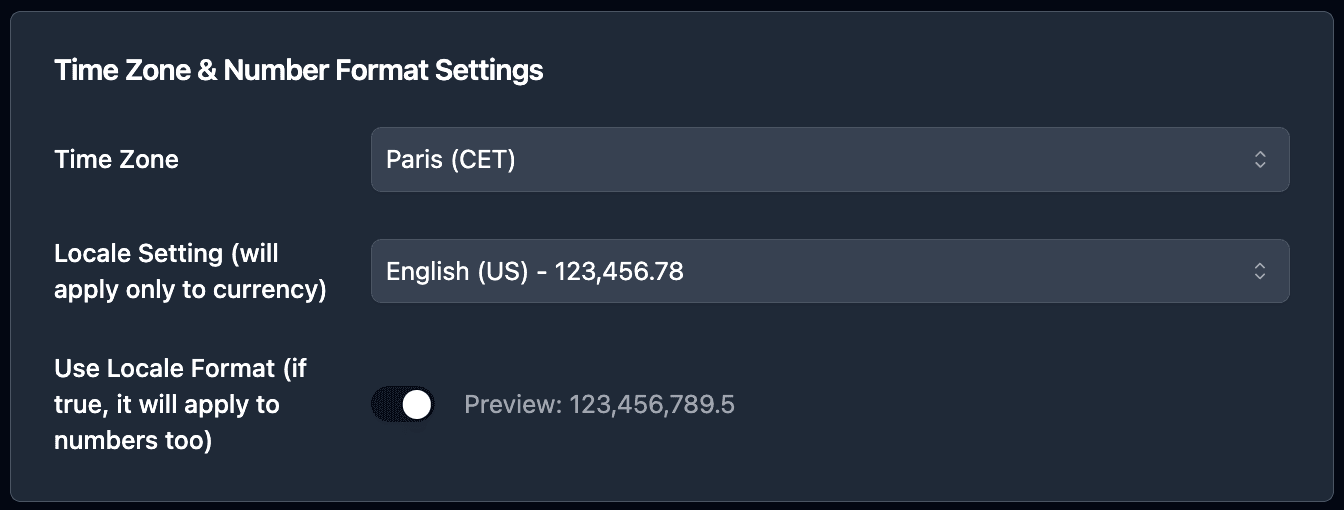
Format dates and numbers:
Use the formatting options to display dates and numbers correctly:
Traceability Document Use Cases by Industry
Manufacturing and Production Tracking
Track components through assembly with bill of materials, work orders, and quality checkpoints. TypeFlow handles nested line items for parts lists and sub-assembly records. For automating the work orders themselves, see our guide on generating production orders from Airtable.
Common documents:
- Device History Records (DHR)
- Work Order Traceability
- Component Genealogy Reports
Food Safety and HACCP Compliance
HACCP (Hazard Analysis Critical Control Points) requires documented traceability from farm to table. Generate batch origin records, temperature logs, and supplier certifications.
Common documents:
- Batch Origin Reports
- Temperature Monitoring Logs
- Supplier Certification Records
- Recall Response Documentation
Logistics and Supply Chain
Track chain of custody across multiple handlers. Auto-email PDFs to stakeholders at each handoff point.
Common documents:
- Chain of Custody Records
- Shipping Manifests
- Receiving Logs
- Transfer Documentation
Medical Device and Pharmaceutical Records
Meet FDA 21 CFR Part 11 requirements with complete lot genealogy and electronic signatures with audit trails. You can also automate certificates of conformity and QC reports as part of your compliance documentation.
Common documents:
- Device History Records
- Lot Genealogy Reports
- Regulatory Audit Packages
- Batch Release Documentation
How to Generate Traceability Documents
Once your flow is configured, you can generate traceability PDFs in three ways.
- Manual: Best for one-off requests or QA review
- Bulk: Best for audits and reporting windows
- Automated: Best when you want PDFs generated the moment a batch is marked Complete
Option 1: Manual Generation with Button Field
Add a button field to your Batches table for quick one-click generation:
- In Airtable, create a new Button field called "Generate Traceability Doc"
- Set the action to "Open URL"
- In TypeFlow, copy the generation URL from your flow settings
- Paste the URL in the button configuration
Click the button on any batch record to generate its traceability document instantly. The PDF saves to your attachment field within seconds.
Best for: QA teams generating documents after completing inspections, one-off generation for customer requests, or testing your flow before automation.
Option 2: Bulk Generation for Audits
When auditors request traceability records for an entire product line or date range, generate all documents at once.
- Install the TypeFlow extension from Airtable's extension marketplace
- Enter your API key (found in your flow settings)
- Filter your view to the batches needed for the audit
- Select all records
- Click Generate
The extension creates PDFs for all selected records and saves them to your configured attachment field. Generate hundreds of traceability documents in one action.
Best for: Regulatory audits, supplier reviews, annual compliance documentation, or end-of-quarter reporting.
Option 3: Automated Generation with Airtable Automations
Full automation removes manual steps entirely. Trigger traceability document generation automatically when batches reach "Complete" status.
In this example, we'll trigger the automation when a batch status changes to "Complete."
-
Go to Automation in Airtable
-
Click on "Add a trigger" and choose When a Record matches a condition
-
Select the table you want to trigger the automation on (in this case the Batches table)
-
Select the field you want to trigger the automation on (in this case the Status field)
-
Select the condition you want to trigger the automation on (in this case "is")
-
Select the value you want to trigger the automation on (in this case "Complete")
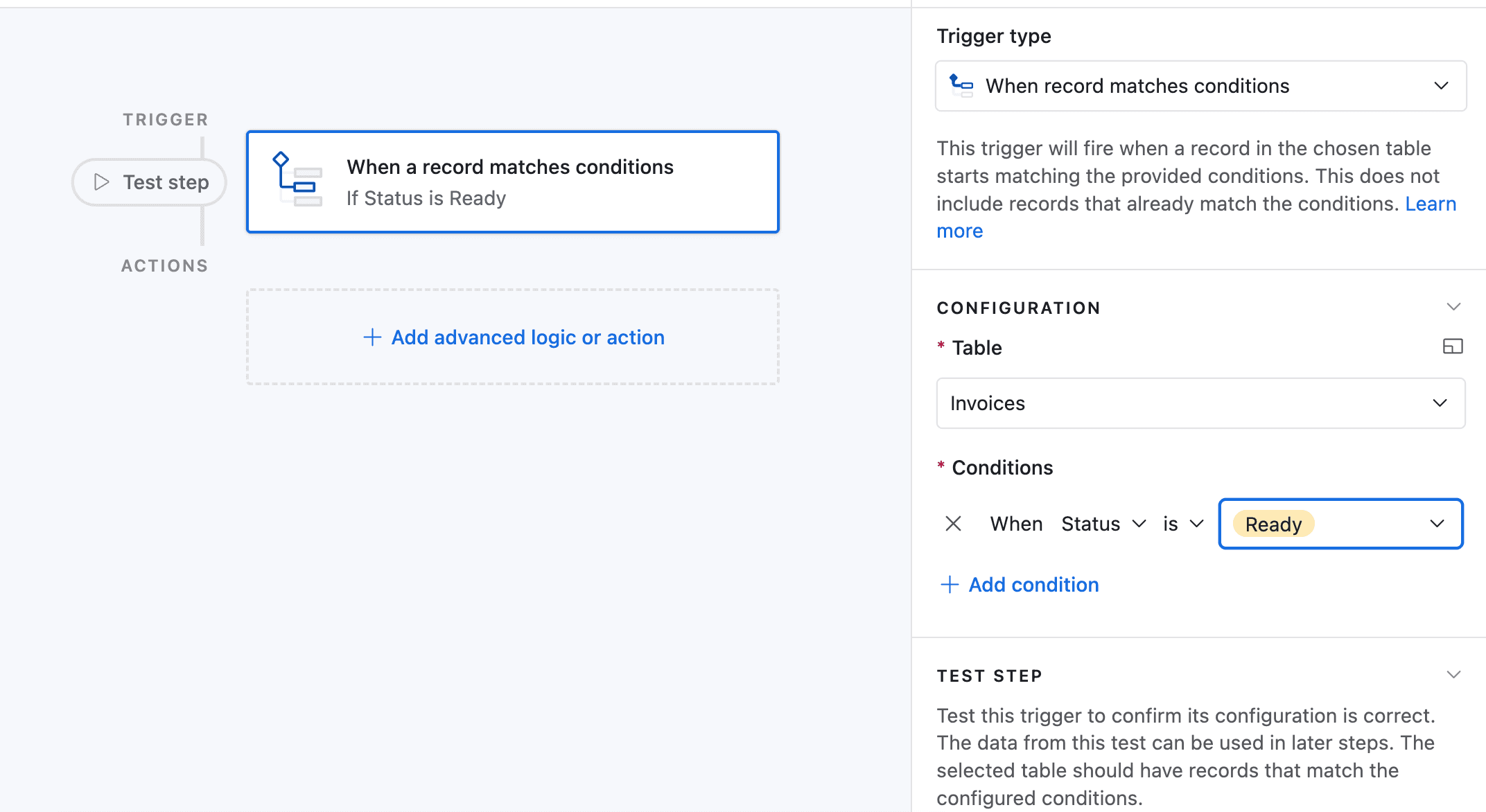
-
Now choose a record that matches the condition
-
Click on Add an advanced logic or action
-
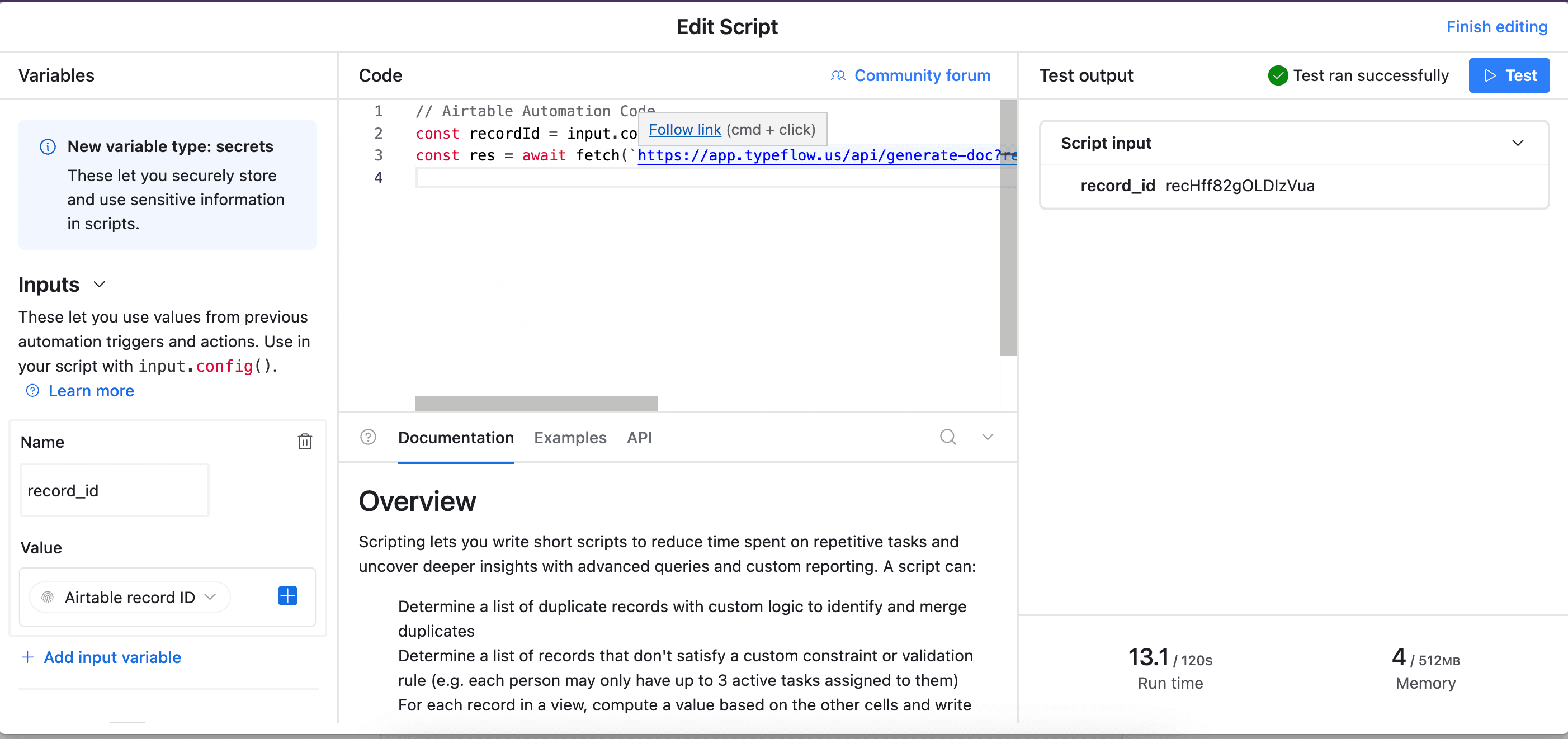
Pick Run Script. A new popup appears.
-
Go back to TypeFlow and select Automation in Airtable. Copy the script.
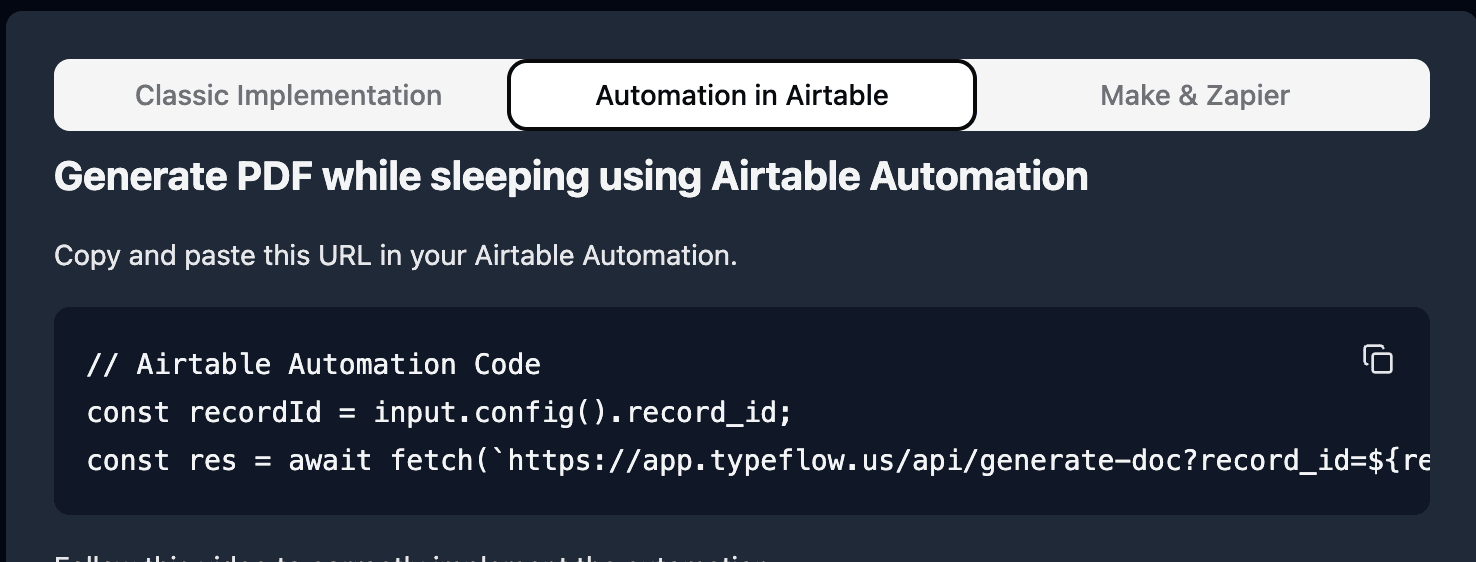
- Paste the script in the popup.
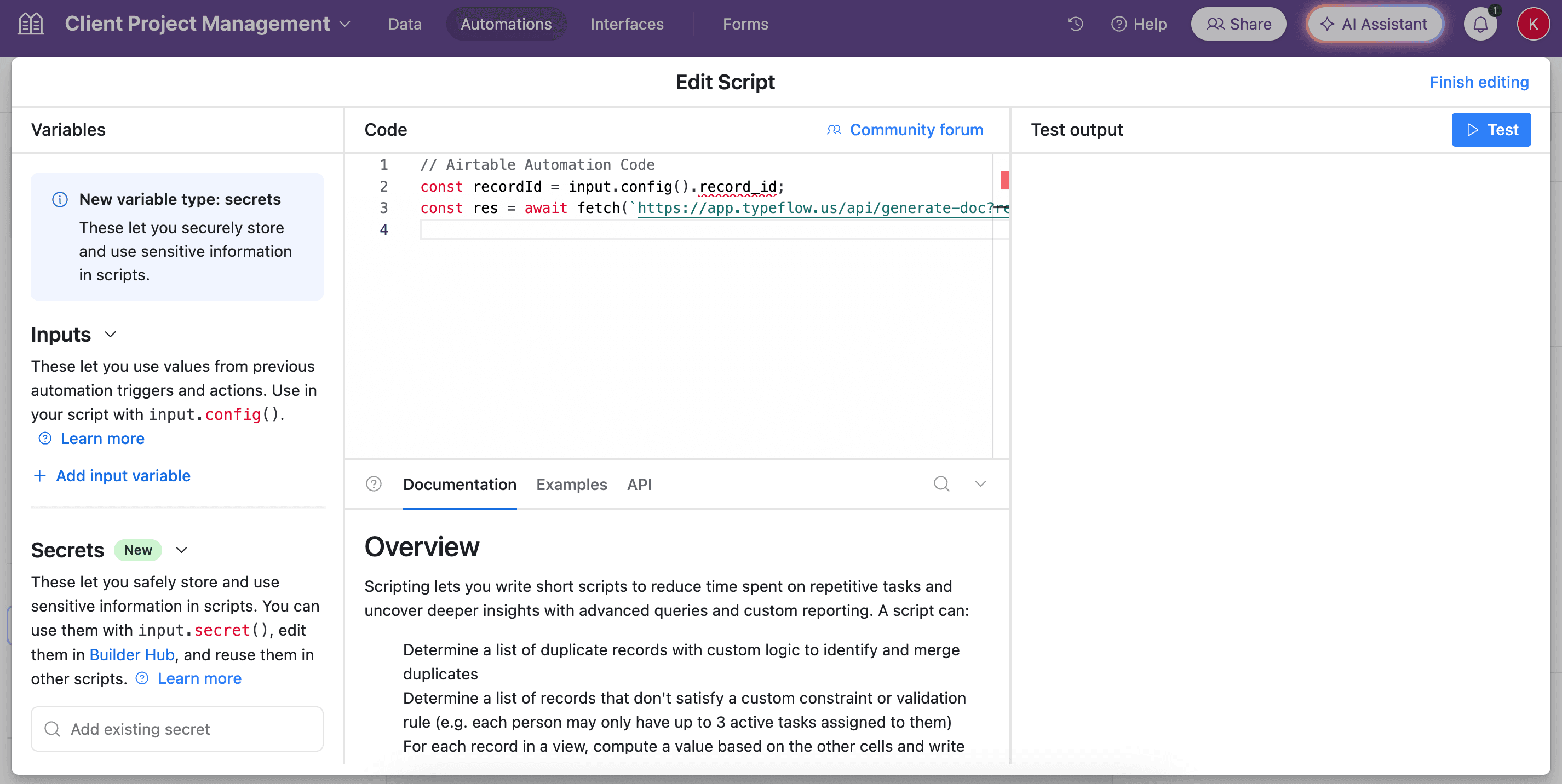
- In the left-side of the popup, configure the variable input
record_id. Select Airtable Record ID from the dropdown.
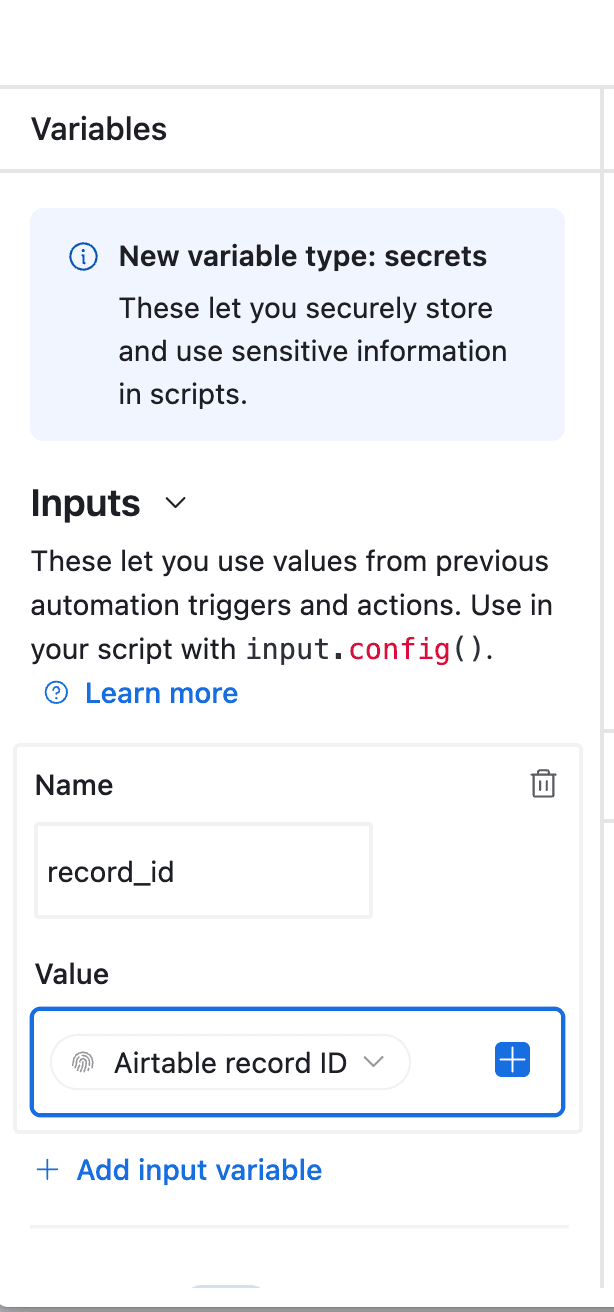
- Test your script and verify it works. Most errors come from the record_id variable not being configured correctly (see step 12).
Best for: High-volume operations, real-time documentation as production completes, or compliance workflows requiring immediate record generation.
Sending Traceability Documents Automatically
Once your traceability PDF is generated, you can automatically email it to stakeholders. TypeFlow includes integrated email delivery - no external tools required.
- Open your flow and click the Email tab
- Toggle Enable Email Delivery to ON
- Set the Recipient to your Customer Email or QA Manager field from Airtable
- Configure subject and body with
{{variables}}from your record
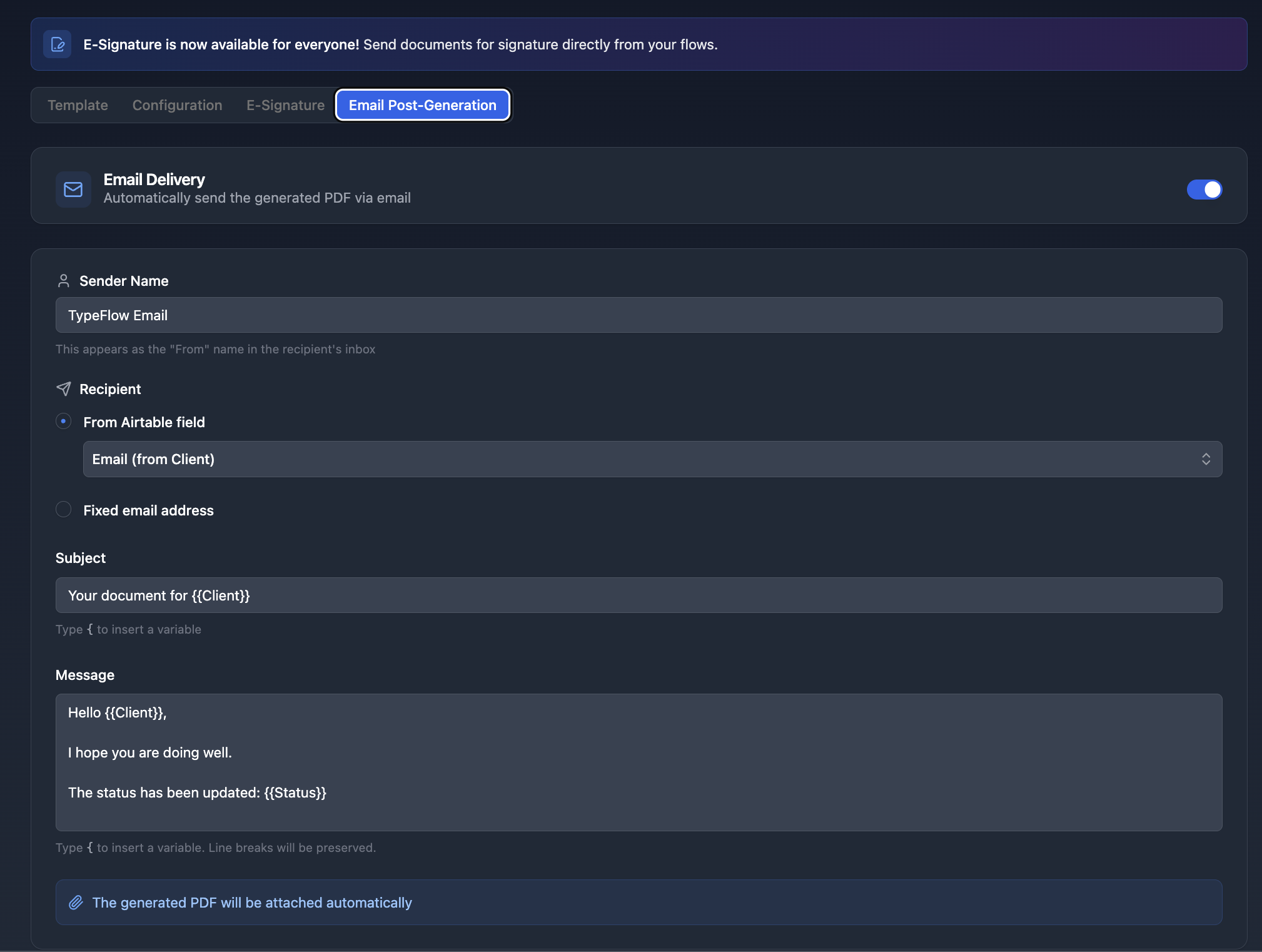
After each generation, the traceability document is automatically sent as a PDF attachment. This works with all three generation methods.
Use cases for auto-email:
- Send to customers with each shipment
- Notify QA managers when documents are ready for review
- Distribute to suppliers for confirmation
- Archive to compliance team email folders
Adding E-Signatures to Traceability Documents
Many traceability workflows require sign-off from inspectors, supervisors, or receiving personnel. TypeFlow includes built-in e-signature that is legally compliant under eIDAS and the ESIGN Act.
Comparison: Manual vs. TypeFlow E-Signature
| Workflow Step | Manual Process | With TypeFlow E-Signature |
|---|---|---|
| Generate document | Export PDF manually | One-click or automated |
| Send for signature | Upload to separate tool | Send directly from Airtable |
| Track status | Check external platform | Status syncs to Airtable |
| Store signed copy | Download and re-upload | Auto-saves to record |
Single Signatory Workflow
Most traceability documents require one QA manager or inspector to sign:
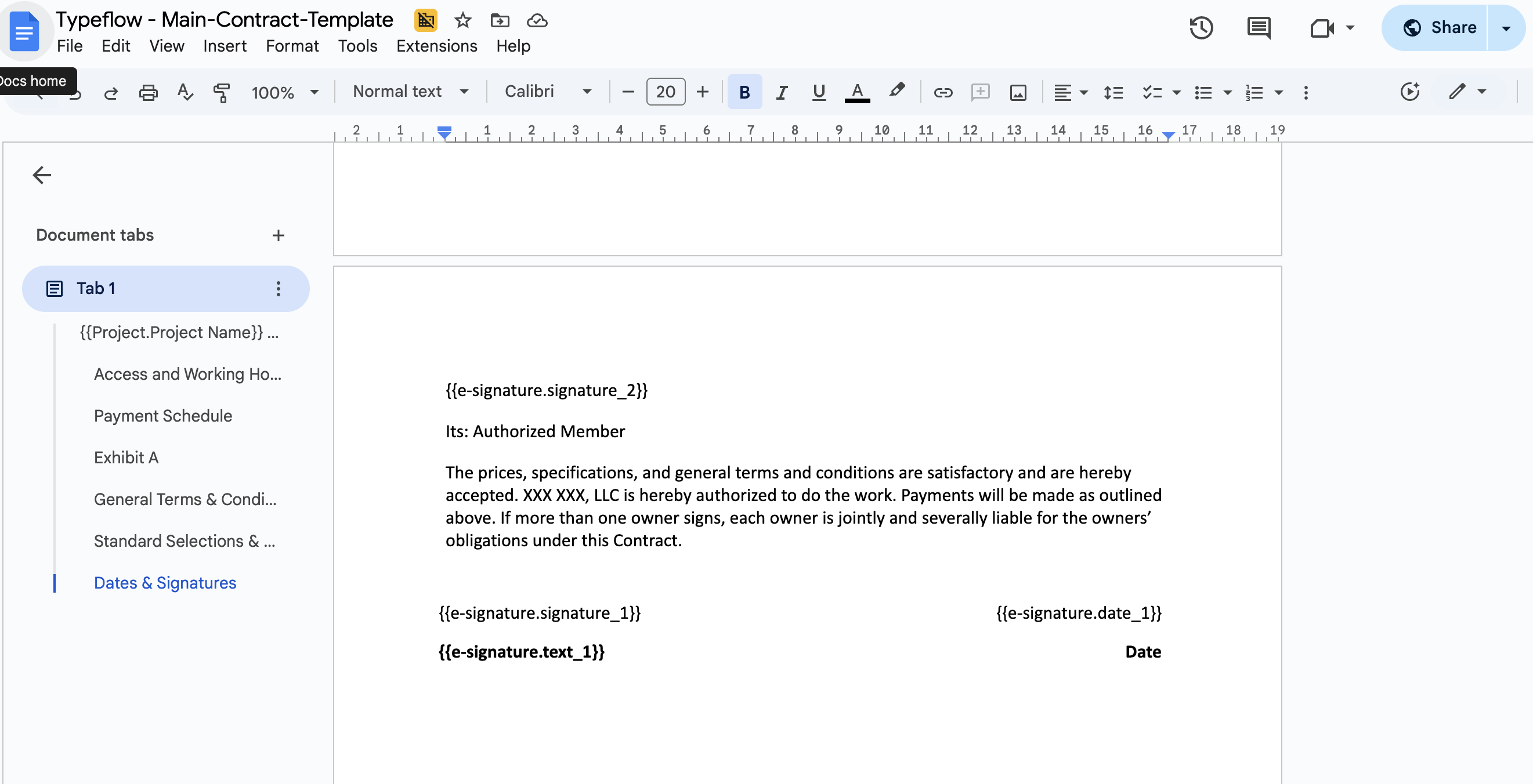
Step 1: Add signature placeholders to your template:
AUTHORIZED BY

Signature: {{e-signature.signature_1}}
Name: {{e-signature.text_1}}
Title: {{e-signature.text_2}}
Date: {{e-signature.date_1}}
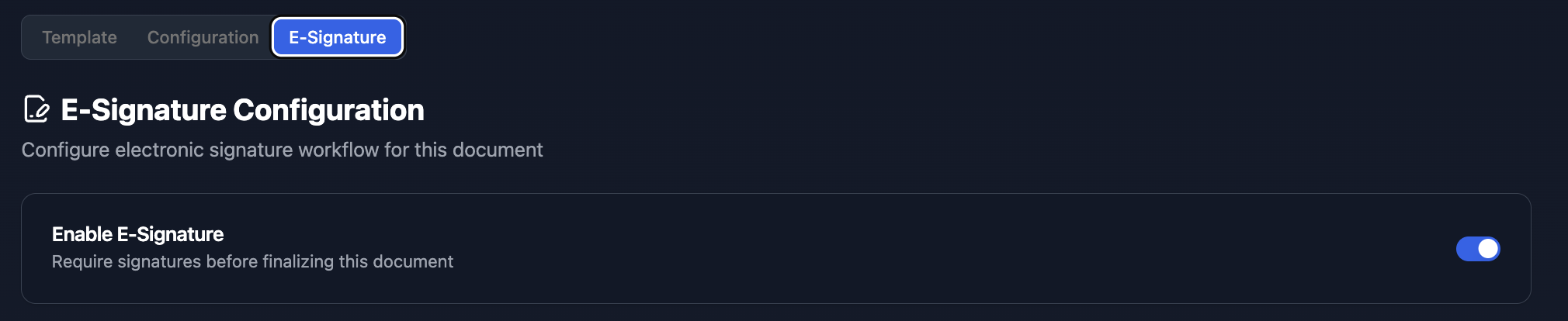
Step 2: In TypeFlow, enable e-signature in your flow settings:
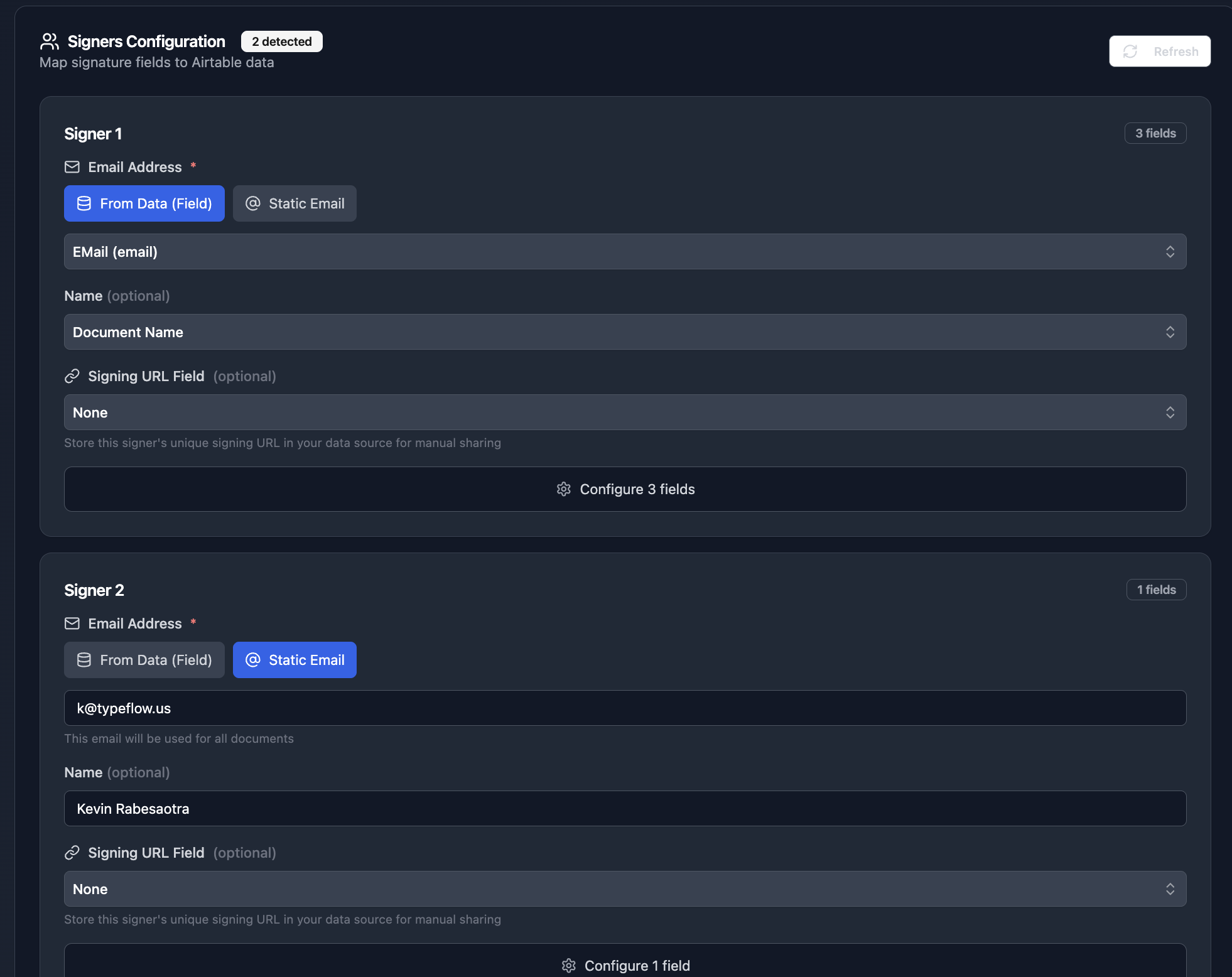
Step 3: Configure the signer. Map the email to your QA Manager Email field from Airtable:
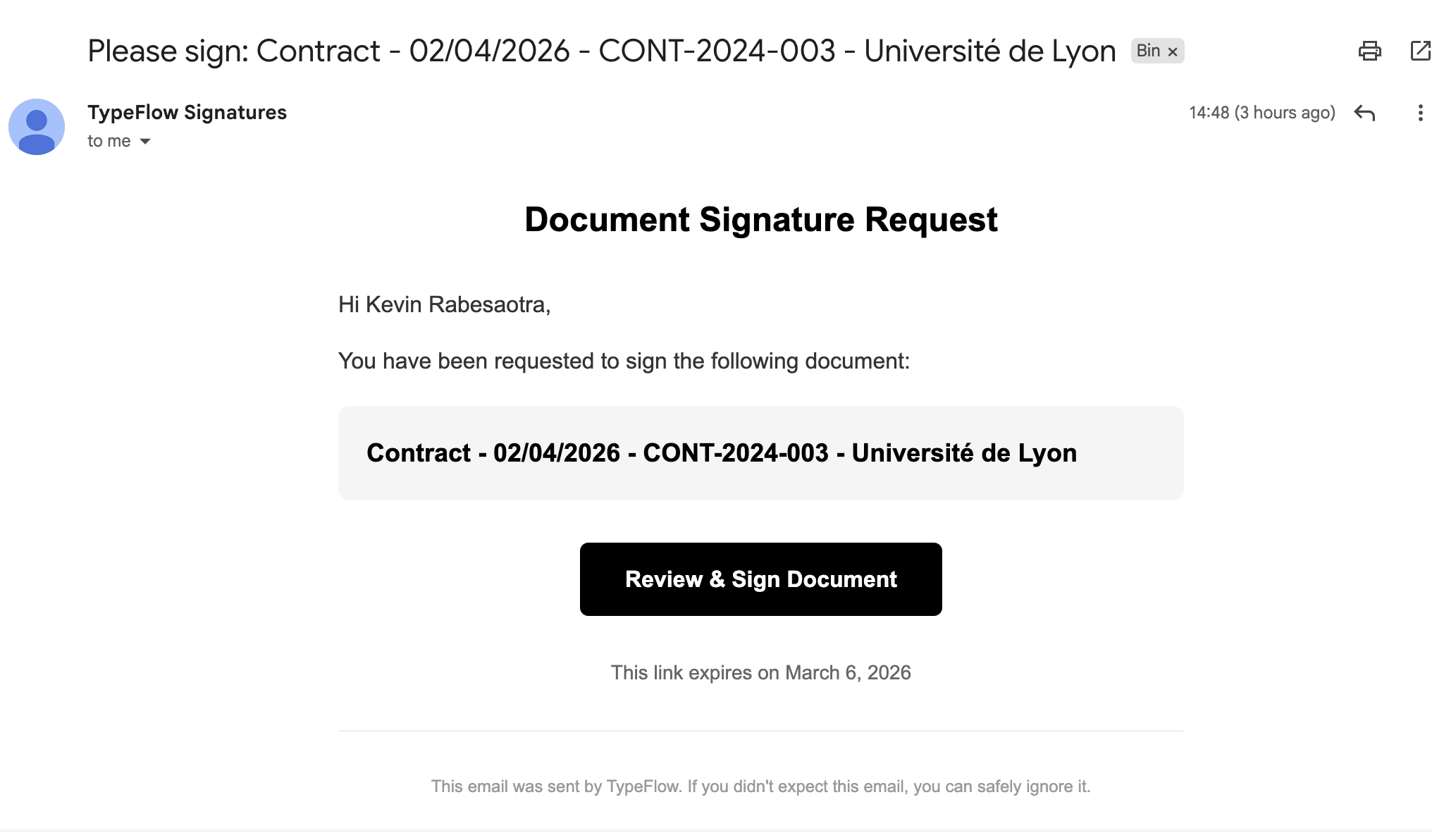
Step 4: When the document generates, the signer receives an email invitation:
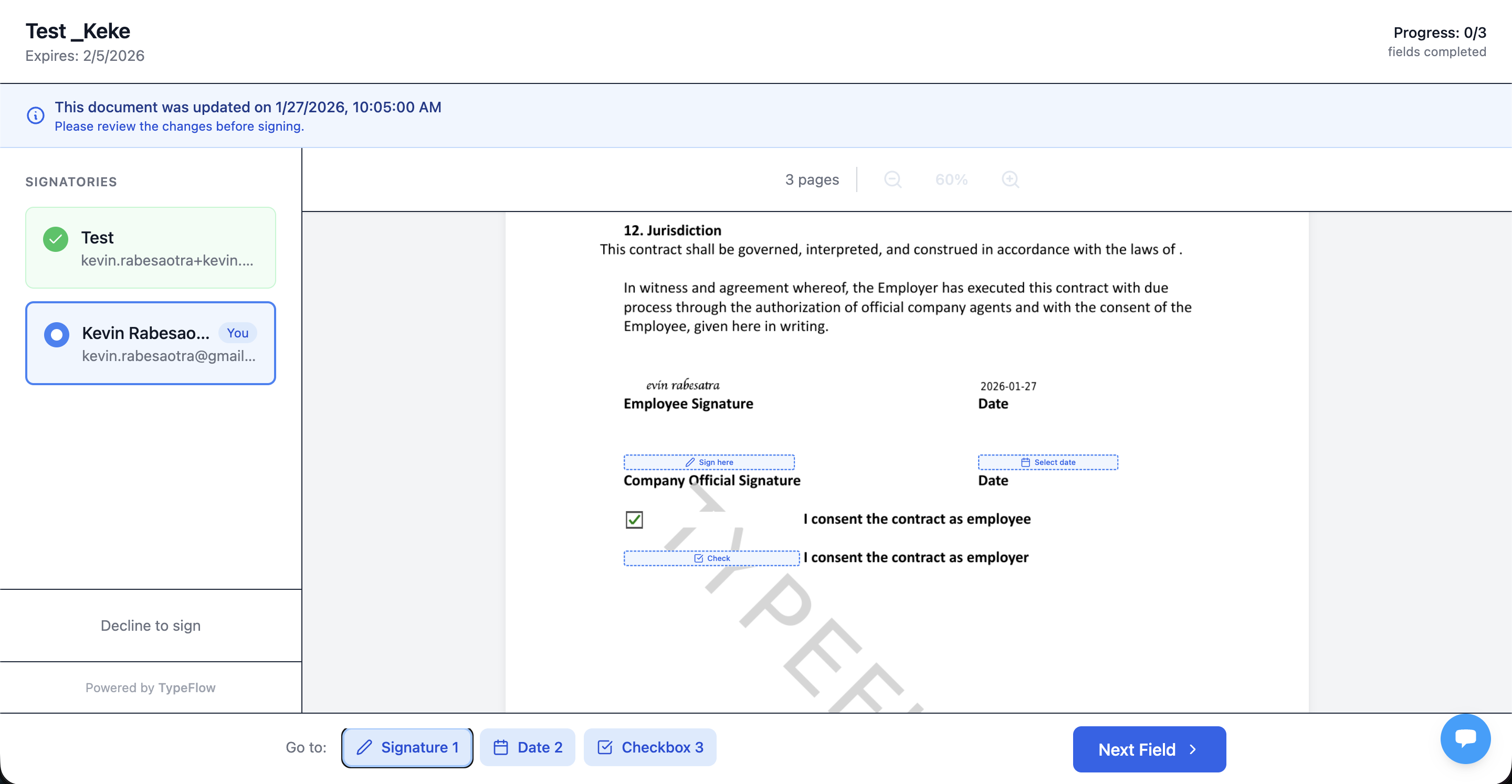
Step 5: The signer reviews and completes the signature fields:
Multi-Signer Approval Workflow
For organizations requiring multiple approvals (e.g., Inspector + QA Manager + Customer):
Step 1: Add signature placeholders for each signer:
QA INSPECTOR

Signature: {{e-signature.signature_1}}
Name: {{e-signature.text_1}}
Date: {{e-signature.date_1}}

QA MANAGER APPROVAL

Signature: {{e-signature.signature_2}}
Name: {{e-signature.text_2}}
Date: {{e-signature.date_2}}

CUSTOMER ACKNOWLEDGMENT

Signature: {{e-signature.signature_3}}
Name: {{e-signature.text_3}}
Date: {{e-signature.date_3}}
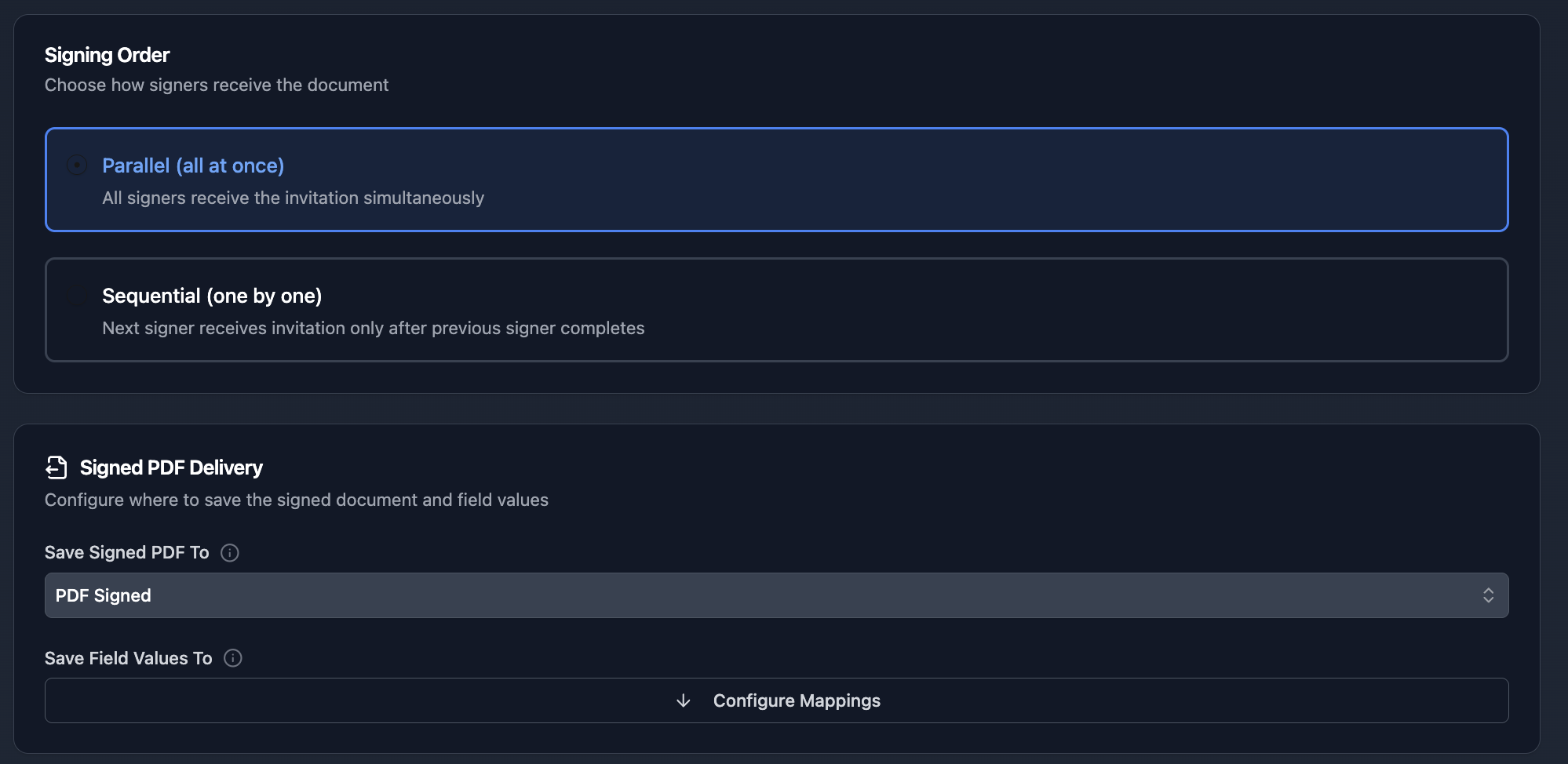
Step 2: Configure signers and choose Sequential signing mode for approval chains:
Certificate of Completion
The signed PDF includes a Certificate of Completion with:
- Timestamps for each signing action
- IP addresses and geographic location
- Browser and device information
- SHA-256 document hash for integrity verification
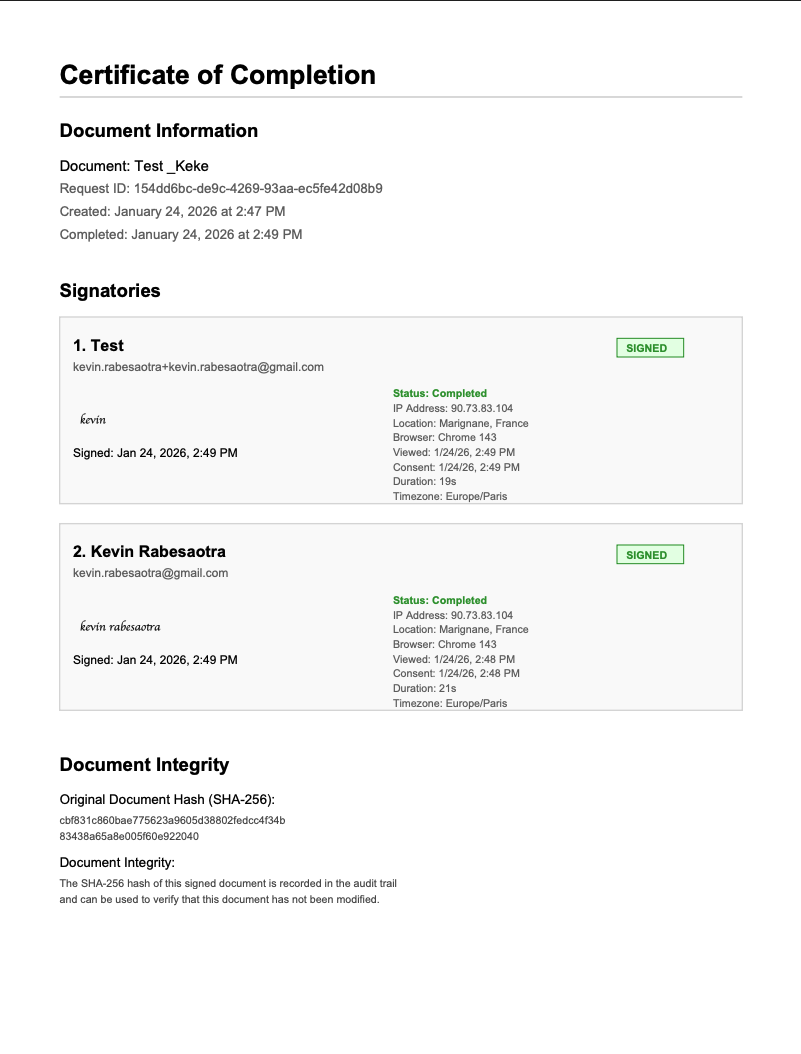
This audit trail meets FDA 21 CFR Part 11 requirements for electronic records and signatures.
Automate your document generation
Start with 20 free documents. Built for businesses using Airtable.
Industry Compliance Requirements
For audit-ready table exports with version control and e-signature, see our compliance reporting guide.
According to Deloitte, sustainability and traceability data is often fragmented across business units, with many companies still relying on manual collection processes. Automating traceability documentation closes these gaps.
FDA 21 CFR Part 11 (Pharmaceuticals & Medical Devices)
For FDA-regulated products, your traceability documents should include:
- Complete lot genealogy with linked records
- Electronic signatures with audit trails (TypeFlow e-signature meets this)
- Timestamps for all production and inspection events
- Document integrity verification (SHA-256 hash)
ISO 9001 / ISO 22000 Quality Management
ISO-certified operations require:
- Reference to applicable standards
- Traceability from raw materials to finished product
- Authorized signatory from approved list
- Document control (version tracking via Airtable)
HACCP Food Safety
Food production traceability must include:
- Critical Control Point documentation
- Temperature and time records
- Supplier certifications
- One-up/one-back traceability (immediate supplier and customer)
Traceability PDF Tools: TypeFlow vs Alternatives
If you're comparing tools, here's a quick way to decide based on traceability needs (linked records, multi-page output, and audit trails).
| Tool | Best For | Tradeoffs |
|---|---|---|
| TypeFlow | Traceability PDFs with linked records, line items, and e-signatures | Purpose-built for document automation and compliance workflows |
| Documint | Pixel-perfect layouts and visual template building | Can take more setup for deeply linked traceability data |
| DocsAutomator | Simpler document generation | Less suited for advanced traceability (deep linking, approvals) |
| Plumsail Documents | Enterprise document workflows | More complexity and overhead for smaller teams |
| Make/Zapier + PDF services | Custom, multi-step automation across tools | More moving parts to build and maintain |
- Choose TypeFlow if: You need linked-record tables, multi-page outputs, and signatures with audit trails
- Choose a simpler tool if: You only need a basic, single-record PDF with minimal linked data
Troubleshooting Traceability Document Issues
Use this quick checklist to fix the most common traceability PDF issues.
PDFs Missing Linked Record Data
- Check the link: Confirm the Supplier/Inspections/Shipments linked field is populated on the batch
- Check mapping: Make sure linked variables (like
{{Supplier.Name}}) are mapped through the linked record path
Inspection Line Items Not Rendering
- Check the loop source: Your
{{loop_0}}must point to the linked Inspections field - Check fields inside the loop: Variables like
{{Inspection_Date}}must exist in the Inspections table
E-Signature Emails Not Sending
- Check the signer email: The mapped email field must contain a valid address
- Check settings: E-signature must be enabled for that flow, and the email may land in spam
Attachment Images Showing as URLs
- Use the right template syntax: Insert attachments using the image/attachment syntax supported by TypeFlow instead of a plain text variable
Best Practices for Traceability Document Automation
Use Clear Field Naming Conventions
Match your Airtable field names to template variables exactly:
| Instead of | Use |
|---|---|
| Batch # | Batch_ID |
| Supp. Name | Supplier_Name |
| Insp. Date | Inspection_Date |
Create Status-Based Views
Filter records by documentation status:
- Pending Traceability - Complete batches without documents
- Documents Generated - Ready for signature
- Fully Documented - Signed and archived
Track Document Generation
Add a "Traceability Status" single select field:
- Pending
- Generated
- Sent for Signature
- Signed
- Archived
Update automatically with Airtable Automations based on TypeFlow actions.
Use Autonumber for Document IDs
Ensure unique, sequential document numbers: TRACE-2026-{{autonumber}}
Start Generating Traceability PDFs from Airtable Today
Turn traceability documentation into an automated workflow instead of a manual chore. Generate consistent PDFs, reduce errors, and stay ready for audits. Rated by quality and operations teams on G2.
- Set up once: Build a template and mapping that you can reuse for every batch
- Generate your way: One-click, bulk, or automated on status changes
- Stay compliant: Add e-signatures and audit trails when needed
When you're ready, connect your Airtable base to TypeFlow and generate your first traceability PDF.
Related Manufacturing Documents
- How to Generate Production Orders in Airtable - Automate production order PDFs with BOM line items
- How to Generate Spec Sheet PDFs from Airtable - Create professional product spec sheets at scale
- How to Build Quality Control Reports in Airtable - Automate QC reports with defect tables and photos
- How to Create Certificates of Conformity in Airtable - Automate CoC PDFs with test results and e-signatures
- Best Certificate Generation Tools for Airtable - Eleven tools compared on pricing, e-signatures and automation
Frequently Asked Questions
Find answers to the most common questions about this feature.
Popular Questions
All Questions
Need more help?
Our team is here to help you solve all your problems and answer your questions.
Contact Us
Kevin from TypeFlow
•AuthorKevin Rabesaotra is a growth engineer and automation specialist with 8+ years of experience building no-code solutions. As Founder & CEO of TypeFlow, he has helped hundreds of businesses automate document generation and streamline workflows with Airtable integrations. Previously, Kevin was a Product Lead specializing in growth engineering, running experiments to drive revenue, retention, and lead generation.
More articles
How to Print Labels from Airtable with Quantity Control (Step by Step)
Print multiple labels per Airtable record based on a quantity field. Step-by-step guide for linked records mode and quantity repeat mode with barcodes and Avery sheets.
Read articleHow to Print Avery Mailing Labels from Airtable
Print Avery mailing labels (5160, 5161, 5162) from Airtable without Word mail merge. Step-by-step guide with print label mode, automation, and bulk generation.
Read articleHow to Create Inventory Labels with Barcodes in Airtable
Create inventory labels with Code 128, EAN-13, or QR barcodes from Airtable. Step-by-step guide for warehouse, retail, and asset tracking with thermal and Avery printers.
Read article