How to Send E-Signature Emails in French, German, or English
Set the signing language per flow so your signers see the entire e-signature experience in their language - signing page, emails, consent text, and verification codes. TypeFlow supports English, French, and German.
Overview
By default, the e-signature experience is in English. If your signers speak French or German, you can switch the language in your flow settings. Everything the signer sees and receives will be in the selected language.
This is especially important for:
- Identity verification (OTP) - a French signer receiving a verification code in English may think it is spam
- Legal consent - the consent text shown before signing should be in the signer's language
- Professional communication - signing invitations, reminders, and completion emails that match your recipient's language
How to Configure
- Open your flow and go to the Actions tab
- Open the E-Signature settings
- Find the Signing Language dropdown (above Date Format)
- Select English, Francais, or Deutsch
- Save - the setting auto-saves
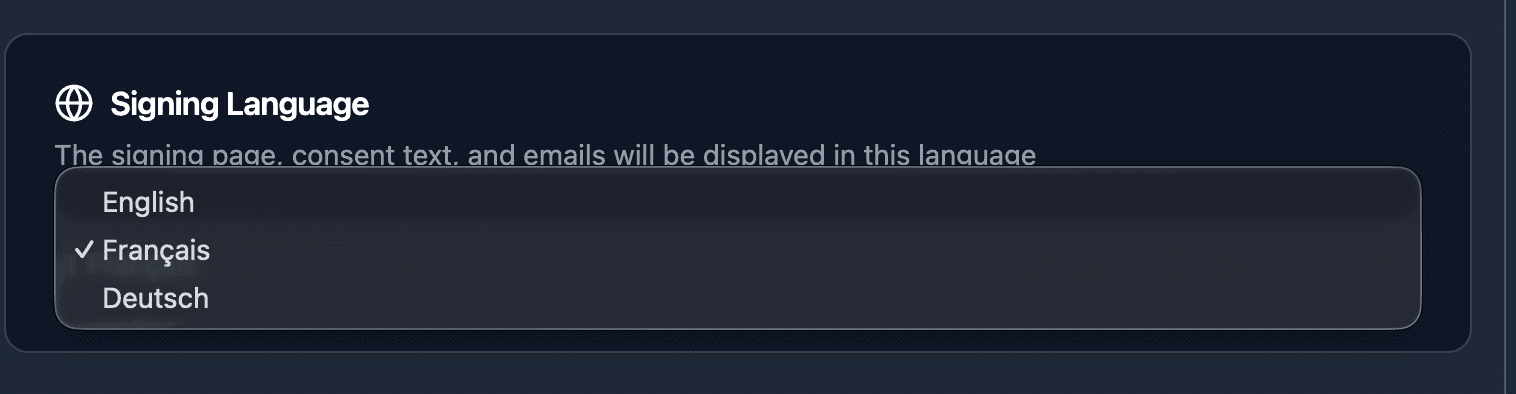
That is it. All future signature sessions created from this flow will use the selected language.
What Gets Translated
Everything the signer sees:
| Element | Example (French) |
|---|---|
| Signing page UI | Buttons, labels, progress indicators |
| Legal consent text | "En signant ce document, vous acceptez..." |
| Document update consent | When a document is regenerated after changes |
| Signature field modals | Draw, type, or upload signature prompts |
| Error pages | Expired link, already signed, session cancelled |
| Invitation email | Subject, greeting, body, button text |
| Reminder email | "Vous n'avez pas encore signe..." |
| Completion email | "Toutes les signatures sont terminees" |
| Expiration email | "Le lien de signature a expire" |
| OTP verification email | "Votre code de verification" |
| OTP verification page | "Verifiez votre identite", countdown timer |
| Date formatting | DD/MM/YYYY (French), DD.MM.YYYY (German) |
What Stays in English
A few elements remain in English regardless of the language setting:
- Flow builder UI - the configuration interface stays in English
- Owner notification emails - emails sent to you (document viewed, signature completed) are in English
- Certificate of Completion - the legal certificate appended to the signed PDF is always in English for standardization
- Audit trail data - event names and metadata remain in English
How It Works
The language is set per flow, not per signer. When you select French, all signers in that flow receive everything in French.
The language is locked at session creation time. This means:
- If you change the language from English to French, only new signature sessions use French
- Existing sessions (already sent) remain in English
- This prevents signers from receiving mixed-language communication mid-session
If you need to send documents in multiple languages, create separate flows - one per language. You can use the same template and point them at the same Airtable table.
Custom email body
If you use custom email body (Enterprise plan), your custom text is sent as-is. The surrounding UI elements (document card, signing button, security footer) still follow the selected language.
Write your custom email body in the language of your signers. TypeFlow does not auto-translate custom text.