Decline Types: Tell a Refused Document From a Refused Method
A signer can refuse your document, or refuse to sign it electronically. Those need opposite follow-ups, so TypeFlow records them separately and lets you write a different value to Airtable for each.
Overview
Before, every decline wrote the same value back to your base. "I do not agree to these terms" and "I do not sign things over the internet, please post it" arrived identically, and the only way to tell them apart was to read the reason the signer typed.
That matters because the two lead somewhere completely different. One closes the file. The other means printing the document and putting it in an envelope.
TypeFlow now records which of the two happened, and you can map each to its own Airtable value.
The Two Types
| Type | What the signer means | Typical follow-up |
|---|---|---|
| Declined the document | They reject what the document says | Revise it, or close the file |
| Declined electronic signing | They will not sign online. No position on the content | Contact them and agree another route |
The second one is the important distinction. Someone who declines electronic signing may agree with every word of your document. Recording that as a refusal of the document would say something they never said.
In both cases the signature request closes for every signer. A required signer who will not sign in TypeFlow blocks the document whatever their reason, and gathering the remaining signatures would only produce a document that can never be completed.
Set Up Airtable Actions
In your flow's e-signature settings, under Update field when a signer declines, there are now two blocks.
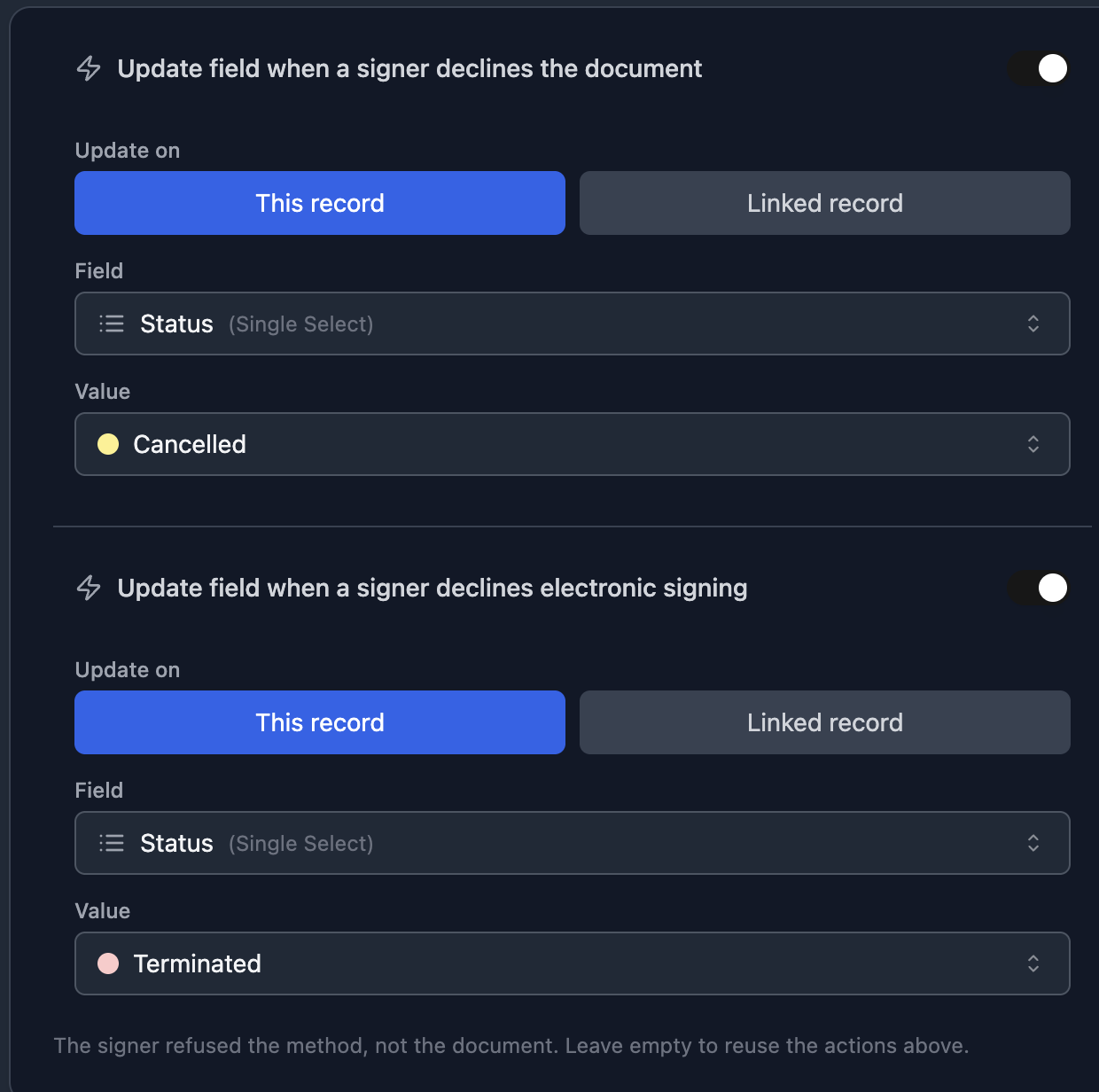
- Update field when a signer declines the document - the actions you already had. Nothing changes here.
- Update field when a signer declines electronic signing - leave it empty to reuse the actions above, or set a different value.
A worked example on a proofing flow:
| Type | Status written | What your automation does |
|---|---|---|
| Declined the document | Needs revision | Sends it back to the designer |
| Declined electronic signing | Send by post | Prints and posts it |
Your Airtable automation then fires on the right status, with no manual sorting.
If you use a Single Select field, make sure the value you type already exists as an option. Airtable rejects a write to an option it does not know.
What the Signer Sees
There are two ways in, and both end at the same question.
Before opening the document, the consent screen carries a link: I do not wish to use electronic signature. Someone who will not sign electronically should not have to tick "I agree to sign electronically" in order to say so.
After opening it, the sidebar carries Decline to sign, with the optional reason field.
Either way, the confirmation asks What are you declining? and offers two choices:
- I refuse this document - I do not agree with its content.
- I only refuse to sign electronically - send it to me another way. This says nothing about the content.
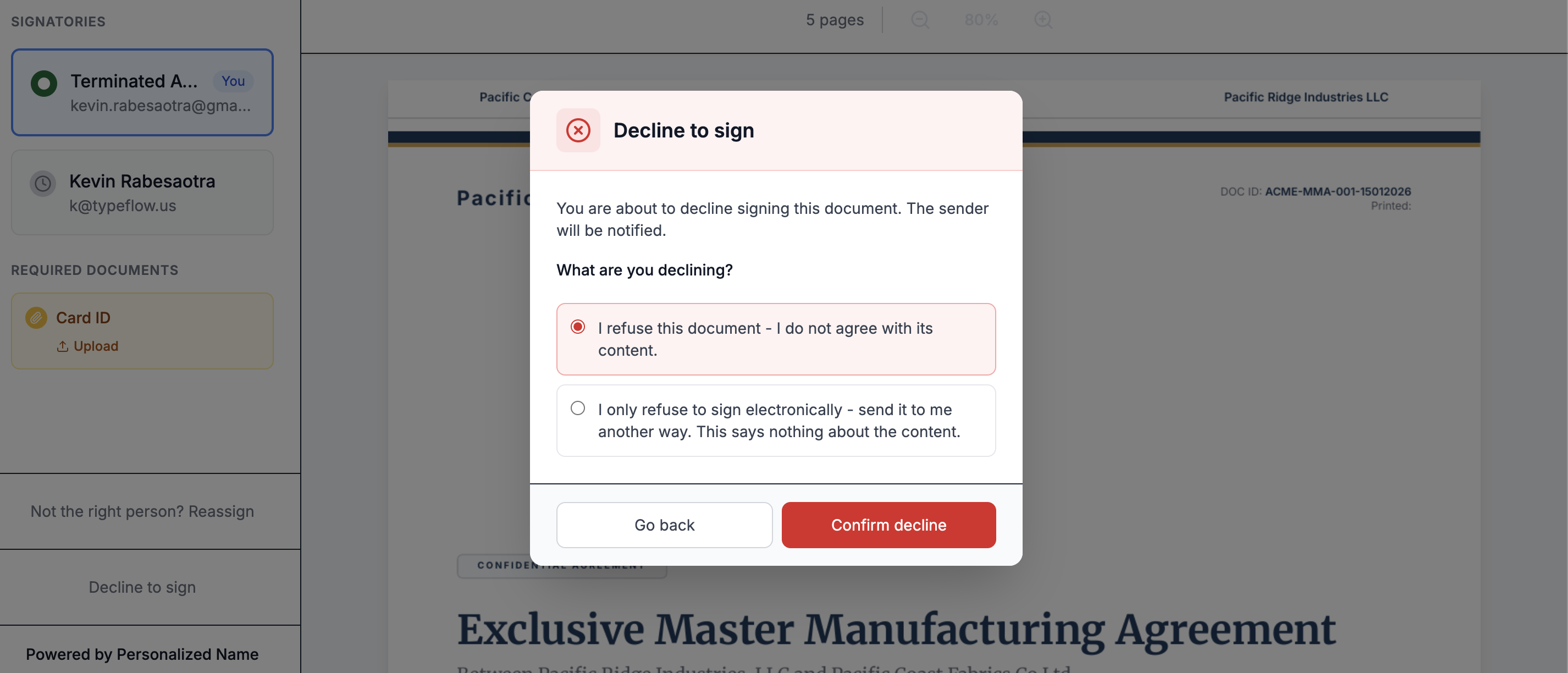
This matters because the consent screen does not come back. Consent is recorded once, on your account rather than in the browser, so it does not reappear on another device either. A signer who consents and then changes their mind still needs a way to ask for paper - and before this, the only button left recorded a refusal of the document.
Picking the second one spells out what is being recorded before anything is sent:
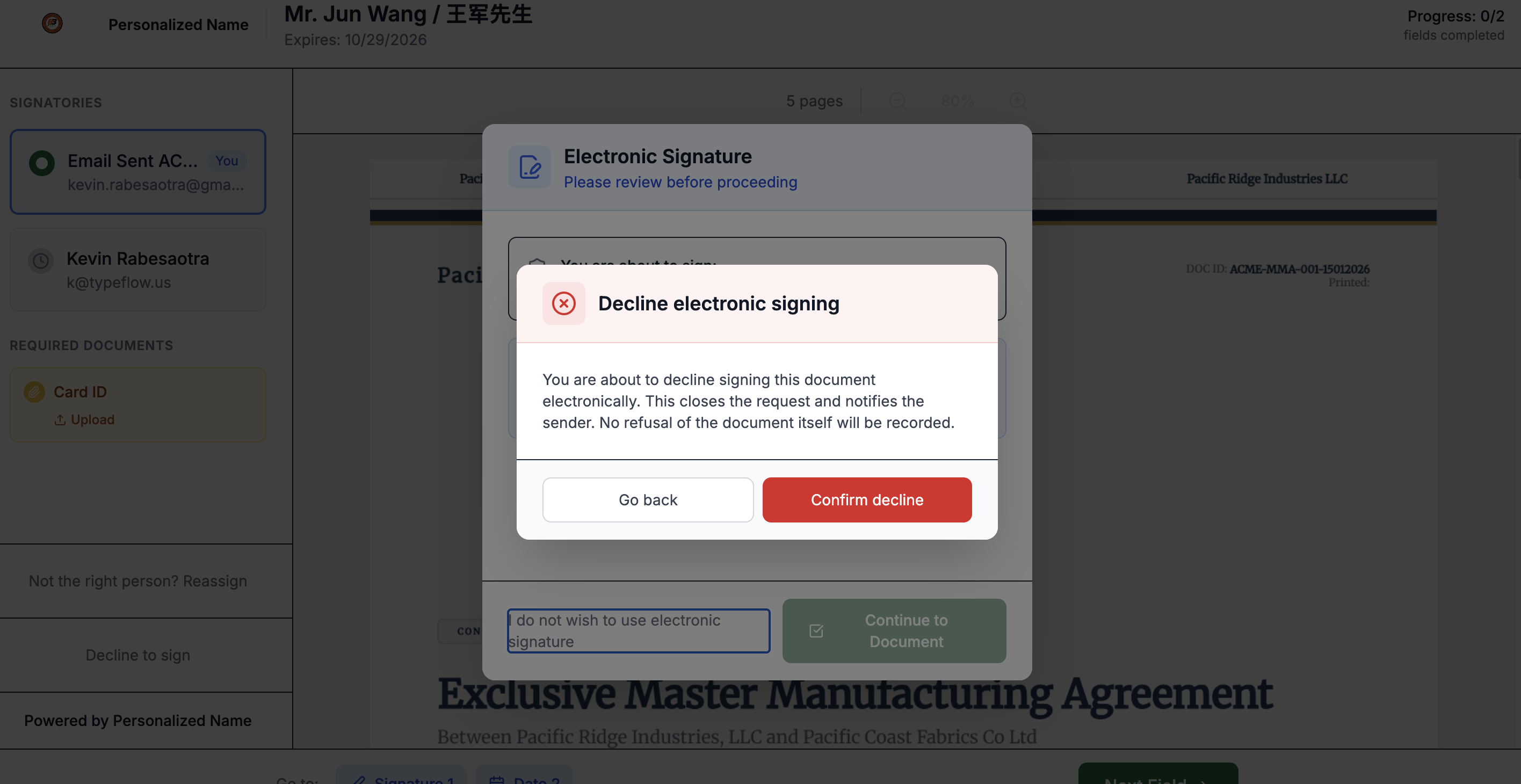
The closing screen differs too. Someone who declined the method is told the request is closed, that no refusal of the document was recorded, and to contact you directly to agree on how to proceed. TypeFlow does not promise them a paper copy - that is your call.
When Not to Use a Decline
Two situations look like declines but are not, and both keep the request alive:
- The wrong person received it. Use reassignment instead. The signer forwards it to the right colleague and the document carries on.
- The document needs a correction. Turn on change requests so the signer can flag what needs changing without killing the request.
Using a decline for either would cancel a signature request that should have continued.