How to Cancel (Void) a Pending Signature Request
You can cancel any pending signature request before all signers have completed. This voids the signing session, revokes all signing links, and notifies signers that the request has been cancelled. Use this when contract terms change, you sent to the wrong recipient, or you need to regenerate the document with updated data.
Overview
Sometimes you need to stop a signature request that's already in flight:
- Terms changed - the client negotiated different pricing after you sent the contract
- Wrong recipient - you sent to the wrong email address
- Document error - you spotted a mistake after sending
- Client moved - the contact's address or details changed
Instead of waiting for the session to expire (up to 90 days), you can cancel it immediately and send a corrected version.
How to Cancel a Signature Request
- Go to E-Signature History in TypeFlow (navigate to
/history/signature) - Find the session you want to cancel
- Click on the session to open the details page
- Click the Cancel Request button in the Status panel
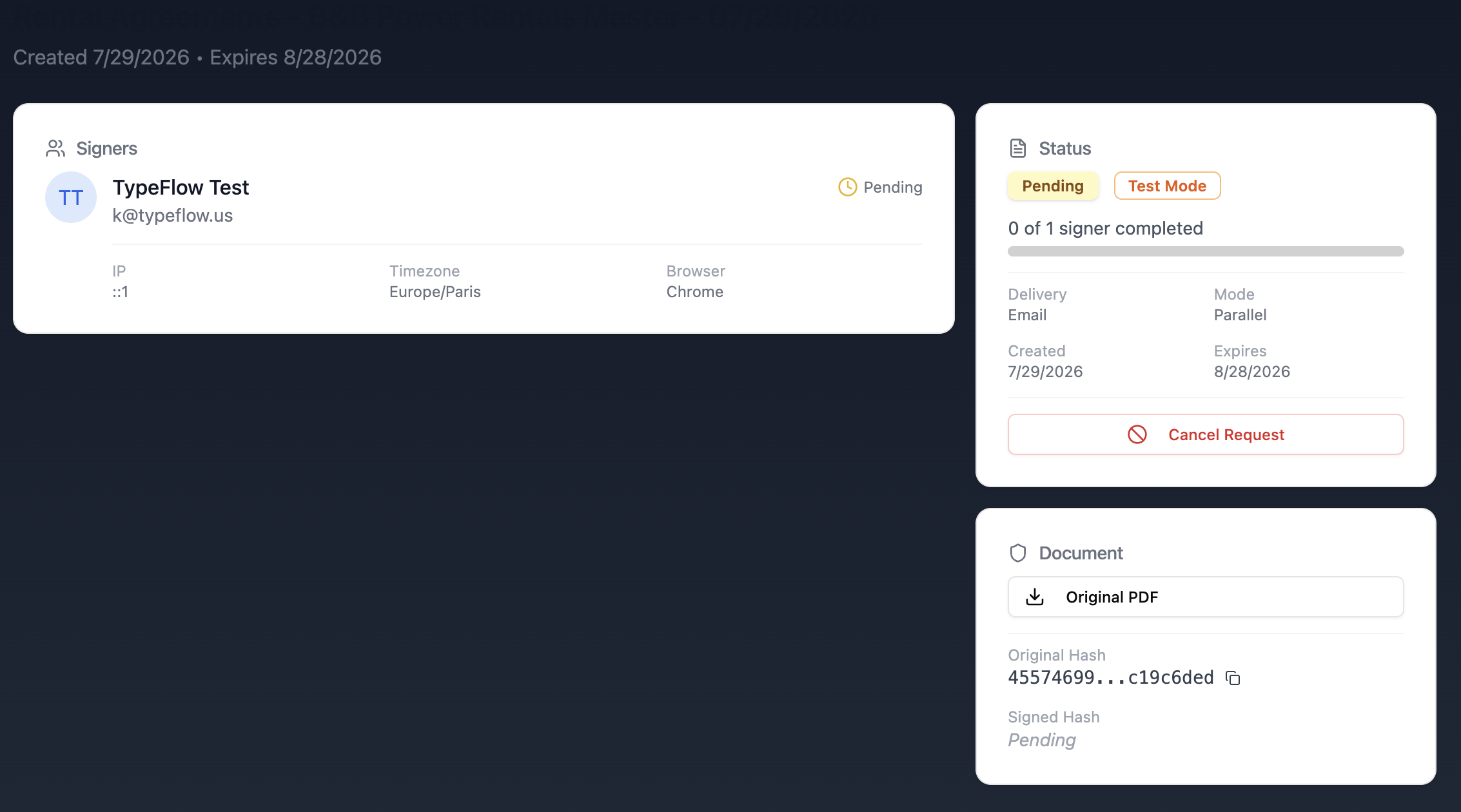
The button is only visible for sessions with status Pending (at least one signer has not yet signed).
What Happens When You Cancel
- All signing links are revoked - signers who click the link see a message that the request has been cancelled
- Partial signatures are voided - if one signer already signed but others did not, the entire session is invalid
- The session status changes to Cancelled - visible in your e-signature history
- The cancellation is logged in the audit trail - with timestamp and who cancelled
- The original document is not affected - the unsigned PDF stays attached to your Airtable record
When to Cancel vs Regenerate
| Situation | Action |
|---|---|
| Wrong terms or data in the document | Cancel, then regenerate with corrected data |
| Sent to the wrong person | Cancel, update the email in Airtable, regenerate |
| Client asked to wait before signing | Keep the session active (don't cancel) |
| You want to update the document but keep the same signers | Cancel, then regenerate - signers get new links |
| Session expired naturally | No action needed - links are already inactive |
To send a corrected version after cancelling: simply regenerate the document for the same Airtable record. TypeFlow creates a brand new signature session with fresh signing links.
Related: Identity Verification (Email OTP) | Audit Trail | E-Signature Overview