Airtable Real Estate Document Automation: Complete Guide
Key Takeaways:
- Real estate teams generate the same documents repeatedly - property brochures, lease agreements, investor reports - and manual creation wastes hours every week.
- Airtable + TypeFlow automates the full real estate document lifecycle at ~$50/month compared to $200-500/month for AppFolio or Buildium.
- Property brochures with dynamic feature grids, embedded photos, and agent branding - no design tool needed.
- Lease agreements with built-in e-signature for tenant and landlord signing on any device.
- Investor reports pulling portfolio data from linked records, generated in bulk every quarter.
Last reviewed May 2026.
You can automate property brochures, lease agreements, and investor reports directly from your Airtable property data. Connect TypeFlow to your base, use Google Docs or HTML/CSS templates, and generate branded documents with e-signatures for tenant onboarding and lease signing - no manual Word or Canva work per listing.
According to NAR, 97% of home buyers use the internet in their property search - professional, consistent brochures aren't optional. And with Deloitte reporting accelerating digital transformation in commercial real estate, the teams that automate their document workflows gain a real competitive advantage.
This guide covers the three core document types for real estate, how to structure your Airtable base, and how to set up automated generation.
Automate your real estate documents
Generate property brochures, lease agreements, and investor reports from Airtable. E-signature included.
Start free with 20 documents →Why Real Estate Teams Use Airtable for Document Automation
The repetitive document problem
Real estate professionals lose 15-30 minutes per document on manual creation - multiply that by portfolio size and frequency, and it adds up to days per month. The pattern is the same across roles:
- Agents create a property brochure for every new listing, manually adding photos, features, and specs
- Property managers generate a lease for every new tenant, copying names, dates, and terms from a spreadsheet
- Fund managers compile investor reports every quarter, pulling performance data from multiple sources
Each document takes 15-30 minutes manually. Multiply by your portfolio size and frequency, and you're losing days per month to document creation.
Why not use dedicated real estate software?
Platforms like AppFolio, Buildium, and DotLoop handle property management and transactions, but at a cost - and with limited document customization.
| Feature | Airtable + TypeFlow | AppFolio | Buildium | DotLoop |
|---|---|---|---|---|
| Monthly cost | ~$50 | $298+ | $55+ | $31.99+ |
| Custom brochures | ✅ Full design control | ❌ | ❌ | ❌ |
| Custom lease templates | ✅ Your format | ✅ Standard templates | ✅ Standard templates | ✅ |
| Investor reports | ✅ Custom templates | Limited | ❌ | ❌ |
| E-signatures | ✅ Built-in, included | ✅ Included | ✅ Included | ✅ Included |
| Property photos in docs | ✅ From Airtable | Limited | Limited | ❌ |
| Feature grid display | ✅ Multi-select render modes | ❌ | ❌ | ❌ |
| Bulk generation | ✅ All listings at once | ❌ | ❌ | ❌ |
| Tenant management | Basic (Airtable) | ✅ Full | ✅ Full | ❌ |
| Accounting | Via Zapier | ✅ Built-in | ✅ Built-in | ❌ |
| Best for | Custom docs from Airtable | Property managers (50+ units) | Small property managers | Transaction management |
The sweet spot: TypeFlow is the right choice when you already manage properties in Airtable and need custom, branded documents. AppFolio/Buildium are better if you need full property management (accounting, tenant portals, maintenance tracking) and are willing to leave Airtable.
Real Estate Documents You Can Automate
Property Brochures
Professional listing sheets with property photos, features, specifications, and agent contact info. The brochure is your first impression - it needs to look polished and match your brand.
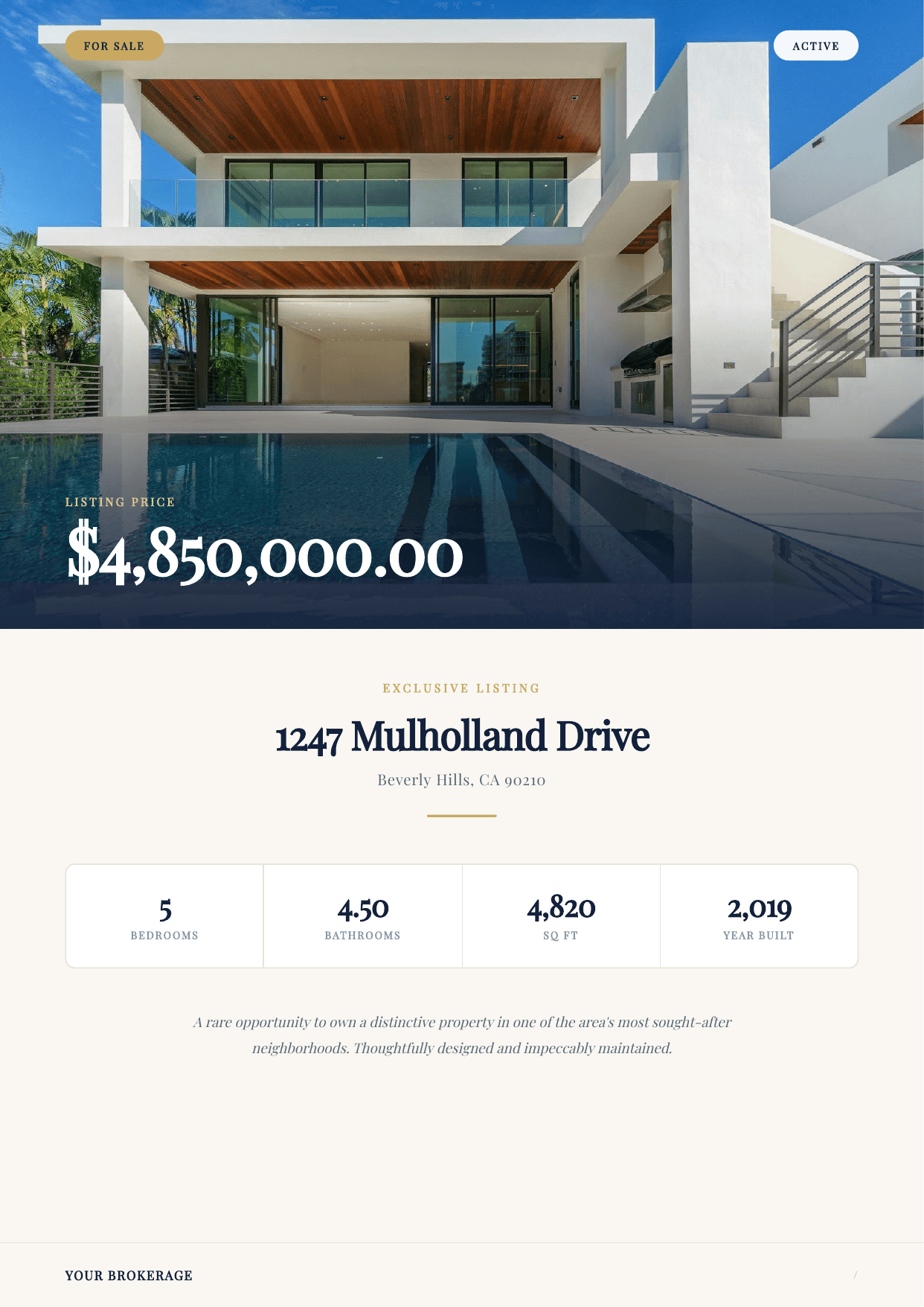
What makes this powerful: Property features (Pool, Hardwood Floors, Smart Home, Central A/C) display as a visual card grid using TypeFlow's multi-select render modes. No linked "Features" table needed - just a multi-select field rendered as branded cards.
Key fields: Property address, price, bedrooms, bathrooms, square footage, lot size, year built, description, features (multi-select), photos (attachment), agent name, agent photo, agent phone.
Trigger: Generate when listing status changes to "Active" or on demand for open houses.
Step-by-step guide: Generate Property Brochures from Airtable →
Lease Agreements
Rental contracts pre-filled with tenant data, property details, lease terms, and signature fields. The complete workflow: generate the lease, send for tenant signature, get landlord counter-signature, save the signed PDF back to Airtable.
Key fields: Tenant name, tenant email, property address, monthly rent, security deposit, lease start/end date, pet policy, parking assignment, special terms.
E-signature flow:
- Lease generates from Airtable record
- Tenant receives signing link on their phone
- Tenant signs during the walkthrough or from home
- Landlord/PM counter-signs
- Signed lease saves to Airtable record
Trigger: Auto-generate when application status changes to "Approved."
According to Forrester research commissioned by DocuSign, digital signatures save an average of 1.6 hours per transaction. For a property manager signing 20 leases per month, that's 32 hours saved.
Step-by-step guide: Generate Lease Agreements from Airtable →
Investor Reports
Quarterly or monthly portfolio performance reports for investors and stakeholders. Each report pulls data from multiple linked tables - properties, transactions, distributions - into a single branded PDF.
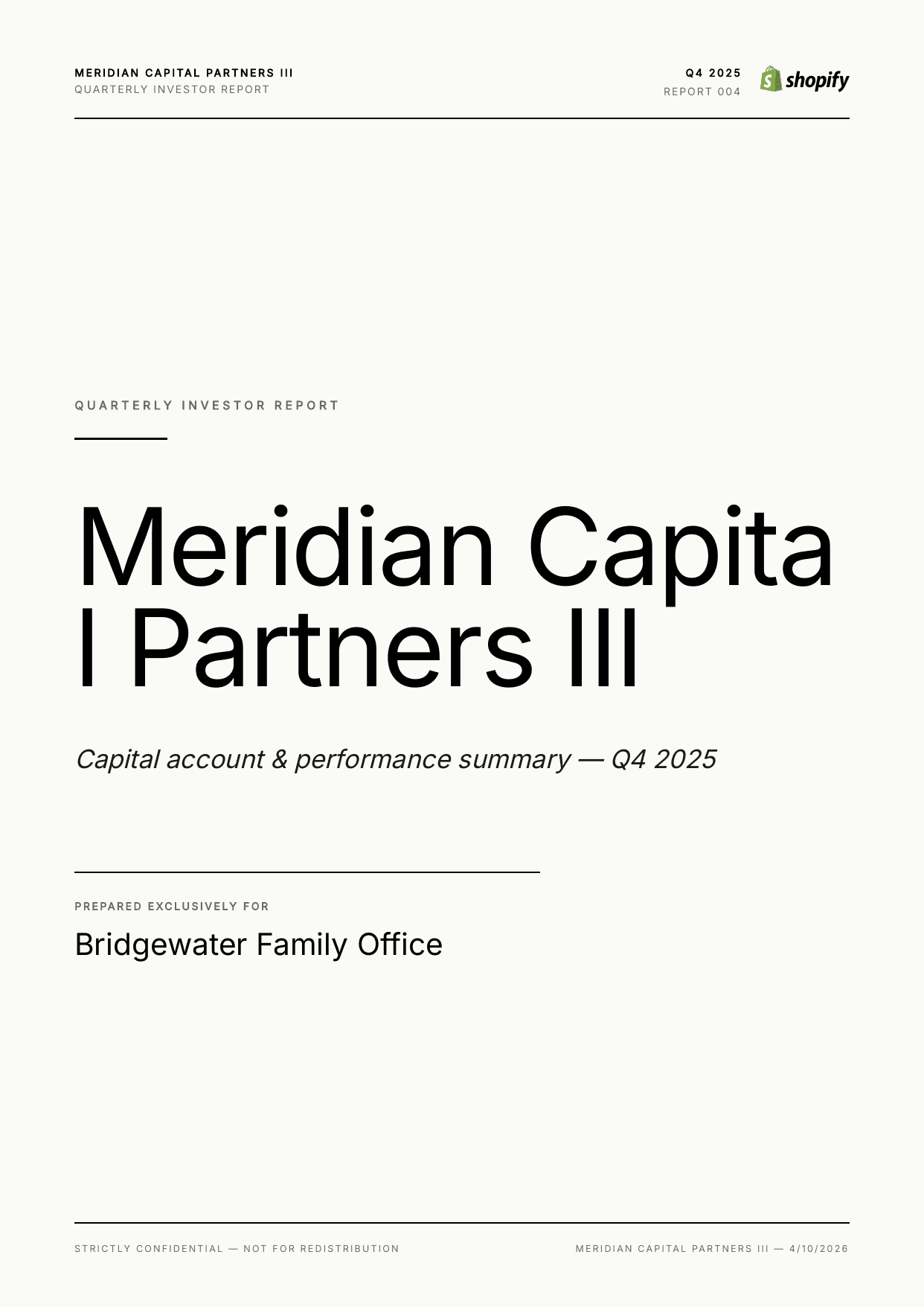
Key fields: Fund name, reporting period, portfolio properties (line items via loop_0), property values, rental income, expenses, NOI, distributions, investor commitment, ownership percentage.
Trigger: Bulk generate all investor reports on the 1st of each quarter.
Step-by-step guide: Generate Investor Reports from Airtable →
Other Real Estate Documents
These document types use the same template + automation approach:
| Document | Frequency | Key Data |
|---|---|---|
| Listing presentations | Per pitch | Market data, comp analysis, agent track record |
| CMA reports | Per prospect | Comparable sales, price analysis, adjustments |
| Property condition reports | Per inspection | Findings, photos, repair estimates |
| Rental applications | Per applicant | Applicant info, references, income verification |
| Move-in/move-out checklists | Per tenant | Room-by-room condition, photos |
Property Feature Grids: The Visual Differentiator
This is where TypeFlow stands out from every other Airtable document tool. Property features displayed as a card grid instead of a plain text list.
How it works:
- Add a "Features" multi-select field to your Properties table (Pool, Hardwood Floors, Smart Home, etc.)
- In your template, add the variable where features should appear
- In TypeFlow mapping, set the Render Mode to "Card Grid" (3 columns)
- Choose colors matching your brand
The result: professional feature cards that look like they were designed by a graphic designer. No linked "Features" table, no HTML coding, no external design tool.
TypeFlow also supports Tags mode (colored pills) and Bullet List mode for simpler layouts.
Learn more about multi-select render modes →
How to Structure Your Airtable Base for Real Estate
Here's a property brochure base you can copy and start with:
For Brokerage / Sales
Properties (Listings)
- Address, MLS#, price, status (Active, Pending, Sold)
- Bedrooms, bathrooms, square footage, lot size, year built
- Features (multi-select: Pool, Garage, Hardwood, etc.)
- Photos (attachment field)
- Description (long text)
- Agent (linked to Agents table)
Agents
- Name, photo, license #, phone, email
- Brokerage, specialization
Contacts / Leads
- Buyer/seller info, source, status
For Property Management
Properties
- Address, type (Apartment, House, Commercial), units
- Owner (linked to Owners table)
Tenants
- Name, email, phone, current address
- Application status, credit score, income
Leases
- Linked to Property + Tenant
- Monthly rent, deposit, lease start/end
- Status (Draft, Sent for Signature, Active, Expired)
- Signed lease PDF (attachment)
For Investment / Fund Management
Properties / Assets
- Address, acquisition price, current value, cap rate
- Monthly rental income, expenses
Investors
- Name, commitment amount, ownership %
- Email (for report delivery)
Reports
- Linked to Fund, reporting period
- Performance metrics, distributions
Key Relationships
Properties
  ├── Agents (brokerage)
  ├── Tenants → Leases (property management)
  └── Investors → Reports (fund management)
Automating the Real Estate Document Workflow
Property Brochures
New listing added to Airtable
    ↓ (photos uploaded, features selected)
Status changes to "Active"
    ↓ (automation triggers)
Brochure PDF generates with photos + feature grid
    ↓
PDF attaches to record for agent access
For open houses: generate all brochures for this week's open houses in one batch from the bulk generate page.
Lease Agreements
Tenant application approved
    ↓ (status = "Approved")
Lease PDF generates with tenant + property data
    ↓ (e-signature triggered)
Tenant receives signing link
    ↓ (signs on phone)
Landlord counter-signs
    ↓
Signed lease saves to Airtable record
Status updates to "Active"
Mobile signing means tenants can sign during the property walkthrough - no printing, no scanning, no email back-and-forth. For managing the full contract lifecycle from lease creation to renewal, see our contract lifecycle management guide.
Learn more about e-signature for Airtable →
Investor Reports
End of quarter
    ↓ (1st of month, scheduled automation)
All investor report records created
    ↓ (bulk generate triggered)
Reports generate with portfolio data from linked tables
    ↓ (email delivery)
Each investor receives their report by email
Use TypeFlow's email delivery to send each report to the right investor automatically.
Real-World Examples
Residential brokerage generates property brochures for every new listing. Photos pull from Airtable attachments, features display as a branded card grid, and the agent's photo and contact info appear automatically from the linked Agents table. When a listing goes active, the brochure is ready in seconds.
Property management company automates lease generation for 200+ units. When a rental application is approved, the lease populates with tenant data and property terms. The tenant signs on their phone, the property manager counter-signs, and the executed lease files automatically to the Airtable record. No paper, no scanning, no lost documents.
Real estate investment fund produces quarterly investor reports for 30 investors. Each report pulls the fund's property portfolio, rental income, expenses, and distributions from linked Airtable tables. Reports generate in bulk and email to each investor on the 1st of the quarter. What used to take a week of compiling spreadsheets now takes 10 minutes.
Best Practices
Use high-quality photos
Brochure quality depends on photo quality. Compress images before uploading to Airtable (under 2MB each) but keep resolution high enough for print. TypeFlow embeds the actual images - no URL expiration issues.
Standardize your lease templates
Create one master lease template with all possible clauses. Use conditional sections to show/hide clauses based on property type (e.g., pet clause only if pets allowed, parking clause only if parking included).
Separate views for different workflows
- "Ready for Brochure" - listings with photos uploaded and features filled
- "Pending Lease" - approved applicants awaiting lease generation
- "Q1 Reports Due" - investors needing quarterly reports
Brand consistency
Store your logo, brand colors, and standard footer text in a separate "Company" table. Pull these into every template via linked records so updating your branding changes all future documents at once.
Start Automating Real Estate Documents
Your property data is in Airtable. Your team is spending hours on brochures, leases, and reports. The templates take 30 minutes to set up. After that, every document generates automatically. See what users say about TypeFlow on G2.
As McKinsey research highlights, 60-70% of time spent on language-heavy workflows like document creation can be automated with the right tools. In real estate, that time goes back to showings, negotiations, and closing deals.
Start for Free - 20 documents included, no credit card required.
Automate your document generation
Start with 20 free documents. Built for businesses using Airtable.
Frequently Asked Questions
Find answers to the most common questions about this feature.
Popular Questions
All Questions
Need more help?
Our team is here to help you solve all your problems and answer your questions.
Contact UsThis guide is based on real estate workflows from property teams using Airtable and TypeFlow. For industry research, see NAR and Deloitte Real Estate Outlook. For e-signature compliance, see ESIGN Act and eIDAS. Last reviewed May 2026.

Kevin from TypeFlow
•AuthorKevin Rabesaotra is a growth engineer and automation specialist with 8+ years of experience building no-code solutions. As Founder & CEO of TypeFlow, he has helped hundreds of businesses automate document generation and streamline workflows with Airtable integrations. Previously, Kevin was a Product Lead specializing in growth engineering, running experiments to drive revenue, retention, and lead generation.
More articles
How to Print Labels from Airtable with Quantity Control (Step by Step)
Print multiple labels per Airtable record based on a quantity field. Step-by-step guide for linked records mode and quantity repeat mode with barcodes and Avery sheets.
Read articleHow to Print Avery Mailing Labels from Airtable
Print Avery mailing labels (5160, 5161, 5162) from Airtable without Word mail merge. Step-by-step guide with print label mode, automation, and bulk generation.
Read articleHow to Create Inventory Labels with Barcodes in Airtable
Create inventory labels with Code 128, EAN-13, or QR barcodes from Airtable. Step-by-step guide for warehouse, retail, and asset tracking with thermal and Avery printers.
Read article