Updated August 26, 2026 · By TypeFlow
Fibery Integration
Three methods to generate documents from Fibery - from a simple clickable link to fully automated generation on record changes.
Overview
| Method | Type | Fibery Plan | Setup |
|---|---|---|---|
| Formula URL | Manual (click a link) | All (including Free) | Very easy |
| Automation Button | Manual (click a button) | Pro+ (requires scripts) | Easy |
| Send Web Request | Automatic | All (run limits apply) | Intermediate |
Before using any method, you need to connect your Fibery workspace to TypeFlow and configure your template mapping.
Method 1: Formula URL
Add a formula field to your Fibery database that generates a clickable URL for each record.
How it works
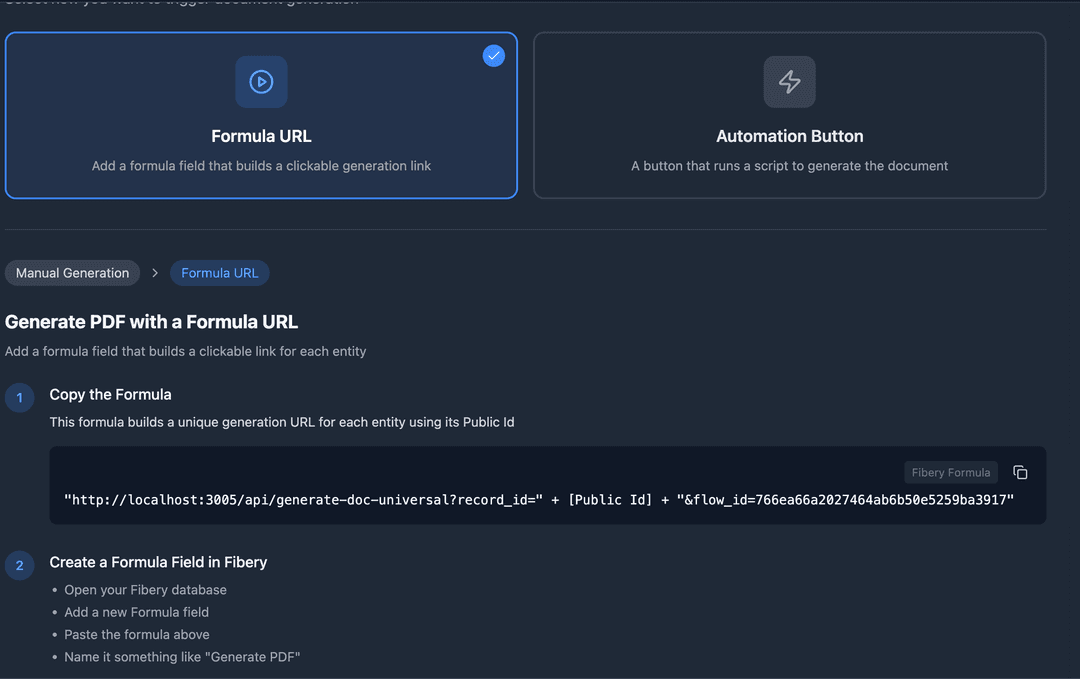
The formula builds a URL containing the record's Public Id. When clicked, TypeFlow fetches the record, generates the document, and saves the PDF back to Fibery.
Setup
- In TypeFlow, go to the Implement tab and select Formula URL
- Copy the formula provided
-
In Fibery, open your database and add a new Formula field
-
Set the output type to URL
-
Paste the formula
-
Click the URL on any record to generate a document
Example formula
"https://premium.typeflow.us/api/generate-doc-universal?record_id=" + [Public Id] + "&flow_id=your_flow_id_here"
Notes
- Uses
[Public Id](Fibery's human-readable ID, e.g. "123"), not the internal UUID - TypeFlow automatically resolves the Public Id to the correct entity
- The URL is clickable in Fibery's table and entity views
- Works on all Fibery plans including Free
Method 2: Automation Button
Create a button in your Fibery database that runs a script to call TypeFlow's API.
How it works
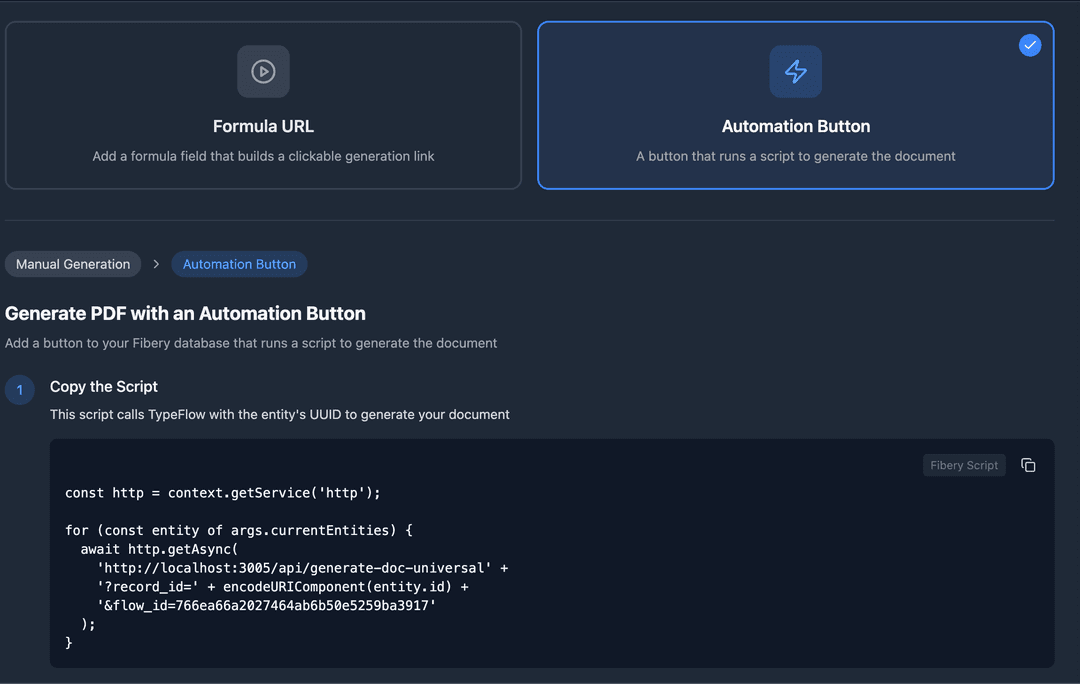
The button runs a JavaScript action that sends the entity's UUID directly to TypeFlow. This is the cleanest experience - one click, document generated.
Setup
- In TypeFlow, go to the Implement tab and select Automation Button
- Copy the script provided
-
In Fibery, open your database
-
Go to Automations and create a new Button
-
Add a Script action
-
Paste the script
-
Save and click the button on any record
Example script
const http = context.getService('http');

for (const entity of args.currentEntities) {
  await http.getAsync(
    'https://premium.typeflow.us/api/generate-doc-universal' +
    '?record_id=' + encodeURIComponent(entity.id) +
    '&flow_id=your_flow_id_here'
  );
}
Notes
- Uses
entity.idwhich is the internal UUID - no ID resolution needed - Requires Fibery Pro plan or higher (JavaScript actions are a Pro feature)
- The button appears in the entity view and can be added to interfaces
Method 3: Send Web Request
Use Fibery's native automation to trigger document generation automatically when a condition is met.
How it works
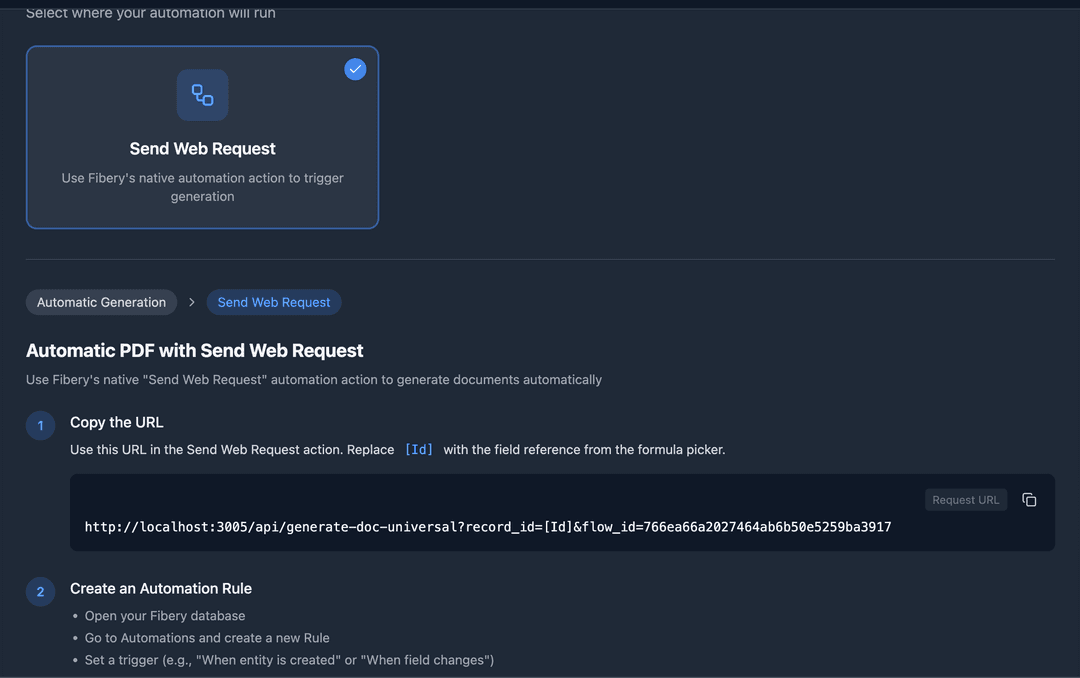
You create an automation rule (e.g. "When Status changes to Ready") that sends a web request to TypeFlow. The document generates automatically without any manual click.
Setup
- In TypeFlow, go to the Implement tab and select Send Web Request
- Copy the URL provided
- In Fibery, open your database
- Go to Automations and create a new Rule
- Set the trigger (e.g. "When entity is created" or "When Status changes to Ready")
- Add a Send Web Request action
- Set method to GET
- Paste the URL and use Fibery's field picker to insert the entity Id dynamically
Notes
- Available on all Fibery plans, but automation runs are limited:
- Free: 250 runs/month
- Standard: 1,000 + 100 per seat/month
- Pro: 10,000 + 1,000 per seat/month
- Enterprise: unlimited
- Whether the field picker exposes the internal UUID (
Id) in the URL formula depends on your Fibery version. If onlyPublic Idis available, TypeFlow handles the resolution automatically. - Best for automatic generation when you don't want users to click anything
Comparison
| Formula URL | Automation Button | Send Web Request | |
|---|---|---|---|
| Trigger | User clicks link | User clicks button | Automatic (rule-based) |
| Fibery plan | All | Pro+ | All (run limits) |
| Setup time | 2 minutes | 5 minutes | 10 minutes |
| Code required | No | JavaScript (copy-paste) | No |
| Entity ID | Public Id (resolved by TypeFlow) | UUID (direct) | Depends on field picker |
| Best for | Quick setup, testing | Production use, clean UX | Fully automated workflows |
Supported Features
TypeFlow's Fibery integration supports the same document generation features as Airtable:
- Simple variables - text, numbers, currency, dates, selects
- Line items - repeating rows from linked records
- Table items - data rendered in tables
- Nested items - two-level parent/child loops
- Grouping - group line items by a field with optional sum calculations
- Conditional sections - show/hide sections based on field values
- Views - apply Fibery View filters and sort order
- Rich text - bold, italic, lists, links rendered correctly
- Images and files - embedded in the document
- Barcodes - Code 128, EAN-13, QR codes
- Date formatting - configurable per field (US, European, ISO, Friendly)
- Filename template - dynamic filenames from record fields
- Write-back - PDF saved to Fibery with optional overwrite
- Google Docs templates - full support
Not yet supported
- E-signature (coming soon)
- HTML/CSS template builder for Fibery loops (coming soon)
- TypeFlow-managed automations (webhook subscriptions)