E-Signature Email Preferences: Control Which Emails Signers Receive
Flow owners on Pro+ can configure which emails each signer receives. Signers can also manage their own preferences from a link in every email.
Overview
TypeFlow sends several types of emails during the signing process:
| Email type | Description | Can be disabled? |
|---|---|---|
| Invitation | Notifies the signer they have a document to sign | No - essential |
| Progress updates | Notifies when other signers complete (parallel mode) | Yes |
| Reminders | Reminds signers about unsigned documents | Yes |
| Document updates | Notifies when the document is revised | Yes |
| Completion | Delivers the signed PDF to all signers | Yes |
Email preferences can be set at two levels: by the flow owner (in the flow configuration) and by the signer themselves (via a preferences page).
Owner Configuration (Pro+)
On the Pro plan and above, you can configure email preferences for each signer individually.
- Open your flow in the Flow Builder
- Go to the E-Signature tab
- Under each signer card, find the Email notifications section
- Check or uncheck each email type:
- Send progress updates to this signer
- Send reminders for unsigned documents
- Notify when document is revised
- Send completion email with signed document
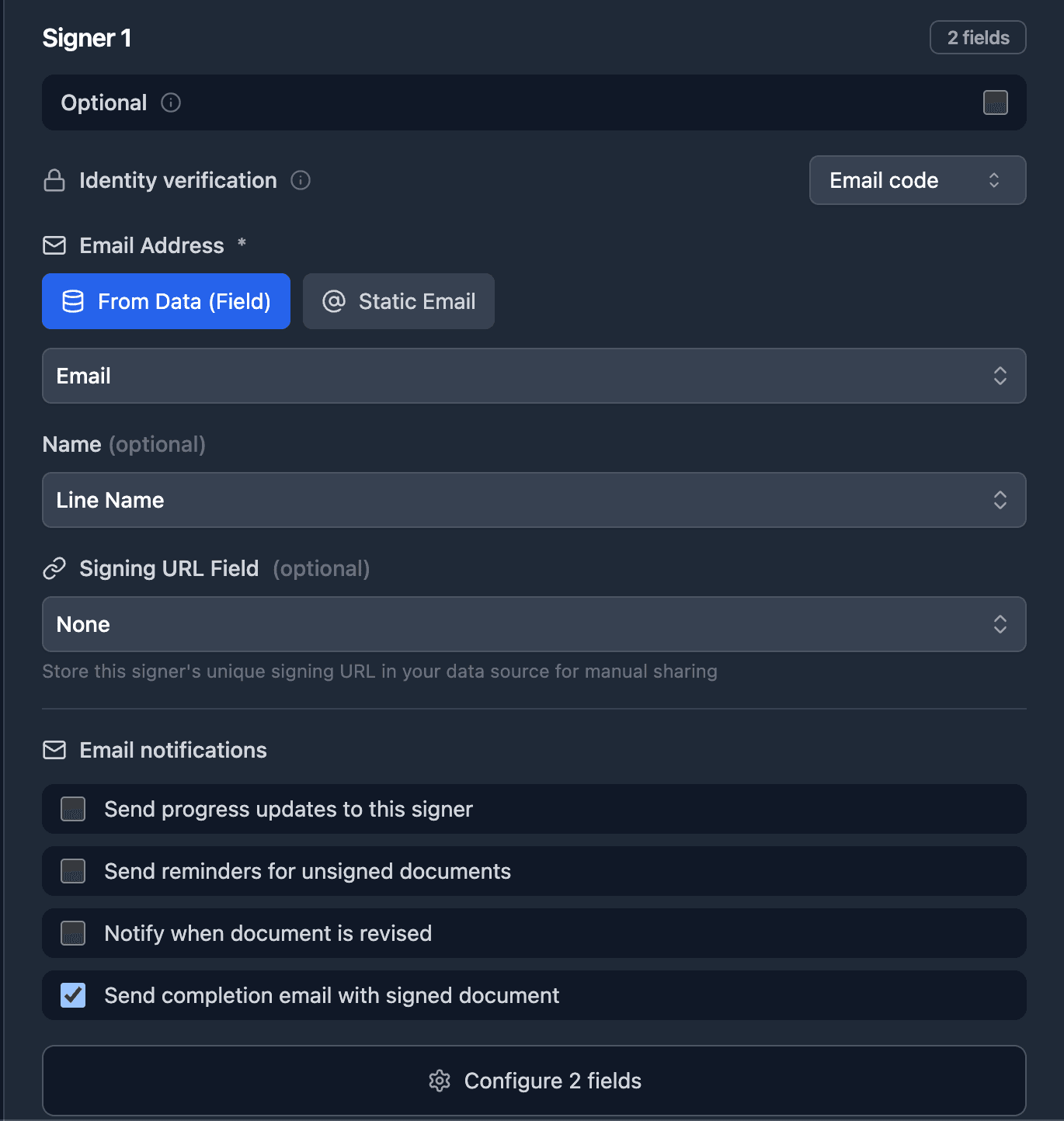
Unchecked = that email type will never be sent to this signer, regardless of their own preferences.
Example: A publishing company disables all emails for Signer 1 (their client) because they send their own branded confirmation email. Signer 2 (internal) keeps the completion email enabled to get the signed PDF automatically.
Signer Self-Service
Every signing email includes a "Manage email preferences" link in the footer. This works on all plans.
The signer clicks the link and sees a page where they can:
- Toggle each email type on or off
- View their saved signature (if any)
- Delete their saved signature
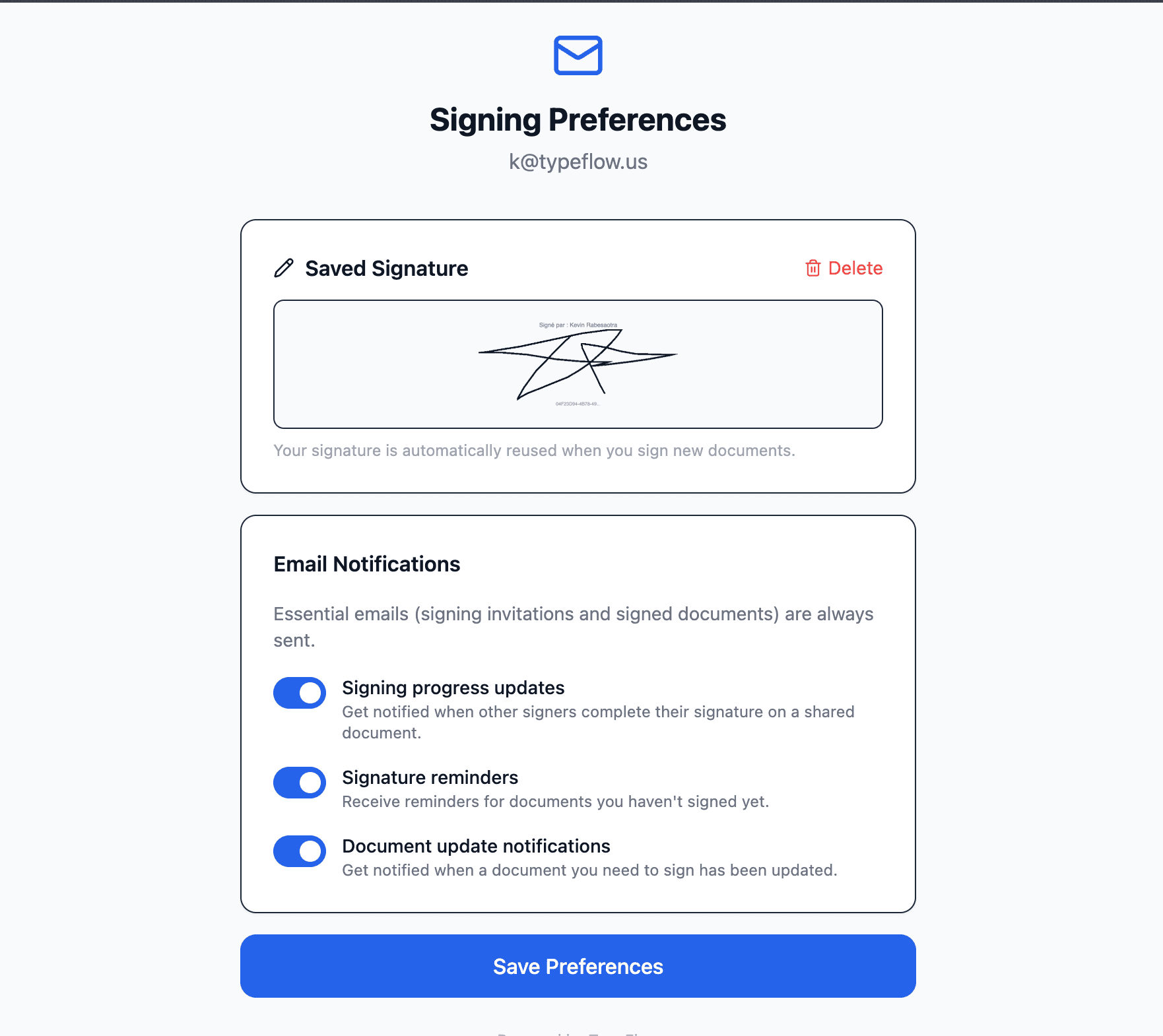
No login is required. The link is authenticated via a secure token tied to the signer's email.
How Priority Works
When deciding whether to send an email, TypeFlow checks in this order:
- Owner config - If the owner disabled this email type for this signer, it is never sent
- Signer preferences - If the signer opted out via the preferences page, it is not sent
- Default - If no preference is set at either level, the email is sent
The signer can reduce emails further but cannot override the owner's restrictions. The owner sets the baseline, the signer can only opt out of what is left.