How to Add a Signature Field to an Airtable Form
Airtable has no native signature field, so its forms cannot capture a signature. To add one, use a form builder that saves the signature to an attachment field of your Airtable record. This article shows how to do it with TypeFlow's Form Builder: the person fills in the form, then signs the PDF generated from their answers, and the signed PDF is saved to the record.
Does Airtable Have a Signature Field?
No. Airtable has no signature field type (see Airtable's field types), so its forms cannot collect a signature. A signature is stored in an attachment field: either as an image captured by a form builder, or inside a signed PDF. Airtable Community members confirm it in Collecting e-signatures in forms and Creating a signable form.
TypeFlow does the second. The form writes the answers to your Airtable record, generates a PDF from your template, and the person signs that PDF. The signed PDF, with a Certificate of Completion, goes back to an attachment field of the record.
How to Add a Signature Field to an Airtable Form
You add a signature to an Airtable form in four steps: set up the document and its signer, create the form, turn on signing, then share the form link.
-
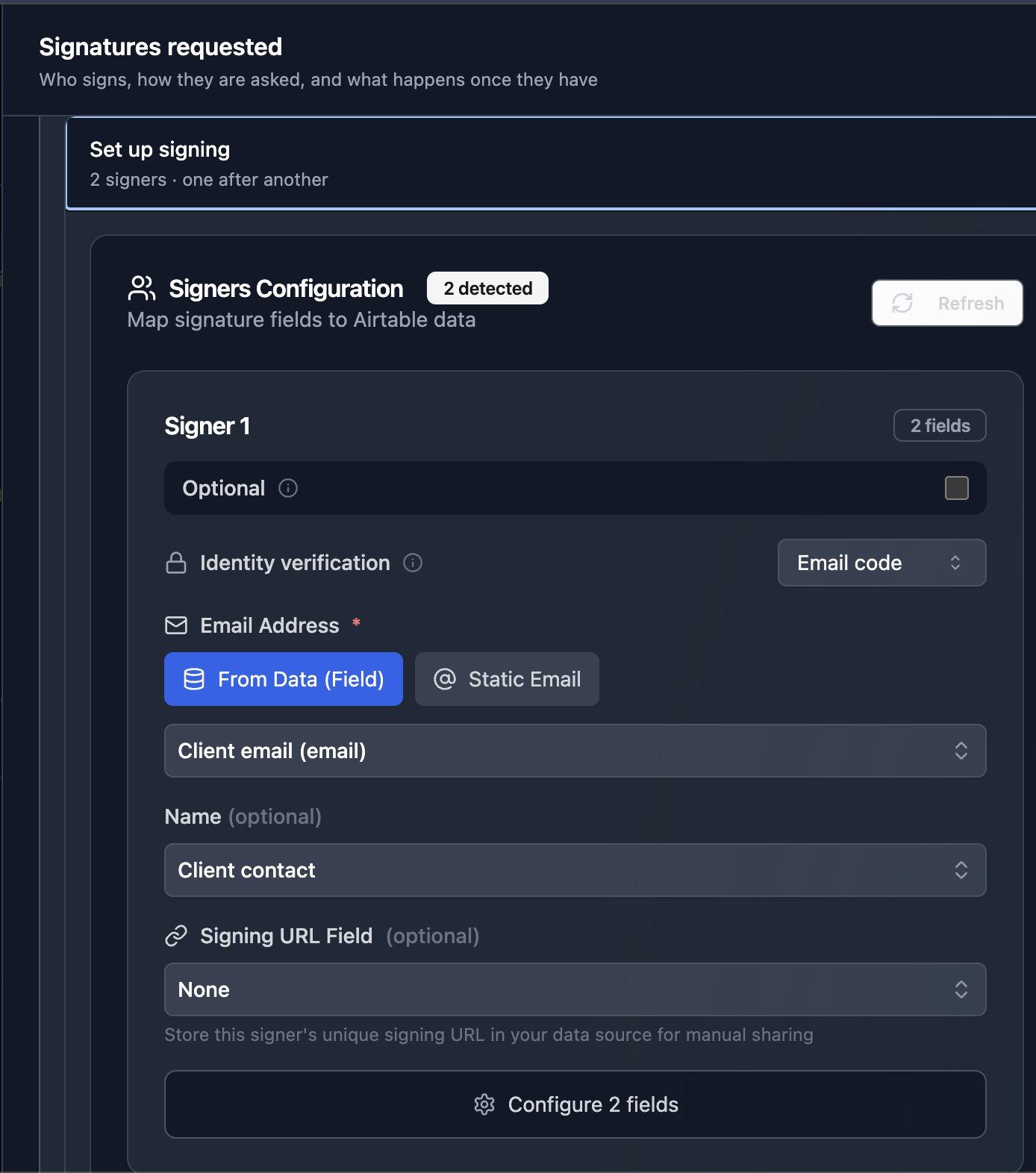
Set up the document and its signer. In TypeFlow, create a flow on your Airtable table with your document template, and turn on e-signature. Pick the attachment field where the signed PDF is saved. Set signer 1's email to the email field of your table.
-
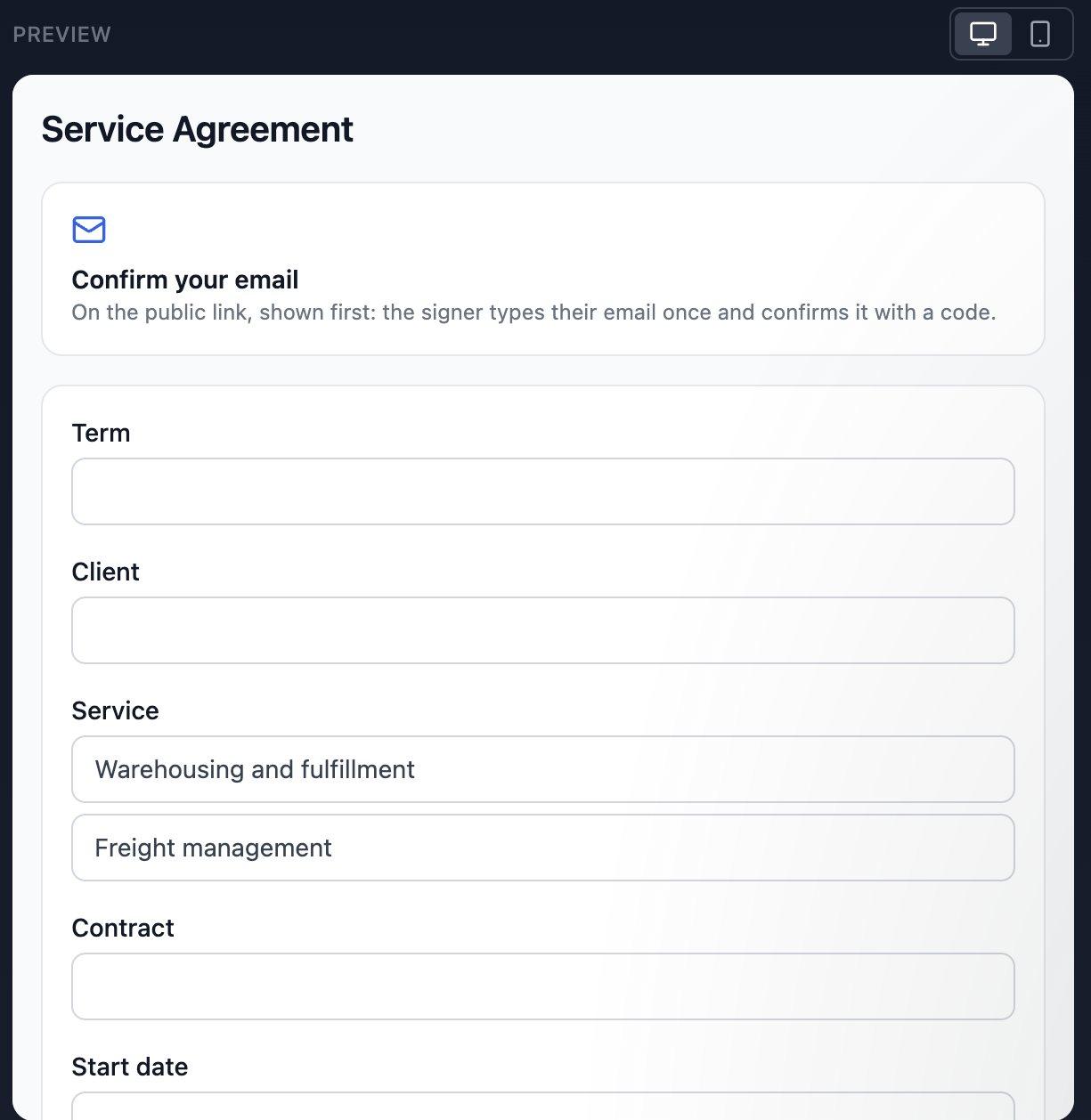
Create the form. Open the Form tab. TypeFlow turns the fields used in your template into questions. Choose New people, so that each answer creates a record.
-
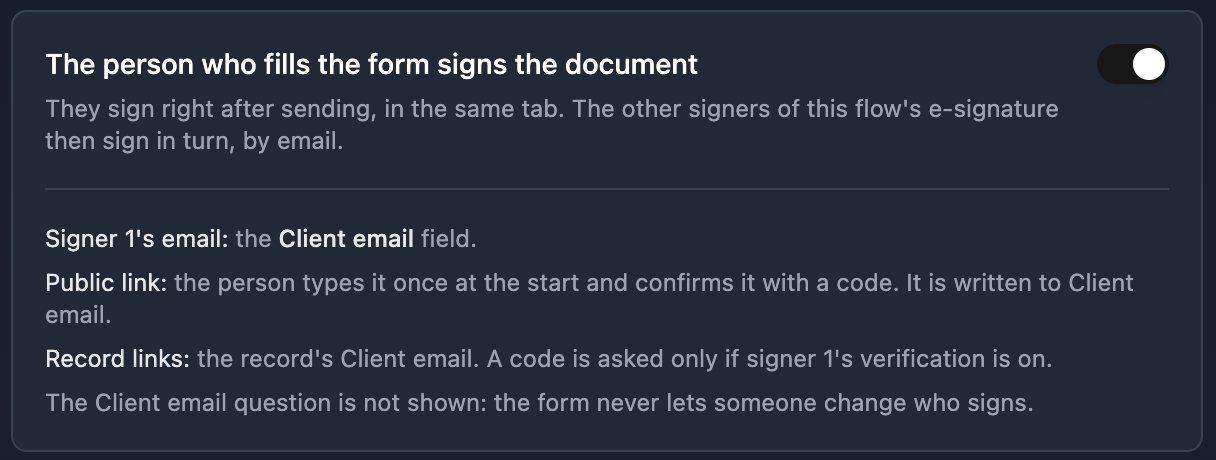
Turn on signing. Switch on The person who fills the form signs the document. The person confirms their email with a code at the start, and it is written to signer 1's email field.
-
Share the form link. Click Publish and copy the link.

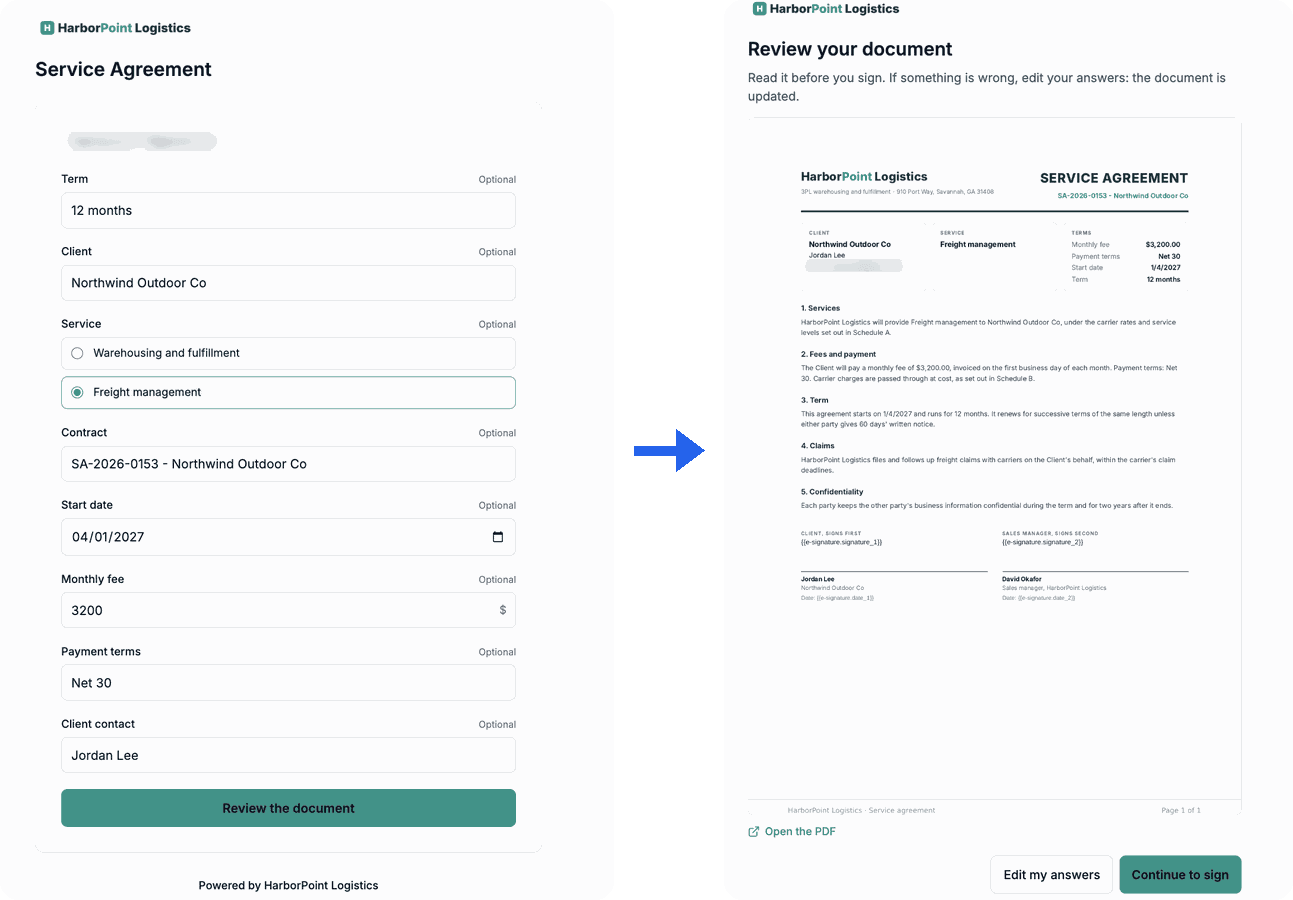
When someone submits the form, TypeFlow creates the record in Airtable and generates the PDF with their answers. The person reviews the document, can edit their answers if something is wrong, then signs it in the same tab: they draw, type or upload their signature. The signed PDF is saved to the record, and any other signers of the flow are invited by email.
Signing through a form needs the Pro plan.
Add a Signature to an Existing Record
To collect a signature on a record you already have, give each record its own form link. In the Form tab, choose Your records, pick the URL field where each link is written, and click Write the links in Airtable.
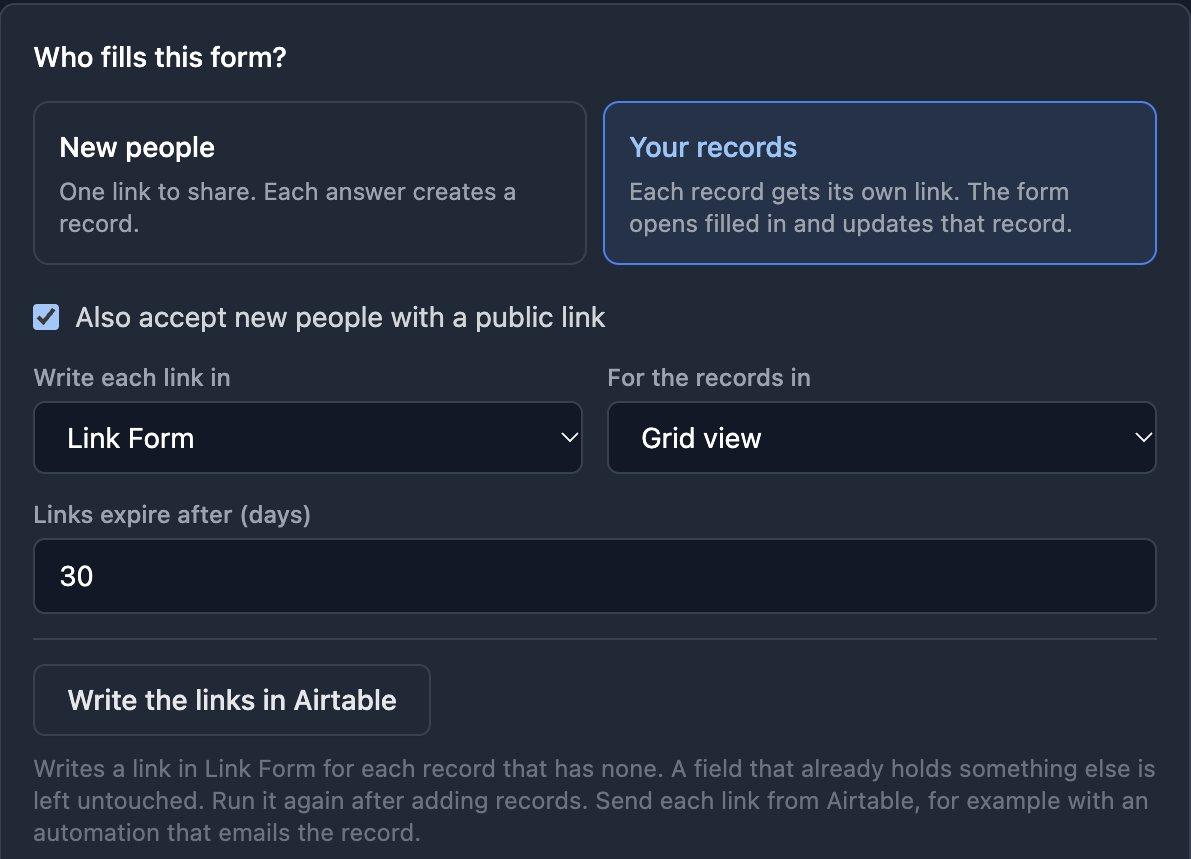
Each link opens the form filled in with the record's values. Submitting it updates that record and regenerates the PDF, and the person signs it. Send each link from Airtable, for example with an automation that emails the record.
Capture a Signature on Mobile
The TypeFlow form and the signing page work on a phone. The signer draws their signature with a finger, types it, or uploads an image of it, and the signed PDF is saved to the record as on a computer.
Signatures in Airtable Interfaces
A signature cannot be added inside an Airtable Interface. Add a button to the Interface that opens the record's TypeFlow form link in a new tab: the person fills in the form and signs there, and the record is updated.
Other Form Builders with a Signature Field
These form builders have a signature field and sync to Airtable. Most save the signature as an image in an attachment field, which suits waivers, permission slips and intake forms. TypeFlow saves the signed PDF instead.
| Tool | Signature Field | Airtable Sync | Free Plan |
|---|---|---|---|
| Fillout | Yes | Native | Yes |
| Jotform | Yes | Integration | Limited |
| Plumsail Forms | Yes | Native | Yes |
| Formstack | Yes | Integration | No |
| miniExtensions | Yes | Native | Paid |
| TypeFlow | Yes | Native | Free trial (20 documents) |
For a comparison of tools that send Airtable documents for signature, see best e-signature tools for Airtable.
Signature Field or Signed Document?
A signature on a form is enough when you only need agreement on the answers: waivers, consent forms, intake forms. The signature is an image in the record.
A signed document is needed when the agreement is the document itself, such as a contract, a quote or an engagement letter. The signer reads the full document before signing, and the signed PDF carries an audit trail. If you need a signed contract or PDF rather than a signature image, generate the document from the record with TypeFlow, send it for signing, and the completed file is saved back to the attachment field. See Airtable electronic signature and the step-by-step e-signature tutorial.
Forms that end in a signed document
Collect answers, generate the PDF and get it signed, all from your Airtable table. No Zapier, no per-signature fees.
Start free with 20 documents →Automate your document generation
Start with 20 free documents. Built for businesses using Airtable.
FAQs About Signature Fields in Airtable
Find answers to the most common questions about this feature.
Popular Questions
All Questions
Need more help?
Our team is here to help you solve all your problems and answer your questions.
Contact Us
Kevin from TypeFlow
•AuthorKévin Rabesaotra is a growth engineer and automation specialist with 8+ years of experience building no-code solutions. As Founder & CEO of TypeFlow, he has helped hundreds of businesses automate document generation and streamline workflows with Airtable integrations. Previously, Kevin was a Product Lead specializing in growth engineering, running experiments to drive revenue, retention, and lead generation.
More articles
How to Print Labels from Airtable with Quantity Control (Step by Step)
Print multiple labels per Airtable record based on a quantity field. Step-by-step guide for linked records mode and quantity repeat mode with barcodes and Avery sheets.
Read articleHow to Print Avery Mailing Labels from Airtable
Print Avery mailing labels (5160, 5161, 5162) from Airtable without Word mail merge. Step-by-step guide with print label mode, automation, and bulk generation.
Read articleHow to Create Inventory Labels with Barcodes in Airtable
Create inventory labels with Code 128, EAN-13, or QR barcodes from Airtable. Step-by-step guide for warehouse, retail, and asset tracking with thermal and Avery printers.
Read article